
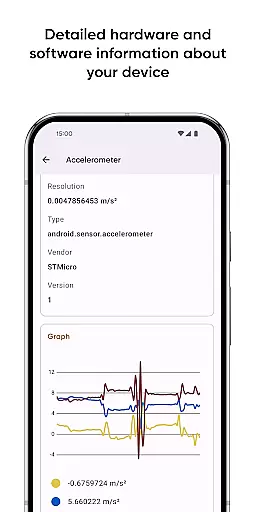
Castro Premium is a comprehensive device monitoring tool that provides real-time performance tracking and detailed system information. The app offers an extensive collection of data points, including CPU and GPU statistics, battery monitoring, memory usage, network data consumption, and sensor readings with helpful graphs.
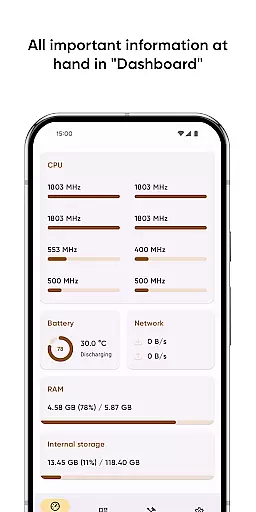
In addition to its robust monitoring capabilities, Castro features a user-friendly Dashboard that consolidates essential metrics such as CPU load, battery status, network activity, and memory usage. Power users can take advantage of advanced tools like screen testing, noise checking, and customizable interface themes available through the Premium subscription. This makes Castro an invaluable tool for both casual users and tech enthusiasts looking to optimize their device's performance.
Castro Premium stands out with its wide array of features designed for in-depth device analysis. The app processes and displays critical information such as detailed processor stats, battery health, memory consumption, and real-time sensor data. Users can monitor temperatures, check camera specifications, and view available codecs.
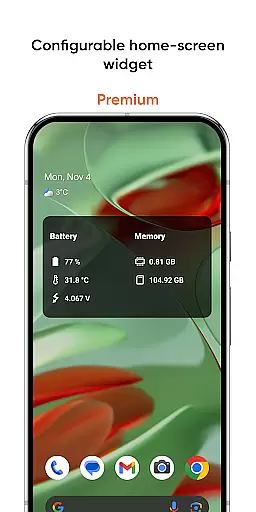
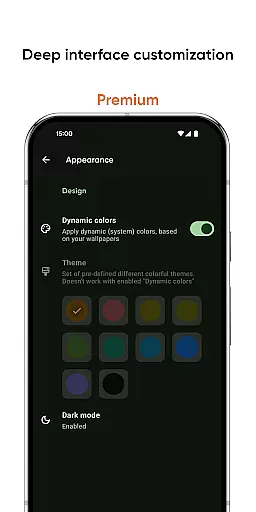
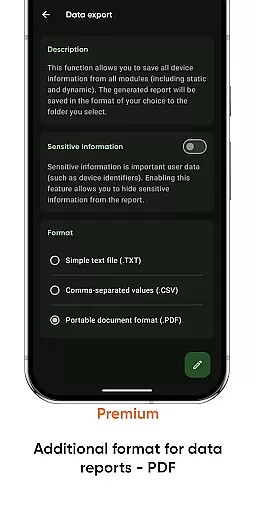
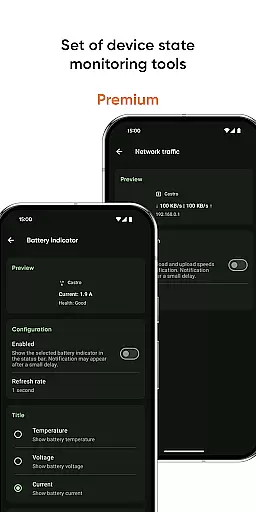
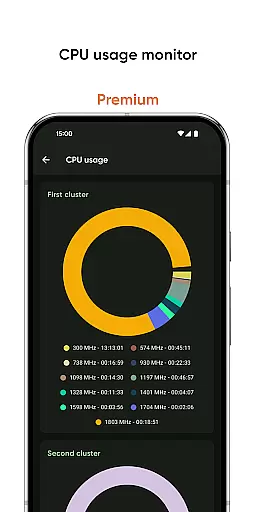
Premium subscribers gain access to enhanced functionalities, including deep interface customization, a configurable home-screen widget, and specialized monitoring tools for battery properties, network traffic speed, and CPU usage. Additionally, the app supports exporting device information in PDF format. These features collectively provide users with unparalleled control over their device monitoring experience while offering customization options that cater to individual preferences.
Castro Premium stands out in the Tools category by offering highly accurate and effective core functions that cater to users' needs for monitoring their device's status. The app provides detailed processor statistics, including CPU and GPU usage, which are crucial for understanding your device's performance capabilities. With real-time data presentation, users can make informed decisions about resource allocation and optimize their device's efficiency.
Beyond processor statistics, Castro also excels in battery monitoring, memory consumption analysis, and network data tracking. These features collectively ensure that users have a comprehensive overview of their device's health. The app's ability to display this information with useful graphs enhances the user experience by making complex data more digestible and actionable.
The true value of Castro Premium lies in its capacity to empower users with precise control over their devices. By delivering reliable metrics on temperatures, camera details, and codec availability, it ensures that users are never in the dark about what their device is capable of or how it's performing. This level of detail supports both casual users looking to maintain optimal performance and tech enthusiasts who demand deep insights into their hardware.
In addition to its powerful monitoring tools, Castro Premium places a strong emphasis on interface simplicity and intuitiveness, ensuring that users of all technical backgrounds can navigate and utilize its features effectively. The Dashboard window exemplifies this approach by consolidating the most critical information such as CPU usage, battery status, network activity, and memory load into an easily accessible format.
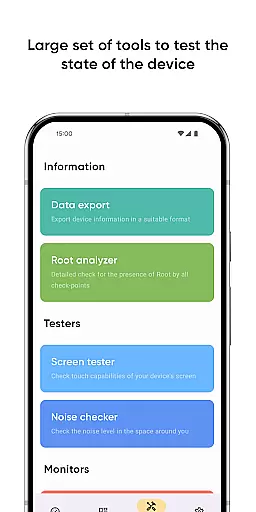
This commitment to user-friendly design extends to specialized tools like the Screen tester and Noise checker, which provide straightforward methods for testing display integrity and environmental noise levels respectively. Such intuitive implementations allow users to quickly understand and act upon the feedback provided without requiring extensive technical knowledge.
Premium users benefit further from advanced yet accessible customization options, including various colors and themes alongside configurable home-screen widgets. These elements not only enhance aesthetic appeal but also improve usability by allowing personalized layouts that prioritize relevant information. Overall, Castrou2019s blend of powerful functionality with an intuitive interface makes it an indispensable tool for anyone seeking to maximize their device's potential while maintaining ease of use.
User-friendly dashboard
Real-time monitoring
Extensive system details
Customizable interface
Advanced tools
Premium subscription required
Complex for beginners
Limited free features
Highly technical
No offline support

Easily install aab(Android App Bundle) files on your Android device with our app
 4.80
4.80
Quickly switch to an encrypted DNS server on Android TV
4.50
Save any video in HD - paste the link, download fast and watch offline.
4.5
ADB support Android 4.X-Android 13(Support wireless pair mode).No root required!
4.70
MS-DOS in your pocket. Play old DOS games anywhere you are ;)
4.10
Monitor car performance in real time and troubleshoot malfunctions.
4.80
The ultimate tool for network analysis, wifi scanning and problem detection.
4.90
Create your own custom widget with endless possibilities
3.90
fast and easy mp3 music downloader
4.80
Support Fossify apps with a warm thank you!
5.00
Small and simple app to Verify Root Access and BusyBox Install!
4.70
Optimize your WiFi network, turn your phone into Wifi Analyzer
4.70
NFC Tools can read and write NFC tags.
4.70 4.50
4.50
Forza Tuning Calculator App for Forza Horizon 5, Motorsport and Earlier Titles
4.40
pdf merge, word to pdf, jpg to pdf, edit pdf, convert to pdf and much more!
4.20
Just one-tap to easy translate in any language after calls within seconds.
4.20
Remote for Roku, Fire TV, Samsung TV, LG TV, Android TV, Chromecast and VIZIO TV
4.20
A simple app to back up and restore SMS & MMS messages and call logs.
4.10


User Reviews