
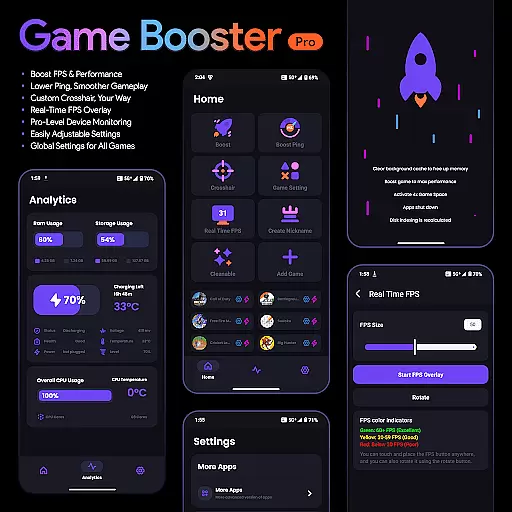
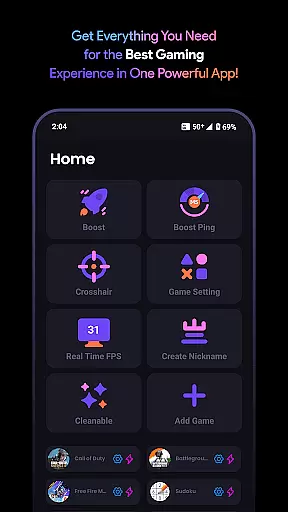
Game Booster Pro is a powerful tool designed to enhance your mobile gaming experience. The app focuses on optimizing device performance, boosting FPS, and reducing lag to deliver smoother gameplay. With its advanced features like real-time FPS overlay and customizable crosshair options, it caters specifically to gamers who demand precision and control.
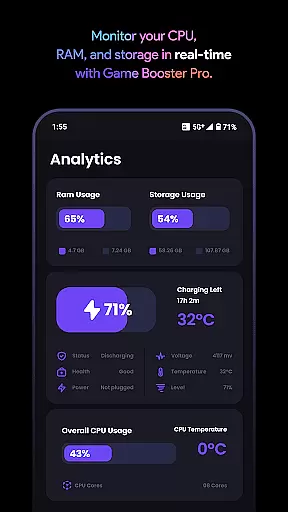
In addition to performance enhancements, the app provides pro-level device monitoring, allowing users to track their device's stats while gaming. Its intuitive interface ensures that even beginners can easily adjust settings to suit their preferences. Whether you're playing graphics-intensive games or competitive shooters, Game Booster Pro offers tools that help elevate your gaming sessions.
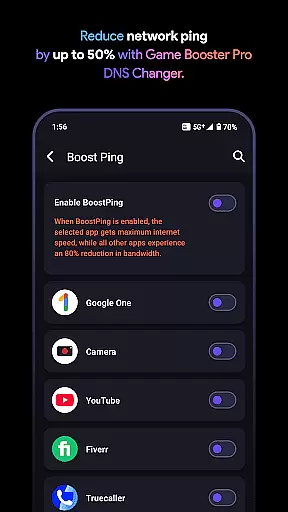
The app also uses VpnService technology to optimize network traffic for gaming, prioritizing bandwidth for selected games while reducing background app interference. This ensures minimal latency and a more reliable connection during online matches. Suitable for both casual and serious gamers, this tool delivers measurable improvements in gaming performance.
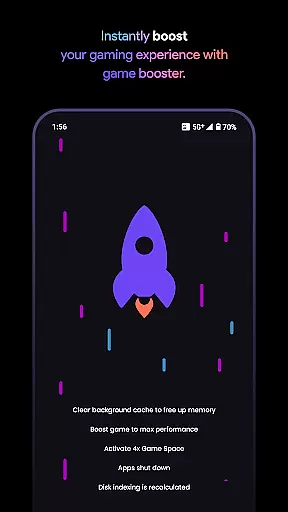
Game Booster Pro stands out with its comprehensive suite of gaming optimization tools. One of its key features is the ability to boost FPS and overall game performance by adjusting system settings automatically. This results in noticeably smoother gameplay, especially in graphically demanding titles.
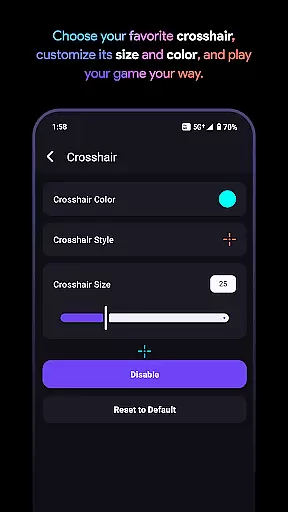
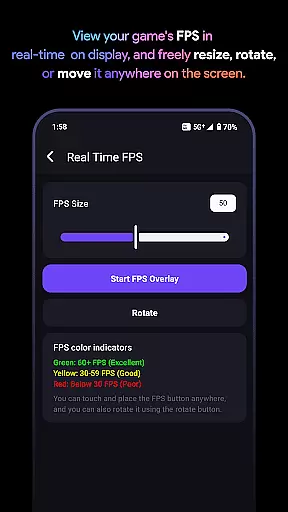
Another notable feature is the customizable crosshair, which allows players to create and save personalized crosshair designs for different games. Combined with the real-time FPS overlay, gamers can monitor their frame rates without leaving the game, ensuring they maintain optimal performance levels at all times.
The app also includes robust device monitoring capabilities, giving users insights into CPU, GPU, and memory usage. By leveraging VpnService, it optimizes network traffic to reduce lag and improve connectivity. These features collectively make Game Booster Pro an indispensable tool for gamers seeking enhanced performance and greater control over their gaming environment.
Game Booster Pro focuses on delivering accurate and effective core functions that cater to gamers' needs. The app optimizes gaming performance by boosting FPS, lowering lag, and providing real-time device monitoring. These features work together to ensure a seamless gaming experience.
The app's ability to enhance FPS and lower lag is achieved through optimized settings and network traffic prioritization. This process involves creating a Local-Only VPN connection that reduces ping and bandwidth usage for background apps. As a result, users can enjoy smoother gameplay without distractions or interruptions.
For gamers, this means an enhanced experience with improved frame rates and reduced network latency. The real-time FPS overlay and pro-level device monitoring further add to the practicality of the app, allowing users to track their device's performance instantly. These tools are crucial for competitive gaming where every millisecond counts.
A simple and intuitive interface is essential for any tool-based app, and Game Booster Pro excels in this area. The app offers easily adjustable settings that allow users to customize their gaming preferences with just a few taps. This ease of use ensures that even beginners can navigate and utilize the app effectively.
Game Booster Pro provides a user-friendly interface that makes customization accessible to all. Whether it's adjusting crosshairs, monitoring FPS, or applying global settings across games, the app simplifies these tasks significantly. Its design philosophy centers around making high-performance gaming accessible to everyone.
Ultimately, the straightforward interface enhances user engagement by removing unnecessary complexity. Gamers can focus more on their gameplay rather than figuring out how to use the app. This intuitive approach not only saves time but also enhances overall satisfaction with the gaming experience.
Boosts FPS effectively
Reduces lag significantly
User-friendly interface
Customizable crosshair
Real-time performance tracking
Premium version required
Limited free features
Network tweaks may vary
Device compatibility issues
No offline support

Connect instantly to a fast, encrypted VPN with one tap
 4.60
4.60
1-Click close all background apps on Android TV
3.90
Unlock your Essential Key. Create custom shortcuts to your favorite apps!
4.2
Planner and Tracker for Stardew Valley
4.60
Screen Mirroring for Roku Sticks, Roku TCL TV and Roku Hisense TV
4.50
Game Booster, GFX Tool is now compatible with newer game update
4.50
Remote Play with FSR upscaling, low latency & full controller support
4.80
Automate everything from settings to photos, SMS to speech. ADC2 prize winner.
4.10
Creation, Learning, Entertainment & More — The All-in-One AI Search Engine
4.70
FV File Manager Pro, Fast and powerful file manager for Android
4.60
Mirror your screen to Chromecast and Android TV - Super fast and simple
4.60 4.50
4.50
Quickly switch to an encrypted DNS server on Android TV
4.50
Quickly & easily calculate the spacing of handrail balusters
4.20
An open-source APK explorer for Android!
4.10
Create your own live wallpaper or check out thousands already made presets
3.90
Smart and comfortable browsing experience.
3.80
Safely recover deleted photos, videos, and files with a single easy tap.
3.70
card-reader app
2.20


User Reviews