
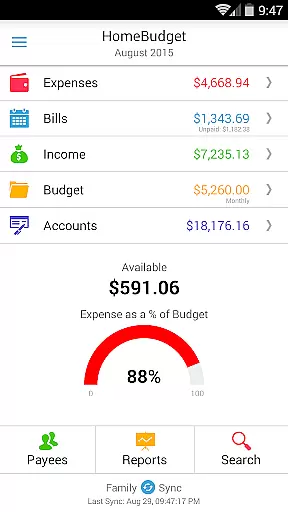
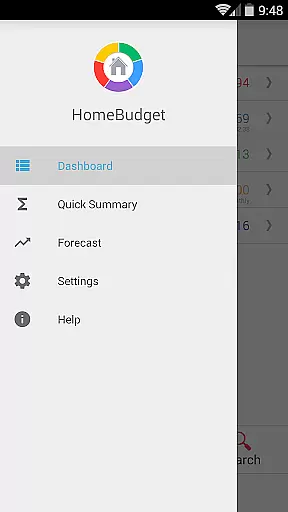
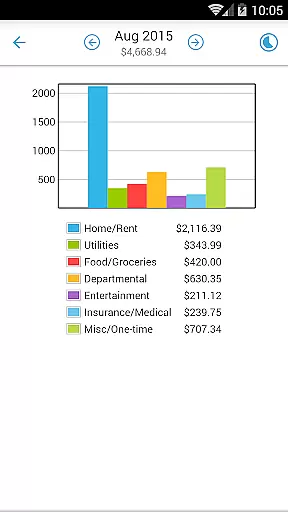
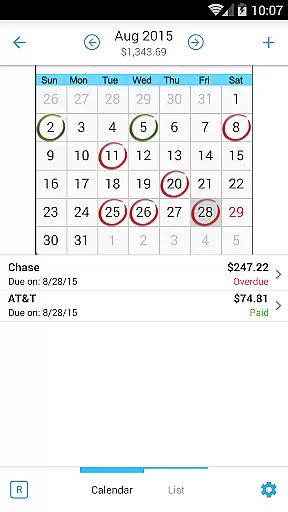
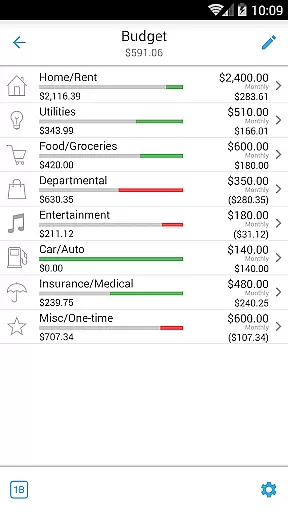
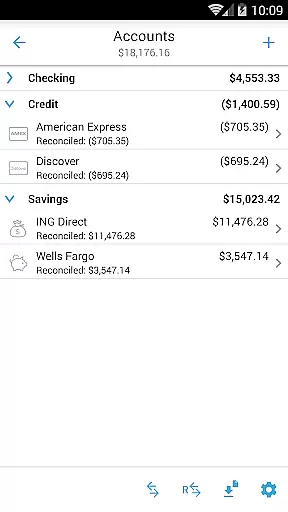
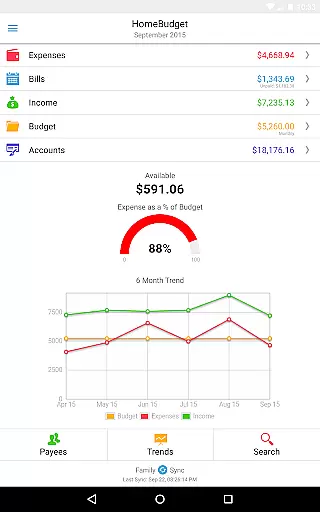
Home Budget with Sync is a comprehensive financial management application designed to help users track expenses, income, bills-due, and account balances across multiple devices. Available on both mobile (Android, iPhone/iPad) and desktop platforms (Windows, Mac OS), the app offers instant data synchronization between devices, ensuring that your financial information is always up-to-date wherever you access it. The app stands out with its integrated feature set, allowing seamless transitions from bill payments to expense tracking and balance adjustments.
One of the key highlights of Home Budget with Sync is its Family Sync functionality. This advanced feature enables multiple household members to collaborate within a single budget by syncing their devices automatically over the air. Whether managing shared expenses or tracking individual contributions, Family Sync ensures all users have a unified view of their financial status. With support for budgeting, detailed reports, and customizable categories, this app provides a complete solution for effective personal and family financial management.
Home Budget with Sync offers an extensive range of features tailored to simplify financial tracking and budgeting. Users can create, edit, and delete expenses, income, and recurring bills with ease. The app supports detailed categorization, enabling users to set budgets at category or sub-category levels and classify expenses into fixed, variable, and discretionary types. Additionally, users can attach photo receipts to their entries, search past transactions, and utilize calendar views for upcoming bill payments.
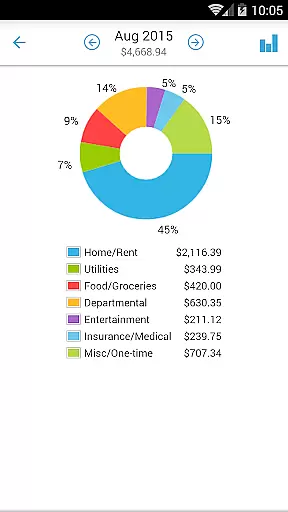
The app's reporting tools provide valuable insights through trend charts, pie/bar graphs, and exportable data via email or WiFi. Its Account Management system supports various account types like Checking, Savings, Credit, and Cash, offering accurate balance tracking and inter-account transfers. With added functionalities such as password protection, backup/restore options, and locale-specific settings for date/currency formats, Home Budget with Sync delivers a robust and user-friendly financial management experience.
Account and fund security is a critical aspect of any financial management application. Home Budget with Sync ensures the safety of your financial data through multiple layers of protection.
The app provides password protection to prevent unauthorized access to your sensitive information. This feature allows only authenticated users to view and manage expenses, income, and account balances, ensuring that your financial details remain confidential.
In addition to password protection, the app supports automatic backup and restore functionality. This means you can securely save all your financial records, including receipt images, and retrieve them whenever necessary. The ability to protect your data with backups adds an extra layer of security against data loss.
Furthermore, Home Budget with Sync follows the locale and region settings on your device, displaying appropriate currency symbols and formats for your region. This localization feature not only enhances usability but also minimizes errors in financial entries, contributing to overall account security.
A seamless transaction experience is essential for effectively managing personal finances. Home Budget with Sync offers an integrated set of features that streamline the process of tracking expenses and income.
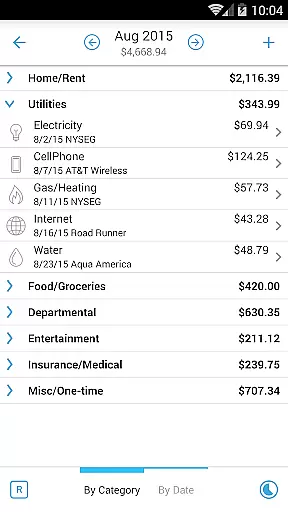
With the ability to create, edit, and delete expenses and recurring expenses, users can maintain an accurate record of their financial transactions. The app's intuitive interface allows for easy browsing of expense entries by month, category, or date, with the option to drill down into specific details.
Home Budget with Sync goes beyond simple transaction logging by offering advanced functionalities such as associating accounts and payees with transactions. Users can attach photo images of receipts and even search through their expense entries, making it easier to keep track of spending patterns and manage budgets efficiently.
Moreover, the app includes a large numeric keypad for effortless data entry, with automatic decimal point placement according to the user's locale or region. These thoughtful design elements contribute to a smooth and efficient transaction experience, empowering users to take control of their financial health.
User-friendly interface
Real-time data sync
Comprehensive budgeting tools
Family collaboration features
Detailed reporting options
Separate purchase per platform
No free full version
Limited cross-platform integration
Occasional sync issues
Premium pricing model

Play for fun, earn for real. Collect rent by owning virtual land & get cashback
 4.60
4.60
Download the MySynchrony App to manage your accounts securely and conveniently!
4.60
Earn cash & save money daily. Access instant cash advances* - no credit check!
4.50
Your insurance, anytime, anywhere
4.00
Early payday & cash advances with no-fee mobile banking!
4.60
Car Insurance Made For You.
4.50
Put crypto to work & earn rewards. Stake crypto like Ethereum, Solana & Cardano
4.40
Invest, bank & save in one app. Trade stocks, earn high APY & budget smarter.
4.00
Amazing Financial Calculator. Based on HP 10bII, but easier to use!
4.40
No credit checked needed.
4.80
Your Big Financial Friend
4.70
Manage and cancel subscriptions, lower bills, track expenses, create budgets.
4.60
Get, Earn, and Save Money
4.30
Change the way you money with Credit Genie
4.30
Read and extract public data on NFC Contactless banking card (VISA, MasterCard
4.30
Make your paycheck work harder for you with Perpay.
4.10
Venmo is the fun and easy way to pay and get paid.
4.10
Bitcoin gpu app helps you remote mine using your cell phone easily .
3.60
Retirement plan, IRA, retail and HSA customers serviced by Empower.
3.10


User Reviews