
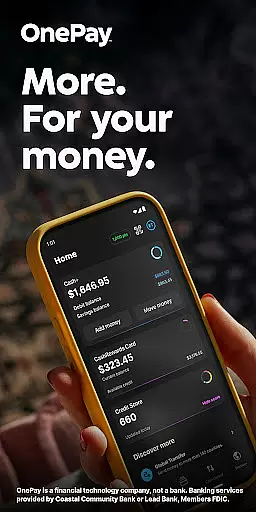
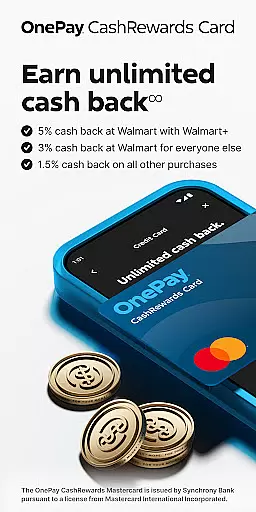
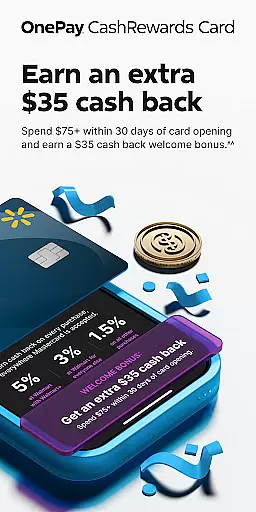
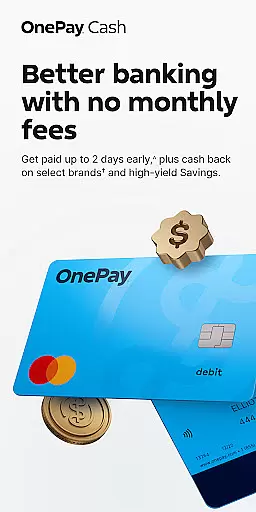
OnePay - Mobile Banking represents a new era of financial technology, offering users an innovative way to manage their money. As a financial technology company rather than a traditional bank, OnePay provides banking services through partnerships with established banks like Coastal Community Bank and Lead Bank, ensuring FDIC membership protection. The app's core functionality revolves around its digital banking solutions, including the OnePay CashRewards Mastercard and Debit Card programs, both issued under license from Mastercard International.
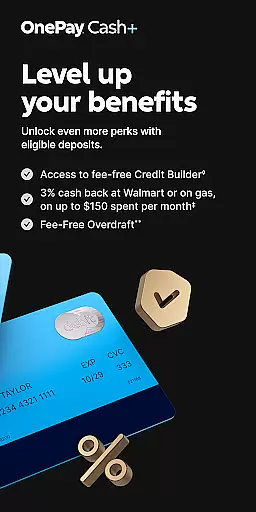
Users can take advantage of features such as cash back rewards earned as OnePay Points, which are redeemable into their OnePay Cash account or other options. The application is designed for customers who maintain eligible deposits, either through Direct Deposits totaling $500+ monthly or maintaining a $5,000+ account balance. Additionally, OnePay offers tools like Savings Backup and Fee-Free Overdraft services, enhancing user control over their finances while providing essential safeguards against unexpected expenses.
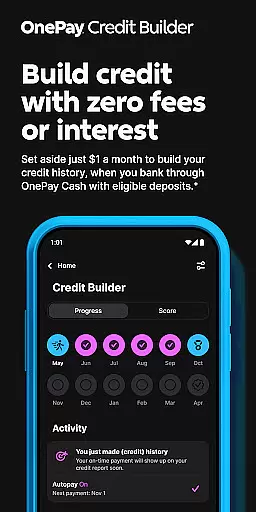
The app particularly benefits individuals seeking to improve their credit scores through the Credit Builder Program, allowing flexible monthly payments starting at just $1. This feature, combined with the ability to earn cash back on purchases made with the OnePay CashRewards Mastercard, makes OnePay an attractive option for those looking to optimize their financial health while enjoying the convenience of mobile banking.
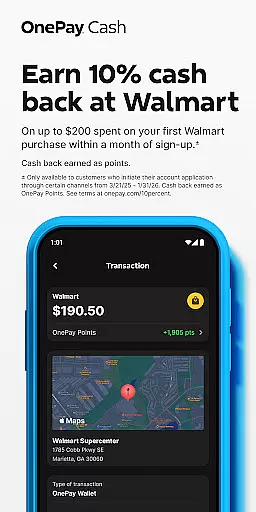
OnePay - Mobile Banking distinguishes itself through several key features that cater to modern banking needs. First and foremost, the app provides a comprehensive rewards system where users can earn cash back as OnePay Points on qualifying purchases. These points are redeemable as deposits into a OnePay Cash account or other available options, subject to terms and conditions found at onepay.com/rewards-terms. This incentivizes regular use of the platform while offering tangible financial benefits.
Another standout feature is the Credit Builder Program, which allows users to make flexible monthly payments towards building credit history. With minimum payments set at $1, users have significant flexibility in managing their repayment strategy. Furthermore, the inclusion of Savings Backup and Fee-Free Overdraft services demonstrates OnePay's commitment to providing robust financial safety nets. These features work together to ensure that users can maintain financial stability even when faced with unexpected expenses or overdraft situations.
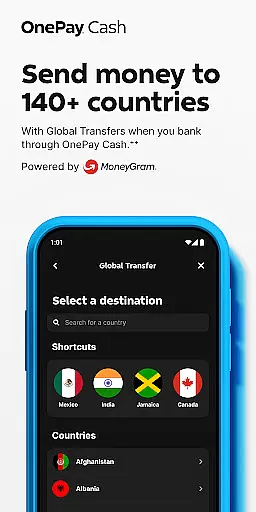
Lastly, OnePay supports direct deposit functionalities, enabling faster access to funds once paycheck data is received from employers. This service is complemented by competitive currency exchange rates, making it suitable for users who frequently engage in international transactions. Overall, these features collectively enhance the user experience by combining convenience, security, and financial growth opportunities within a single platform.
Account and fund security is a critical aspect of any financial application, ensuring that users' personal and financial information is protected from unauthorized access. OnePay u2013 Mobile Banking employs advanced encryption protocols to safeguard data, providing users with peace of mind when conducting transactions or storing sensitive information.
The app implements multi-factor authentication processes, adding an extra layer of security by requiring not just a password but also a unique code sent to the user's registered device. This ensures that even if login credentials are compromised, unauthorized access can be effectively prevented.
Additionally, OnePay offers real-time monitoring and alerts for account activities, empowering users to quickly identify and respond to any suspicious actions. With these comprehensive security measures in place, OnePay u2013 Mobile Banking delivers a secure environment where users can manage their finances confidently.
A seamless transaction experience is essential for maintaining user satisfaction in mobile banking applications. OnePay u2013 Mobile Banking excels in this area by offering intuitive navigation and swift processing times, allowing users to complete transactions with minimal effort and wait time.
The app supports a wide range of transaction types, including bill payments, fund transfers, and direct deposits, all integrated into a cohesive interface that simplifies the user journey. By streamlining these processes, OnePay enhances the overall efficiency of managing oneu2019s finances digitally.
Moreover, OnePay provides instant notifications for every transaction made, keeping users informed about their financial activities at all times. This transparency not only improves trust but also aids in better financial management, making OnePay u2013 Mobile Banking a reliable choice for everyday banking needs.
User-friendly interface
Flexible payment options
Robust security measures
Comprehensive rewards program
Convenient mobile access
Limited banking services
Eligibility requirements
Variable exchange rates
Potential fees
Dependent on partner banks

Manage your account, make a payment, and redeem your rewards on the go.
 4.50
4.50
BA Financial Calculator PRO – Perfect for CFA/FRM/CPA and finance professionals
4.90
Manage your prepaid cards and add to Google or Samsung Wallet.
4.60
Early payday cash advance up to $150 a day with a max of $1,000 per pay period
4.70
Change the way you money with Credit Genie
4.30
Invest, bank & save in one app. Trade stocks, earn high APY & budget smarter.
4.00
NFC mobile payment app Use your phone as a contactless bank card
4.00
Join 12M+ users. Instant cash advances, personal loans, build credit, save money
4.80
Send money and bitcoin easily. Invest, bank and do more with your money
4.70
Check EBT, SNAP, WIC balances, manage food stamps, and save money with benefits
4.80
Your Big Financial Friend
4.70
Download the MySynchrony App to manage your accounts securely and conveniently!
4.60
Manage and cancel subscriptions, lower bills, track expenses, create budgets.
4.60
Earn cash back. Build credit.
4.60
The simplest way to budget, bank, save and invest.
4.50
Save, spend & get paid faster²
4.50
Read and extract public data on NFC Contactless banking card (VISA, MasterCard
4.30
Venmo is the fun and easy way to pay and get paid.
4.10
Expenses, Bills, Budget and Accounts - All seamlessly integrated in one app!
3.80


User Reviews