
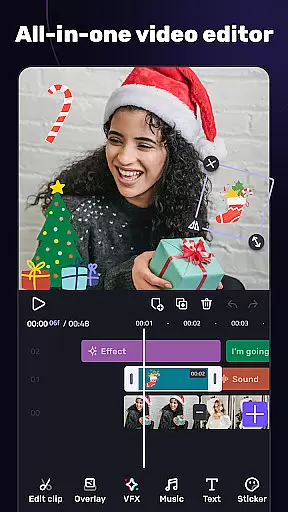
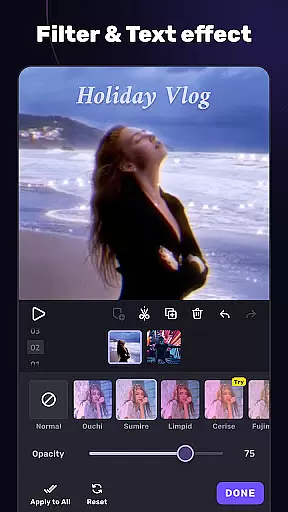
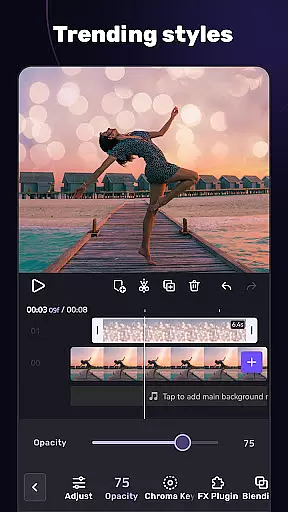
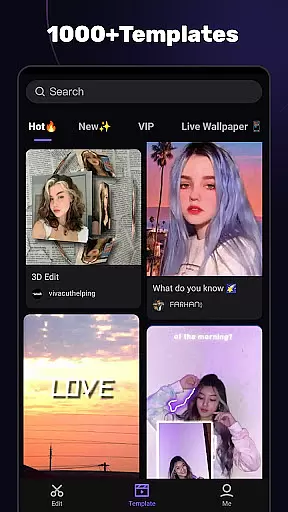
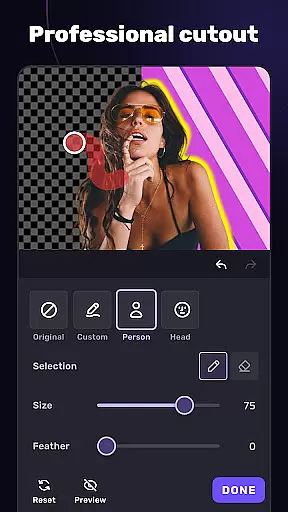
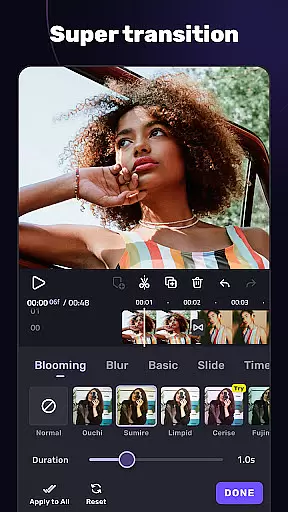
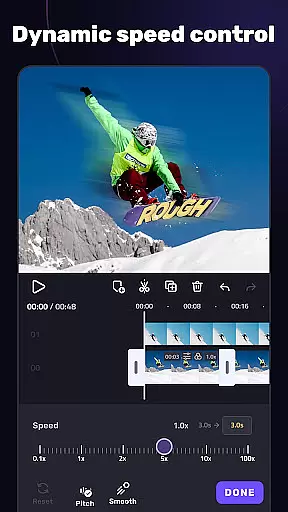
VivaCut is a versatile video editing application that combines professional-grade features with user-friendly tools, making it suitable for both casual creators and advanced video editors. The app offers an extensive range of functionalities including multi-layer timeline editing, chroma key effects, and precise speed controls, enabling users to create high-quality videos for platforms like YouTube, Instagram, and TikTok.
With its intuitive interface and advanced features such as keyframe animation, mask options, and blend modes, VivaCut empowers users to produce Hollywood-level video content directly from their mobile devices. Whether you're looking to make short, engaging clips or longer cinematic productions, this app provides all the necessary tools to bring your creative vision to life while ensuring professional results.
VivaCut stands out through its comprehensive feature set tailored for diverse video editing needs. The app includes basic editing tools like trimming, splitting, and merging video clips, alongside more sophisticated options such as green screen effects, picture-in-picture, and customizable transitions. These features allow users to craft unique visual narratives with precision and creativity.
One of the app's notable strengths is its advanced editing capabilities. Users can apply keyframe animations to various elements, use masking tools for scene transitions, and experiment with blending modes to achieve distinctive visual effects. Additionally, VivaCut offers a rich selection of filters, glitch effects, and music markers, enhancing the overall production value of any video project while maintaining an accessible learning curve for beginners.
Video format compatibility is a crucial feature for any video editing application, ensuring that users can work with a wide range of video file types. AI Video Editor supports an extensive array of formats, allowing creators to import and export videos without worrying about compatibility issues.
The app's advanced conversion technology ensures high-quality output regardless of the original file type. Whether you're working with MP4, AVI, MOV, or other common formats, the editor maintains the video's integrity while providing editing flexibility.
This versatility benefits users by saving time and effort in format conversion. Content creators can focus on their creative process rather than technical limitations, making their workflow more efficient and productive.
Furthermore, the app's compatibility extends to social media platforms, enabling direct exporting to YouTube, Instagram, and TikTok in optimized formats. This seamless integration helps users reach their audience faster while maintaining professional-grade quality across different platforms.
AI-powered editing features represent a significant advancement in video editing technology, offering intelligent tools that streamline the creative process. AI Video Editor incorporates cutting-edge artificial intelligence to automate complex editing tasks while maintaining professional standards.
The app's AI capabilities include smart scene detection, automatic color correction, and intelligent audio synchronization. These features help users achieve polished results even without extensive editing experience. The AI algorithms analyze video content and suggest optimal transitions, effects, and filters based on the footage characteristics.
One of the key benefits is the time-saving aspect of AI-powered editing. Users can create professional-looking videos in minutes using automated templates and effect suggestions. The app's machine learning algorithms continuously improve through user interactions, providing increasingly accurate recommendations over time.
Additionally, the AI features enhance creativity by suggesting unique combinations of effects and transitions that users might not have considered. This collaborative approach between human creativity and artificial intelligence empowers both novice and experienced editors to produce high-quality content efficiently.
User-friendly interface
Advanced editing tools
Professional results
Extensive format support
Creative freedom
Subscription required
Learning curve
Limited free features
Occasional bugs
High device requirements

Auto video maker with music & exclusive filters. Video editing made simple.
 4.50
4.50
A full editing room to accompany your Insta360 cameras and handheld gimbals.
3.30
Connect 2 UVC devices for recording and broadcast video/audio stream
3.90
Tik & Story Saver-Download ALL social media videos, photos & reels no watermark.
4.80
Create & edit videos with AI
4.30
Movie maker & video editing app with AI effects and green screen
4.30
Play and download HD videos from all sources — fast, simple, and all-in-one.
4.5
Video Downloader, Multiple Resolution Options, Video Player
4.50
AI Video Editor with Music, Filter, Slideshow, Effect, Merge & Trim Video.
4.80
GENRAL PRO - General Pro is the best video player that fully supports all formats.
4.70
Snaptubè Video Downloader app allows to download videos and music in Snaptube. .
4.60
Search & download videos from net with all video downloader, auto-detect & safe.
4.60
HD video maker with no watermark, no ads & vlog maker with music, PIP, text
4.50
Photo and Music Video Creator into Stunning Videos—Effortlessly
4.40
Viddo: Generate Action Figure, AI Anime, AI kiss, AI hug Video from image & text
4.40
IPTV-Smarters Player Pro M3U - Watch Live Stream TV Channels with Chromecast
4.00
All format media Player, no need video converter any more!
4.00
Save photos and videos from social apps in one tap.
3.60
Watch full episodes of your favorite Cartoon Network and Cartoonito shows!
3.50


User Reviews