




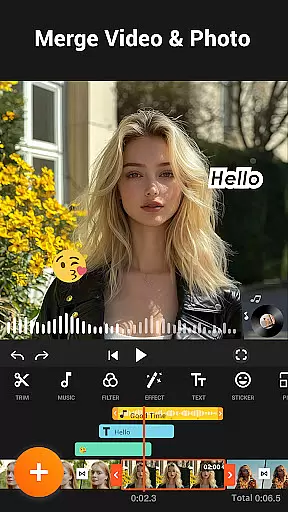
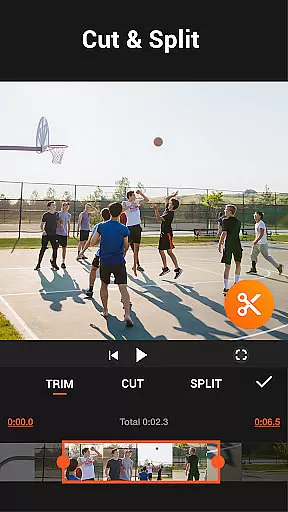


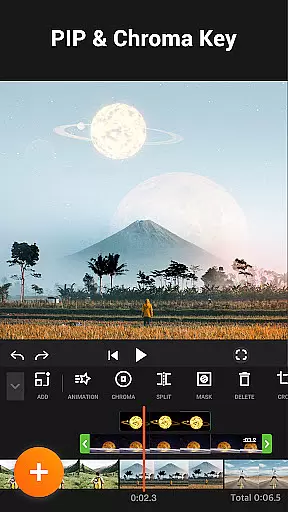

YouCut is a versatile video editing application designed for both casual users and professional content creators. This app offers a comprehensive suite of tools including AI-powered features like auto captions and background removal, making it stand out among other video editing apps. With capabilities such as merging, cutting, trimming, and slicing videos, YouCut allows users to create polished content with ease.
One of the key highlights of YouCut is its ability to enhance video quality through various filters and effects, alongside precise speed controls ranging from 0.2× to 100×. The app also supports creating photo slideshows with music, catering to social media enthusiasts who want to produce engaging multimedia content without watermarks or intrusive ads during the editing process.
Whether you're looking to make YouTube videos, Instagram stories, or TikTok edits, YouCut provides all necessary features in a user-friendly interface. Its compatibility with different aspect ratios and resolutions up to 4K ensures high-quality output suitable for diverse platforms. By combining powerful functionality with an ad-free experience, YouCut delivers exceptional value for anyone interested in video production.
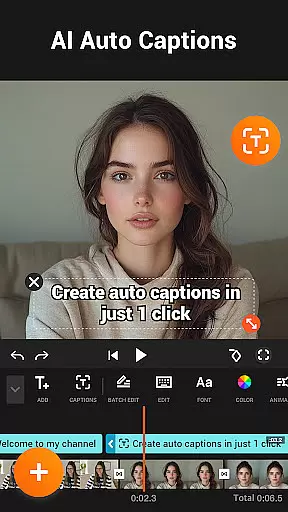
YouCut distinguishes itself through a rich array of features tailored to meet varied video editing needs. Among its standout functionalities is the AI Video Boost, which includes auto captions generated via speech-to-text technology, instant background removal, and one-tap video enhancement. These tools simplify complex editing tasks while maintaining professional-grade results.
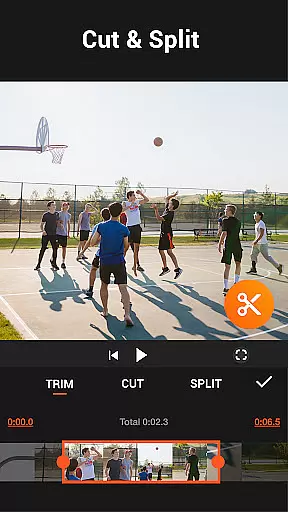
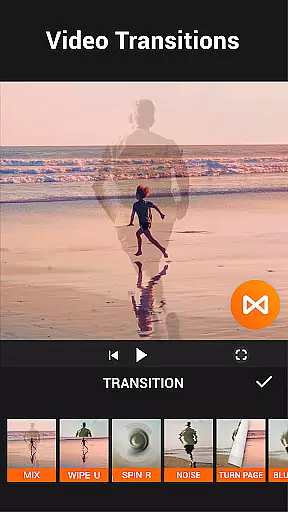
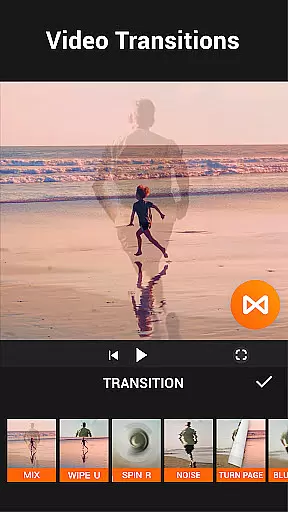
The app's robust video manipulation options encompass merging multiple clips into one seamless video, precise cutting and trimming, and splitting videos into separate parts. Additionally, users can adjust playback speeds, apply stunning transitions, and utilize chroma key effects for green screen projects. Such versatility empowers creators to experiment with different styles and formats effortlessly.
YouCut further enhances user experience by offering advanced color adjustments, FX effects, and customizable aspect ratios. Users can crop videos to fit specific dimensions, change backgrounds, and compress files without significant quality loss. With these comprehensive tools at their disposal, individuals can craft visually appealing content optimized for platforms like YouTube, Instagram, and TikTok, ensuring their creations stand out in the crowded digital landscape.
Video format compatibility is a crucial feature for any video editing application, ensuring that users can work with a wide range of video file types. YouCut excels in this area by supporting multiple formats, allowing creators to import and export videos without worrying about compatibility issues.
The app's ability to handle high-resolution files up to 4K ensures that professionals and amateurs alike can achieve the desired quality for their projects. This flexibility empowers users to create content for various platforms, from YouTube to Instagram, without being limited by format restrictions.
YouCut also offers a video compressor tool, which helps reduce file sizes significantly while maintaining good quality. This feature is particularly beneficial when sharing videos on social media or via messaging apps where file size limits may apply.
AI-powered editing features are revolutionizing the way users interact with video editing software, making complex tasks simpler and more accessible. YouCut incorporates several AI-driven tools that enhance the editing process, such as auto captions, background removal, and video enhancement.
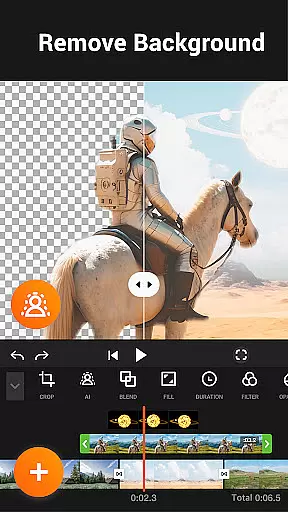
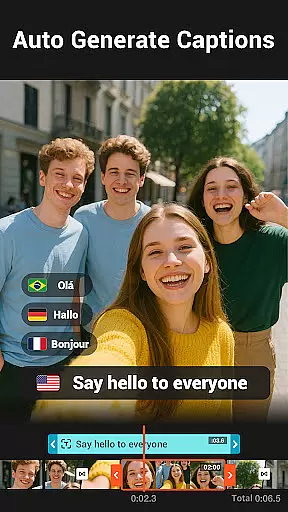
With the Auto Captions feature, users can convert speech to text effortlessly, ideal for creating talking videos or adding subtitles. The Remove Background tool allows for instant erasure of video backgrounds, opening creative possibilities for visual storytelling.
Additionally, YouCut's AI enhancements improve video and photo quality at the touch of a button, providing smooth slow-motion effects and elevating the overall production value. These intelligent features enable creators to produce professional-looking content quickly and easily.
User-friendly interface
AI-powered editing tools
No watermark on exports
High-quality video output
Ad-free editing environment
Limited advanced features
Occasional performance lags
Fewer tutorials available
Basic audio editing tools
Some features require learning

Video player, file manager for all formats, 4K/HD media player supports subtitle
 4.30
4.30
You can play SWF format file!
2.50
Video Trimmer, Video to MP3 Converter. Extract music from video, Easy & Fast.
4.80
Fast video downloader & private browser. Save HD clips to watch offline.
4.40
This app was created to edit the metadata of music files.
4.20
AirMirror Receiver - Screen mirroring/cast web videos to Android TV by AirPlay.
4.40
Pro video editor app for Instagram, edit video with song, AI, effect & slowmo.
4.80
All in one HD video downloader & player for multiple formats with full privacy
4.70
Capture the moment and Cut
3.40
A Quick and Pro Video Editor
4.70
Fast & Private HD Video Downloader with Built-in Proxy Browser and Video Player.
4.50
Photo and Music Video Creator into Stunning Videos—Effortlessly
4.40
Viddo: Generate Action Figure, AI Anime, AI kiss, AI hug Video from image & text
4.40
VLC for Android is the best open source video and music player, fast and easy!
4.10
Online Videos Player
3.90
Connect 2 UVC devices for recording and broadcast video/audio stream
3.90
Kodi media center, a free and open source cross-platform entertainment hub
3.60
The smartest M3U IPTV Player your playlists have ever seen.
4.2
Play and download HD videos from all sources — fast, simple, and all-in-one.
4.5


User Reviews