

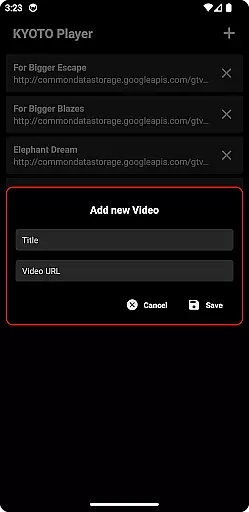


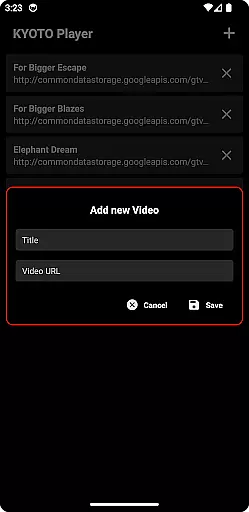


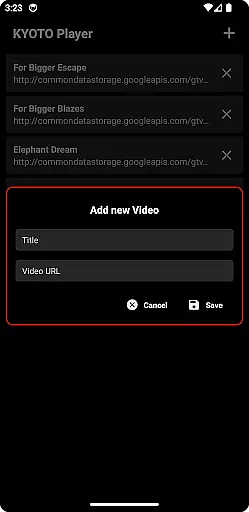

KYOTO Player is a versatile video player app designed for seamless playback of various online video formats. Supporting an extensive range of file types including MP4, HLS, DASH, and more, it ensures smooth streaming without compatibility issues.
The application's intuitive interface allows users to easily navigate through their media library while enjoying high-quality video playback. Whether you're watching casual videos or managing a large collection of multimedia files, KYOTO Player provides a reliable solution for all your video viewing needs.
One of the standout features of KYOTO Player is its broad format support, accommodating over ten different video and audio formats. This eliminates the need for additional codec installations or format conversions.
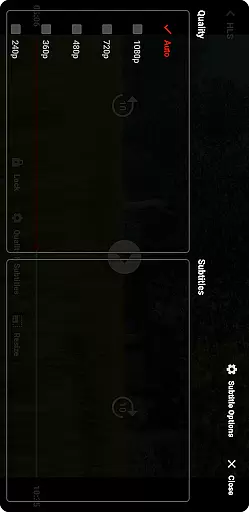
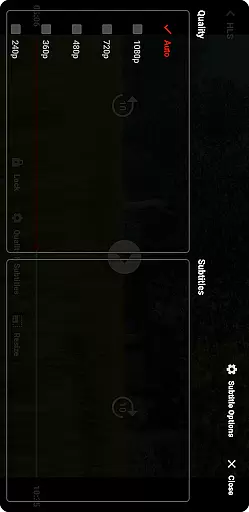
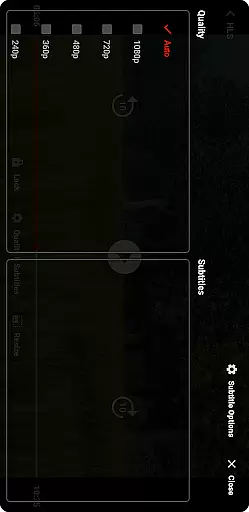
Beyond basic playback, the app offers advanced functionalities such as customizable subtitles, adjustable playback speeds, and background play options. These features give users greater control over their viewing experience, making it suitable for both casual watchers and power users who demand more from their media player.
Video format compatibility is a crucial feature for any video player application, ensuring users can enjoy a wide range of video content without technical limitations. KYOTO Player excels in this area by supporting an extensive list of formats including MP4, HLS, DASH, MP3, WebM, MKV, OGG, WAV, MPEG-TS, MPEG-PS, FLV, and more.
The app's broad format support allows users to play videos from various sources without the need for conversion or additional plugins. This versatility makes it an ideal choice for users with diverse media libraries. Whether you're watching locally stored files or streaming online content, KYOTO Player ensures smooth playback across different formats.
By providing reliable performance with multiple video codecs, KYOTO Player delivers a seamless viewing experience. Users can enjoy their favorite movies, TV shows, and personal recordings without worrying about format restrictions. The app's commitment to compatibility demonstrates its dedication to meeting user needs in today's multimedia landscape.
While KYOTO Player primarily focuses on video playback, modern video players often incorporate AI-powered editing features to enhance user experience. These tools typically include smart trimming, automatic subtitle generation, and intelligent scene detection. Although specific editing capabilities aren't detailed in the app description, we can explore how such features could complement KYOTO Player's core functionality.
AI-powered editing features would enable users to make quick modifications to their video files directly within the player interface. This could include adjusting playback speed, applying basic filters, or creating custom clips from longer recordings. Such capabilities would add significant value for content creators and casual viewers alike.
The integration of artificial intelligence in video editing streamlines complex tasks and makes professional-grade tools accessible to everyone. If KYOTO Player were to incorporate these features, it would position itself as a comprehensive solution for both video consumption and light editing needs. Regardless, the app's current focus on playback quality remains its primary strength.
User-friendly interface
Wide format support
Customizable playback options
Smooth streaming performance
Regular updates and improvements
Limited advanced editing tools
No built-in video downloader
Occasional buffering on slow networks
Some features locked behind premium version
Interface may feel cluttered to new users

IPTV-Smarters Player Pro M3U - Watch Live Stream TV Channels with Chromecast
 4.00
4.00
Cast Videos from Web Browser, IPTV to Roku, Chromecast, DLNA, Smart TV +more
4.60
HD video maker with no watermark, no ads & vlog maker with music, PIP, text
4.50
AirMirror Receiver - Screen mirroring/cast web videos to Android TV by AirPlay.
4.40
Make your own Animations, Video and Photo Edits, Visual Effects, and more!
4.00
Mix with Virtual DJ directly from your phone or tablet !
3.10
The essential companion to your Blue Iris PC software
2.50
AI Video Editor with Music, Filter, Slideshow, Effect, Merge & Trim Video.
4.80
Manage your YouTube channel on the go
4.40
Flud is a simple and beautiful BitTorrent client for Android.
4.80
A Simple app to download Video & Music from the Internet.
4.70
Fast & Private HD Video Downloader with Built-in Proxy Browser and Video Player.
4.50
Browser for Fire TV to stream webvideos, online movies, livestreams in HD
4.40
This app was created to edit the metadata of music files.
4.20
Video player with 4K & 1080P support, popup play, background play and subtitle.
4.20
Your media, on your terms.
4.10
VLC for Android is the best open source video and music player, fast and easy!
4.10
Watch full episodes of your favorite Cartoon Network and Cartoonito shows!
3.50
Play and download HD videos from all sources — fast, simple, and all-in-one.
4.2


User Reviews