


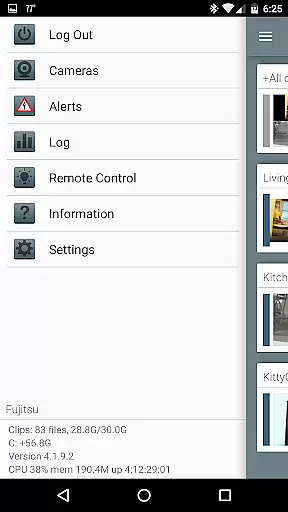


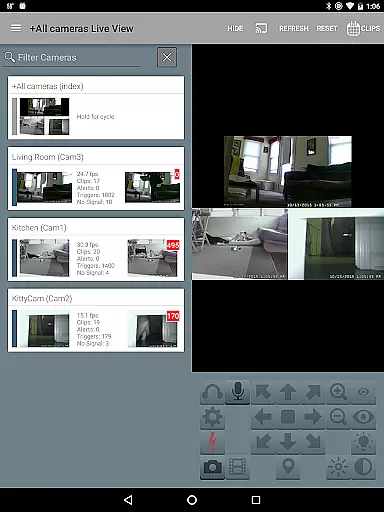
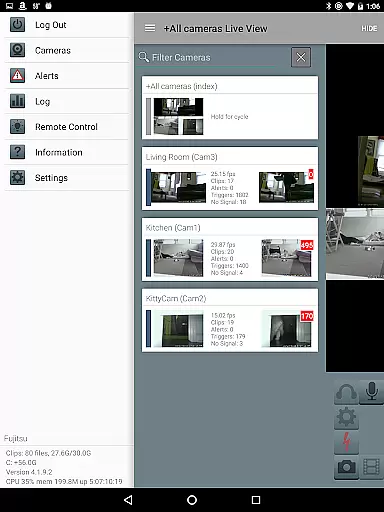
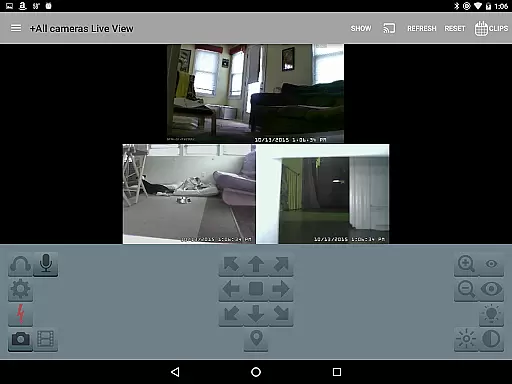
Blue Iris is a specialized client application designed to work seamlessly with the Blue Iris Windows PC software. This app serves as a centralized control hub for your home camera network, allowing you to securely manage and monitor multiple Blue Iris installations without exposing individual cameras directly to the internet. By utilizing a secure, session-based protocol, it ensures that your data remains protected while providing essential features such as PTZ (pan-tilt-zoom) control, audio communication, and fast H.264 streaming.
The app's core functionality revolves around remote management capabilities. Users can control traffic signals, switch profiles, and receive instant Android push notifications for triggered cameras or critical system alerts. Additionally, you can review recordings stored on the Blue Iris PC at speeds up to 64x, selectively delete footage, and even manage DIO output signals on compatible devices. These features make Blue Iris an invaluable tool for both home security enthusiasts and professional surveillance operators who require reliable access to their camera systems from anywhere in the world.
Blue Iris offers an extensive range of features tailored to enhance your video monitoring experience. One standout feature is its ability to manage multiple Blue Iris installations simultaneously, giving users unparalleled flexibility when overseeing complex surveillance setups. The app also supports advanced controls like PTZ, IR, and two-way audio for compatible cameras, all accessible through an intuitive interface. This ensures that every aspect of your camera network can be adjusted remotely with precision.
Another key highlight is the app's efficient use of H.264 streaming technology, which delivers high-quality video feeds while minimizing bandwidth consumption. Users benefit from smooth navigation via tap-and-swipe gestures, quick access to recorded footage, and the ability to delete specific clips directly from the Blue Iris PC storage. Furthermore, the session-based protocol guarantees enhanced security by avoiding plain-text password transmission, making it a safer alternative compared to opening individual cameras to the internet. Overall, these robust features position Blue Iris as a top choice for those seeking comprehensive yet secure video management solutions.
Blue Iris stands out in video format compatibility, ensuring users can work with a wide range of formats without any hitches. The app supports H.264 streaming, one of the most widely used video codecs, which provides a good balance between compression efficiency and video quality.
This compatibility means that whether you're managing multiple Blue Iris installations or reviewing recordings stored on your Blue Iris PC, you won't face issues related to video playback. The support for fast H.264 streaming ensures that video feeds from your home camera network are smooth and reliable.
Furthermore, the ability to review recordings at up to 64x speed without compromising the video quality showcases the app's robust handling of different video formats. This feature is crucial for efficiently scanning through hours of footage to find specific events.
While Blue Iris may not offer traditional AI-powered editing features like some video editors, it excels in providing tools that enhance video surveillance management. For instance, the app allows for selective deletion of recordings from the Blue Iris PC, streamlining the process of managing extensive video archives.
The app also enables users to control PTZ (pan-tilt-zoom), IR, and other camera functionalities, offering an interactive method to capture the necessary footage effectively. These capabilities ensure that users can focus on relevant areas and moments without sifting through irrelevant data.
Additionally, Blue Iris facilitates listening to and talking through supported cameras, adding another layer of interaction and control. Although these features might not fall under conventional AI-powered editing, they significantly contribute to optimizing the surveillance and monitoring experience by allowing precise and intelligent video capture and management.
User-friendly interface
Secure session-based protocol
Fast H.264 streaming
Comprehensive camera controls
Multi-installation support
Requires Windows PC setup
No standalone functionality
Limited OS compatibility
Dependent on Blue Iris software
Premium pricing model

Fast, private downloading, video saving, social media
 4.50
4.50
Cast to Chromecast, Xbox, Fire Stick, Roku, DLNA, Smart TV & No Feature Limited!
4.50
KineMaster, Your Ultimate Video Editor!
4.40
Support 1000+ Video Format, Subtitle Download, mp3 & Background Play, Cast On TV
4.60
Watch IPTV on your Android device
4.60
Powerful video player with advanced hardware acceleration and subtitle supports
4.20
Fast private browser with secure, seamless access & supported video downloads!
4.00
Video&Drama Player All Format is a HD video player, music player
3.00
convenient, safe and fast at Video Downloader & Player
4.60
#1 Torrent App on Android ** No Ads Ever + Battery Saver **
4.80
Cast Videos from Web Browser, IPTV to Roku, Chromecast, DLNA, Smart TV +more
4.60
Seamlessly connect and control your smart devices, anytime, anywhere with ease.
4.60
IPTV Loader, loads your own Playlist. DOES NOT CONTAIN ANY LIST OR CHANNELS
4.60
HD video maker with no watermark, no ads & vlog maker with music, PIP, text
4.50
Video Downloader, Multiple Resolution Options, Video Player
4.50
Powerful, professional, versatile teleprompter. Developed by an active film crew
4.00
All format media Player, no need video converter any more!
4.00
Livestream, news, & gaming content. Watch, chat, and upload. Join Rumble today!
3.80
Play and download HD videos from all sources — fast, simple, and all-in-one.
4.3


User Reviews