
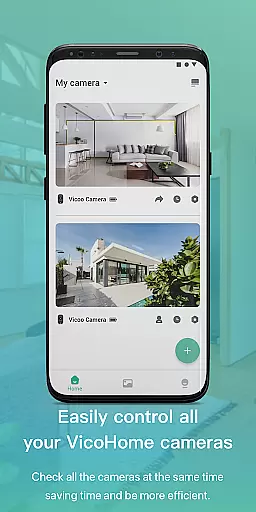
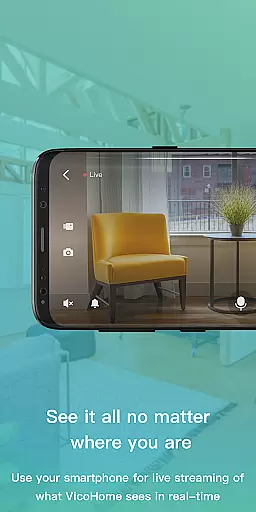
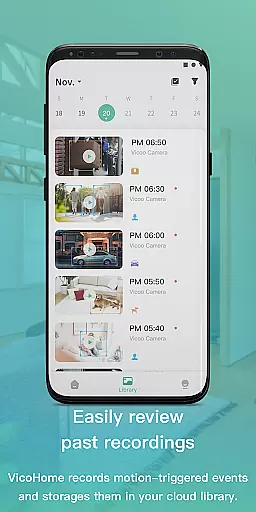
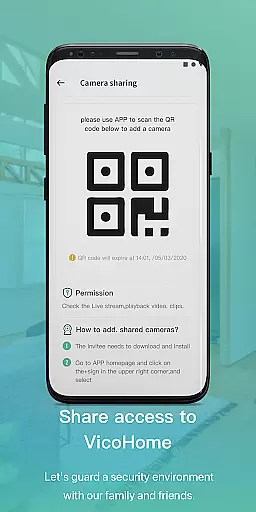
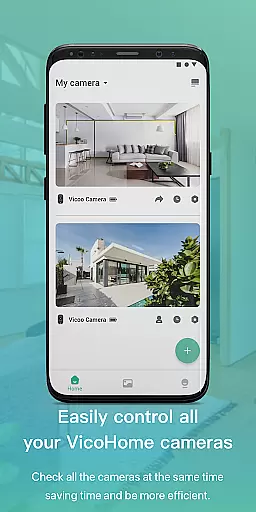
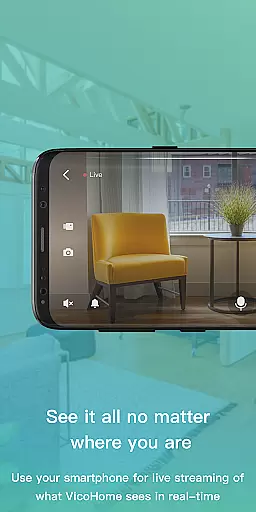
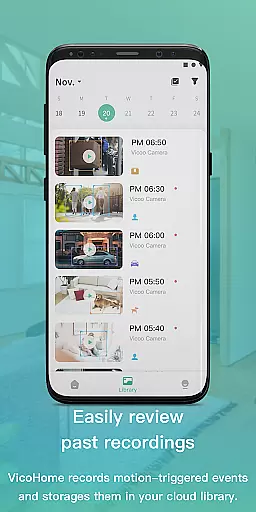
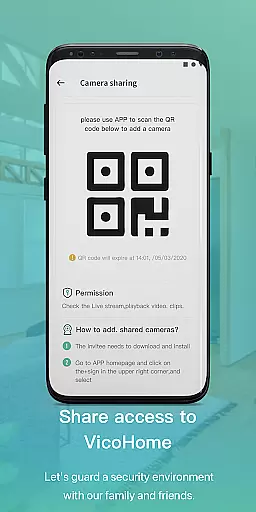
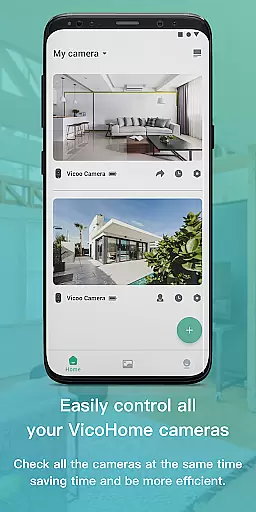
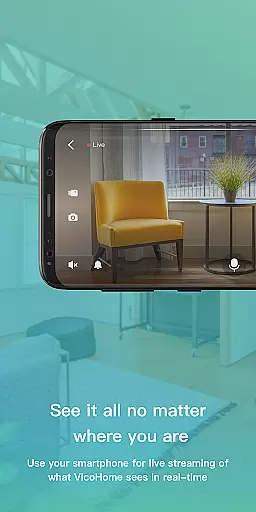
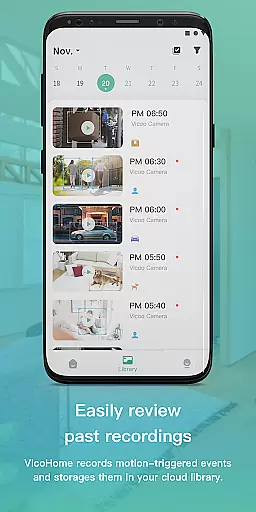
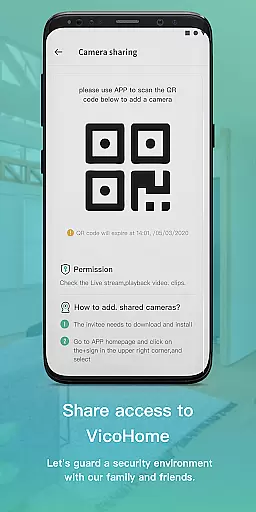
VicoHome is a smart home monitoring application that allows users to connect with their smart devices, especially cameras. Through its live screen feature, users can access their cameras anytime and anywhere to monitor their homes in real-time. Additionally, the app provides access to recorded videos, ensuring no detail is missed.
The application is designed for homeowners who want to keep an eye on their property remotely. With VicoHome, users can maintain constant surveillance, review past footage, and ensure the safety of their homes through an intuitive interface available on mobile devices.
VicoHome offers several key features that enhance home security and convenience. The primary feature is the live screen functionality, which enables real-time viewing of connected cameras. This ensures users can check in on their property at any moment.
Another significant feature is the ability to access recorded videos. Users can review past footage to identify any unusual activities or simply revisit moments they may have missed. The app's compatibility with various smart devices makes it versatile and user-friendly, providing a comprehensive solution for home monitoring needs.
Video format compatibility is a crucial feature for any video player and editor, ensuring that users can access their content in various formats without technical barriers. VicoHome supports multiple video formats, allowing seamless playback of live streams and recorded videos from smart devices.
The application ensures that whether you're viewing live footage from your camera or reviewing past recordings, the video format will not hinder your experience. This flexibility enables users to connect with their smart devices effortlessly, regardless of the original recording format.
By supporting diverse video formats, VicoHome provides users with the freedom to manage their home security system without worrying about compatibility issues. This feature enhances user convenience by eliminating the need for format conversion or additional software.
AI-powered editing features are transforming how users interact with video content by automating complex processes and enhancing productivity. VicoHome incorporates intelligent tools that allow users to edit and manage their video recordings efficiently, making it easy to extract important details.
With AI assistance, users can quickly navigate through hours of footage to find specific events or moments. The application's smart algorithms help identify and highlight significant activities, saving time and effort in monitoring home security.
This innovative approach not only simplifies video management but also improves overall user engagement with the content. By leveraging AI technology, VicoHome ensures that users never miss critical details while maintaining an intuitive and straightforward editing process.
User-friendly interface
Real-time camera access
Recorded video playback
Remote home monitoring
Compatibility with smart devices
Limited to specific devices
Potential connectivity issues
Subscription fees for advanced features
Dependent on internet connection
Privacy concerns with data storage

Client application for NextPVR software
 3.00
3.00
?100% FREE! Download & save videos? safely in this app. All formats supported.
4.60
Search & download videos from net with all video downloader, auto-detect & safe.
4.60
Stream high quality video from your camera over NDI protocol
4.4
VLC Remote lets you control your VLC Media Player on Mac, PC or Linux.
4.60
Turn your phone into a wireless camera!
4.20
Fast & Private Video Downloader App. Save all videos easily from the Internet.
4.40
Connect EasyCap or UVC devices for recording and broadcast video/audio stream
3.60
convenient, safe and fast at Video Downloader & Player
4.60
High-Quality USB Camera Viewer & HDMI Display
4.70
Viddo: Generate Action Figure, AI Anime, AI kiss, AI hug Video from image & text
4.40
Video player with 4K & 1080P support, popup play, background play and subtitle.
4.20
Stream Web Videos to Chromecast, Samsung, LG, Sony, Roku, Fire TV, DLNA + more
4.00
Make your own Animations, Video and Photo Edits, Visual Effects, and more!
4.00
Cast to Smart TV, Fire TV. Cast video, photo - Fast & Stable!
3.90
Save photos and videos from social apps in one tap.
3.60
All in one multi protocols stream receiver for AirPlay, Cast and DLNA.
3.60
Watch full episodes of your favorite Cartoon Network and Cartoonito shows!
3.50
Powerful HD video player with support for all formats & subtitles.
4.3


User Reviews