
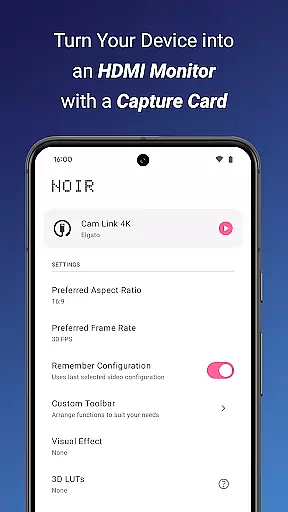
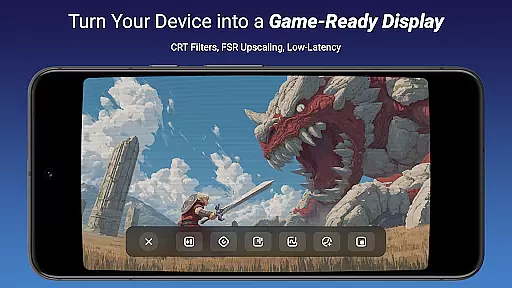
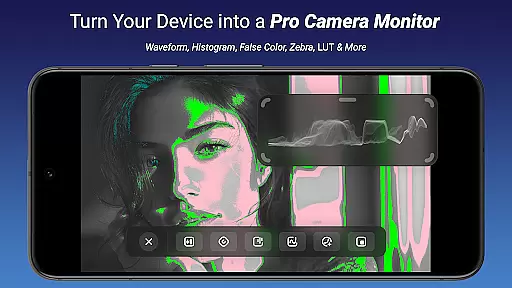
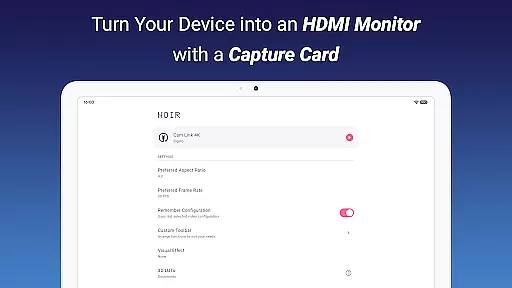
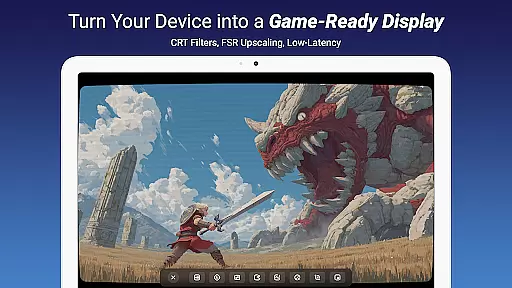
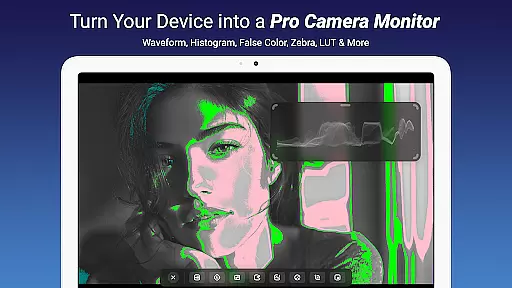
Noir Pro is a versatile video player and editor designed for users who need professional-grade features. This app transforms your device into a portable display for gaming consoles, laptops, cameras, or any HDMI-output device using a USB-C capture card. With support for UVC video streaming and UAC audio streaming, it offers advanced functionalities like 3D LUTs, Waveform Monitor, Histogram, Edge Detection, and more.
The app provides multiple monitor use cases including as a camera monitor, primary monitor for gaming consoles, secondary monitor for laptops, and even drone monitoring. Noir Pro ensures flexibility with graphics backend options between OpenGL ES and Vulkan. Its comprehensive feature set makes it suitable for both casual users and professionals seeking enhanced video control and precision.
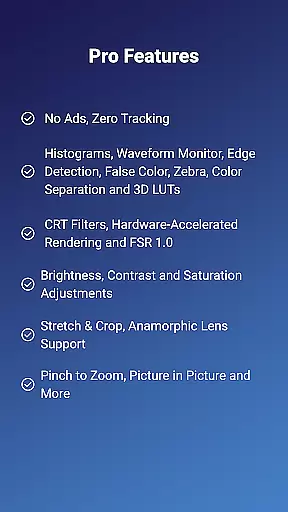
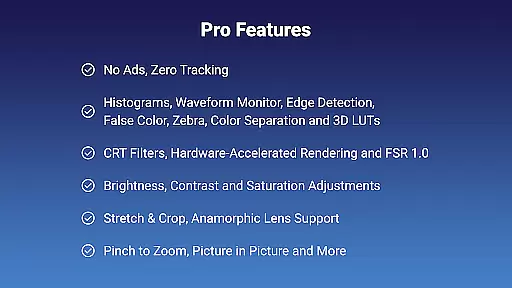
Noir Pro stands out with its extensive range of professional features tailored for video enthusiasts. The app includes powerful tools such as False Color, Zebra, Color Separation, CRT Filters, and FSR 1.0 which allow detailed video adjustments. Users can benefit from advanced functionalities like Pinch to Zoom, Stretch and Crop, Anamorphic Lens Support, alongside essential controls for Brightness, Contrast, and Saturation.
In addition to these robust features, Noir Pro supports Picture in Picture mode, in-app screenshots, and app-specific volume control. These capabilities ensure that users have a seamless experience whether they are editing videos, streaming content, or using their devices as external monitors. Such an exhaustive feature set positions Noir Pro as a top choice for those needing reliable and sophisticated video handling on their mobile devices.
Video format compatibility is a crucial feature for any video player and editor, ensuring that users can work with a wide range of video files without conversion hassles. Noir Pro supports an extensive array of formats thanks to its use of both OpenGL ES and Vulkan graphics backends, which provide the flexibility needed for different types of video content.
The application's support for UVC video streaming means it can handle input from various devices like cameras, endoscopes, microscopes, and USB-C capture cards. This versatility allows users to employ their mobile devices as portable monitors for gaming consoles, laptops, or other HDMI-output devices, making it an adaptable tool for professionals and hobbyists alike.
With Noir Pro, you are not limited by traditional video playback capabilities. The app-specific volume control, brightness, contrast, and saturation adjustments ensure that regardless of the source format, your videos will look as intended. Additionally, features such as Waveform Monitor, Histogram, and False Color assist in achieving precise visual fidelity.
Users benefit from this broad compatibility as they can seamlessly switch between different video sources and formats while enjoying a high-quality viewing experience. Whether for professional video monitoring or casual media consumption, Noir Pro's comprehensive format support ensures that all your video needs are covered without compromise.
AI-powered editing features represent the cutting-edge evolution of video editing, providing tools that enhance productivity and creativity. Noir Pro incorporates advanced AI functionalities such as 3D LUTs, Edge Detection, Zebra, Color Separation, and CRT Filters, which collectively offer unprecedented control over the aesthetic qualities of video content.
These intelligent features allow users to apply complex color grading and effects with minimal effort. For instance, the False Color and Zebra tools help in accurately adjusting exposure levels, while the Waveform Monitor and Histogram give detailed insights into the luminance and color distribution within your footage. Such precision is invaluable for professional video editors who demand accuracy.
Noir Pro also includes innovative display options like FSR 1.0 (FidelityFX Super Resolution) and Pinch to Zoom, enabling editors to scrutinize their work at various scales without losing image quality. Furthermore, Stretch and Crop functions along with Anamorphic Lens Support ensure that your final output fits any screen or format requirements perfectly.
By leveraging these sophisticated AI-driven tools, users can significantly reduce the time spent on manual adjustments and focus more on the creative aspects of video production. This technological advancement makes Noir Pro an indispensable asset for anyone looking to produce high-quality video content efficiently.
Advanced video editing tools
Supports multiple input devices
Comprehensive monitor solutions
Professional color grading options
Flexible graphics backend choices
Requires compatible hardware
No free version available
Complex for beginners
Limited customer support
Occasional performance lags

Photo and Music Video Creator into Stunning Videos—Effortlessly
 4.40
4.40
Watch full episodes of your favorite Cartoon Network and Cartoonito shows!
3.50
Video Downloader is an utility that can save videos and music from web sites
4.20
Video Trimmer, Video to MP3 Converter. Extract music from video, Easy & Fast.
4.80
Capture images & record videos for USB Camera, Webcam, Microscopes, Endoscopes
3.80
Browser + Remote for Roku to stream webvideos, online movies and livestreams
4.60
AI Video Editor with Music, Filter, Slideshow, Effect, Merge & Trim Video.
4.80
Manage your YouTube channel on the go
4.40
Make videos you’re proud to share with Edits, a video editor for creators.
4.70
Find, download, and play torrents with the official BitTorrent® Pro app
4.70
Create photo video with music & template. AI video maker for stunning slideshow.
4.60
Watch IPTV on your Android device
4.60
Cast to Chromecast, Xbox, Fire Stick, Roku, DLNA, Smart TV & No Feature Limited!
4.50
Fast video downloader & private browser. Save HD clips to watch offline.
4.40
Viddo: Generate Action Figure, AI Anime, AI kiss, AI hug Video from image & text
4.40
Video player, file manager for all formats, 4K/HD media player supports subtitle
4.30
Turn your phone into a wireless camera!
4.20
Livestream, news, & gaming content. Watch, chat, and upload. Join Rumble today!
3.80
Stream high quality video from your camera over NDI protocol
4.3


User Reviews