
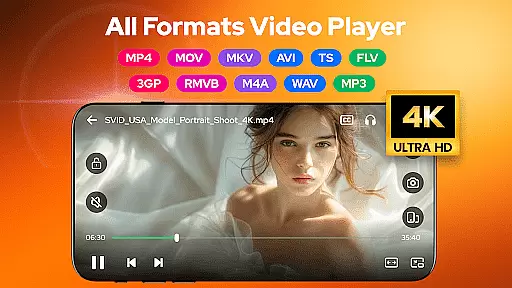
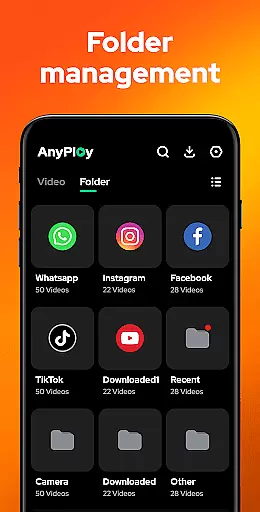
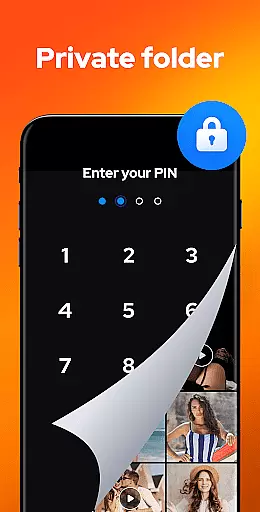

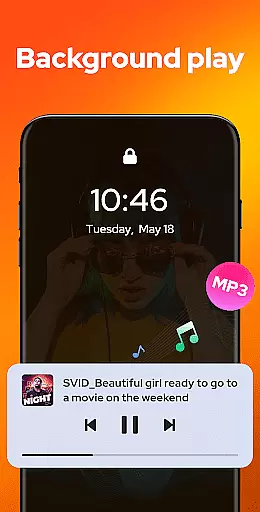
Video Player - AnyPlay is a versatile media solution for Android, combining an all-in-one video player, file manager, and video downloader. This app supports videos in all formats, ensuring users can enjoy HD video playback with customizable subtitles, gesture control, and pop-up playback. The app's powerful file management capabilities automatically detect and organize media files on both phone storage and SD cards, while also offering privacy protection through its private folder feature.
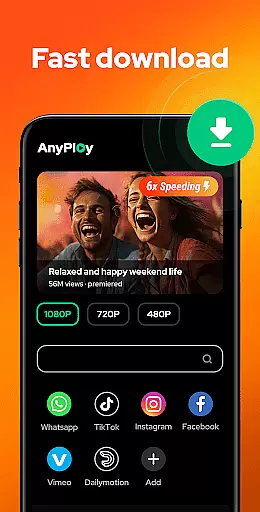
In addition to its robust video playback and file management features, AnyPlay includes a built-in browser for downloading HD videos from any website or social media platform. Users can also enjoy high-quality music playback with equalizer settings and various looping modes. Whether you're looking to manage your media library, watch videos with advanced controls, or download content for offline viewing, Video Player - AnyPlay provides a comprehensive toolset to enhance your multimedia experience.
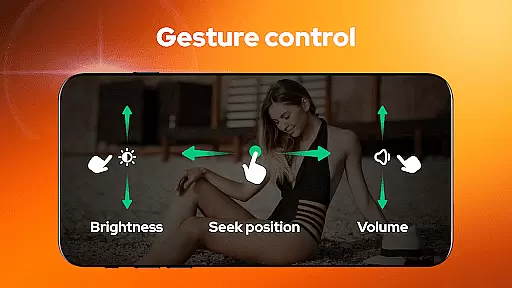
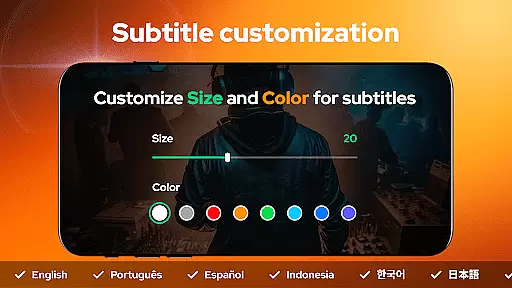
Video Player - AnyPlay stands out with its extensive feature set tailored for media enthusiasts. The app supports high-quality video playback of all formats, including MKV, MP4, AVI, and more. It offers advanced subtitle support, allowing users to import local subtitles or download online ones, with customizable color and size options. Gesture controls enable intuitive navigation, such as fast forward/rewind, brightness adjustment, and volume control.
As a powerful file manager, AnyPlay auto-detects and organizes all media files on your device, presenting them in clear lists or playlists. You can hide videos in a private folder to protect your privacy and sort files by date, name, length, or size. Additionally, the built-in HD video downloader lets you browse and download videos from any website or social media, with options to choose resolution and bookmark favorite sites. These features collectively provide a seamless and enriched media experience.
Video Player - AnyPlay stands out with its exceptional video format compatibility, ensuring users can enjoy all types of video files without the need for conversion. This feature is crucial in today's diverse digital environment where video formats can vary significantly.
The application supports an extensive range of formats including MKV, MP4, AVI, and many more, making it a versatile tool for both casual viewers and professionals. By incorporating both HW Decoder and SW Decoder, it guarantees smooth playback regardless of the video source or quality.
Users benefit from this wide compatibility by having a seamless viewing experience across different devices and storage options, including phone internal storage and SD cards. The ability to auto-detect and manage media files ensures that no video is left behind, enhancing accessibility and convenience.
This comprehensive support for video formats not only simplifies the user's media consumption but also enriches their viewing options, allowing them to explore content from various sources without limitations.
AnyPlay introduces AI-powered editing features that elevate the standard video playback experience to a more interactive and customizable level. These intelligent tools are designed to enhance user engagement and provide a personalized touch to video management and playback.
Among these features, smart gesture controls allow users to fast forward, rewind, adjust brightness, and control volume with simple swipes and taps. The built-in equalizer and reverb effects further refine the audio aspect of videos, offering users the ability to tailor sound settings to their preference.
Additionally, the app's capability to import local subtitles or download online ones, while allowing customization of color and size, showcases its dedication to delivering a fully immersive viewing experience. Such features ensure that language barriers or personal preferences do not hinder enjoyment.
By integrating advanced AI functionalities, Video Player - AnyPlay not only meets but exceeds modern expectations for video players, setting a new standard for what users can anticipate in terms of flexibility and personalization in their media applications.
User-friendly interface
Comprehensive format support
Advanced subtitle options
Powerful file management
HD video downloading
May consume significant storage
Privacy concerns with downloads
Complex for beginners
Occasional ads in free version
Limited cloud integration

Fast, private downloading, video saving, social media
 4.50
4.50
Watch full episodes of your favorite Cartoon Network and Cartoonito shows!
3.50
?100% FREE! Download & save videos? safely in this app. All formats supported.
4.60
Turn your phone into a wireless camera!
4.20
Connect EasyCap or UVC devices for recording and broadcast video/audio stream
3.60
Flud is a simple and beautiful BitTorrent client for Android.
4.80
Cast movies, tv shows and live streams to Chromecast, Roku, DLNA, Fire TV & more
4.60
Powerful video player with advanced hardware acceleration and subtitle supports
4.20
Video&Drama Player All Format is a HD video player, music player
3.00
Search & download videos from net with all video downloader, auto-detect & safe.
4.60
Fast & easy HD video downloader for all formats, support 4K playback & download.
4.60
Add date and time watermark to photos and videos
4.50
AirMirror Receiver - Screen mirroring/cast web videos to Android TV by AirPlay.
4.40
Powerful Video Editor & Photo Editing App —— Quick Edits & Stunning Effects!
4.30
Video Downloader is an utility that can save videos and music from web sites
4.20
Kodi media center, a free and open source cross-platform entertainment hub
3.60
AirMirror is Receiver for Screen Mirroring and Casting from Apple Devices.
3.60
All in one multi protocols stream receiver for AirPlay, Cast and DLNA.
3.60
Play and download HD videos from all sources — fast, simple, and all-in-one.
4.0


User Reviews