
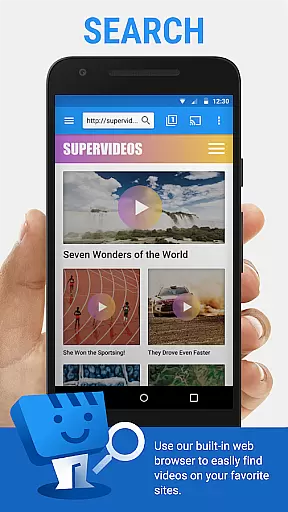
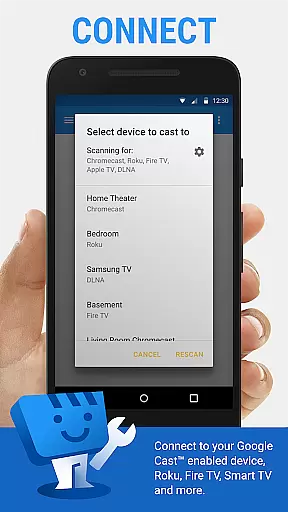
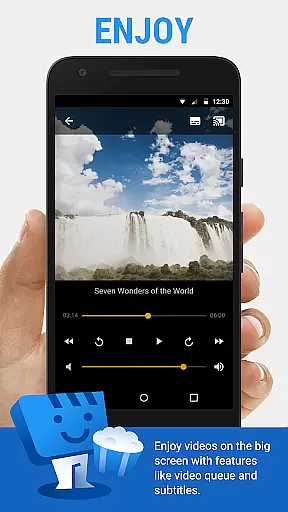
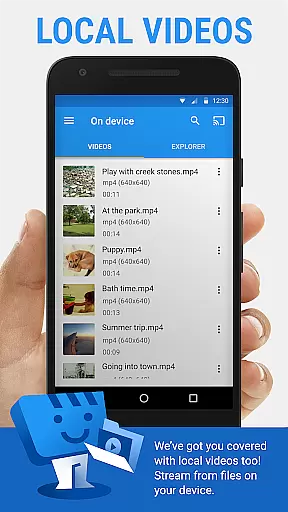
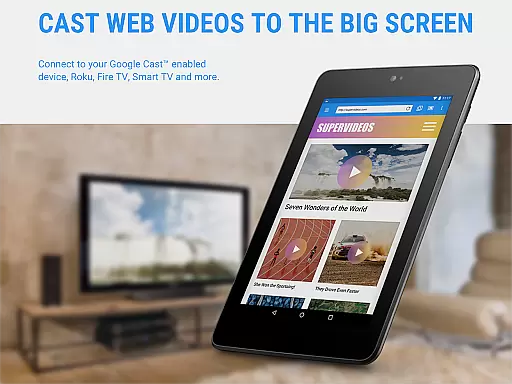
Web Video Cast is a versatile streaming application that enables users to cast videos, photos, and audio files from their mobile devices to various supported streaming devices. The app supports popular platforms like Chromecast, Roku, Amazon Fire TV, and Smart TVs from major manufacturers. It allows users to stream content directly from websites or local storage, including movies, TV shows, live streams, and more.
The app's key advantage lies in its ability to detect subtitles on web pages and provide integrated subtitle search through OpenSubtitles.org. This makes it an ideal solution for users who want to enjoy multimedia content with customized language options. Whether you're looking to watch the latest movies or stream live sports events, Web Video Cast offers a seamless casting experience across multiple devices.
With its user-friendly interface and broad device compatibility, Web Video Cast is particularly useful for home entertainment setups. Users can easily browse the web or their local file system, select the desired media, and cast it to their TV with just a few taps. This functionality transforms any smartphone into a powerful remote control for managing multimedia content on larger screens.
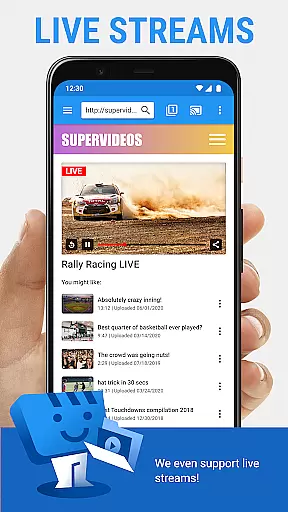
Web Video Cast stands out with its comprehensive feature set tailored for streaming enthusiasts. One of its notable capabilities is the support for HLS live streams in M3U8 format, allowing users to watch live news and sports events on compatible devices. The app also supports various video formats including MP4 and HTML5 videos, making it adaptable to different types of online content.
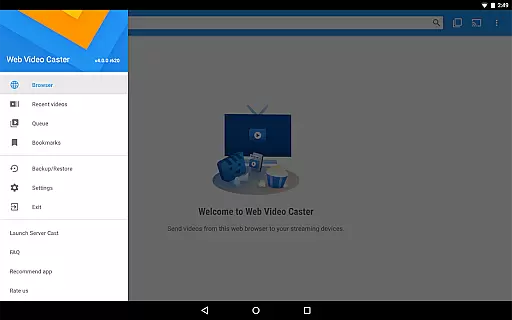
For power users, the premium version offers additional functionalities such as bookmarks, video history tracking, and customizable home page settings. These features enhance the overall user experience by providing better content management and personalization options. The app's ability to create homescreen shortcuts for frequently visited sites further streamlines the content discovery process.
Another distinguishing feature is the app's smart handling of phone states - it automatically pauses video playback during incoming calls. This ensures uninterrupted viewing experiences while maintaining essential phone functionalities. With its robust Wi-Fi connection management and optimized streaming protocols, Web Video Cast delivers reliable performance across different network conditions.
Video format compatibility is a crucial feature for any video player and editor, ensuring that users can enjoy content from various sources without technical barriers. Web Video Cast supports an extensive range of formats including MP4 videos, HLS live streams in M3U8 format, and any HTML5 videos, provided your streaming device can decode them.
The application's strength lies in its ability to cast local videos stored on your phone as well as online content. This means you're not limited to pre-defined formats but can also enjoy personal media collections. Photos and audio files are supported too, making it a versatile tool for all your multimedia needs.
By supporting the most popular streaming devices like Chromecast, Roku, DLNA receivers, Amazon Fire TV, and many smart TVs, Web Video Cast ensures that your TV can stream videos directly from the web or your personal library. This wide-ranging compatibility empowers users to make the most out of their existing hardware.
With Web Video Cast, you no longer need to worry about whether your content will play on your TV. The app bridges the gap between your favorite web content and your home entertainment system, providing seamless playback across different formats and devices.
AI-powered editing features represent the cutting edge of video player and editor technology, enhancing user experience through intelligent automation. While Web Video Cast focuses primarily on casting capabilities, it incorporates AI elements such as integrated subtitle search via OpenSubtitles.org, which automatically detects and suggests subtitles for your videos.
This innovative approach simplifies the process of finding and using subtitles, eliminating manual searches and downloads. Users can also upload their own subtitle files if preferred, giving flexibility while maintaining ease of use. This feature is particularly useful when watching foreign language content or when accessibility is needed.
Although Web Video Cast doesn't perform video/audio decoding or transcoding, its smart features like detecting subtitles on web pages demonstrate how AI can be effectively utilized in media applications. These enhancements save time and improve viewing experiences without compromising quality.
By incorporating these AI-driven functionalities, Web Video Cast sets itself apart as more than just a casting app. It becomes a comprehensive tool that understands and anticipates user needs, making multimedia consumption smarter and more intuitive.
User-friendly interface
Wide device compatibility
Subtitle support
Live stream capability
Premium customization options
No tab casting support
Limited server-side issue resolution
Device-specific limitations
Short refund window
Permission requirements

A full editing room to accompany your Insta360 cameras and handheld gimbals.
 3.30
3.30
Connect 2 UVC devices for recording and broadcast video/audio stream
3.90
Save photos and videos from social apps in one tap.
3.60
Live TV, anywhere in your home
3.80
Support 1000+ Video Format, Subtitle Download, mp3 & Background Play, Cast On TV
4.60
Download videos easily & play them all in one smart, powerful video manager.
3.40
GENRAL PRO - General Pro is the best video player that fully supports all formats.
4.70
Make your own Animations, Video and Photo Edits, Visual Effects, and more!
4.00
Viddo: Generate Action Figure, AI Anime, AI kiss, AI hug Video from image & text
4.40
IPTV Loader, loads your own Playlist. DOES NOT CONTAIN ANY LIST OR CHANNELS
4.60
HD Video player all format, HD Videos, Cast & Subtitle. No annoying ads.
4.60
Auto video maker with music & exclusive filters. Video editing made simple.
4.50
Video player with 4K & 1080P support, popup play, background play and subtitle.
4.20
All format media Player, no need video converter any more!
4.00
Capture images & record videos for USB Camera, Webcam, Microscopes, Endoscopes
3.80
Livestream, news, & gaming content. Watch, chat, and upload. Join Rumble today!
3.80
Kodi media center, a free and open source cross-platform entertainment hub
3.60
Connect EasyCap or UVC devices for recording and broadcast video/audio stream
3.60
Powerful HD video player with support for all formats & subtitles.
4.0


User Reviews