
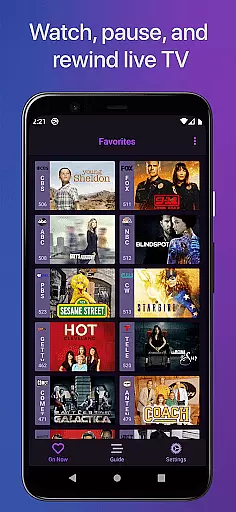
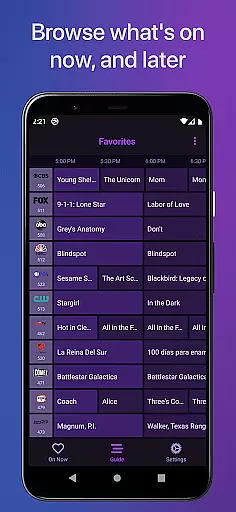
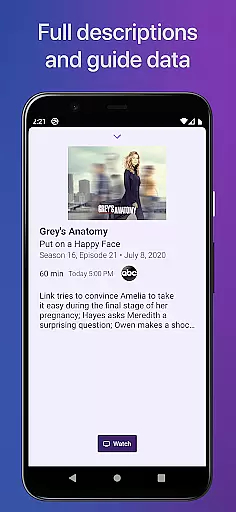
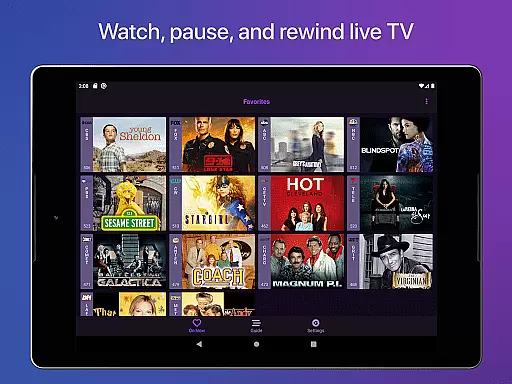
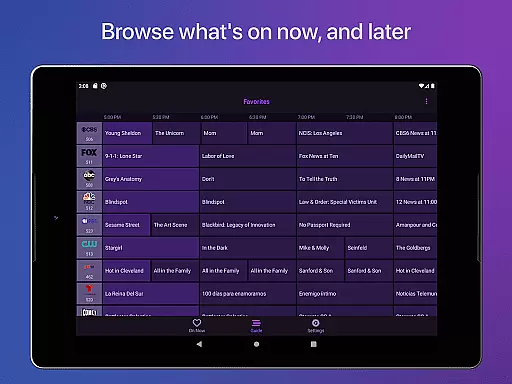
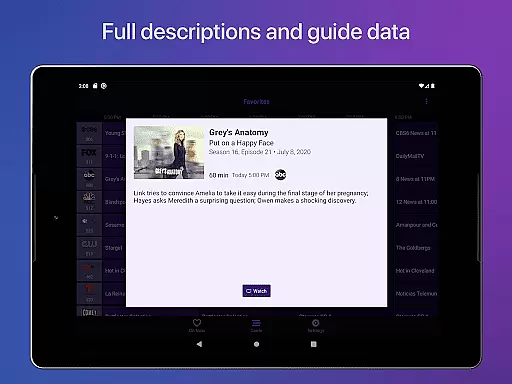
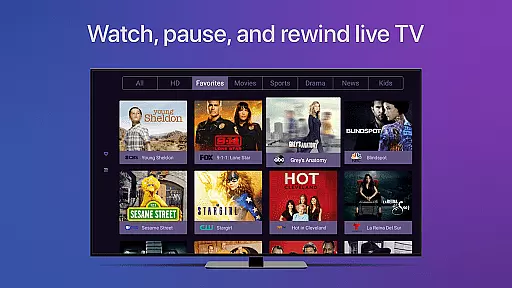
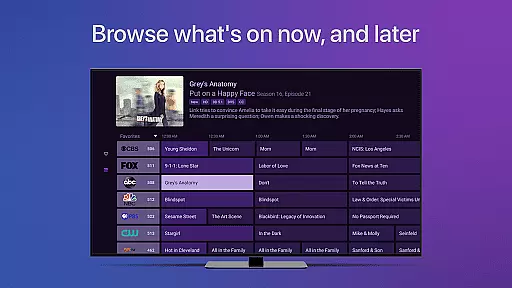
Channels for HDHomeRun is a versatile live TV streaming application designed specifically for Android users who own an HDHomeRun networked TV tuner. This app allows you to seamlessly watch, pause, and rewind both local and cable TV directly on your Android device. With its intuitive interface, Channels offers a full grid guide, Full HD streaming (dependent on bandwidth), 5.1 Surround Sound, closed captioning, and extensive VoiceOver support.
Beyond basic TV viewing, Channels enhances the user experience by enabling features such as channel favoriting, jumping back to the last channel, and auto discovery of HDHomeRun devices. It also supports advanced DVR functionalities when paired with Channels Plus subscription. Whether you're keeping up with live sports, primetime TV, or local news, this app integrates effortlessly into your digital ecosystem, allowing you to enjoy live TV alongside other streaming apps without switching inputs.
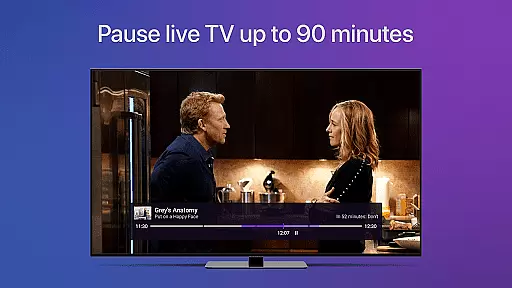
One of the standout features of Channels for HDHomeRun is its ability to provide a seamless live TV experience through advanced functionalities like pausing, rewinding, and fast-forwarding live TV. The app's comprehensive electronic program guide (EPG) ensures that users can easily navigate through their favorite channels and programs. Additionally, it supports Full HD streaming and 5.1 Surround Sound, delivering a premium audio-visual experience.
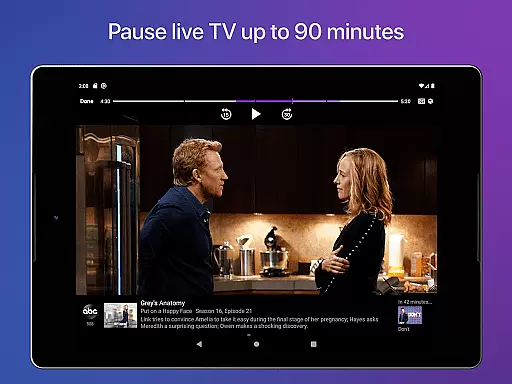
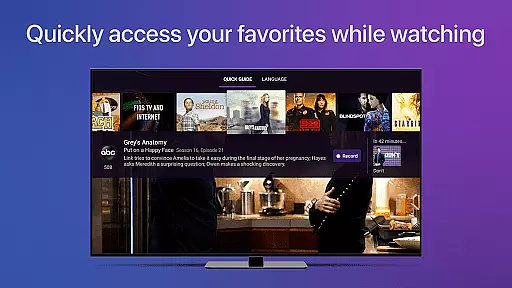
Channels goes beyond traditional TV watching by offering unique features such as channel favoriting, which lets users mark their preferred channels for quick access. The app also includes a live TV buffer that works for approximately 90 minutes, depending on device storage. Users can skip ahead 30 seconds or rewind 7 seconds with simple touch controls. Moreover, the Quick Guide feature allows users to swipe down and see what else is on their favorite channels, enhancing multitasking capabilities while enjoying live TV.
Channels for HDHomeRun offers extensive video format compatibility, ensuring users can stream a wide range of content without interruptions. The app supports full HD streaming, allowing viewers to enjoy crisp and clear visuals directly on their Android devices.
The inclusion of 5.1 Surround Sound enhances the audio experience, making it ideal for sports events, movies, and live shows. Additionally, closed captioning support ensures accessibility for all users, including those with hearing impairments.
By supporting various formats, Channels enables seamless playback of both local antenna and cable TV feeds. This flexibility allows users to watch primetime TV, local news, and sports without worrying about format restrictions or additional conversions.
While primarily a live TV streaming app, Channels incorporates AI-powered features that enhance the viewing experience. The app's intelligent buffer management system allows users to pause, rewind, and fast forward live TV effortlessly.
Advanced guide data algorithms provide accurate program information and enable features like favorite channel selection and quick channel switching. The app's smart discovery function automatically detects available HDHomeRun devices on the network.
These AI-driven capabilities create a more intuitive and personalized television experience. Users can browse other channels while watching TV, manage multiple HDHomeRun devices, and access a full grid guide that adapts to their viewing preferences.
User-friendly interface
Full HD streaming
Live TV buffer
Channel favoriting
VoiceOver support
Requires HDHomeRun tuner
No DRM stream support
Network dependency
Limited external use
Premium features need subscription

A full editing room to accompany your Insta360 cameras and handheld gimbals.
 3.30
3.30
HD Video player all format, HD Videos, Cast & Subtitle. No annoying ads.
4.60
IPTV-Smarters Player Pro M3U - Watch Live Stream TV Channels with Chromecast
4.00
HD video & music player - All format support with floating & PIP mode!
3.80
Watch a large amount of high-definition short drama content
4.60
Stream high quality video from your camera over NDI protocol
4.0
AirMirror Receiver - Screen mirroring/cast web videos to Android TV by AirPlay.
4.40
Movie maker & video editing app with AI effects and green screen
4.30
IPTV Player - Watch live TV from m3m & m3u8 playlist, stream IPTV on mobile
3.30
Video Trimmer, Video to MP3 Converter. Extract music from video, Easy & Fast.
4.80
All in one HD video downloader & player for multiple formats with full privacy
4.70
A Simple app to download Video & Music from the Internet.
4.70
?100% FREE! Download & save videos? safely in this app. All formats supported.
4.60
Watch IPTV on your Android device
4.60
Download website videos fast&privacy
4.40
Create & edit videos with AI
4.30
Turn your phone into a wireless camera!
4.20
Capture images & record videos for USB Camera, Webcam, Microscopes, Endoscopes
3.80
Video player with powerful streaming playback and various convenient features.
2.10


User Reviews