
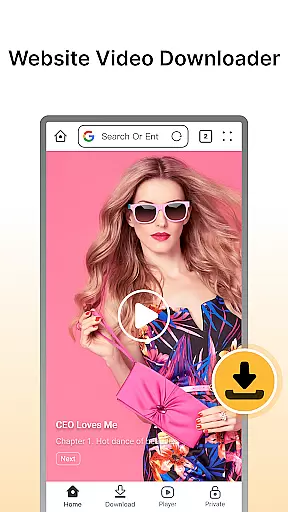

Fast Downloader - Video Player is a versatile video downloader and player tailored for users who want to save videos from websites and social media platforms. The app offers seamless downloading in multiple formats and resolutions, ensuring that users can enjoy their favorite content offline without worrying about internet connectivity.
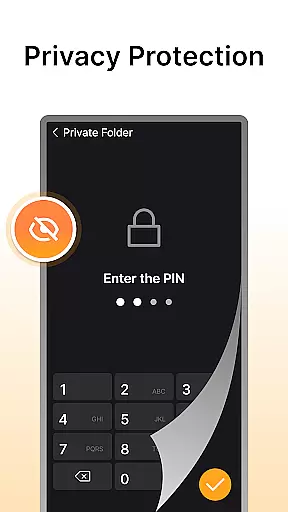
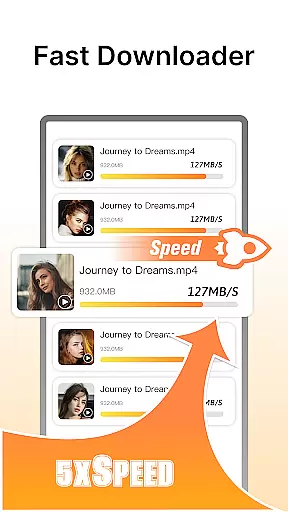
In addition to its core functionality, the app provides privacy protection through a built-in privacy mode, allowing users to store downloaded videos securely with password protection. Its multi-resolution support caters to different user preferences, while the lightning-fast download speeds ensure efficiency. With an integrated video player supporting various formats, Fast Downloader - Video Player delivers a complete solution for downloading, storing, and viewing videos privately and conveniently.
Fast Downloader - Video Player stands out with its comprehensive feature set designed to enhance user experience. One of its key highlights is the website video downloader, which allows users to save videos from numerous websites effortlessly. This ensures that users can access their favorite content anytime, anywhere, even without an active internet connection.
The app also emphasizes privacy and security. Its privacy protection feature safeguards downloaded videos by storing them in a secure, password-protected space. Furthermore, the multi-resolution support enables users to choose video quality based on their needs, ranging from standard to HD formats. Coupled with fast download speeds and a built-in video player that supports multiple formats, this app ensures a smooth and uninterrupted viewing experience, making it an ideal choice for those seeking both functionality and convenience.
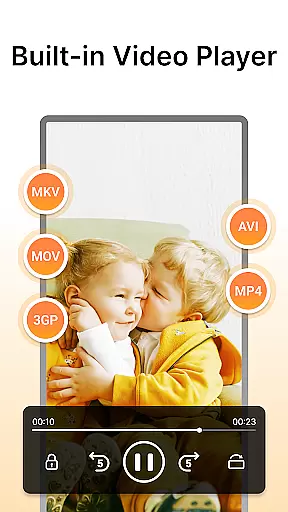
Video format compatibility is a crucial feature for any video player and editor, ensuring that users can enjoy content in various formats without technical barriers. Fast Downloader - Video Player excels in this area by supporting multiple video formats, making it versatile for different user needs.
The app allows you to download and play videos from websites and social media platforms in formats such as MP4, AVI, and more. This flexibility ensures that no matter the source of the video, you can save and view it without worrying about format support issues.
For users, this means an uninterrupted experience where they can focus on enjoying their content rather than troubleshooting playback problems. Whether you're downloading high-definition videos or standard clips, Fast Downloader - Video Player provides a seamless transition from download to playback.
AI-powered editing features are transforming how we interact with video content, providing smarter and more efficient ways to enhance our media. Fast Downloader - Video Player incorporates advanced AI technology to offer users innovative tools that simplify video management and improve viewing experiences.
With built-in AI capabilities, the app can automatically optimize video quality, adjust playback settings based on content type, and even suggest edits or enhancements tailored to individual preferences. These intelligent features ensure that every video looks its best and plays smoothly across devices.
Users benefit from these enhancements through improved video clarity, customized playback options, and time-saving automation. By leveraging AI, Fast Downloader - Video Player not only meets but exceeds modern expectations for what a video player and editor should offer.
User-friendly interface
Multi-resolution options
Secure privacy mode
Fast download speeds
Built-in video player
Limited format compatibility
No batch download option
Ads in free version
Occasional bugs
Requires constant updates

You can play SWF format file!
 2.50
2.50
Video Trimmer, Video to MP3 Converter. Extract music from video, Easy & Fast.
4.80
This app was created to edit the metadata of music files.
4.20
1)AirPlay/DLNA Mirroring/Streaming, up to 4 connections; 2)Samba/NAS/DMS Player.
4.00
Seamlessly connect and control your smart devices, anytime, anywhere with ease.
4.60
GENRAL PRO - General Pro is the best video player that fully supports all formats.
4.70
Manage your IPTV live channels and VOD playlists (no playlist included)
3.80
Connect EasyCap or UVC devices for recording and broadcast video/audio stream
3.60
Web Browser for LG TV to stream webvideos, online movies and livestreams in HD
4.20
HD Video player all format, HD Videos, Cast & Subtitle. No annoying ads.
4.60
Fast & Private HD Video Downloader with Built-in Proxy Browser and Video Player.
4.50
Create & edit videos with AI
4.30
Powerful Video Editor & Photo Editing App —— Quick Edits & Stunning Effects!
4.30
All format media Player, no need video converter any more!
4.00
Stream Web Videos to Chromecast, Samsung, LG, Sony, Roku, Fire TV, DLNA + more
4.00
Online Videos Player
3.90
Connect 2 UVC devices for recording and broadcast video/audio stream
3.90
AirMirror is Receiver for Screen Mirroring and Casting from Apple Devices.
3.60
The smartest M3U IPTV Player your playlists have ever seen.
4.3


User Reviews