
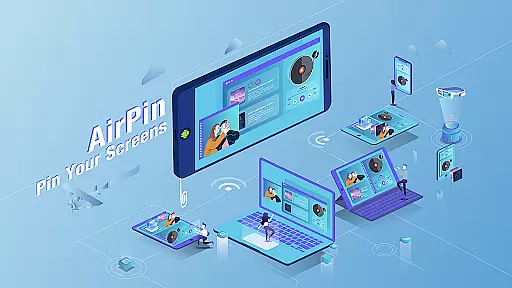

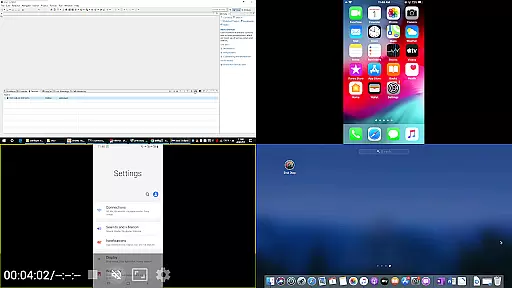


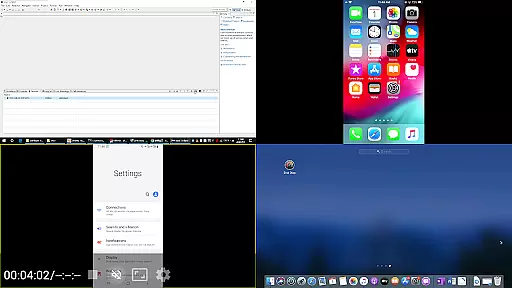

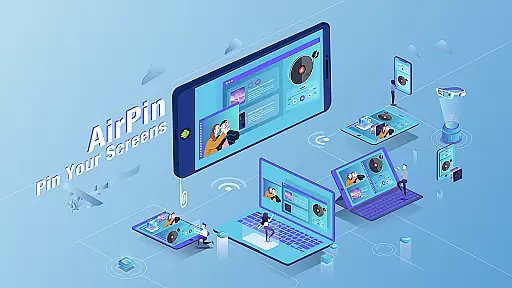

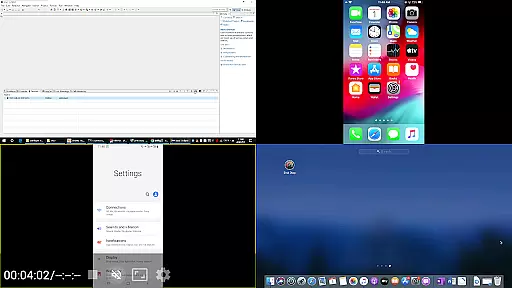
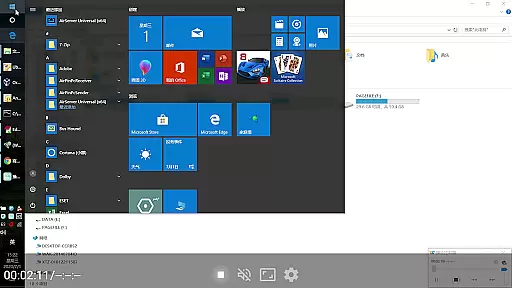

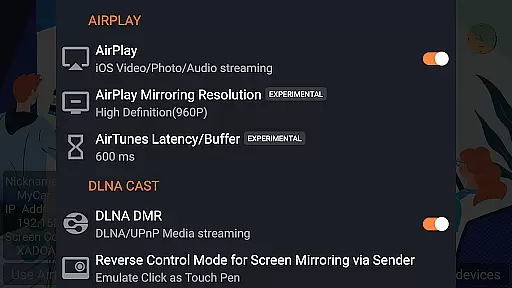

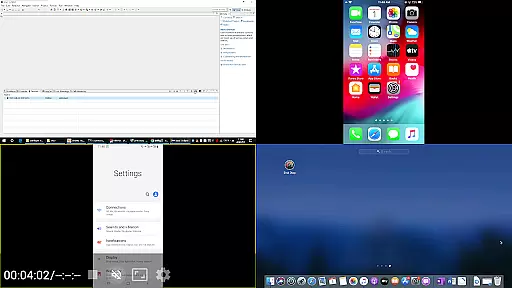
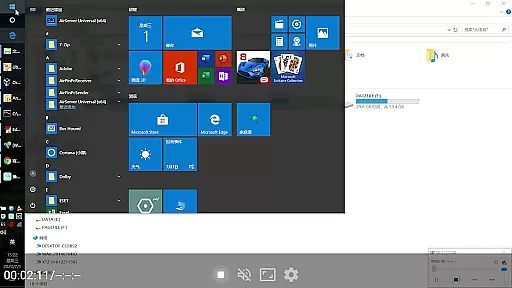

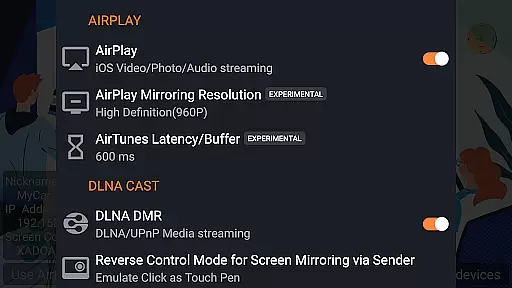
AirPin PRO is a cutting-edge screen mirroring and media streaming receiver app designed for Android phones, tablets, TVs, set-top boxes, and projectors. As the first Android application to support both AirPlay and DLNA protocols since its initial release in July 2012, it enables seamless sharing of media and screens from Apple, Windows, and Android devices onto larger displays. The PRO version stands out by allowing simultaneous display of up to four device screens, enhancing collaborative and entertainment experiences.
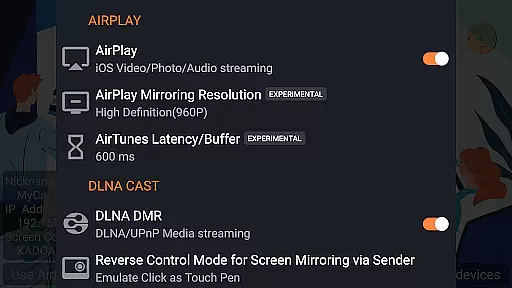
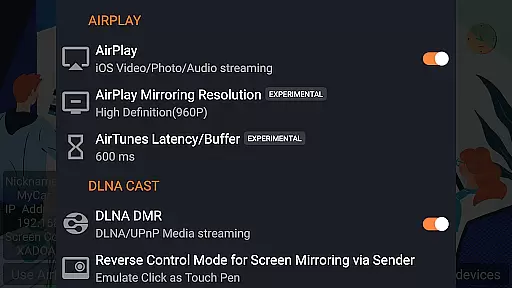
This versatile app supports a wide array of features including AirPlay video/music streaming, screen mirroring across all iOS/MacOS versions, and even the latest YouTube AirPlay streaming. Additionally, it offers unique functionalities such as slideshow support for AirPlay photo streaming, password protection, and compatibility with DLNA, UPnP, and Android-based TVs as both Renderer and Player. Whether you're looking to stream content from a NAS server or mirror your Windows PC screen, AirPin PRO delivers a comprehensive solution for all your multimedia needs.
AirPin PRO boasts an impressive range of features that cater to diverse user requirements. One of its standout capabilities is the ability to display multiple device screens simultaneously, supporting up to four connections at once. This makes it ideal for presentations, gaming, or simply enjoying content from different sources on a single display. The app also leads the market as the first to support several advanced functionalities such as AirPlay password protection and slideshow mode for photo streaming.
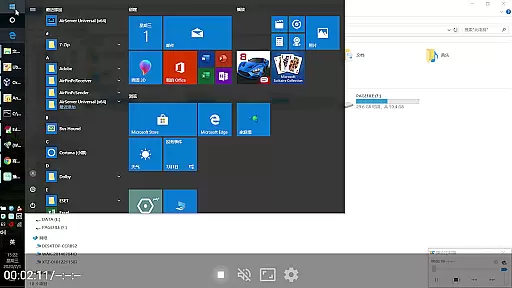
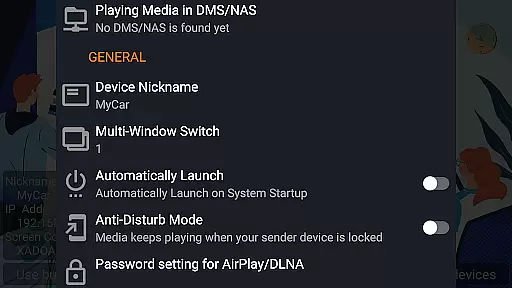
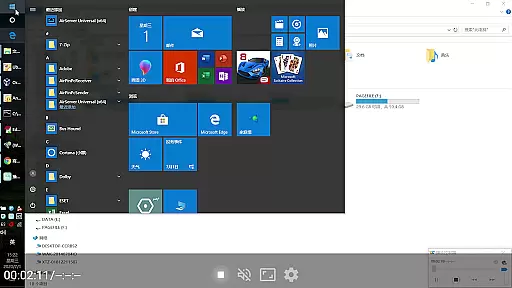
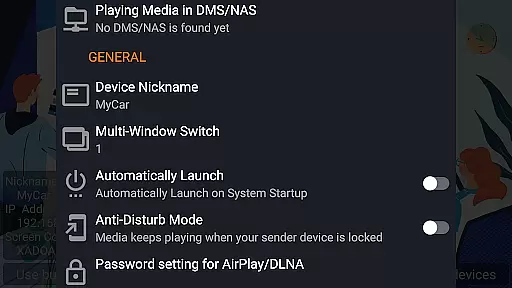
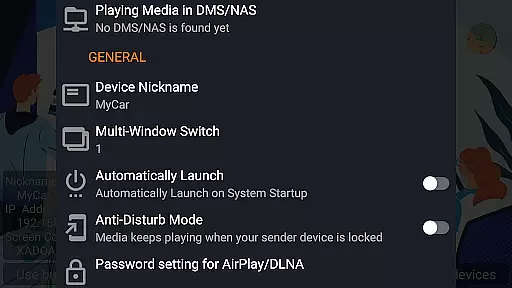
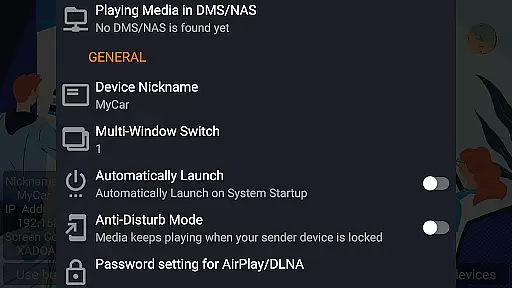
For users seeking flexibility, AirPin PRO supports DLNA, UPnP, and works seamlessly with AirPinPcSender.exe for Windows streaming and mirroring. It also integrates with AirPinCast for Android-based screen and media sharing. Additional notable features include automatic startup, configurable service shutdown, background audio streaming without delay, anti-disturb mode, and the ability to resume playback from the last pause point. With constant updates and bug fixes, AirPin PRO ensures a reliable and high-quality user experience.
AirPin PRO stands out as a versatile screen mirroring and media streaming receiver, supporting an extensive range of video formats. This ensures that users can enjoy content from various devices without worrying about compatibility issues.
With its foundation in both AirPlay and DLNA protocols, the app facilitates seamless streaming from Apple, Windows, and Android ecosystems. Whether it's a video file stored locally or streamed from a network server, AirPin PRO handles it with ease.
The application is designed to work on multiple platforms including Android phones, tablets, TVs, set-top boxes, and projectors. This broad device support allows for flexible usage scenarios, making it suitable for personal entertainment or professional presentations.
Moreover, the ability to display up to four device screens simultaneously underlines its robust handling of different codecs and resolutions. Users benefit from uninterrupted playback and high-quality video rendering across all supported formats.
While AirPin PRO focuses primarily on screen mirroring and media streaming, it incorporates intelligent features akin to AI-powered editing. These include automatic service startup, configurable shutdown options, and anti-disturb modes that enhance user experience during media playback.
One notable feature is the continuation of playback from the last pause point, which mimics smart tracking capabilities found in dedicated video editors. This ensures viewers can resume watching without losing their place, providing a personalized touch to the viewing experience.
Additionally, the app supports external players, allowing users to choose preferred software for advanced editing tasks. This flexibility caters to those who require more than basic playback functionalities, offering integration possibilities with sophisticated post-production tools.
Although not a traditional video editor, AirPin PRO's innovative features contribute significantly to streamlining workflows and enhancing productivity when managing multimedia content across diverse environments.
Supports multiple device screens
First app with AirPlay & DLNA
Advanced security features
Versatile media streaming options
Regular updates and bug fixes
Requires additional software for some features
Higher cost compared to basic versions
Complex setup for novice users
Limited free version functionality
Occasional compatibility issues

HD Video player all format, HD Videos, Cast & Subtitle. No annoying ads.
 4.60
4.60
IPTV-Smarters Player Pro M3U - Watch Live Stream TV Channels with Chromecast
4.00
Turn your phone into a wireless camera!
4.20
Pro video editor app for Instagram, edit video with song, AI, effect & slowmo.
4.80
IPTV Player - Watch live TV from m3m & m3u8 playlist, stream IPTV on mobile
3.30
Browser for Sony TV to stream web videos, online movies and live tv
3.20
Manage your IPTV live channels and VOD playlists (no playlist included)
3.80
Livestream, news, & gaming content. Watch, chat, and upload. Join Rumble today!
3.80
Fast & Private HD Video Downloader with Built-in Proxy Browser and Video Player.
4.50
#1 Torrent App on Android ** No Ads Ever + Battery Saver **
4.80
A Quick and Pro Video Editor
4.70
Search & download videos from net with all video downloader, auto-detect & safe.
4.60
Support 1000+ Video Format, Subtitle Download, mp3 & Background Play, Cast On TV
4.60
Add date and time watermark to photos and videos
4.50
AirMirror Receiver - Screen mirroring/cast web videos to Android TV by AirPlay.
4.40
AI Video Editor:AI Music, Text to Video,Text to Speech,Auto Caption,Video Effect
4.00
Explore the largest library of free GIFs, Stickers & Memes - or create your own!
3.90
Live TV, anywhere in your home
3.80
Kodi media center, a free and open source cross-platform entertainment hub
3.60


User Reviews