
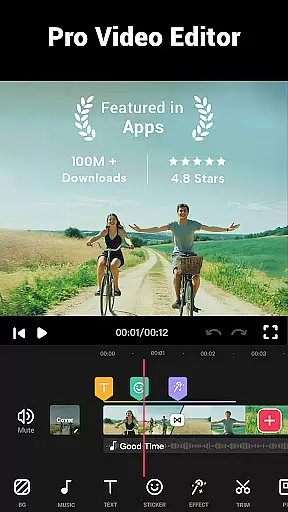
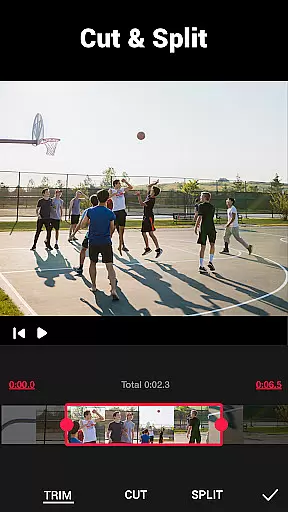

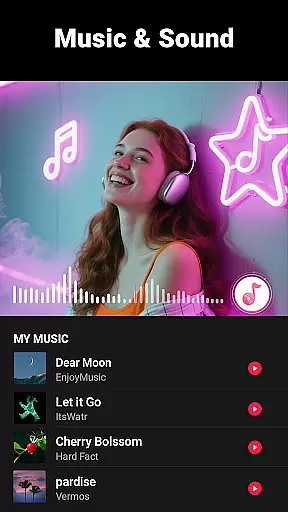
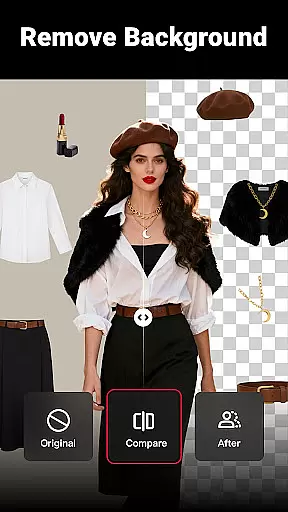
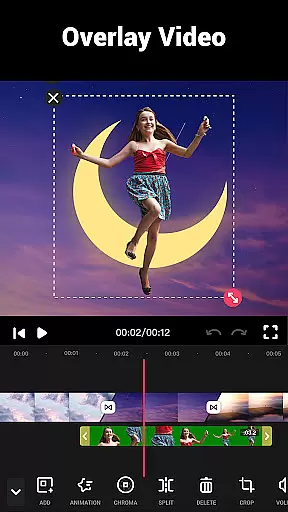
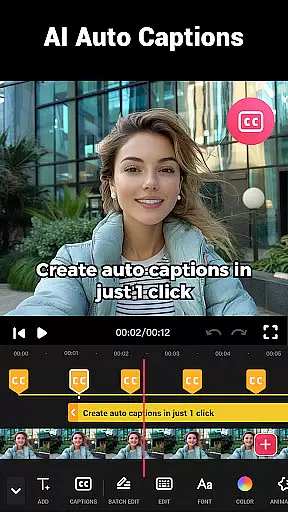
Video Maker is a versatile video editing application that allows users to create professional-quality videos directly from their Android devices. The app offers an extensive range of features including trimming, cutting, and merging video clips, adding music and sound effects, applying filters and transitions, and exporting in 4K resolution without watermarks. Whether you're a beginner or a seasoned content creator, Video Maker provides the tools needed to produce engaging vlogs, social media content, and more.
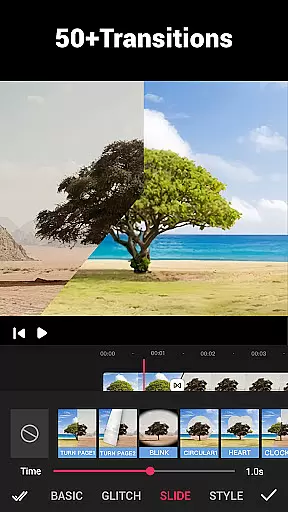
The app stands out with its user-friendly interface and powerful editing capabilities. It supports multi-layer editing, speed adjustments for fast or slow motion, audio extraction, and video compression. With over 50 transition effects, various aspect ratios, and advanced options like background blurring, Video Maker ensures your projects look polished and professional. Its compatibility with platforms like YouTube, Instagram, and TikTok makes sharing your creations seamless.
Ideal for anyone looking to enhance their video content, Video Maker is perfect for creating dynamic presentations, personal vlogs, or promotional materials. The ability to add custom music, adjust volumes, and apply stunning visual effects adds significant value for users who want to express their creativity without limitations.
Video Maker distinguishes itself through a comprehensive suite of editing tools designed to cater to both novice and experienced editors. One of its standout features is the multi-layer editing system, which allows users to add multiple elements such as text, stickers, and overlays to their videos. This flexibility enables creators to build complex compositions while maintaining full control over each component's placement and timing.
In addition to basic functions like trimming and splitting, Video Maker offers advanced capabilities such as speed adjustment, enabling users to create dramatic slow-motion sequences or energetic fast-paced montages. The app also includes a robust library of transition effects, filters, and fonts, ensuring that every project has a unique aesthetic. Users can further enhance their videos by extracting audio tracks, syncing edits to music beats, and applying cinematic filters that elevate the overall production quality.
Another key advantage of Video Maker is its commitment to high-quality output. The app supports 4K exports without watermarks, making it suitable for professional use across various platforms. Additionally, features like video compression, format conversion, and aspect ratio adjustments ensure that files are optimized for different devices and social media requirements. These functionalities collectively empower users to produce visually striking content that meets industry standards.
Video format compatibility is a crucial feature for any video editing application, ensuring that users can work with a wide range of video files without conversion hassles. Video Maker excels in this area by supporting multiple formats, allowing creators to import and export videos in resolutions up to 4K without quality loss.
The app's powerful conversion tools enable users to customize resolutions, compress file sizes, and convert videos while maintaining high-quality standards. This flexibility ensures that content created is suitable for various platforms like YouTube, Instagram, and TikTok.
With its advanced handling of different aspect ratios such as 1:1 for Instagram or 16:9 for YouTube, Video Maker provides a seamless experience for vloggers and movie makers alike. The ability to crop and edit videos in any ratio makes it an indispensable tool for professional-looking edits.
By eliminating the need for additional software or complicated conversions, Video Maker empowers users to focus on their creative process, making it an ideal choice for both beginners and experienced editors looking to produce high-quality content efficiently.
AI-powered editing features are revolutionizing the way we create and edit videos, offering smart solutions that enhance creativity and save time. Video Maker incorporates cutting-edge AI technology to provide users with intuitive tools that simplify complex editing tasks, making professional-quality video production accessible to everyone.
One standout feature is the automatic audio extraction from videos, which allows users to add markers according to music rhythm, perfect for syncing visuals with soundtracks. Additionally, the app's AI-driven filters and effects intelligently adapt to video content, providing stunning enhancements with minimal effort.
Video Maker also leverages AI for multi-layer editing, enabling seamless integration of music, voice-overs, and sound effects. This capability not only enriches the storytelling aspect but also adds depth and personality to each creation, setting it apart from standard video editors.
By harnessing the power of artificial intelligence, Video Maker delivers a user-friendly interface that streamlines the editing process, allowing creators to focus on unleashing their imagination rather than getting bogged down by technical details.
User-friendly interface
Extensive editing tools
High-quality 4K export
No watermark on videos
Versatile platform support
Limited advanced color grading
Occasional performance lags
Ads in free version
Learning curve for beginners
Fewer tutorials available

A full editing room to accompany your Insta360 cameras and handheld gimbals.
 3.30
3.30
Cast to Chromecast, Xbox, Fire Stick, Roku, DLNA, Smart TV & No Feature Limited!
4.50
Powerful HD video player with support for all formats & subtitles.
4.1
Capture images & record videos for USB Camera, Webcam, Microscopes, Endoscopes
3.80
1)AirPlay/DLNA Mirroring/Streaming, up to 4 connections; 2)Samba/NAS/DMS Player.
4.00
Video player with powerful streaming playback and various convenient features.
2.10
Flud is a simple and beautiful BitTorrent client for Android.
4.80
Web Browser for LG TV to stream webvideos, online movies and livestreams in HD
4.20
Viddo: Generate Action Figure, AI Anime, AI kiss, AI hug Video from image & text
4.40
Play ALL formats in 4K & HD. Video downloader, MP3 player, Chromecast & more.
4.80
Download videos and play them offline
4.70
Find, download, and play torrents with the official BitTorrent® Pro app
4.70
Video Downloader, Multiple Resolution Options, Video Player
4.50
Fast & Private HD Video Downloader with Built-in Proxy Browser and Video Player.
4.50
Full HD Video mp3 Player, MP4 player play 1080p, File manager, Video Downloader
4.40
Browser for Fire TV to stream webvideos, online movies, livestreams in HD
4.40
Create & edit videos with AI
4.30
Powerful video player with advanced hardware acceleration and subtitle supports
4.20
Explore the largest library of free GIFs, Stickers & Memes - or create your own!
3.90


User Reviews