
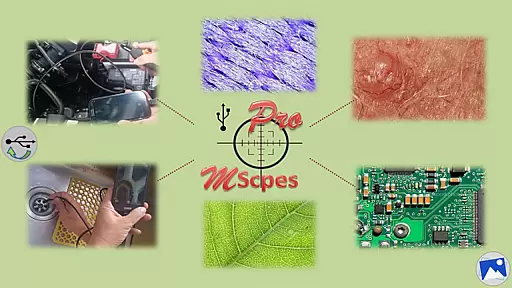
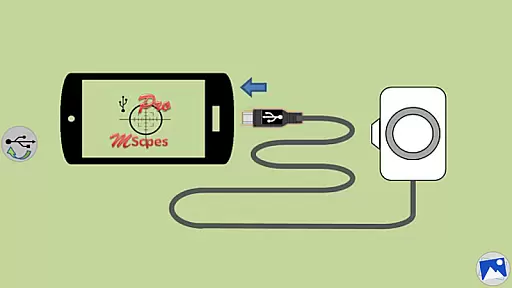
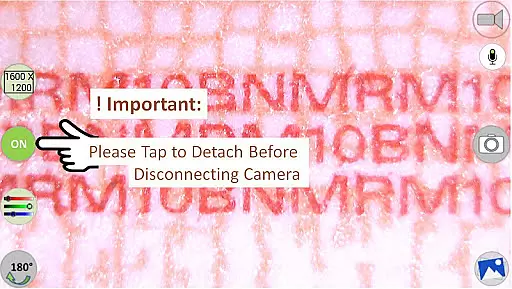
MScopesPro for USB Camera is a versatile application designed to enhance the functionality of USB video class cameras when connected to Android smartphones or tablets. This app allows users to view, capture images, and record videos from digital microscopes, endoscopes, borescopes, camcorders, or webcams via USB connection. For devices with type-A connectors, an OTG adapter is required to bridge the connection.
One of the standout features of MScopesPro is its ability to provide microscopy or endoscopy "on-the-go," offering unprecedented portability and flexibility. This makes it easier to observe microscopic objects or hard-to-reach areas such as cracks, pipes, or cavities. The Pro version further enriches this experience by providing advanced functionalities like full-screen mode, zoom and pan capabilities, multiple image types, and adjustable color parameters.
The practical applications of MScopesPro are vast, ranging from educational purposes to professional inspections. Its ability to save adjusted settings into presets and offer various preview sizes ensures that users can customize their experience to fit specific needs, making it an invaluable tool for anyone requiring detailed visual analysis on the move.
MScopesPro stands out due to its comprehensive feature set tailored for enhancing USB camera usability. The Pro version offers full-screen mode without buttons, allowing 100% preview, and supports both jpeg and png image formats. Users can add date and time stamps, notes, and cross-hairs on previews, ensuring detailed documentation of observations.
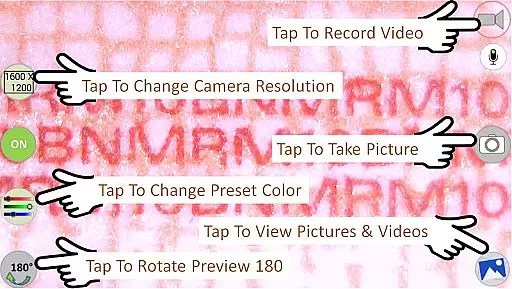
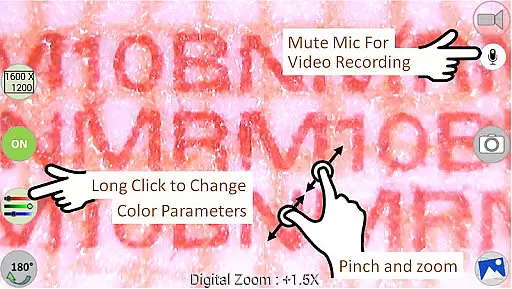
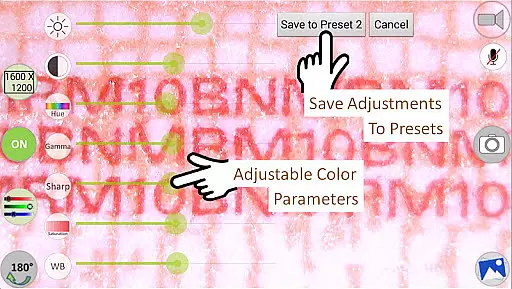
Advanced functionalities include pinch and zoom on preview, multiple camera resolution selections, and support for various preview sizes such as 640x480, 800x600, 1280x720, and 1600x1200. Adjustable color parameters like brightness, contrast, hue, gamma, sharpness, saturation, and white balance allow for fine-tuned image quality. These settings can be saved into three presets for convenience.
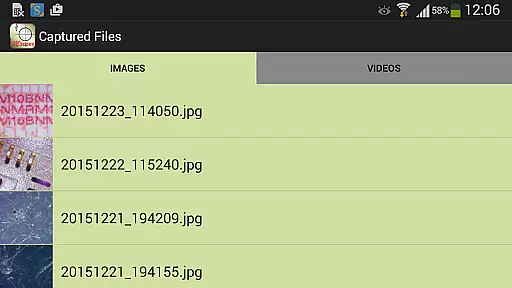
Additional features include options to turn the microphone on or off during video recording, buttons to share and edit images, and swipe functionality to view images and select video files. The app also uses libraries from the Independent JPEG Group, libusb, libuvc, and copyrighted libraries by saki t_saki@serenegiant.com, ensuring robust performance and reliability.
Video format compatibility is a crucial feature for any video player or editor application. MScopesPro supports various video resolutions, including 640x480, 800x600, 1280x720, and 1600x1200, ensuring that users can work with a wide range of digital microscopes, endoscopes, borescopes, camcorders, or webcams connected via USB.
The app's ability to handle different formats allows users to capture images in both JPEG and PNG formats, providing flexibility in file size and quality management. This versatility is essential for professionals who require specific formats for their work.
Moreover, the adjustable color parameters such as brightness, contrast, hue, gamma, sharpness, saturation, and white balance enable users to fine-tune their video output. These features ensure that the video content produced is of the highest quality, meeting the diverse needs of its users.
By offering these comprehensive video format compatibilities and customization options, MScopesPro enhances the user experience, making it an invaluable tool for anyone needing to capture and edit video content on-the-go.
AI-powered editing features are transforming the way users interact with video content. MScopesPro offers advanced functionalities like full-screen mode, which provides a 100% preview without buttons, allowing users to focus entirely on their content.
The app includes intuitive zoom and pan capabilities using one or two fingers on the preview screen. This feature, combined with pinch and zoom functionality, gives users precise control over their viewing experience, enhancing the level of detail they can capture.
Additional AI-driven features include options to add date and time stamps, cross-hairs, and up to three lines of notes on previews and captured images. These tools help users organize and annotate their work efficiently, adding a professional touch to their outputs.
Furthermore, MScopesPro allows users to save adjusted color parameters to three presets, streamlining the editing process. With these powerful AI-powered editing features, MScopesPro ensures that users can produce high-quality, customized video content with ease and precision.
User-friendly interface
Advanced camera controls
Customizable settings
High-quality image capture
Versatile compatibility
Not all Android devices supported
Incompatible with Android 5.1.1
Requires OTG adapter for some cameras
Premium version costs money
Complex for beginners

Kodi media center, a free and open source cross-platform entertainment hub
 3.60
3.60
Connect 2 UVC devices for recording and broadcast video/audio stream
3.90
You can play SWF format file!
2.50
Cast to Chromecast, Xbox, Fire Stick, Roku, DLNA, Smart TV & No Feature Limited!
4.50
Video Downloader, Multiple Resolution Options, Video Player
4.50
Add date and time watermark to photos and videos
4.50
Manage your IPTV live channels and VOD playlists (no playlist included)
3.80
Cast movies, tv shows and live streams to Chromecast, Roku, DLNA, Fire TV & more
4.60
Powerful video player with advanced hardware acceleration and subtitle supports
4.20
High-Quality USB Camera Viewer & HDMI Display
4.70
Download videos and play them offline
4.70
Screen recorder with audio to take live videos & Screenshot in high quality!
4.70
Watch a large amount of high-definition short drama content
4.60
Fast video downloader & private browser. Save HD clips to watch offline.
4.40
Video player, file manager for all formats, 4K/HD media player supports subtitle
4.30
Create & edit videos with AI
4.30
Powerful, professional, versatile teleprompter. Developed by an active film crew
4.00
Live TV, anywhere in your home
3.80
Mix with Virtual DJ directly from your phone or tablet !
3.10


User Reviews