
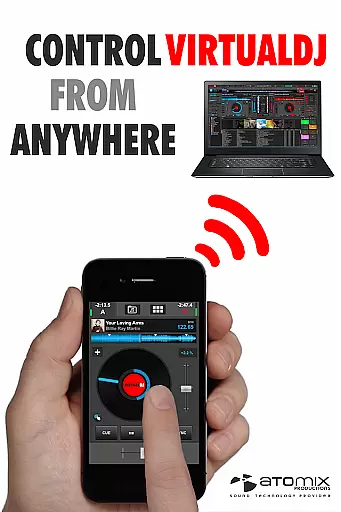
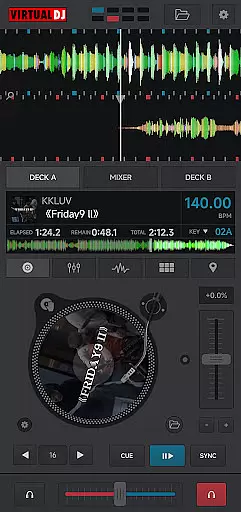
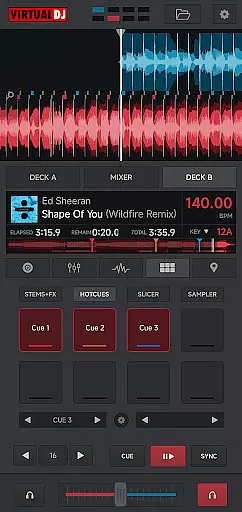
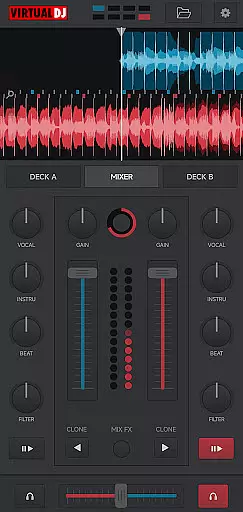
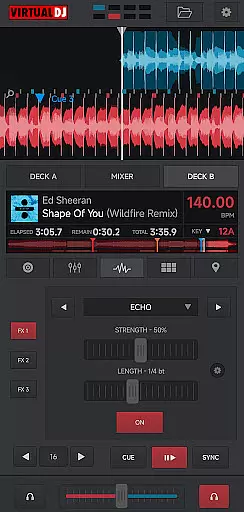
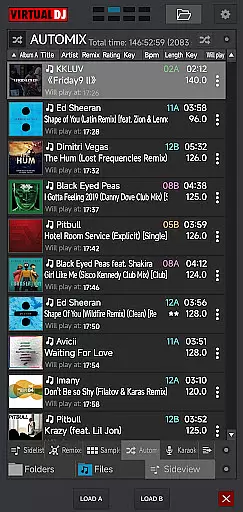
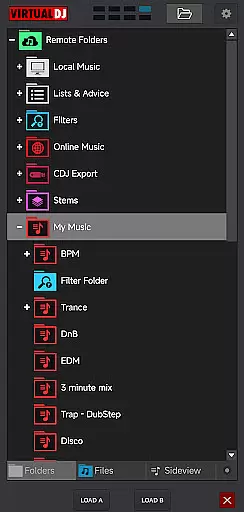
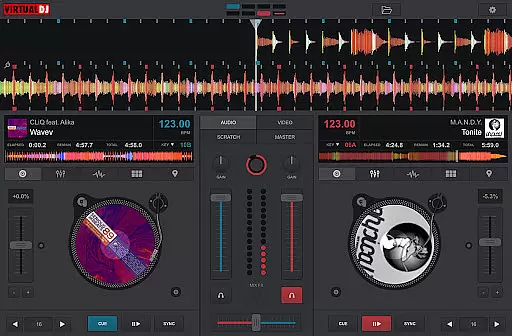
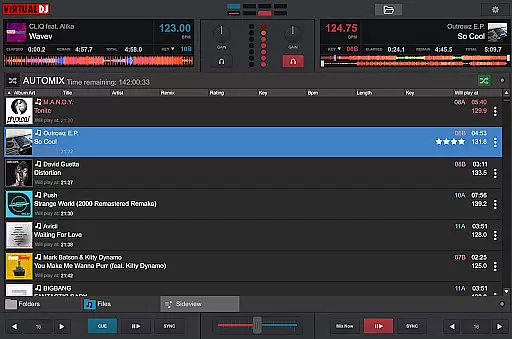
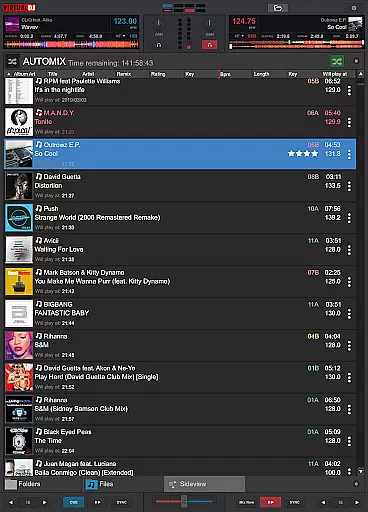
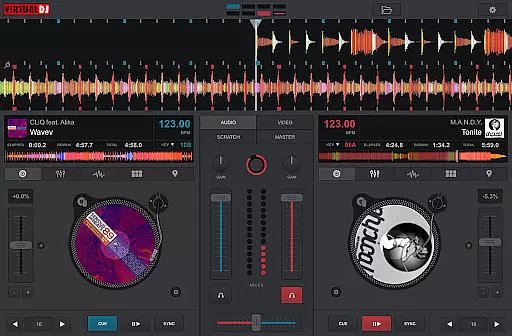
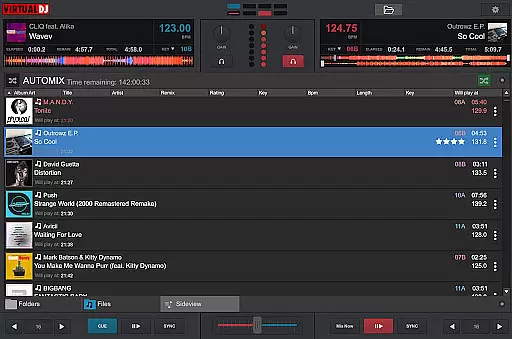
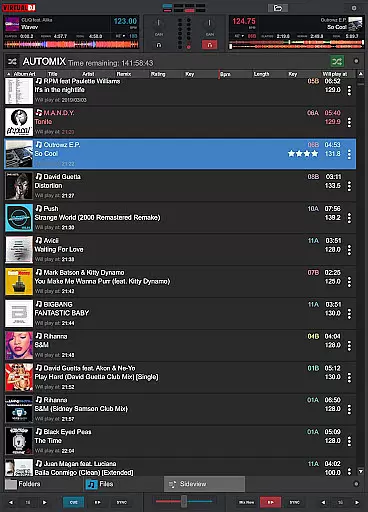
VirtualDJ Remote is a powerful application that allows DJs to control VirtualDJ software directly from their mobile devices. The app establishes a seamless connection with VirtualDJ on PC or Mac through a Wi-Fi network, enabling users to mix tracks, apply effects, and manage playlists remotely. Whether you're using a phone or tablet, this app transforms your device into a versatile DJ controller.
The application supports complete wireless freedom, allowing DJs to step away from the booth while maintaining full control of their mixes. It features an intuitive interface that can be customized with new skins, offering functionalities ranging from beat mixing and effects to video mixing. With over 100 million users worldwide, VirtualDJ provides reliable performance for both amateur and professional DJs.
This remote solution is ideal for modern DJs who want to maximize their setup's potential without being tethered to a computer. By connecting to VirtualDJ software, users can access advanced features like LiveFeedback, multi-deck mixing, and live broadcasting, making it an essential tool for creative music mixing.
VirtualDJ Remote offers an impressive array of features designed to enhance the DJing experience. The app's most notable capability is its ability to connect wirelessly to VirtualDJ software running on a computer, providing real-time control over all essential DJ functions. This includes precise scratching, beat matching, effect application, and seamless track transitions, all manageable from your mobile device.
The customization options are extensive, thanks to the skin SDK compatibility. Users can modify the interface to create specialized controllers, sampler pads, or turntable emulators tailored to their specific needs. The app also supports advanced features like video mixing, live broadcasting, and multi-deck control (up to 99 decks simultaneously). These capabilities make it suitable for both simple mixing tasks and complex professional setups.
Additional practical features include automatic Wi-Fi connection, easy audio configuration through the computer's sound system, and access to VirtualDJ's comprehensive music library management tools. The app maintains perfect synchronization with the desktop software, ensuring reliable performance during live performances and studio sessions.
VirtualDJ Remote stands out with its extensive video format compatibility, ensuring DJs and content creators can work without limitations. The application supports a wide array of video formats, allowing users to mix music videos seamlessly.
This versatility is crucial for professional DJs who require reliable software that can handle diverse media files. By supporting popular formats such as MP4, AVI, and MOV, VirtualDJ Remote enables users to focus on their performance rather than technical constraints.
The benefit of this broad compatibility is the freedom it provides. Whether you're connecting your computer to a projector for video output or streaming live on internet radios, you can be confident that your content will play smoothly.
Moreover, the ability to record sessions directly on your computer ensures that all performances are captured in high quality, regardless of the original file format. This feature enhances the overall user experience by simplifying the workflow and maximizing creative potential.
While VirtualDJ Remote may not offer traditional AI-powered editing features found in video editing applications, it excels in intelligent DJ-specific functionalities that enhance the mixing experience. The software's advanced algorithms provide real-time beat matching and song suggestions, effectively acting as an intelligent assistant for DJs.
This innovative approach to DJing allows users to create seamless transitions between tracks, even when working with complex video content. The system analyzes BPM, key, and other musical elements to suggest the best next track, streamlining the creative process.
One of the most significant advantages is the LiveFeedback feature, which offers personalized advice on what to play next based on audience reactions. This functionality helps DJs adapt their sets in real-time, creating more engaging performances.
Additionally, the software's capability to handle multiple decks simultaneously (up to 99) demonstrates its powerful processing capabilities. This feature, combined with comprehensive effect libraries and sampler options, provides users with professional-grade tools that rival traditional video editing software's AI enhancements.
User-friendly interface
Extensive customization options
Wireless freedom and flexibility
Comprehensive feature set
Reliable performance
Requires separate software
Dependent on Wi-Fi connection
Limited standalone functionality
Interface may overwhelm beginners
Advanced features need learning

Watch full episodes of your favorite Cartoon Network and Cartoonito shows!
 3.50
3.50
Video Downloader is an utility that can save videos and music from web sites
4.20
KineMaster, Your Ultimate Video Editor!
4.40
Create photo video with music & template. AI video maker for stunning slideshow.
4.60
AirMirror is Receiver for Screen Mirroring and Casting from Apple Devices.
3.60
Video player with powerful streaming playback and various convenient features.
2.10
Video Downloader, Multiple Resolution Options, Video Player
4.50
Browser for Samsung TV to stream webvideos, online movies and livestreams in HD
4.10
Video&Drama Player All Format is a HD video player, music player
3.00
An easy-to-use and all-round screen recorder with audio
4.80
Download videos and play them offline
4.70
Cast Videos from Web Browser, IPTV to Roku, Chromecast, DLNA, Smart TV +more
4.60
Watch a large amount of high-definition short drama content
4.60
Snaptubè Video Downloader app allows to download videos and music in Snaptube. .
4.60
KMPlayer Plus (Divx Codec) officially support Divx codec.
4.30
IPTV-Smarters Player Pro M3U - Watch Live Stream TV Channels with Chromecast
4.00
Live TV, anywhere in your home
3.80
This app is an emulator of some specific IPTV boxes
3.50
The smartest M3U IPTV Player your playlists have ever seen.
4.4


User Reviews