
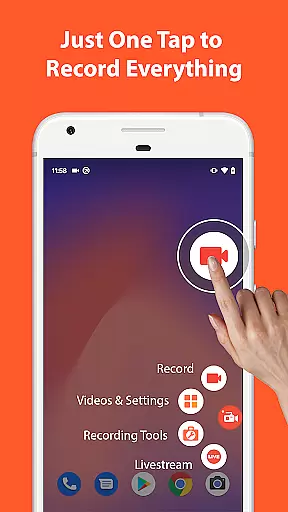

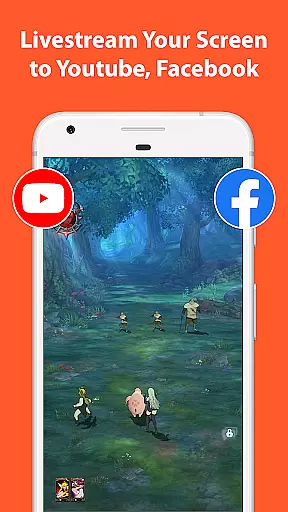
AZ Screen Recorder is a versatile screen recording application that allows users to capture high-quality videos of their device screens with audio. The app offers multiple features including screen recording, video editing, live streaming, and screenshot capabilities.
One of the standout features of AZ Screen Recorder is its ability to record screen activity with both internal audio and microphone input, making it ideal for creating gameplay videos, recording video calls, or capturing any on-screen content. Additionally, the app provides advanced functionalities such as facecam, drawing on screen during recording, and transferring recorded videos to computers via WiFi.
The app also includes a comprehensive video editor that enables users to trim, merge, add music, subtitles, and perform various other editing tasks. With support for different resolutions up to 4K and variable frame rates, AZ Screen Recorder caters to diverse user needs from casual recordings to professional-grade video production.
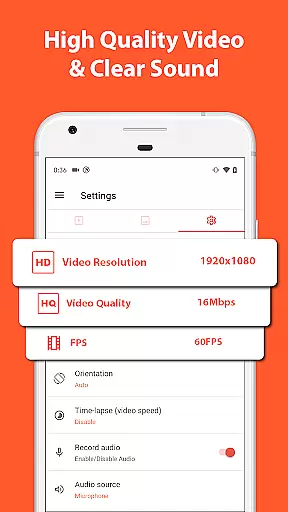
AZ Screen Recorder stands out due to its rich feature set tailored for both casual and power users. The screen recording functionality supports various resolutions including HD, FullHD, 2K, and 4K, along with flexible frame rate options like 24fps, 30fps, and 60fps. This ensures that users can produce high-quality recordings suitable for different platforms and purposes.
Beyond basic recording, the app offers sophisticated tools such as the ability to pause and resume recordings, draw on the screen while recording, and use facecam to overlay your webcam feed onto the recording. Users can also convert recordings into GIFs and easily transfer files to their computers using WiFi.
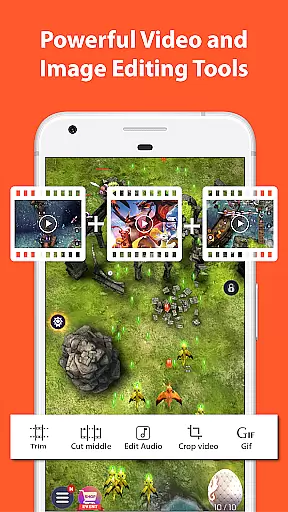
In addition to recording, AZ Screen Recorder provides a robust video editor. This built-in editor allows users to trim clips, remove unwanted sections, merge videos, add background music, insert subtitles, extract frames, crop, rotate, and compress videos. These features collectively make the app an all-in-one solution for capturing, editing, and sharing screen content efficiently.
Video format compatibility is a crucial feature for any video recording and editing application, ensuring that users can work with a wide range of video formats without compatibility issues. AZ Screen Recorder excels in this area by supporting various resolutions from HD, FullHD, 2K to 4K, although 4K recording is only available for select users and devices.
The app's ability to record in multiple frame rates such as 24fps, 30fps, and 60fps makes it versatile for different use cases, whether you're capturing fast-paced gameplay or creating professional-quality video content. This flexibility ensures that your recordings maintain the highest quality possible on your device.
Apart from recording capabilities, AZ Screen Recorder also offers extensive video editing features. You can trim videos, merge clips, add background music, insert subtitles, extract frames, crop, rotate, and compress videos. These functions collectively ensure that regardless of the original video format, users can modify and enhance their footage to meet specific requirements.
With its broad format support and robust editing tools, AZ Screen Recorder stands out as an all-in-one solution for both casual and professional video creators who need reliable performance across different video standards and formats.
AI-powered editing features represent the cutting edge of video editing technology, enabling users to enhance their videos with intelligent tools that simplify complex editing tasks. AZ Screen Recorder incorporates several AI-driven functionalities that significantly improve the video creation process.
One standout feature is the ability to draw on the screen while recording, which is powered by intelligent recognition algorithms. This allows users to highlight important elements or annotate their recordings in real-time, making tutorials and presentations more engaging and informative.
In addition to drawing capabilities, the app uses AI to optimize video compression without sacrificing quality. By intelligently analyzing video content, it reduces file sizes efficiently, saving storage space while maintaining high visual fidelity. This is particularly useful for users who need to manage large volumes of recorded content.
Furthermore, AZ Screen Recorder includes smart editing options like automatic frame extraction and image stitching, which utilize AI to streamline workflows. These features not only save time but also enhance creativity, allowing users to focus on producing high-quality content rather than getting bogged down by technical details.
User-friendly interface
High-quality video output
No watermark on videos
Comprehensive video editing tools
Supports live streaming
Advanced features require Android 10+
Some features locked behind paywall
Occasional performance issues
Limited GIF export options
Ads in free version

Video player, file manager for all formats, 4K/HD media player supports subtitle
 4.30
4.30
The smartest M3U IPTV Player your playlists have ever seen.
4.4
HD video maker with no watermark, no ads & vlog maker with music, PIP, text
4.50
High-Quality USB Camera Viewer & HDMI Display
4.70
Stream Web Videos to Chromecast, Samsung, LG, Sony, Roku, Fire TV, DLNA + more
4.00
Download videos easily & play them all in one smart, powerful video manager.
3.40
Play and download HD videos from all sources — fast, simple, and all-in-one.
4.0
Browser for Samsung TV to stream webvideos, online movies and livestreams in HD
4.10
#1 Torrent App on Android ** No Ads Ever + Battery Saver **
4.80
Video Trimmer, Video to MP3 Converter. Extract music from video, Easy & Fast.
4.80
GENRAL PRO - General Pro is the best video player that fully supports all formats.
4.70
VLC Remote lets you control your VLC Media Player on Mac, PC or Linux.
4.60
Browser for Fire TV to stream webvideos, online movies, livestreams in HD
4.40
This app was created to edit the metadata of music files.
4.20
Video player with 4K & 1080P support, popup play, background play and subtitle.
4.20
Powerful, professional, versatile teleprompter. Developed by an active film crew
4.00
A full editing room to accompany your Insta360 cameras and handheld gimbals.
3.30
IPTV Player - Watch live TV from m3m & m3u8 playlist, stream IPTV on mobile
3.30
Mix with Virtual DJ directly from your phone or tablet !
3.10


User Reviews