
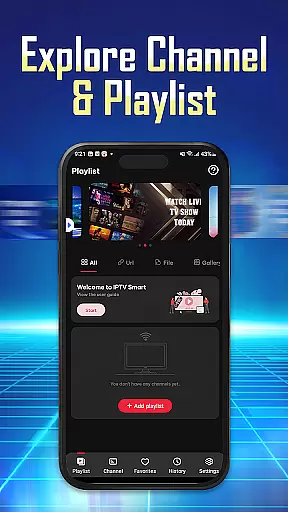
IPTV Player - Smarters Watch TV is a versatile media player designed for seamless streaming of live TV channels, sports events, and on-demand content. This application supports M3U/M3U8 playlists, enabling users to import their IPTV service subscriptions effortlessly. With its user-friendly interface, the app allows quick access to favorite channels and programs while offering high-definition streaming quality.
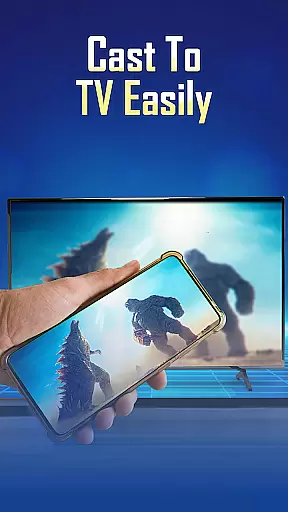
One standout feature is its multi-device compatibility, allowing users to stream content on phones, tablets, and Android TV. Whether you're following live football matches or binge-watching movie series, IPTV Player ensures an uninterrupted viewing experience. Its flexibility and reliability make it ideal for users seeking a customizable entertainment solution.
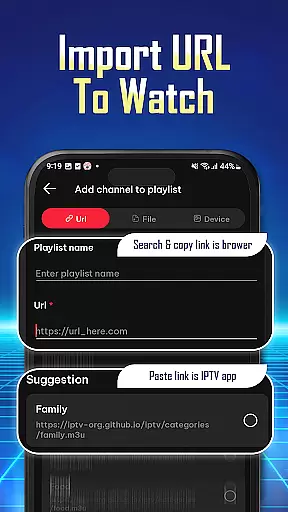
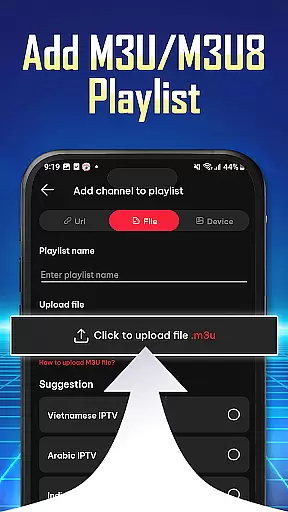
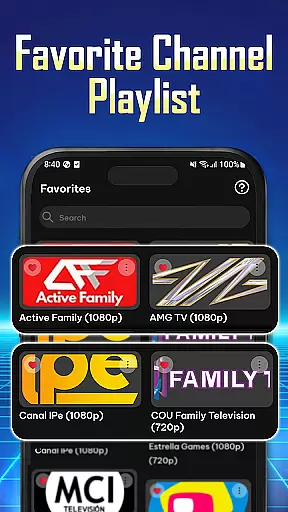
IPTV Player offers a comprehensive set of features tailored for streaming enthusiasts. The app supports both M3U and M3U8 playlist formats, making it compatible with most IPTV services. Users can easily add playlists via URL or file import, ensuring quick setup and hassle-free management. Additionally, the app provides tools to organize preferred channels and movies into accessible lists.
Another notable feature is its ability to stream content simultaneously across multiple devices using a single IPTV account. This functionality enhances convenience for households with shared subscriptions. Furthermore, the app's integrated player ensures smooth playback without interruptions, delivering a premium viewing experience. These capabilities highlight IPTV Player's commitment to providing innovative solutions for modern entertainment needs.
Video format compatibility is a crucial feature for any video player application, ensuring that users can access content in various formats without technical barriers. IPTV Player - Smarters Watch TV supports both M3U and M3U8 playlist formats, which are widely used for streaming live TV channels and on-demand content.
This app allows users to import playlists easily using Playlist URLs or by adding M3U/M3U8 files directly. This flexibility ensures that regardless of the source format, users can stream their favorite shows, live sports, and movies without worrying about compatibility issues.
The benefit of this extensive format support is a seamless viewing experience. Users can enjoy high-definition quality streams from their IPTV service provider, making it an ideal choice for those who want to watch content on different devices, including phones, tablets, and Android TV.
While IPTV Player - Smarters Watch TV focuses primarily on streaming capabilities, AI-powered editing features could enhance user interaction with content. Although this app doesn't explicitly market such features, the concept involves utilizing artificial intelligence to improve navigation and personalization within the app.
For instance, AI algorithms could analyze viewing habits to suggest personalized content recommendations. Additionally, AI might assist in organizing preferred channels, shows, and movies for quick access, thus streamlining the user experience.
Users would benefit from these innovations through a more tailored and efficient interface. Effortless navigation and personalized experiences make IPTV Player not just a tool for watching but also for discovering new content effortlessly.
User-friendly interface
Wide device compatibility
Supports M3U/M3U8 playlists
High-definition streaming
Multi-device streaming
No pre-installed channels
Requires manual playlist setup
Limited offline functionality
Dependent on third-party playlists
Subscription-based model

HD video & music player - All format support with floating & PIP mode!
 3.80
3.80
Watch full episodes of your favorite Cartoon Network and Cartoonito shows!
3.50
Capture images & record videos for USB Camera, Webcam, Microscopes, Endoscopes
3.80
AirMirror is Receiver for Screen Mirroring and Casting from Apple Devices.
3.60
Powerful Video Editor & Photo Editing App —— Quick Edits & Stunning Effects!
4.30
Find, download, and play torrents with the official BitTorrent® Pro app
4.70
Download Hub, easy and private way to download and enjoy your videos offline
4.80
VLC for Android is the best open source video and music player, fast and easy!
4.10
Enjoy your favorite videos and channels with the official YouTube app.
3.90
A Quick and Pro Video Editor
4.70
All in one HD video downloader & player for multiple formats with full privacy
4.70
Create photo video with music & template. AI video maker for stunning slideshow.
4.60
Fast & Private HD Video Downloader with Built-in Proxy Browser and Video Player.
4.50
AirMirror Receiver - Screen mirroring/cast web videos to Android TV by AirPlay.
4.40
Viddo: Generate Action Figure, AI Anime, AI kiss, AI hug Video from image & text
4.40
1)AirPlay/DLNA Mirroring/Streaming, up to 4 connections; 2)Samba/NAS/DMS Player.
4.00
Live TV, anywhere in your home
3.80
The smartest M3U IPTV Player your playlists have ever seen.
4.2
Powerful HD video player with support for all formats & subtitles.
4.5


User Reviews