
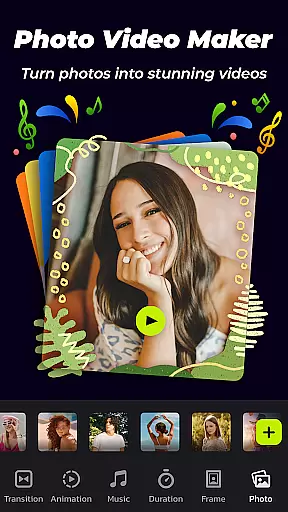
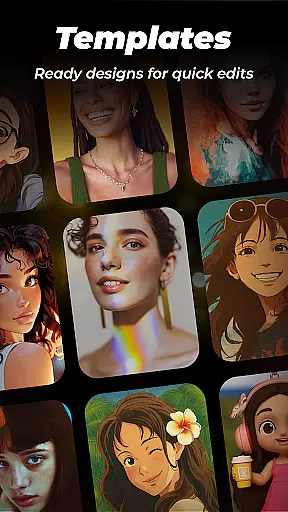
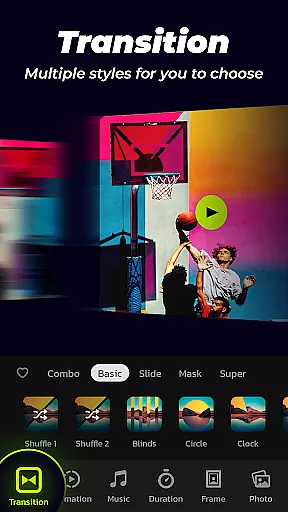

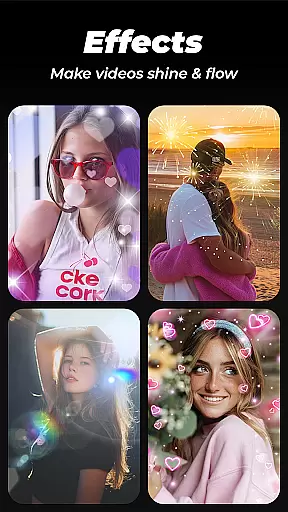
Photo Video Maker with Music - InSlide is a versatile video editing tool designed for creating engaging photo slideshows, music albums, and presentations. This app allows users to transform their photos and videos into professional-looking content by adding music, transitions, animations, and frames.
With its user-friendly interface, InSlide makes it easy to create visually stunning slideshows in just four simple steps. Whether you're looking to revitalize dull photos, design captivating presentations, or publish eye-catching videos on social media platforms like Instagram and TikTok, this app has got you covered.
The app's standout features include an extensive content library, customizable transition durations, multiple photo frames, and resolution selection ranging from 480P to 2K. These capabilities ensure that your final product will be tailored to your specific needs and preferences, whether for personal sharing or professional use.
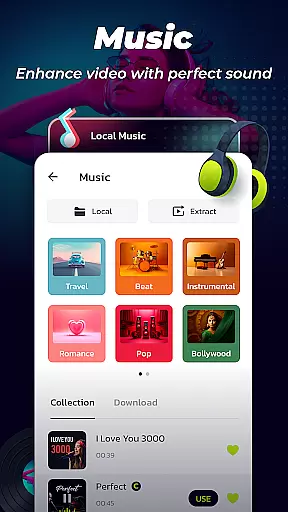
Photo Video Maker offers a comprehensive suite of features that cater to both amateur and professional video editors. One of its key strengths is the ability to add music tracks from a wide range of genres, including Pop, Bollywood, and Love, or upload custom audio files. This feature enhances the emotional impact of your slideshows and ensures they resonate with your intended audience.
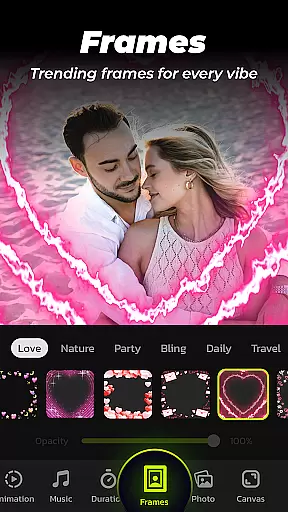
In addition to music, the app provides an impressive array of transition effects and animation options. Users can choose from various pre-set transitions or customize their own, allowing for seamless visual flow between images. The inclusion of categorized frames further enriches the creative process, enabling users to match their slideshow themes with specific occasions such as family gatherings, vacations, or romantic getaways.
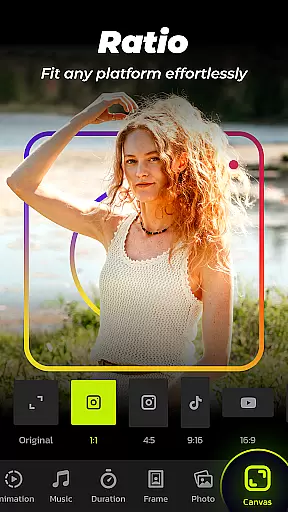
Advanced customization options like adjustable transition durations (from 0.5 to 8 seconds) and aspect ratio settings make it possible to fine-tune every detail of your project. Furthermore, the app supports high-resolution exports up to 2K, ensuring top-notch quality for any platform, be it YouTube, TikTok, or Instagram.
Photo Video Maker with Music - InSlide stands out for its exceptional video format compatibility, ensuring that users can work with a wide range of file types without any hitches. This feature is crucial for seamless video editing and sharing across various platforms.
The application supports multiple formats including MP4, AVI, and MOV, which are commonly used in both personal and professional settings. This versatility allows users to import videos from different sources without worrying about format incompatibility issues.
Moreover, the app's ability to export projects in high-resolution formats up to 2K ensures that the final output maintains excellent visual quality. Whether you're creating content for YouTube, TikTok, or Instagram, this flexibility guarantees your videos will look sharp and professional on any platform.
By offering such comprehensive video format support, Photo Video Maker empowers creators to focus on their content rather than technical limitations, making it an ideal tool for anyone looking to produce engaging multimedia presentations.
InSlide incorporates advanced AI-powered editing features that significantly enhance the video creation process. These intelligent tools automate complex tasks, allowing users to produce professional-quality videos with minimal effort.
One standout feature is the automatic transition selection, which uses AI algorithms to analyze video content and suggest optimal transitions between clips. This eliminates the need for manual adjustments and ensures smooth visual flow throughout the presentation.
The application also includes smart music synchronization capabilities, where AI analyzes the rhythm and tempo of selected tracks to automatically adjust video cuts and effects. This creates perfectly timed audio-visual sequences that elevate the overall impact of the slideshow.
Additionally, the AI-driven customization options enable users to quickly optimize their videos for different social media platforms, adjusting aspect ratios and resolutions while maintaining optimal quality for each specific channel.
User-friendly interface
Extensive music library
Customizable transitions
High-resolution exports
Versatile frame options
Limited free features
Occasional ads
Paid subscription required
Watermark on free version
Advanced tools need learning

Video player, file manager for all formats, 4K/HD media player supports subtitle
 4.30
4.30
Fast, private downloading, video saving, social media
4.50
Stream high quality video from your camera over NDI protocol
4.4
All format media Player, no need video converter any more!
4.00
High-Quality USB Camera Viewer & HDMI Display
4.70
IPTV Player - Watch live TV from m3m & m3u8 playlist, stream IPTV on mobile
3.30
AI Video Editor:AI Music, Text to Video,Text to Speech,Auto Caption,Video Effect
4.00
Mix with Virtual DJ directly from your phone or tablet !
3.10
Capture the moment and Cut
3.40
Watch a large amount of high-definition short drama content
4.60
Search & download videos from net with all video downloader, auto-detect & safe.
4.60
Fast & easy HD video downloader for all formats, support 4K playback & download.
4.60
HD video maker with no watermark, no ads & vlog maker with music, PIP, text
4.50
Fast & Private HD Video Downloader with Built-in Proxy Browser and Video Player.
4.50
AirMirror Receiver - Screen mirroring/cast web videos to Android TV by AirPlay.
4.40
Viddo: Generate Action Figure, AI Anime, AI kiss, AI hug Video from image & text
4.40
Powerful video player with advanced hardware acceleration and subtitle supports
4.20
Stream Web Videos to Chromecast, Samsung, LG, Sony, Roku, Fire TV, DLNA + more
4.00
Capture images & record videos for USB Camera, Webcam, Microscopes, Endoscopes
3.80


User Reviews