
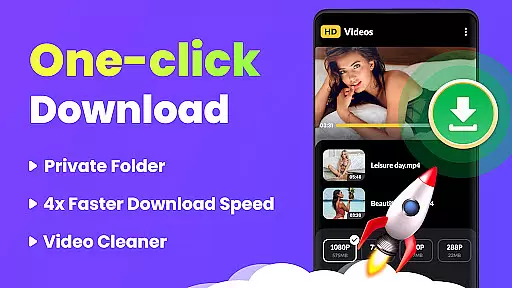
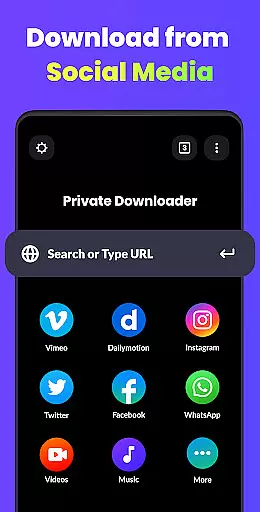
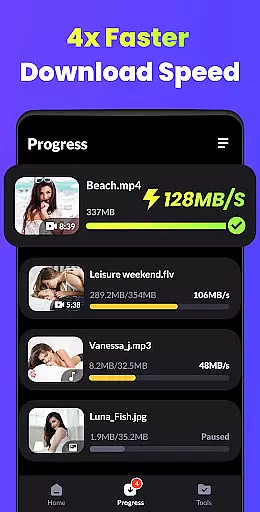
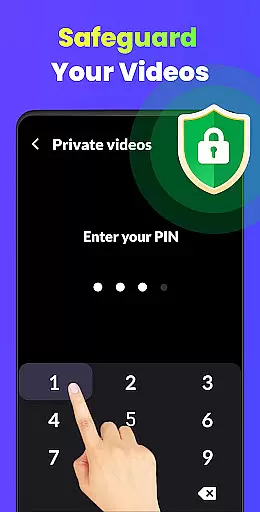
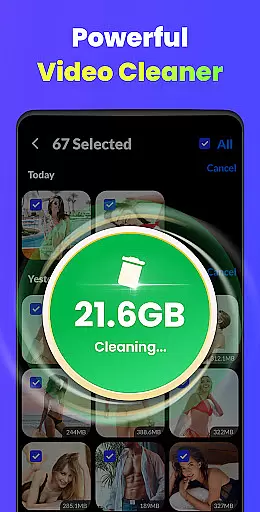
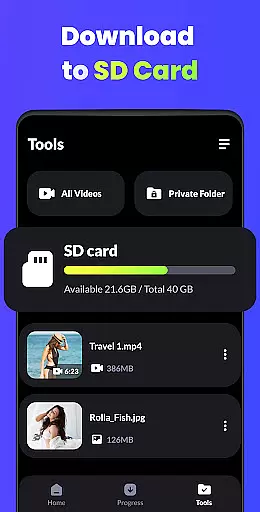
Video Downloader - HD & Easy is a versatile video downloading and playback solution designed for Android users who need to download and manage videos efficiently. This app stands out with its ability to download videos in all formats at lightning speed while supporting high-definition playback of HD, UHD, 4K, and 1080P videos without stuttering. It also offers advanced features such as multi-thread downloads, background downloads, and private folder protection for enhanced privacy.
One of the key strengths of Video Downloader is its user-friendly design that caters to both casual viewers and power users. Whether you're looking to create a personal media library or enjoy uninterrupted entertainment, this app provides an unparalleled audiovisual experience. Its support for screen lock, gesture controls, and sleep timers ensures convenience and ease of use, making it ideal for anyone seeking a reliable video management tool.
Video Downloader - HD & Easy boasts an impressive range of features tailored to meet diverse user needs. The app supports fast downloading of all popular video formats, including MKV, MP4, M4V, MOV, 3GP, FLV, F4V, and WEBM, ensuring compatibility across devices. With multi-threaded downloads and background downloading capabilities, users can save time and continue using their device for other tasks without interruption.
Privacy and security are prioritized through password-protected folders, allowing users to hide private videos securely. Additionally, the app enhances the viewing experience with A-B repeat functionality, smart gesture controls, and auto-detection of local video files. Features like screen lock and sleep timer provide added convenience, while smooth playback of high-resolution videos makes it a top choice for enjoying professional-grade content on mobile devices.
Video Downloader - HD & Easy stands out for its exceptional video format compatibility, ensuring users can download and play videos in virtually any format they encounter. This includes popular formats such as MKV, MP4, M4V, MOV, 3GP, FLV, F4V, WEBM, and more.
The importance of this feature cannot be overstated, as it allows users to enjoy a seamless entertainment experience without worrying about format support. Whether you're downloading high-definition movies or short clips, the app ensures that all content is accessible.
This application achieves comprehensive format support through advanced decoding technologies and regular updates, maintaining its edge in the rapidly evolving world of digital media formats.
Users benefit from having a versatile tool that eliminates the need for multiple specialized players or converters, saving both time and device storage space while enjoying an uninterrupted viewing experience across all their favorite content types.
Beyond basic playback and downloading capabilities, Video Downloader - HD & Easy incorporates AI-powered editing features that elevate the user experience to professional levels. These intelligent tools allow users to enhance their video content automatically, optimizing visual quality and audio performance.
The significance of these AI features lies in their ability to democratize professional-grade video editing. Users can now achieve studio-quality results without requiring extensive technical knowledge or expensive equipment.
The application implements sophisticated algorithms that analyze video content frame by frame, automatically adjusting parameters such as color balance, contrast, and audio levels. This processing happens in real-time, ensuring minimal waiting time for users.
These smart editing capabilities provide users with the power to transform ordinary recordings into polished productions, making their content stand out on social media platforms and other digital channels while maintaining complete creative control.
User-friendly interface
Fast multi-thread downloads
HD and 4K video support
Private folder protection
Background playback
Limited iOS compatibility
Ads in free version
Occasional bugs
No cloud integration
Heavy on storage

Auto video maker with music & exclusive filters. Video editing made simple.
 4.50
4.50
Tik & Story Saver-Download ALL social media videos, photos & reels no watermark.
4.80
1)AirPlay/DLNA Mirroring/Streaming, up to 4 connections; 2)Samba/NAS/DMS Player.
4.00
Stream Web Videos to Chromecast, Samsung, LG, Sony, Roku, Fire TV, DLNA + more
4.00
All in one HD video downloader & player for multiple formats with full privacy
4.70
Find, download, and play torrents with the official BitTorrent® Pro app
4.70
Watch IPTV on your Android device
4.60
#1 Torrent App on Android ** No Ads Ever + Battery Saver **
4.80
Browser + Remote for Roku to stream webvideos, online movies and livestreams
4.60
Download videos and play them offline
4.70
A Simple app to download Video & Music from the Internet.
4.70
Snaptubè Video Downloader app allows to download videos and music in Snaptube. .
4.60
Movie maker & video editing app with AI effects and green screen
4.30
Video player with 4K & 1080P support, popup play, background play and subtitle.
4.20
VLC for Android is the best open source video and music player, fast and easy!
4.10
Manage your IPTV live channels and VOD playlists (no playlist included)
3.80
Kodi media center, a free and open source cross-platform entertainment hub
3.60
The essential companion to your Blue Iris PC software
2.50
Powerful HD video player with support for all formats & subtitles.
4.5


User Reviews