

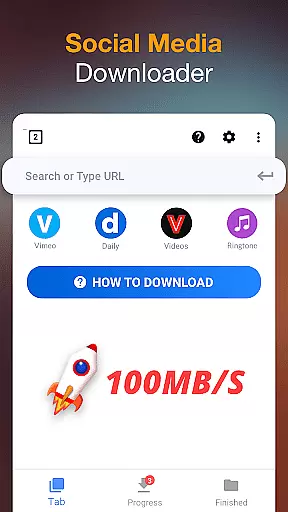



Video Downloader is a versatile tool designed for users who need to download and manage video content directly on their mobile devices. The app supports all popular formats, including MP4, AVI, and MOV, making it suitable for various use cases from entertainment to professional needs.
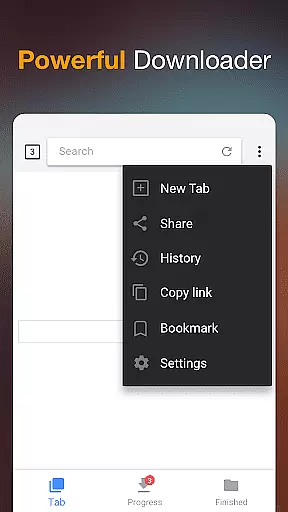
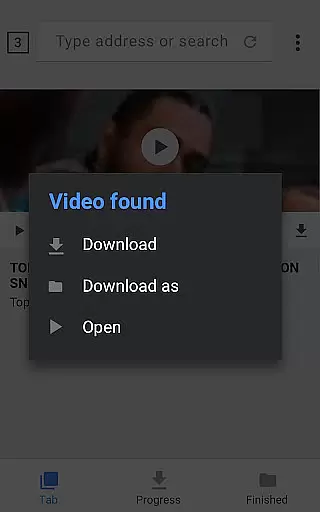
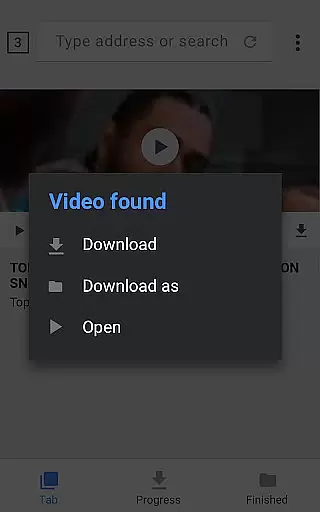
The application's standout feature is its built-in browser that auto-detects downloadable video content while browsing. With one-click downloads, background downloading capabilities, and an advanced download manager, users can efficiently handle multiple files simultaneously. This makes the app particularly valuable for content creators and frequent travelers who require offline access to videos.
Security-conscious users will appreciate the password-protected folder feature, while the resume capability ensures no data loss during interrupted downloads. The app's comprehensive functionality delivers significant value by combining format versatility with robust management tools in a single solution.
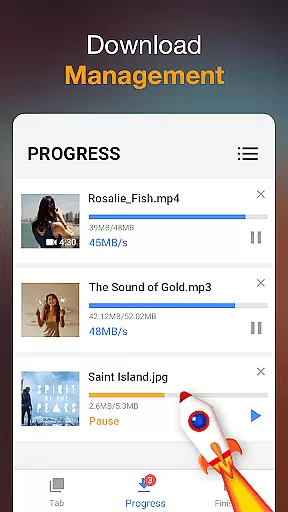
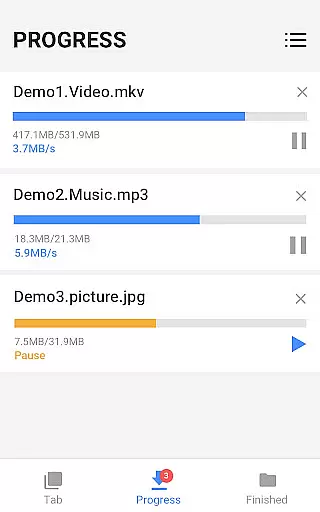
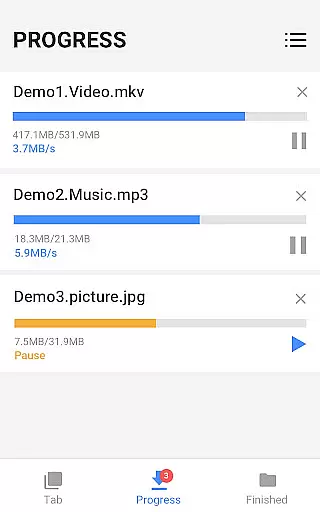
Video Downloader distinguishes itself through several key features that enhance the user experience. The powerful download manager allows users to pause, resume, and remove downloads at will, providing complete control over their downloading activities. The ability to download multiple files simultaneously significantly improves efficiency, especially when handling large media libraries.
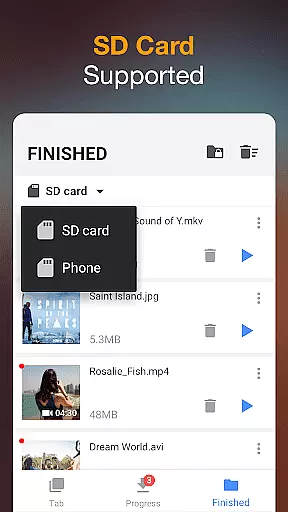
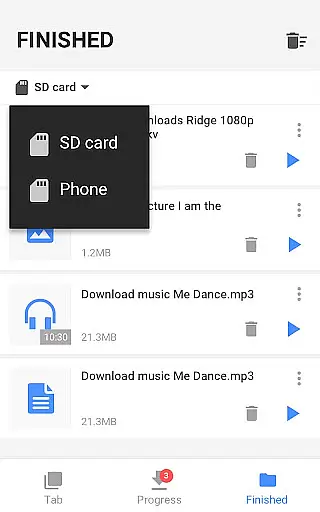
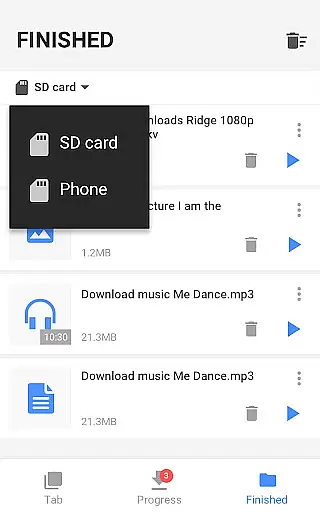
Advanced security features include password-protected folders for stored content and private browsing capabilities that safeguard user privacy. The app supports background downloading, enabling users to continue using their device while files are being downloaded. Additionally, the SD card support provides flexible storage options for devices with limited internal memory.
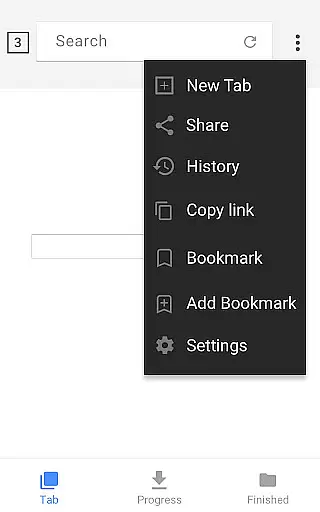
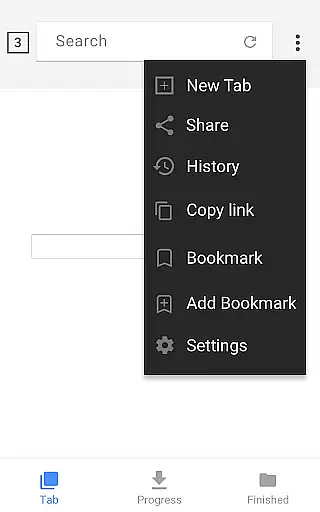
Other notable features include HD video support, fast download speeds, and progress tracking through a visual download bar. The built-in media player allows for immediate offline playback, while bookmarking functionality helps users organize their favorite websites. These comprehensive features make Video Downloader a complete solution for managing digital media content on mobile devices.
Video format compatibility is a crucial feature for any video player and editor, ensuring that users can enjoy content in various formats without technical hindrances. Video Downloader supports an extensive range of formats including mp3, m4a, mp4, m4v, mov, avi, wmv, doc, xls, pdf, txt, and more.
This application auto-detects videos across the internet, allowing users to download them directly onto their devices regardless of the original format. The powerful download manager not only facilitates downloading in multiple formats but also allows users to pause, resume, and remove downloads as needed.
With this versatile compatibility, users gain the freedom to access and store media in their preferred format. Whether it's for personal entertainment or professional use, the ability to handle diverse file types enhances user convenience and satisfaction.
AI-powered editing features represent the cutting-edge advancement in video players and editors, providing users with smart tools to enhance their video content effortlessly. Although Video Downloader focuses primarily on downloading capabilities, its integration with a built-in player offers basic functionalities that are enhanced by AI technology.
The app enables previewing videos before downloading, which hints at intelligent processing behind the scenes. This ensures fast download speeds and seamless offline playback, optimizing the user experience through smart detection and processing algorithms.
While specific AI-driven editing tools like automated tagging or scene detection may not be explicitly mentioned, the overall efficiency and user-centric design suggest underlying AI enhancements. These contribute to making video management intuitive and efficient, ultimately saving users time and effort while maintaining high-quality standards.
User-friendly interface
Multi-format support
Background downloading
Password protection
Resume capability
Limited format conversion
No cloud integration
Ads in free version
Occasional detection issues
Storage intensive

Connect 2 UVC devices for recording and broadcast video/audio stream
 3.90
3.90
Cast Videos from Web Browser, IPTV to Roku, Chromecast, DLNA, Smart TV +more
4.60
Video Downloader is an utility that can save videos and music from web sites
4.20
Tik & Story Saver-Download ALL social media videos, photos & reels no watermark.
4.80
Snaptubè Video Downloader app allows to download videos and music in Snaptube. .
4.60
Create photo video with music & template. AI video maker for stunning slideshow.
4.60
Live TV, anywhere in your home
3.80
Stream Web Videos to Chromecast, Samsung, LG, Sony, Roku, Fire TV, DLNA + more
4.00
Screen recorder with audio to take live videos & Screenshot in high quality!
4.70
Flud is a simple and beautiful BitTorrent client for Android.
4.80
Fast & easy HD video downloader for all formats, support 4K playback & download.
4.60
Cast to Chromecast, Xbox, Fire Stick, Roku, DLNA, Smart TV & No Feature Limited!
4.50
Photo and Music Video Creator into Stunning Videos—Effortlessly
4.40
Full HD Video mp3 Player, MP4 player play 1080p, File manager, Video Downloader
4.40
1)AirPlay/DLNA Mirroring/Streaming, up to 4 connections; 2)Samba/NAS/DMS Player.
4.00
AI Video Editor:AI Music, Text to Video,Text to Speech,Auto Caption,Video Effect
4.00
Cast to Smart TV, Fire TV. Cast video, photo - Fast & Stable!
3.90
Kodi media center, a free and open source cross-platform entertainment hub
3.60
Connect EasyCap or UVC devices for recording and broadcast video/audio stream
3.60


User Reviews