
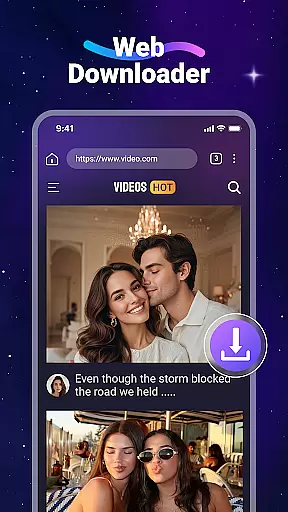
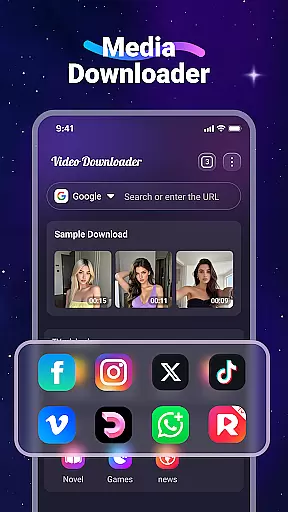
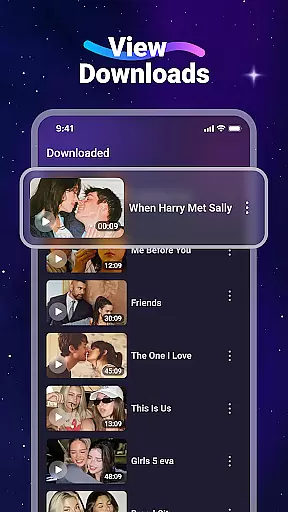
Video Downloader is a versatile utility app designed for users who want to download and manage videos and music directly from websites. The app's core functionality lies in its ability to save multimedia content onto your device, allowing offline access without the need for internet connectivity. This makes it particularly useful for those who frequently travel or have limited data plans.
In addition to its downloading capabilities, Video Downloader offers several notable features. It includes a built-in media player for offline playback, supports SD card storage, and provides a built-in web browser for seamless video discovery. Users can also download files in the background and bookmark favorite websites for quick access. With support for all major file formats, this app ensures compatibility across various media types, making it an essential tool for managing digital content.
This app is especially valuable for users looking to create a personal media library on their devices. Whether you're a student wanting to save educational videos or a professional needing offline access to important presentations, Video Downloader delivers both convenience and functionality in one comprehensive package.
Video Downloader stands out with its rich array of features that cater to diverse user needs. One of its primary strengths is the fast download speed, which ensures that users can quickly save large video files without significant delays. The app's built-in media player allows for seamless offline playback, eliminating the need for additional applications to view downloaded content.
Another key feature is the app's support for SD card storage, enabling users to manage their device's internal memory efficiently. The built-in web browser simplifies the process of finding and downloading videos, while the background download capability ensures that users can continue using their devices without interruption. Additionally, the bookmarking function allows for easy navigation to frequently visited websites.
The app's universal format support is another standout characteristic, accommodating various file types such as MP3, MP4, PDF, and more. This versatility makes Video Downloader suitable for different use cases, whether you're downloading music, videos, or documents. By combining these features with an intuitive interface, the app provides a comprehensive solution for managing digital content on mobile devices.
Video Downloader stands out for its extensive video format compatibility, ensuring users can download and play a wide range of file types without hassle. This includes popular formats such as MP4, AVI, and MOV, alongside audio formats like MP3 and M4A.
The app's built-in player supports this variety, allowing seamless offline playback without the need for additional codecs or players. Whether you're downloading music or videos from the web, rest assured that Video Downloader has you covered with its all-encompassing format support.
Users benefit from not having to worry about format incompatibility issues, making it easier to consume media on the go. The inclusion of less common formats like WMV, DOC, XLS, PDF, and TXT further enhances its utility beyond just video playback.
While Video Downloader focuses primarily on downloading capabilities, it incorporates AI-powered features that enhance user interaction with content. Although direct editing tools aren't its main highlight, the intelligent detection of downloadable videos across websites showcases an advanced level of automation.
This smart detection system acts as an AI-driven assistant, identifying downloadable media swiftly and accurately. Users experience streamlined downloading processes thanks to this intuitive feature, eliminating manual search efforts for download buttons on web pages.
By simplifying how users interact with online video content through automated detection, Video Downloader effectively leverages AI technology to improve overall usability. This positions the app as more than just a downloader but a smart tool that understands and anticipates user needs.
User-friendly interface
Fast download speeds
Offline playback supported
SD card storage option
Universal format compatibility
No YouTube support
Limited to website downloads
Requires careful legal use
Ads may be present
Interface could feel dated

Kodi media center, a free and open source cross-platform entertainment hub
 3.60
3.60
A Quick and Pro Video Editor
4.70
Live TV, anywhere in your home
3.80
Movie maker & video editing app with AI effects and green screen
4.30
Video Downloader, Multiple Resolution Options, Video Player
4.50
Find, download, and play torrents with the official BitTorrent® Pro app
4.70
Cast movies, tv shows and live streams to Chromecast, Roku, DLNA, Fire TV & more
4.60
Screen recorder with audio to take live videos & Screenshot in high quality!
4.70
Enjoy your favorite videos and channels with the official YouTube app.
3.90
An easy-to-use and all-round screen recorder with audio
4.80
Video Player - Unlimited features, 30 days money back guarantee.
4.60
Create photo video with music & template. AI video maker for stunning slideshow.
4.60
Fast video downloader & private browser. Save HD clips to watch offline.
4.40
Powerful, professional, versatile teleprompter. Developed by an active film crew
4.00
AI Video Editor:AI Music, Text to Video,Text to Speech,Auto Caption,Video Effect
4.00
Fast private browser with secure, seamless access & supported video downloads!
4.00
All in one multi protocols stream receiver for AirPlay, Cast and DLNA.
3.60
A full editing room to accompany your Insta360 cameras and handheld gimbals.
3.30
The smartest M3U IPTV Player your playlists have ever seen.
4.4


User Reviews