

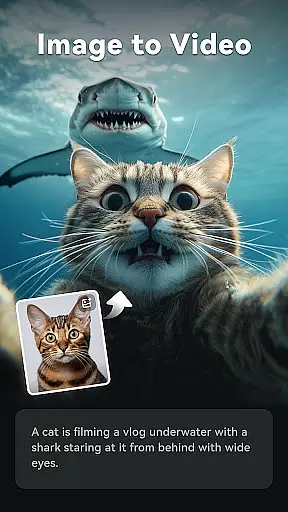
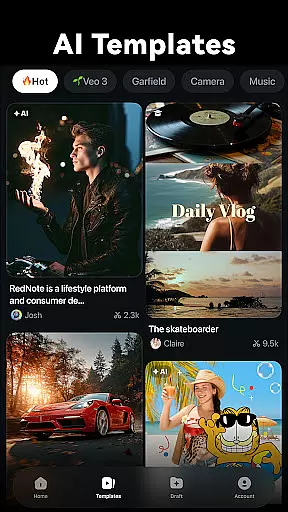
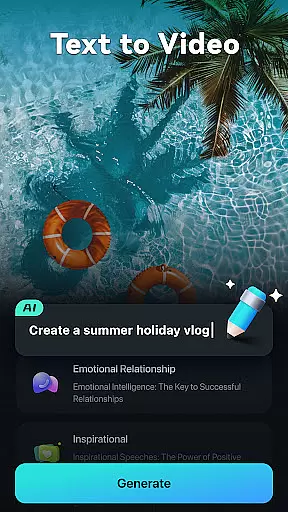
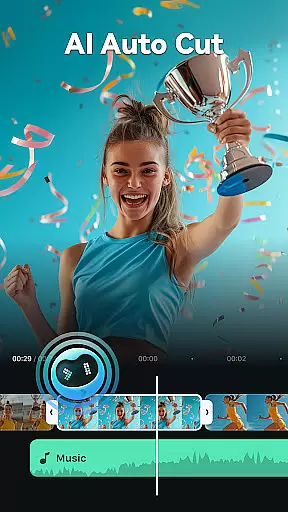
Filmora is an AI-powered video editor tailored for social media creators, offering a balance between advanced functionality and user-friendliness. The app enables users to transform basic media elements like photos, clips, and text into engaging videos optimized for platforms such as TikTok, Reels, and YouTube. With no prior editing experience required, Filmora provides powerful AI-driven features that simplify the creative process while delivering professional-quality results.
Among its standout capabilities are AI tools like Image to Video, Text to Video, Dynamic Captions, and AI Auto Cut, which help automate complex tasks. Additionally, it offers both beginner-friendly templates and advanced editing options for professionals, including keyframe animations, speed control, and multi-layered editing. Whether you're looking to create quick social content or detailed video projects, Filmora caters to all skill levels with its versatile feature set.
The app also includes subscription plans such as Filmora Pro, Android Pro, and All Platform Pro, which unlock additional premium features and materials. These plans ensure users can scale their editing needs across multiple devices and operating systems. Overall, Filmora empowers creators to produce high-quality, scroll-stopping videos effortlessly, making it an essential tool for modern content creation.
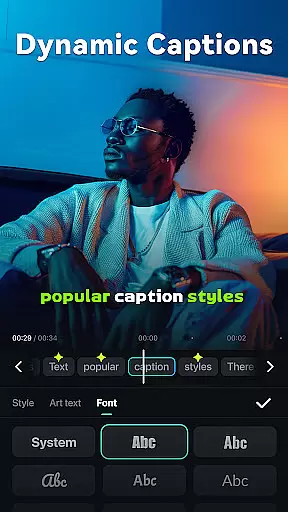
Filmora distinguishes itself through its innovative AI-powered features designed to streamline video editing. One of its core functionalities is the ability to convert static images into dynamic videos using AI algorithms, allowing users to bring photos to life with minimal effort. The app also supports advanced speech-to-text processing, generating dynamic captions that sync perfectly with spoken content. This feature is particularly useful for creating accessible and engaging social media videos.
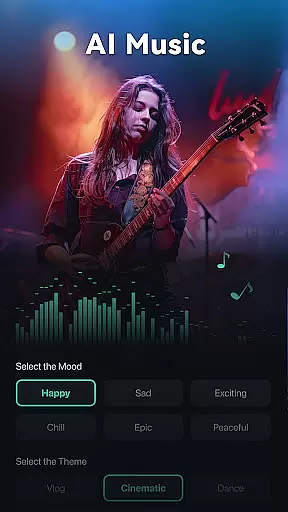
In addition to AI-driven tools, Filmora offers a comprehensive suite of editing features suitable for both beginners and professionals. For novice editors, the app provides one-click templates, royalty-free music libraries, and intuitive controls for trimming, splitting, and merging clips. Advanced users benefit from tools like customizable speed curves, picture-in-picture effects, masking, and smart object tracking. These features enable intricate animations and layered compositions, giving experienced creators the flexibility to execute their vision precisely.
Filmora's subscription model further enhances its value by granting access to exclusive materials such as stickers, filters, and sound effects. Subscribers can choose between platform-specific plans (e.g., Android Pro) or opt for the All Platform Pro plan, which ensures seamless integration across devices. By combining cutting-edge AI technology with robust editing tools, Filmora positions itself as a versatile solution for anyone looking to elevate their video content.
Video format compatibility is a crucial feature for any video editor, ensuring that users can work with a wide range of video files without conversion hassles. Filmora supports an extensive array of video formats, allowing creators to import and export videos in their desired resolutions and qualities.
The application's broad format support includes popular codecs and containers such as MP4, AVI, MOV, and MKV, catering to both amateur and professional video editing needs. This versatility enables users to focus on the creative process rather than technical limitations, streamlining the workflow from capture to final output.
For content creators targeting multiple platforms like TikTok, Reels, and YouTube, this flexibility ensures that videos can be tailored to platform-specific requirements. Whether it's adjusting aspect ratios or optimizing file sizes, Filmora's comprehensive format handling empowers users to produce content that meets diverse distribution standards.
Ultimately, robust video format compatibility enhances productivity and creativity, providing a seamless experience that adapts to various project demands while maintaining high-quality results across different devices and platforms.
Filmora harnesses the power of artificial intelligence to offer advanced editing features that simplify complex tasks and elevate video production quality. One standout capability is AI Auto Cut, which intelligently stitches highlight moments into cohesive narratives, saving editors significant time and effort.
Another innovative feature is Dynamic Captions, where AI automatically converts speech to text, generating precise, frame-by-frame subtitles. This not only improves accessibility but also enhances viewer engagement by reinforcing audio content visually.
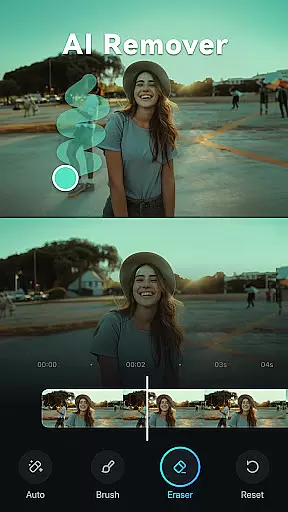
The AI Remover tool exemplifies how technology can enhance post-production by effortlessly eliminating unwanted elements from footage. Combined with AI Beats, which syncs video highlights to music rhythms, these tools create dynamic, professional-grade edits with minimal manual intervention.
By integrating AI-driven functionalities, Filmora democratizes sophisticated video editing techniques, making them accessible to beginners while offering professionals enhanced efficiency and creative possibilities. These smart features collectively transform raw footage into captivating stories with unprecedented ease.
User-friendly interface
AI-powered automation
Cross-platform support
Professional-grade tools
Flexible subscription plans
Paid features limited
Subscription costs add up
Occasional bugs reported
Learning curve for pros
Free version has ads

Video Trimmer, Video to MP3 Converter. Extract music from video, Easy & Fast.
 4.80
4.80
Snaptubè Video Downloader app allows to download videos and music in Snaptube. .
4.60
Fast video downloader & private browser. Save HD clips to watch offline.
4.40
Create photo video with music & template. AI video maker for stunning slideshow.
4.60
VLC Remote lets you control your VLC Media Player on Mac, PC or Linux.
4.60
Capture images & record videos for USB Camera, Webcam, Microscopes, Endoscopes
3.80
Download videos easily & play them all in one smart, powerful video manager.
3.40
Browser + Remote for Roku to stream webvideos, online movies and livestreams
4.60
Download Hub, easy and private way to download and enjoy your videos offline
4.80
#1 Torrent App on Android ** No Ads Ever + Battery Saver **
4.80
High-Quality USB Camera Viewer & HDMI Display
4.70
All in one HD video downloader & player for multiple formats with full privacy
4.70
?100% FREE! Download & save videos? safely in this app. All formats supported.
4.60
Fast & Private HD Video Downloader with Built-in Proxy Browser and Video Player.
4.50
1)AirPlay/DLNA Mirroring/Streaming, up to 4 connections; 2)Samba/NAS/DMS Player.
4.00
Make your own Animations, Video and Photo Edits, Visual Effects, and more!
4.00
Livestream, news, & gaming content. Watch, chat, and upload. Join Rumble today!
3.80
A full editing room to accompany your Insta360 cameras and handheld gimbals.
3.30
Client application for NextPVR software
3.00


User Reviews