
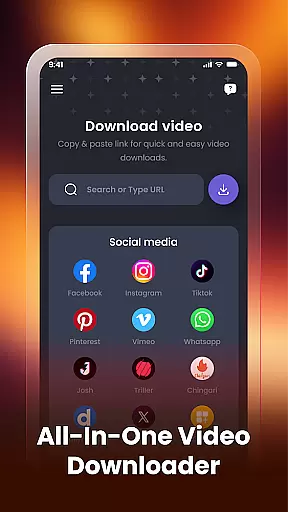

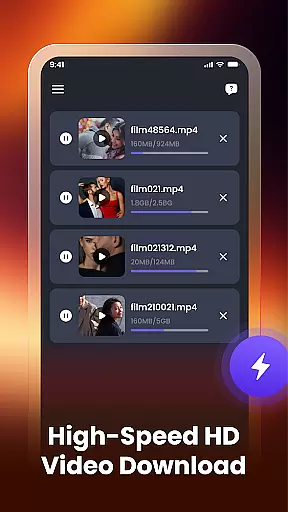
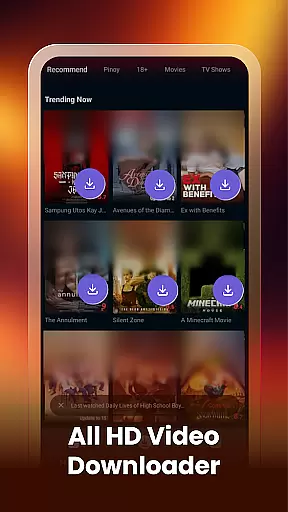
Video Downloader & Player is a versatile app designed for downloading, managing, and playing videos with ease. The core functionality allows users to download videos from various social apps and websites by simply pasting the video link. It supports multiple simultaneous downloads, ensuring efficiency without interruptions.
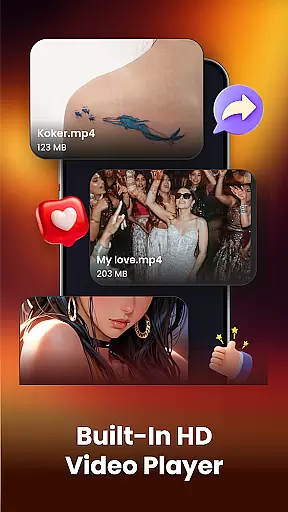
In addition to its downloading capabilities, the app features a built-in video player for seamless playback of downloaded content. Users can also manage their video library effortlessly through smart organization tools that allow renaming, sharing, and deleting videos. Whether you want to watch videos offline or organize your collection, this app provides a complete solution for all video-related needs.
This app is particularly useful for individuals who frequently download videos for offline viewing. Its ability to auto-detect existing videos on the device ensures that users can consolidate their media library in one place. With support for HD video formats and an intuitive interface, Video Downloader & Player delivers both performance and convenience.
Video Downloader & Player stands out with its comprehensive set of features tailored for video enthusiasts. One notable feature is the fast video downloading capability, which lets users instantly download videos by pasting links from supported platforms. This eliminates the need for third-party tools and streamlines the entire process.
The app's built-in video player enhances the user experience by allowing direct playback within the app. There's no need to switch between different applications, making it convenient to watch videos on the go. Additionally, the smart video manager empowers users to take full control of their downloaded content. They can rename files, share them with others, or delete unwanted videos easily.
Another innovative aspect is the automatic detection of existing videos on the device. This feature helps users quickly locate and import videos already stored on their phone or gallery. By providing detailed file paths, the app ensures transparency and easy access to video locations. These robust features collectively make Video Downloader & Player a top choice for managing multimedia content efficiently.
Video format compatibility is a crucial feature for any video player, ensuring that users can enjoy content in various formats without technical limitations. Video Downloader & Player excels in this area by supporting an extensive range of video formats, including HD quality options.
The application's robust compatibility framework allows it to automatically detect and adapt to different file types. Whether your videos are in MP4, AVI, MKV, or other popular formats, the app ensures smooth playback without requiring additional codecs or conversions.
For users, this means unparalleled flexibility in managing their video libraries. You can download videos from multiple sources and be confident that they will play seamlessly within the app. This versatility makes Video Downloader & Player an ideal solution for both casual viewers and power users who work with diverse video collections.
By removing format restrictions, the application empowers users to focus on what matters most - enjoying their content without worrying about technical constraints or compatibility issues.
While primarily a downloader and player, Video Downloader & Player incorporates basic AI-powered editing features that enhance the user's ability to manage and optimize their video collection. These intelligent tools help streamline video management through automated processes and smart suggestions.
The app's AI capabilities include automatic video categorization, quality optimization suggestions, and smart tagging features. When you download or import videos, the application analyzes the content and provides recommendations for optimal storage and playback settings.
Users benefit from these AI enhancements through improved organization and efficient video handling. The smart system can suggest optimal file names, recommend storage locations based on video type, and even provide basic enhancement options for visual quality.
These AI-powered features create a more intuitive and efficient video management experience, making it easier for users to maintain and access their growing video library while ensuring optimal playback performance across different devices.
User-friendly interface
Fast download speeds
Supports multiple formats
Built-in video player
Smart management tools
Limited platform support
No cloud integration
Basic editing features
Ads may appear
Requires manual updates

Play ALL formats in 4K & HD. Video downloader, MP3 player, Chromecast & more.
 4.80
4.80
Capture images & record videos for USB Camera, Webcam, Microscopes, Endoscopes
3.80
Download website videos fast&privacy
4.40
Powerful Video Editor & Photo Editing App —— Quick Edits & Stunning Effects!
4.30
AI Video Editor:AI Music, Text to Video,Text to Speech,Auto Caption,Video Effect
4.00
LumaFusion: The Ultimate Storytelling Experience for Video Editing
4.10
Viddo: Generate Action Figure, AI Anime, AI kiss, AI hug Video from image & text
4.40
Make videos you’re proud to share with Edits, a video editor for creators.
4.70
Capture the moment and Cut
3.40
Pro video editor app for Instagram, edit video with song, AI, effect & slowmo.
4.80
Flud is a simple and beautiful BitTorrent client for Android.
4.80
#1 Torrent App on Android ** No Ads Ever + Battery Saver **
4.80
Search & download videos from net with all video downloader, auto-detect & safe.
4.60
Browser + Remote for Roku to stream webvideos, online movies and livestreams
4.60
KineMaster, Your Ultimate Video Editor!
4.40
Your media, on your terms.
4.10
Powerful, professional, versatile teleprompter. Developed by an active film crew
4.00
IPTV-Smarters Player Pro M3U - Watch Live Stream TV Channels with Chromecast
4.00
Cast to Smart TV, Fire TV. Cast video, photo - Fast & Stable!
3.90


User Reviews