
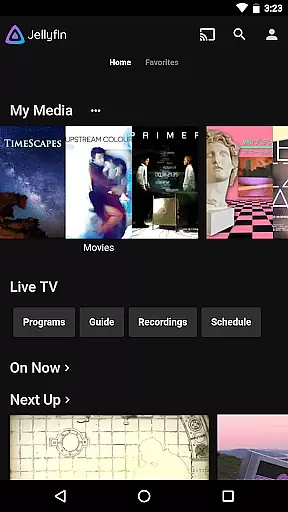
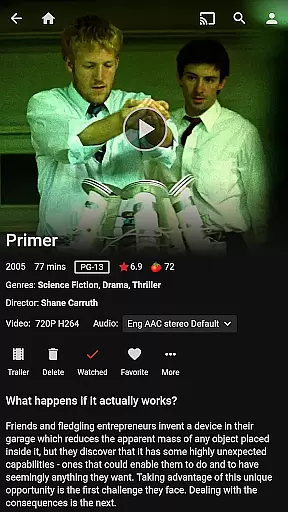
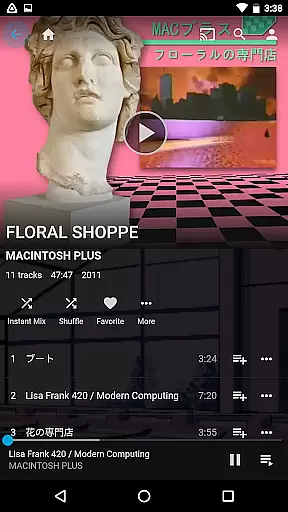
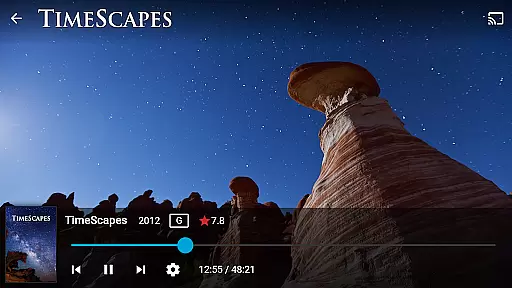
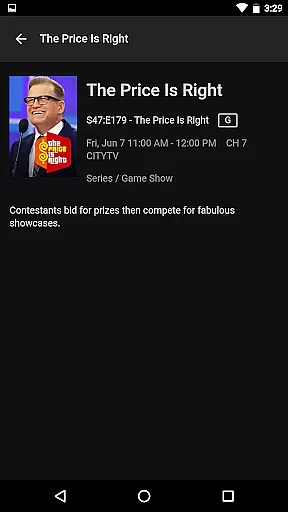
Jellyfin is an open-source media server and player that gives you complete control over your personal media library. This Android app serves as the official companion to the Jellyfin server, allowing users to stream their personal audio, video, and photo collections directly to their mobile devices. With no fees or tracking, Jellyfin offers a privacy-focused solution for managing and enjoying your media.
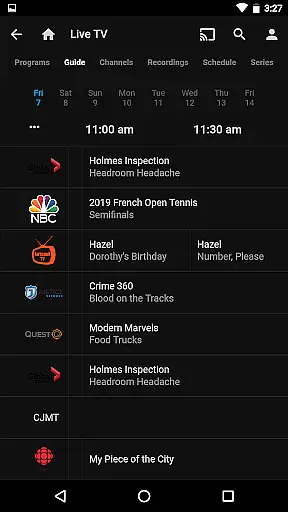
The app supports key functionalities like Live TV streaming, Chromecast integration, and an intuitive user interface for easy navigation of your media collection. Whether you're at home or on the go, Jellyfin ensures seamless access to your favorite content, making it an ideal tool for those who value freedom and flexibility in their digital entertainment experience.
Jellyfin stands out with its robust feature set tailored for media enthusiasts. The app allows you to stream media from your Jellyfin server directly to your Android device, ensuring high-quality playback regardless of file format. It also supports advanced features such as Live TV and DVR functionality, provided you have the necessary hardware configured on your server.
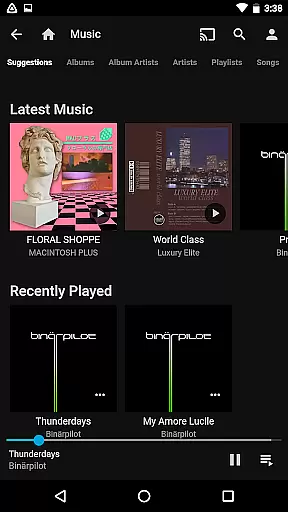
Additional capabilities include seamless Chromecast support for streaming to larger screens, offline media syncing, and an adaptive user interface that works well across different device sizes. The app also integrates with Android Auto for music playback, though this feature requires an online connection. These comprehensive features make Jellyfin a versatile choice for managing and enjoying diverse media libraries.
Video format compatibility is a crucial feature for any video player, ensuring that users can enjoy their media without worrying about technical limitations. Jellyfin excels in this area by supporting a wide range of video formats, from common ones like MP4 and AVI to more specialized codecs such as MKV and OGG.
The app's robust compatibility stems from its open-source nature, allowing developers worldwide to contribute to its continuous improvement. This ensures that Jellyfin stays up-to-date with the latest video technologies and standards, providing an uninterrupted viewing experience.
For users, this means they can stream their entire media library without the hassle of converting files or dealing with playback issues. Whether it's high-definition movies or home videos, Jellyfin handles them all with ease.
Moreover, Jellyfin's integration with Chromecast devices enhances its versatility, enabling seamless streaming to TVs and other displays on the same network. This flexibility makes Jellyfin a top choice for managing and enjoying diverse media collections.
While Jellyfin primarily focuses on media playback and management, its AI-powered editing features offer additional value for users who want to enhance their viewing experience. These features utilize advanced algorithms to optimize video playback settings automatically, ensuring the best possible quality on any device.
One notable capability is the automatic bitrate adjustment, which adapts to your network conditions in real-time. This ensures smooth streaming even during peak usage hours, preventing buffering and maintaining consistent video quality.
Jellyfin also incorporates smart thumbnail generation, using AI to select the most representative frames from videos. This not only improves navigation through long recordings but also enhances the overall user interface with visually appealing previews.
Furthermore, the app's open-source community continually works on integrating new AI-driven enhancements, promising future improvements in areas like content recommendation and automated metadata tagging. These innovations demonstrate Jellyfin's commitment to delivering a cutting-edge media solution.
User-friendly interface
Free and open-source
Strong privacy protection
Chromecast support
Live TV functionality
Requires separate server setup
No built-in media library
Offline mode limited
Advanced features need extra hardware
Interface may feel dated

Fast, private downloading, video saving, social media
 4.50
4.50
Client application for NextPVR software
3.00
You can play SWF format file!
2.50
VLC Remote lets you control your VLC Media Player on Mac, PC or Linux.
4.60
Live TV, anywhere in your home
3.80
1)AirPlay/DLNA Mirroring/Streaming, up to 4 connections; 2)Samba/NAS/DMS Player.
4.00
Seamlessly connect and control your smart devices, anytime, anywhere with ease.
4.60
Powerful video player with advanced hardware acceleration and subtitle supports
4.20
Create, Publish & Maximize
4.70
#1 Torrent App on Android ** No Ads Ever + Battery Saver **
4.80
Flud is a simple and beautiful BitTorrent client for Android.
4.80
Find, download, and play torrents with the official BitTorrent® Pro app
4.70
Snaptubè Video Downloader app allows to download videos and music in Snaptube. .
4.60
Cast movies, tv shows and live streams to Chromecast, Roku, DLNA, Fire TV & more
4.60
Photo and Music Video Creator into Stunning Videos—Effortlessly
4.40
Download website videos fast&privacy
4.40
Browser for Fire TV to stream webvideos, online movies, livestreams in HD
4.40
Web Browser for LG TV to stream webvideos, online movies and livestreams in HD
4.20
Stream Web Videos to Chromecast, Samsung, LG, Sony, Roku, Fire TV, DLNA + more
4.00


User Reviews