
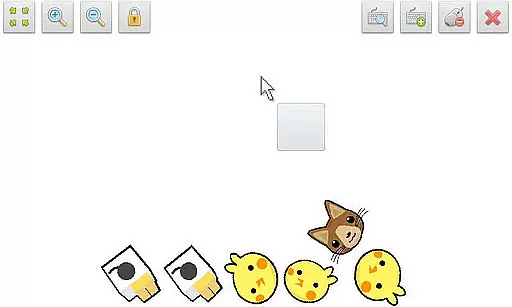
SWF Player Pro is a specialized video player designed for SWF format files, allowing users to enjoy Flash content directly on their Android devices. The app supports playback through both Android AIR and Ruffle engines, ensuring compatibility with various SWF files.
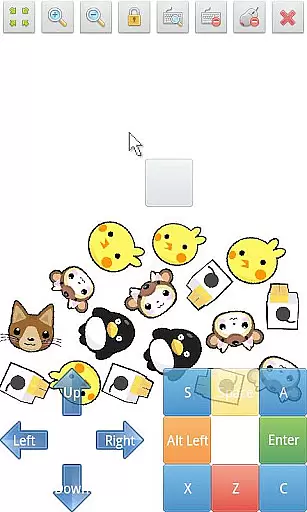
In addition to basic playback, the app offers advanced features like zoom in/out functionality, play/stop controls, and fullscreen mode. Users can also take advantage of the multi-touch virtual keypad and virtual mouse for an enhanced interactive experience. With support for file browsing and customizable advanced settings, SWF Player Pro provides a comprehensive solution for managing and playing SWF content.
This application is particularly useful for users who need to view legacy Flash animations or applications on modern devices. By supporting essential playback controls and offering customization options, it ensures a smooth and personalized viewing experience.
SWF Player Pro stands out with its robust feature set tailored specifically for SWF file playback. The app supports dual SWF engines - Android AIR and Ruffle - providing flexibility in handling different types of Flash content. This dual-engine support ensures broader compatibility and better performance across various SWF files.
The player includes essential playback controls such as play/stop buttons and zoom functionality, along with fullscreen support for immersive viewing. Its multi-touch virtual keypad and virtual mouse capabilities make interacting with SWF content intuitive and user-friendly. Additionally, the built-in file browser simplifies navigation and selection of SWF files from the device's storage.
Advanced users will appreciate the app's extensive customization options, including settings for wmode, background color, wake-lock, rotation, quality, and scale. These features allow users to fine-tune their viewing experience according to their preferences and device capabilities, making SWF Player Pro a versatile tool for both casual viewers and professionals working with Flash content.
SWF Player Pro offers extensive support for SWF format files, ensuring users can enjoy a wide range of multimedia content. The application leverages two powerful SWF engines - Android AIR and Ruffle - to maximize compatibility and performance.
With advanced settings options like wmode, background color adjustments, wake-lock, rotation control, quality settings, and scaling, the app provides a tailored playback experience. These features ensure that regardless of the SWF file's complexity, it will play smoothly on your device.
The inclusion of zoom in/out functionality, play/stop controls, and fullscreen support enhances user interaction with SWF content. Whether you're watching animations or interactive applications, these tools give you complete control over your viewing experience.
While SWF Player Pro focuses primarily on playback, it incorporates AI-powered features that enhance the overall user experience. The app's virtual mouse and multi-touch virtual keypad simulate desktop-like interaction with SWF content, making navigation intuitive and responsive.
The intelligent file browser simplifies content management by automatically detecting SWF files across your device. This smart organization saves time and ensures you can quickly access your entire SWF library without manual searching.
Advanced playback controls demonstrate the app's attention to detail in managing SWF content. The automatic wake-lock feature keeps your device active during playback, while precise rotation settings maintain proper orientation, showcasing how intelligent design improves traditional media consumption.
User-friendly interface
Wide SWF compatibility
Advanced customization options
Multi-touch support
Dual playback engines
Limited to SWF format
No iOS support
Premium price tag
Occasional performance issues
Complex for beginners

Video player, file manager for all formats, 4K/HD media player supports subtitle
 4.30
4.30
Auto video maker with music & exclusive filters. Video editing made simple.
4.50
Client application for NextPVR software
3.00
IPTV-Smarters Player Pro M3U - Watch Live Stream TV Channels with Chromecast
4.00
Snaptubè Video Downloader app allows to download videos and music in Snaptube. .
4.60
KineMaster, Your Ultimate Video Editor!
4.40
All in one HD video downloader & player for multiple formats with full privacy
4.70
All in one multi protocols stream receiver for AirPlay, Cast and DLNA.
3.60
Cast movies, tv shows and live streams to Chromecast, Roku, DLNA, Fire TV & more
4.60
Video Trimmer, Video to MP3 Converter. Extract music from video, Easy & Fast.
4.80
Pro video editor app for Instagram, edit video with song, AI, effect & slowmo.
4.80
Download Hub, easy and private way to download and enjoy your videos offline
4.80
Create photo video with music & template. AI video maker for stunning slideshow.
4.60
Browser + Remote for Roku to stream webvideos, online movies and livestreams
4.60
Browser for Fire TV to stream webvideos, online movies, livestreams in HD
4.40
Video Downloader is an utility that can save videos and music from web sites
4.20
1)AirPlay/DLNA Mirroring/Streaming, up to 4 connections; 2)Samba/NAS/DMS Player.
4.00
HD video & music player - All format support with floating & PIP mode!
3.80
Connect EasyCap or UVC devices for recording and broadcast video/audio stream
3.60


User Reviews