
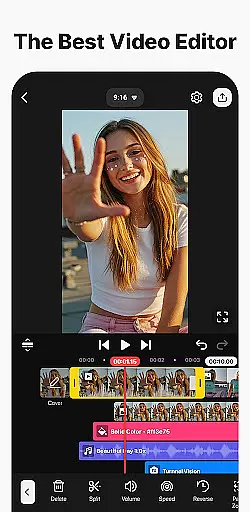
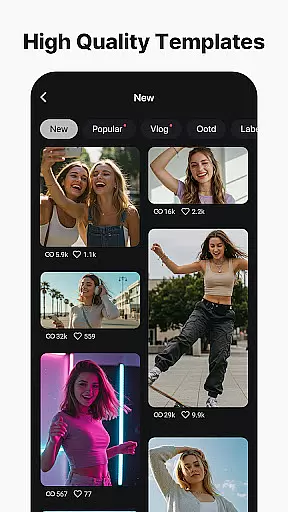
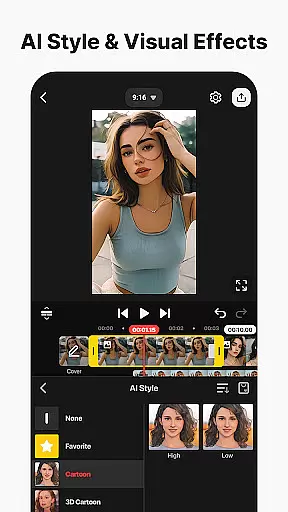
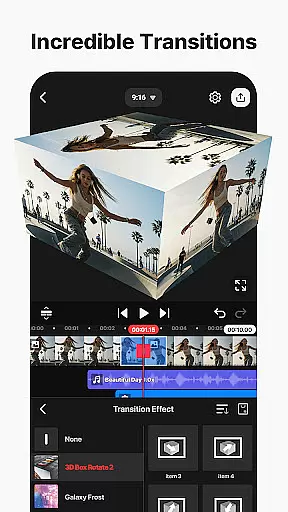
KineMaster is a comprehensive video editing application designed for both amateur and professional content creators. This app allows users to edit various types of videos including movies, vlogs, Reels, and Shorts with ease. It offers a wide range of AI-powered tools such as auto captions, text-to-speech, and noise removal, which streamline the editing process and enhance video quality.
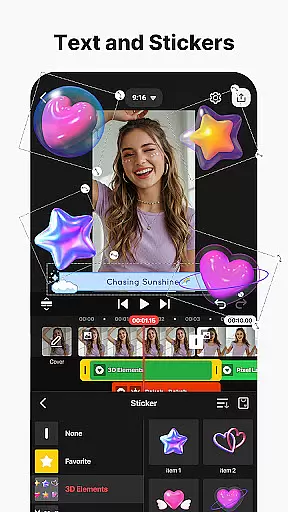
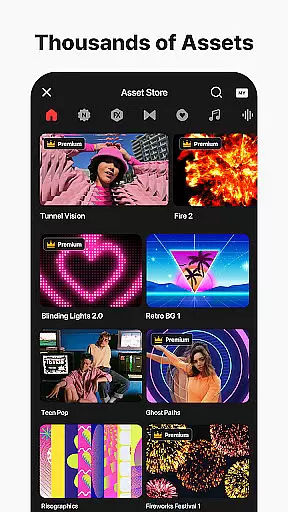
With KineMaster, users can access professional-grade features like keyframe animation, chroma key (green screen), and speed control. These tools enable creators to produce high-quality content that stands out on social media platforms. Additionally, the app provides thousands of templates, effects, stickers, music tracks, and fonts through its Asset Store, empowering users to unleash their creativity without limitations.
The app supports exporting videos in 4K at 60 FPS while offering optimization options for faster social media uploads. Whether you're looking to create engaging short-form content or detailed cinematic projects, KineMaster delivers the necessary tools within an intuitive interface suitable for all skill levels.
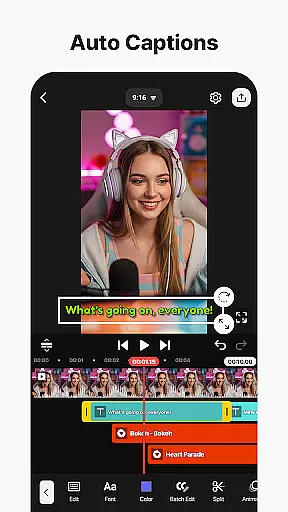
KineMaster distinguishes itself with an extensive suite of advanced editing features tailored for diverse creative needs. One standout aspect is its integration of AI technologies that automate tedious tasks. For instance, AI Auto Captions automatically generate subtitles from audio, while AI Vocal Separator splits songs into vocals and instrumentals, providing unparalleled flexibility in audio editing.
The app also excels in offering precise control over video elements. Users can leverage keyframe animation to manipulate layer properties dynamically, apply chroma key effects for seamless background removal, and adjust playback speeds to craft slow-motion or time-lapse sequences. Furthermore, KineMaster's multi-layer support allows stacking multiple media types—videos, images, and GIFs—simultaneously, enhancing compositional depth.
Another notable feature is the vast library of assets available via the KineMaster Asset Store. Creators have instant access to thousands of royalty-free resources including transitions, clip graphics, sound effects, and stock footage. The inclusion of magnetic guides and full-screen previews ensures accurate alignment and real-time visualization of edits, making the overall editing experience smooth and efficient.
Video format compatibility is a crucial feature for any video editing application, ensuring users can work with a wide range of file types. KineMaster excels in this area by supporting an extensive array of video formats, allowing creators to import and export projects without worrying about conversion issues.
The app's robust compatibility covers popular formats such as MP4, AVI, MOV, and many others, making it versatile for both amateur and professional use. This comprehensive support enables seamless integration with various devices and platforms, streamlining the editing workflow.
Users benefit from KineMaster's ability to maintain high-quality output regardless of the source format. The application automatically optimizes different video files for editing while preserving their original quality, ensuring professional-grade results every time.
Furthermore, KineMaster's format flexibility extends to its export options, where creators can choose between high-resolution outputs or optimized social media files. This adaptability makes the app suitable for diverse distribution channels, from YouTube to Instagram, enhancing its value as a complete video editing solution.
AI-powered editing features have revolutionized the way users approach video creation, and KineMaster stands at the forefront of this innovation. The application incorporates multiple artificial intelligence tools that significantly enhance the editing process while reducing production time.
Among these features, AI Auto Captions automatically generates subtitles from audio tracks, while AI Text-to-Speech converts written content into natural-sounding voiceovers. The AI Vocal Separator intelligently splits songs into separate vocal and instrumental tracks, offering unprecedented creative control.
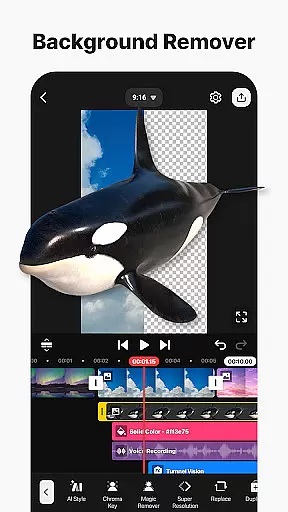
KineMaster's AI capabilities extend to visual effects as well, with tools like AI Magic Removal that precisely cuts out backgrounds around subjects. Additionally, AI Noise Removal effectively eliminates unwanted sounds, ensuring crystal-clear audio quality in final productions.
These intelligent features not only save time but also democratize professional-grade editing by making complex techniques accessible to all users. The combination of AI tools with traditional editing functions creates a powerful platform that caters to both novice creators and experienced professionals seeking efficient workflows.
User-friendly interface
Extensive AI toolset
High-quality export options
Vast asset library
Cross-platform compatibility
Subscription-based pricing
Watermark on free version
Advanced tools may overwhelm beginners
Resource-intensive performance
Limited offline functionality

Video player, file manager for all formats, 4K/HD media player supports subtitle
 4.30
4.30
Connect 2 UVC devices for recording and broadcast video/audio stream
3.90
AirMirror is Receiver for Screen Mirroring and Casting from Apple Devices.
3.60
High-Quality USB Camera Viewer & HDMI Display
4.70
Fast & easy HD video downloader for all formats, support 4K playback & download.
4.60
Make your own Animations, Video and Photo Edits, Visual Effects, and more!
4.00
All in one multi protocols stream receiver for AirPlay, Cast and DLNA.
3.60
Video player with 4K & 1080P support, popup play, background play and subtitle.
4.20
Photo editor & video maker with music and slideshows.
4.10
Cast movies, tv shows and live streams to Chromecast, Roku, DLNA, Fire TV & more
4.60
Full HD Video mp3 Player, MP4 player play 1080p, File manager, Video Downloader
4.40
Video Downloader is an utility that can save videos and music from web sites
4.20
Your media, on your terms.
4.10
Browser for Samsung TV to stream webvideos, online movies and livestreams in HD
4.10
HD video & music player - All format support with floating & PIP mode!
3.80
Client application for NextPVR software
3.00
The smartest M3U IPTV Player your playlists have ever seen.
4.1
Stream high quality video from your camera over NDI protocol
4.0
Powerful HD video player with support for all formats & subtitles.
4.1


User Reviews