
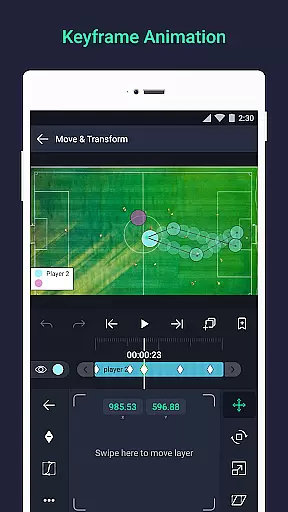
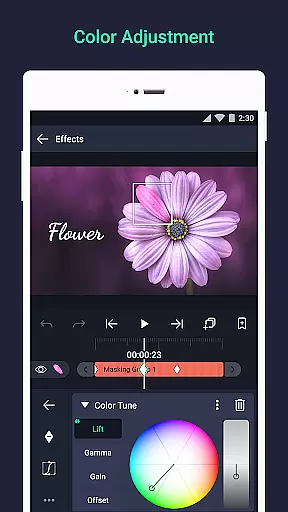
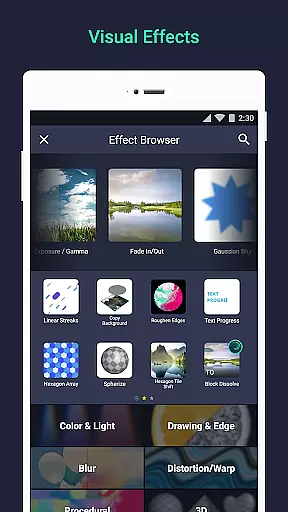

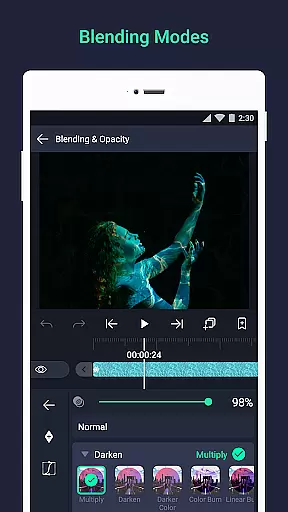
Alight Motion is a pioneering motion design application that brings professional-quality animation and video editing tools to mobile devices. The app allows users to create sophisticated visual effects, motion graphics, and composite videos with multiple layers of graphics, video, and audio. With features like vector and bitmap support, keyframe animation, and 160+ effect building blocks, it provides a comprehensive toolkit for creative professionals.
The application stands out with its advanced design capabilities such as linking parent and child layers, rigging character joints, and using cameras with pan, zoom, and focus blur effects. Alight Motion also supports color adjustments, animation easing, velocity-based motion blur, and various export options including MP4, GIF, and PNG sequences. These features make it suitable for both amateur enthusiasts and professional designers looking to create high-quality motion content on the go.
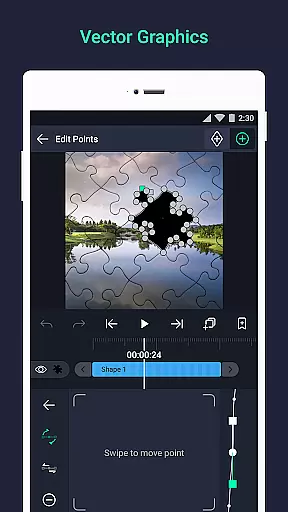
Alight Motion offers an extensive array of features tailored for motion design and video editing. Users can work with multiple layers, incorporating graphics, video, and audio seamlessly. The app supports both vector and bitmap editing directly on mobile devices, providing flexibility in creating and manipulating visual elements. With over 160 basic effect building blocks, users can combine different effects to build complex animations and transitions.
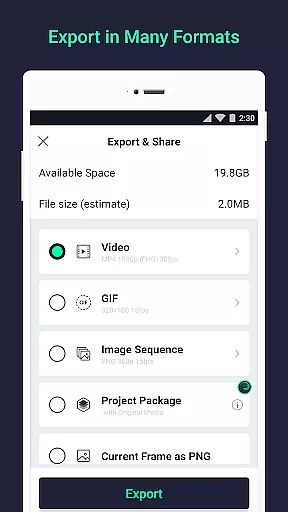
One of the standout features is the ability to animate all settings through keyframes, allowing precise control over how animations evolve over time. The app also includes advanced functionalities like parenting layers, rigging characters, and using virtual cameras with pan, zoom, and depth-of-field effects. Additionally, users can group layers, create masks, adjust colors, and apply custom timing curves for fluid motion. Export options are versatile, supporting MP4 video, GIF animation, PNG sequences, and still images, making it adaptable to various project requirements.
Video format compatibility is a crucial feature for any video editing application, ensuring that users can work with a wide range of file types. Alight Motion supports multiple formats including MP4 video, GIF animation, PNG sequences, and still images, providing flexibility in content creation.
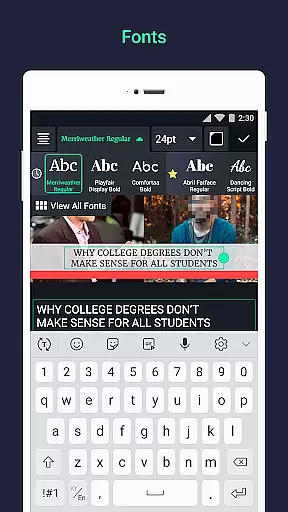
The app's ability to handle both vector and bitmap graphics allows creators to edit high-quality visuals directly on their mobile devices. With support for custom fonts and various graphic layers, users can produce professional-grade motion designs without worrying about format restrictions.
This compatibility advantage enables seamless importing and exporting of projects, making collaboration easier. Whether you're working on animations or visual effects, the assurance of format support means your creative vision won't be limited by technical constraints.
AI-powered editing features are revolutionizing how users interact with video editing tools. Alight Motion incorporates intelligent functions like velocity-based motion blur and animation easing, which help create more fluid and natural-looking motion effects.
The app's sophisticated effect system includes over 160 basic building blocks that can be combined to create complex visual effects. These AI-assisted features allow users to achieve professional results without needing extensive technical expertise.
Additionally, smart tools like automatic keyframe generation and customizable timing curves make the editing process more efficient. This combination of artificial intelligence and traditional editing capabilities empowers creators to focus on their artistic vision while the software handles the technical details.
User-friendly interface
Extensive effect library
Advanced animation tools
Versatile export options
Regular feature updates
Requires 1.5GB RAM
Basic version has watermark
Paid subscription needed
Can be resource-intensive
Learning curve for beginners

The smartest M3U IPTV Player your playlists have ever seen.
 4.1
4.1
Client application for NextPVR software
3.00
Video Downloader is an utility that can save videos and music from web sites
4.20
Video player with powerful streaming playback and various convenient features.
2.10
Download website videos fast&privacy
4.40
Manage your IPTV live channels and VOD playlists (no playlist included)
3.80
Watch IPTV on your Android device
4.60
Powerful video player with advanced hardware acceleration and subtitle supports
4.20
Create, Publish & Maximize
4.70
Flud is a simple and beautiful BitTorrent client for Android.
4.80
Download videos and play them offline
4.70
Video Player - Unlimited features, 30 days money back guarantee.
4.60
Watch a large amount of high-definition short drama content
4.60
Fast & easy HD video downloader for all formats, support 4K playback & download.
4.60
Cast movies, tv shows and live streams to Chromecast, Roku, DLNA, Fire TV & more
4.60
Video Downloader, Multiple Resolution Options, Video Player
4.50
This app was created to edit the metadata of music files.
4.20
Cast to Smart TV, Fire TV. Cast video, photo - Fast & Stable!
3.90
The essential companion to your Blue Iris PC software
2.50


User Reviews