
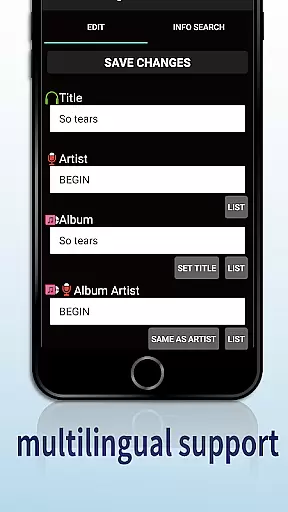
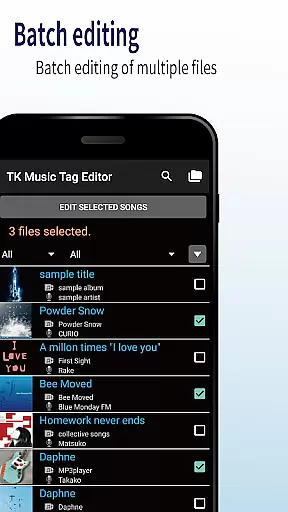
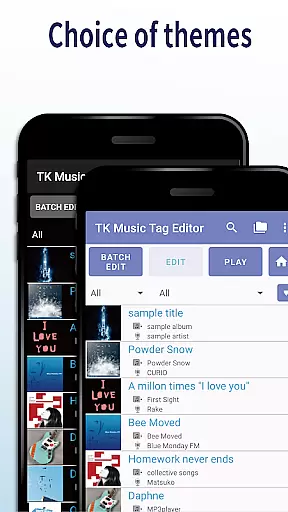
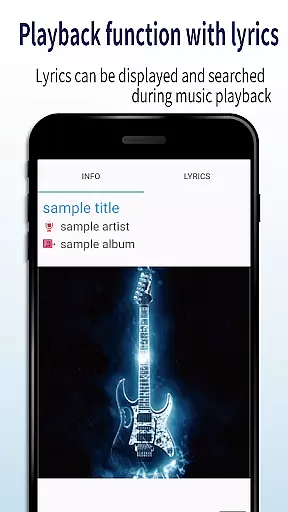
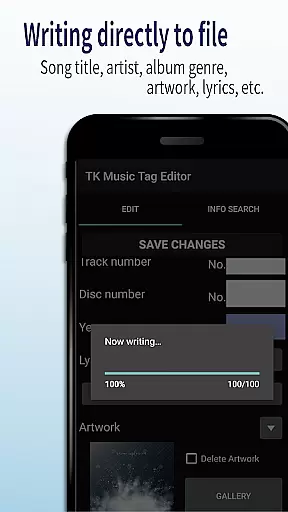
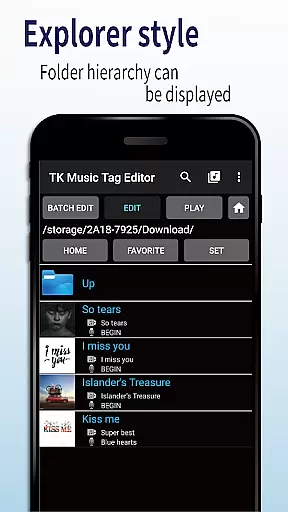
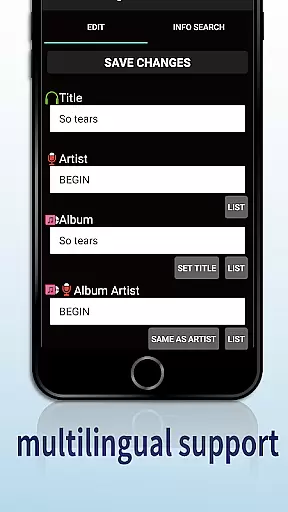
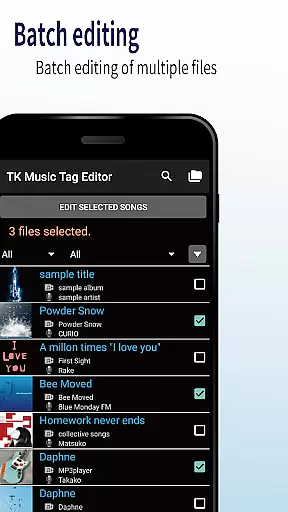
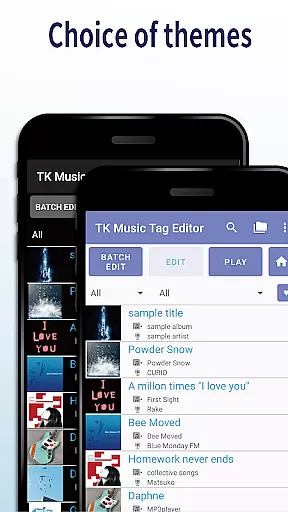
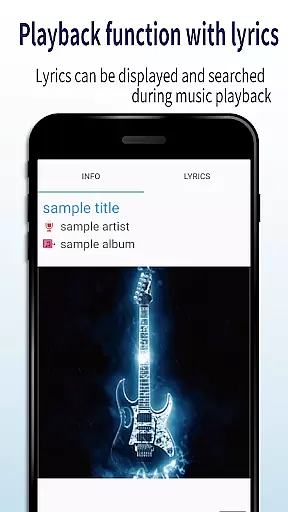
TK Music Tag Editor -Complete- is a comprehensive metadata editing tool designed specifically for music enthusiasts who need to manage their audio files with precision. This app allows users to edit essential metadata fields such as artist, album, cover art, and lyrics directly within mp3, m4a, flac, and wma files. The changes are written directly into the music files, ensuring that the metadata remains intact across different devices, including PCs.
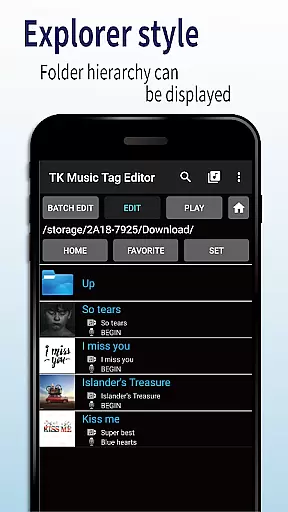
In addition to basic tag editing, TK Music Tag Editor offers advanced features like simultaneous filename editing, playlist creation, and support for multiple file formats. Whether you're organizing a large music library or preparing tracks for professional use, this app provides the tools necessary to maintain accurate and consistent metadata. Its intuitive interface and reliable functionality make it an indispensable utility for anyone serious about managing their digital music collection.
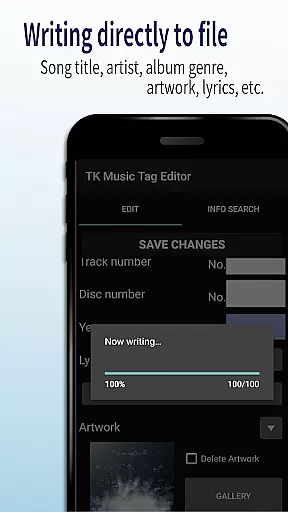
One of the standout features of TK Music Tag Editor -Complete- is its ability to write tags directly into music files. This ensures that metadata such as title, artist, album, cover art, and lyrics remain consistent and accessible regardless of the device used to play the files. Users can also simultaneously edit filenames, allowing for streamlined organization of music libraries by customizing filenames to include song titles and artist names.
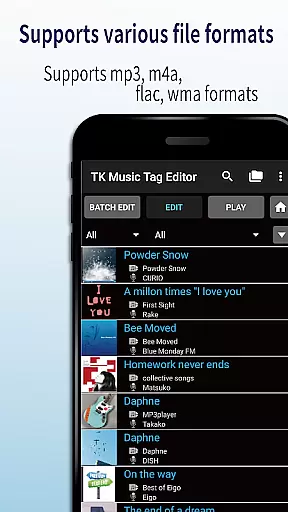
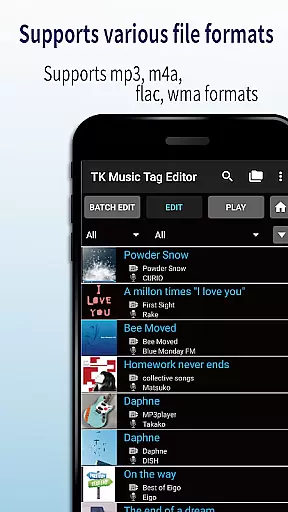
The app supports the creation and easy editing of playlists, empowering users to curate personalized listening experiences. With compatibility for various file formats including mp3, m4a, flac, and wma, TK Music Tag Editor ensures broad usability. It even detects mp3 files mistakenly labeled with m4a extensions and corrects them. These robust features collectively enhance the user's ability to manage and enjoy their music collection with ease and efficiency.
Video Players & Editors like TK Music Tag Editor -Complete- excel in their ability to handle a variety of file formats, ensuring that users can manage multimedia files with ease. This app supports mp3, m4a, flac, and wma formats, providing flexibility for users who work with different audio types.
The application's capability to edit metadata across these formats means that regardless of the source or playback device, your music library remains consistent and organized. By writing tags directly into the music files, it guarantees that metadata stays intact, whether accessed from a PC or any other device.
For audiophiles and casual listeners alike, this compatibility ensures that managing an extensive music collection is straightforward and efficient. The assurance that metadata edits are preserved across platforms enhances user experience, making it a reliable tool for organizing digital music libraries.
In today's digital age, AI-powered editing features are revolutionizing how we interact with media files. TK Music Tag Editor -Complete- incorporates intelligent tools that simplify the editing process, allowing users to modify artist information, album details, cover art, and lyrics effortlessly.
Beyond basic tag editing, the app offers advanced functionalities such as simultaneous filename editing and playlist creation. These features utilize smart algorithms to ensure that changes to filenames or the creation of playlists are intuitive and hassle-free, enhancing the overall user experience.
By integrating these sophisticated yet user-friendly AI capabilities, TK Music Tag Editor -Complete- not only streamlines the management of music files but also empowers users to curate their collections with precision and ease. This positions the app as a cutting-edge solution in the realm of Video Players & Editors.
User-friendly interface
Direct tag writing
Multi-format support
Playlist management
Filename customization
No batch editing
Limited advanced options
Occasional bugs
Basic UI design
Requires careful use

Photo and Music Video Creator into Stunning Videos—Effortlessly
 4.40
4.40
HD video maker with no watermark, no ads & vlog maker with music, PIP, text
4.50
Powerful HD video player with support for all formats & subtitles.
4.2
Capture images & record videos for USB Camera, Webcam, Microscopes, Endoscopes
3.80
AirMirror is Receiver for Screen Mirroring and Casting from Apple Devices.
3.60
Movie maker & video editing app with AI effects and green screen
4.30
Play and download HD videos from all sources — fast, simple, and all-in-one.
4.3
Web Browser for LG TV to stream webvideos, online movies and livestreams in HD
4.20
Screen recorder with audio to take live videos & Screenshot in high quality!
4.70
Pro video editor app for Instagram, edit video with song, AI, effect & slowmo.
4.80
A Quick and Pro Video Editor
4.70
HD Video player all format, HD Videos, Cast & Subtitle. No annoying ads.
4.60
VLC Remote lets you control your VLC Media Player on Mac, PC or Linux.
4.60
Fast, private downloading, video saving, social media
4.50
Turn your phone into a wireless camera!
4.20
Make your own Animations, Video and Photo Edits, Visual Effects, and more!
4.00
HD video & music player - All format support with floating & PIP mode!
3.80
Livestream, news, & gaming content. Watch, chat, and upload. Join Rumble today!
3.80
Download videos easily & play them all in one smart, powerful video manager.
3.40


User Reviews