
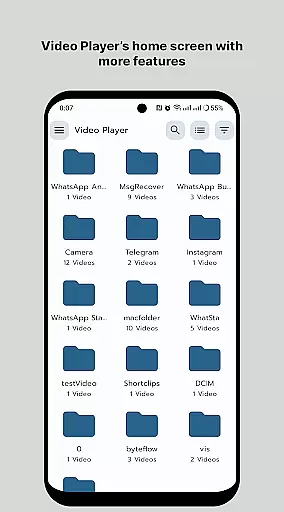
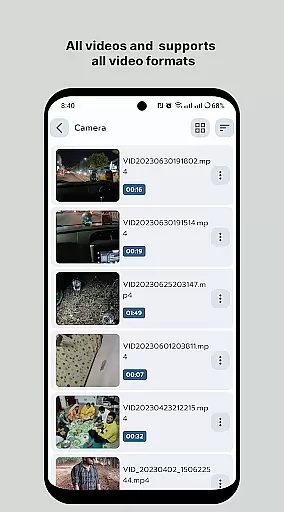
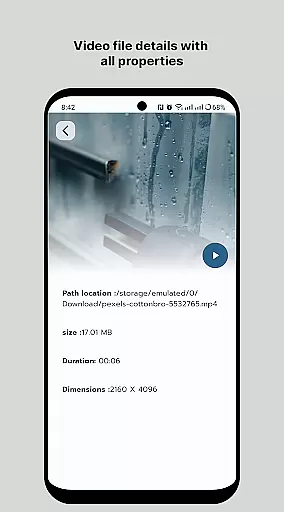
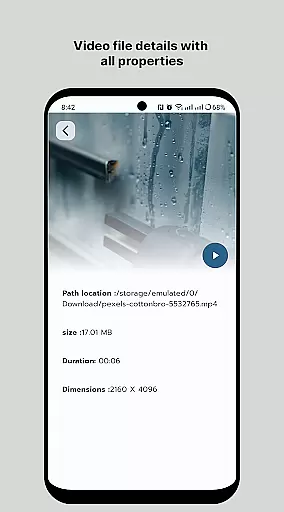
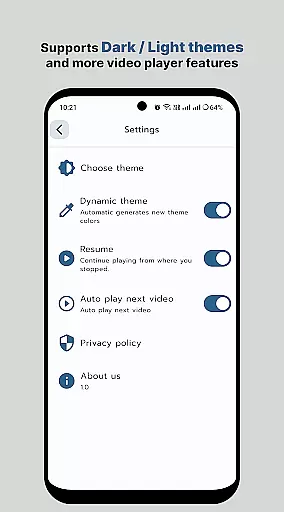
HD Video Player All Format is a versatile video player for Android devices, supporting all video formats with subtitle functionality and without intrusive ads. Designed for both smartphones and tablets, this app offers an ultimate viewing experience by playing videos in Full HD and 4K resolutions. Its professional-grade playback ensures high-quality audio-visual enjoyment.
The application stands out with its efficient speed and smooth playback, making it ideal for users who demand premium media experiences on their mobile devices. Whether you're watching movies or personal recordings, HD Video Player provides a seamless interface that enhances your video-watching sessions while maintaining the original resolution of your files.
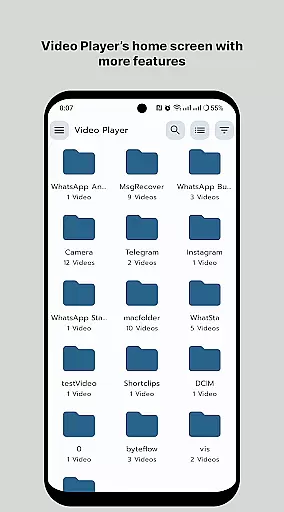
HD Video Player boasts an array of features that cater to diverse user needs. It supports popular video file formats, ensuring compatibility across different media types. The quick start and smooth playback support make it easy to dive into your content without delays, while the smart media library organizes your video collection for effortless access.
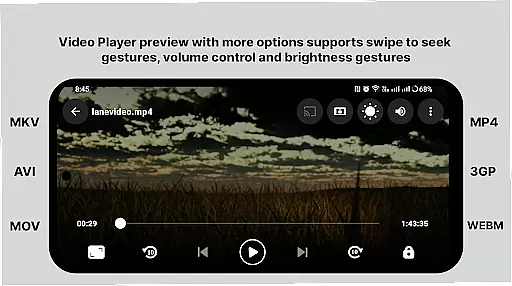
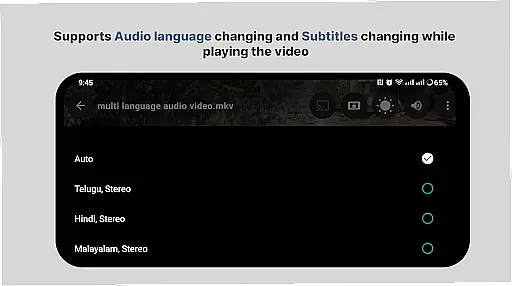
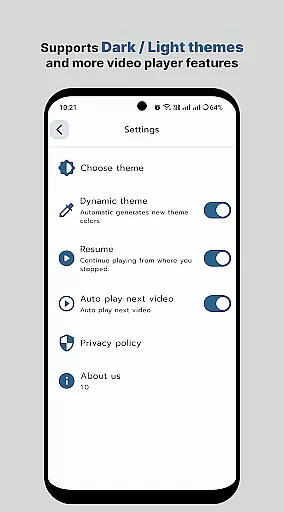
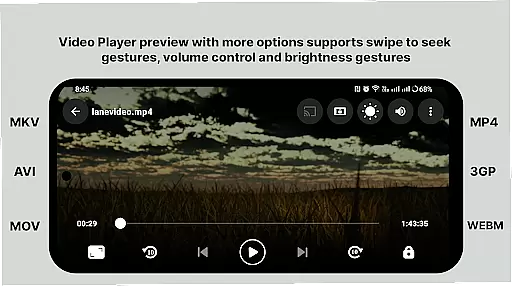
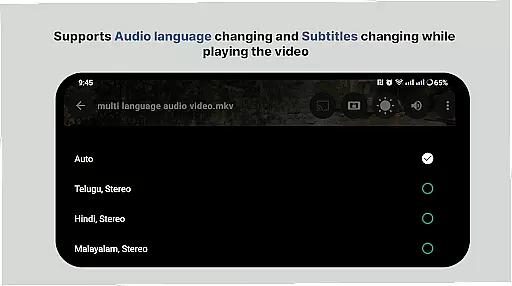
Advanced functionalities include multi-track audio and subtitle support, auto-rotation, aspect-ratio adjustments, and gesture controls for volume and brightness. With playback speed control and the ability to manage or share videos easily, this app empowers users with comprehensive control over their viewing experience. Enjoy uninterrupted 4K video playback with intuitive navigation designed for simplicity and convenience.
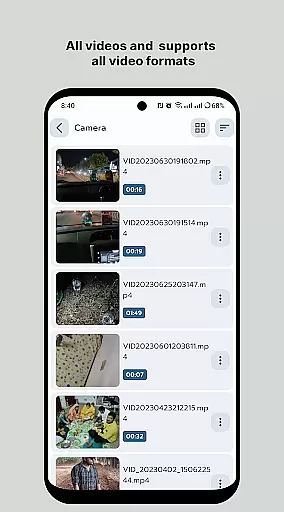
Video format compatibility is a crucial feature for any video player application, ensuring that users can play videos in various formats without the need for conversion. HD Video Player supports an extensive range of video formats, including but not limited to MP4, AVI, MKV, and FLV. This versatility allows users to enjoy their video content in its original format, preserving the intended quality and experience.
The application's support extends to high-definition and ultra-high-definition content, such as 4K videos, making it suitable for users with varying video quality needs. Whether you're watching standard definition home videos or high-resolution movie files, HD Video Player ensures smooth playback without compromising on quality. The inclusion of advanced codecs further enhances this capability, allowing for efficient decoding and playback of complex video files.
For users, this means freedom and flexibility in managing their media libraries. There's no need to worry about format compatibility when transferring files from different devices or sources. Additionally, the app's smart media library organizes all compatible video files, making them easily accessible. With features like folder browsing and subtitle support, users can customize their viewing experience according to their preferences.
Ultimately, HD Video Player's comprehensive format support empowers users to focus on enjoying their content rather than dealing with technical limitations. The ability to handle diverse file types with ease sets this application apart in the crowded market of video players, offering a seamless and enjoyable viewing experience across different devices and content types.
AI-powered editing features represent the cutting edge of video player functionality, enhancing both the viewing and editing experience through intelligent automation. HD Video Player incorporates several AI-driven tools that simplify complex editing tasks, making professional-quality adjustments accessible to users of all skill levels. These features include smart trimming, automatic color correction, and intelligent scene detection, which collectively streamline the video editing process.
One of the standout AI capabilities is the application's smart media library, which uses machine learning algorithms to categorize and tag video content automatically. This feature not only saves time but also improves the overall organization of media files, enabling users to quickly locate specific clips or scenes. Furthermore, the AI-powered playback speed control adjusts frame rates dynamically, ensuring smooth motion regardless of the chosen speed setting.
The integration of AI extends to real-time enhancement features that optimize video quality during playback. These enhancements can automatically adjust brightness, contrast, and color balance based on the content and viewing environment, delivering consistently excellent visual results. Gesture controls powered by AI allow users to manipulate volume, brightness, and playback progress with intuitive touch movements, creating a more engaging and user-friendly interface.
By incorporating these advanced AI-powered editing features, HD Video Player not only meets but exceeds modern expectations for video playback applications. Users benefit from sophisticated tools that would traditionally require separate, specialized software, all integrated seamlessly into their primary video player. This combination of convenience, power, and accessibility positions HD Video Player as a versatile solution for both casual viewers and serious content creators.
User-friendly interface
High-definition playback
Wide format compatibility
Efficient media library
Gesture-based controls
Limited platform support
No advanced editing tools
Premium version costs
Occasional bugs reported
Ads in free version

Client application for NextPVR software
 3.00
3.00
IPTV-Smarters Player Pro M3U - Watch Live Stream TV Channels with Chromecast
4.00
Watch full episodes of your favorite Cartoon Network and Cartoonito shows!
3.50
Search & download videos from net with all video downloader, auto-detect & safe.
4.60
Create photo video with music & template. AI video maker for stunning slideshow.
4.60
Full HD Video mp3 Player, MP4 player play 1080p, File manager, Video Downloader
4.40
Stream high quality video from your camera over NDI protocol
4.2
Download website videos fast&privacy
4.40
Capture the moment and Cut
3.40
#1 Torrent App on Android ** No Ads Ever + Battery Saver **
4.80
Snaptubè Video Downloader app allows to download videos and music in Snaptube. .
4.60
IPTV Loader, loads your own Playlist. DOES NOT CONTAIN ANY LIST OR CHANNELS
4.60
Fast, private downloading, video saving, social media
4.50
Cast to Chromecast, Xbox, Fire Stick, Roku, DLNA, Smart TV & No Feature Limited!
4.50
Add date and time watermark to photos and videos
4.50
Fast private browser with secure, seamless access & supported video downloads!
4.00
HD video & music player - All format support with floating & PIP mode!
3.80
Livestream, news, & gaming content. Watch, chat, and upload. Join Rumble today!
3.80
You can play SWF format file!
2.50


User Reviews