
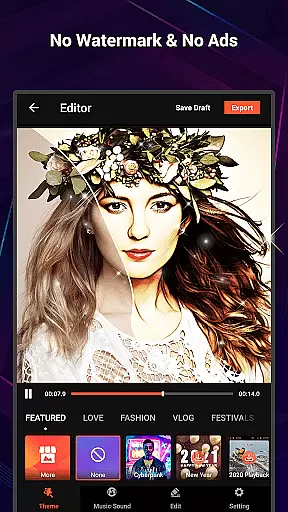
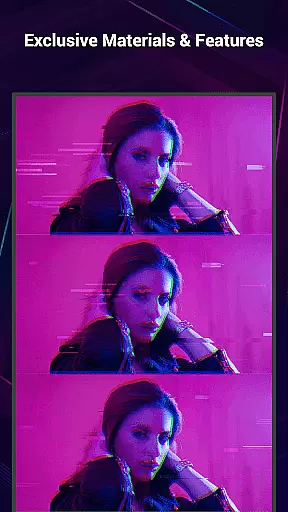
VideoShow Pro is a premium video editing application designed for both amateur and professional content creators. This app offers advanced features such as no watermark, ad-free interface, and support for exporting videos in 1080p and 4K resolutions. With an extensive library of exclusive materials, users can enhance their videos with up to 20 visual effects in a single project.
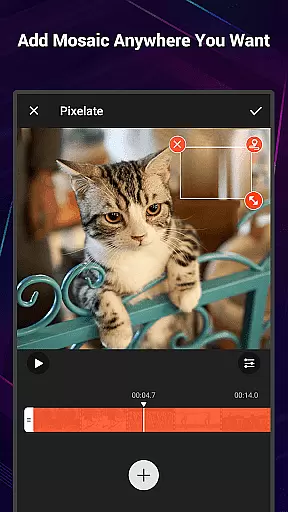
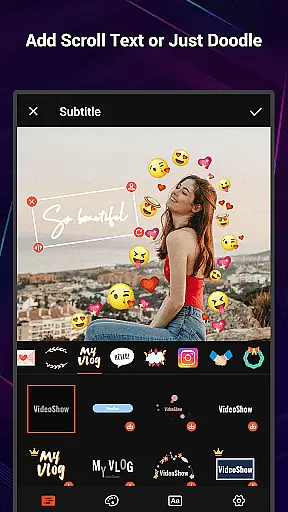
The app provides an intuitive platform for creating stunning videos with minimal effort. Users can easily integrate photos and videos, adding creative elements like texts, stickers, music, filters, transitions, and sound effects. VideoShow Pro also includes practical tools for trimming, compressing, and converting videos to MP3, making it a versatile choice for various video editing needs.
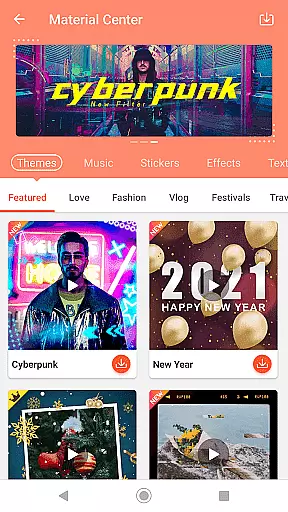
VideoShow Pro stands out with its comprehensive suite of editing tools and features. The app allows users to zoom and rotate videos, create videos without pre-transcoding, and mix photos and videos seamlessly. Its Materials Store offers a wide selection of themes, music, text styles, stickers, sound effects, and fonts, enabling users to craft unique videos tailored to different occasions such as love, birthdays, and friendships.
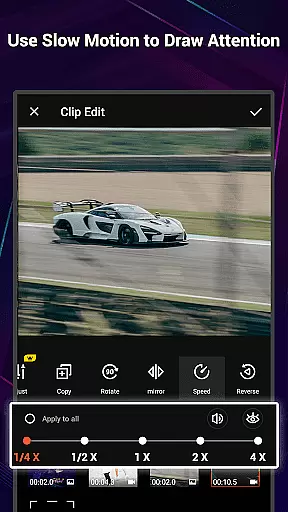
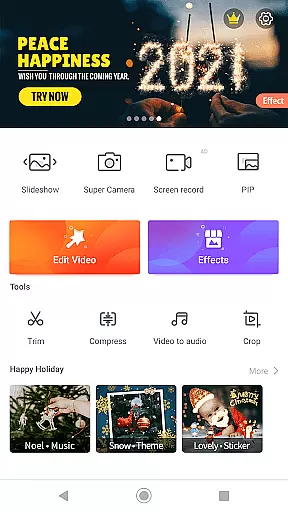
In addition to its core editing capabilities, VideoShow Pro includes a robust toolbox for advanced video manipulation. Users can utilize Ultra Cut to merge exciting video segments, Fast Trim for quick edits, Compress Video to reduce file size, and Video to MP3 for extracting audio tracks. These features ensure that users have all the necessary tools to produce high-quality, professional-looking videos directly from their mobile devices.
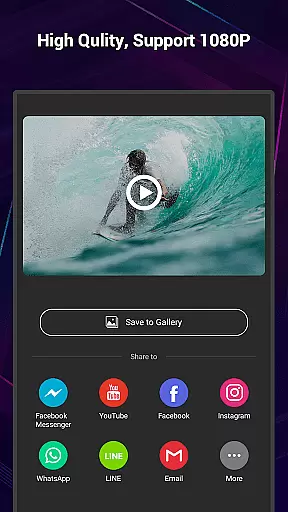
VideoShow Pro stands out with its exceptional video format compatibility, ensuring users can work with a wide range of video types without any hitches. The app supports high-resolution formats, including 1080p and 4K video exports, making it ideal for both amateur and professional video editing.
The versatility in handling different video formats is crucial for seamless video production. VideoShow Pro enables creators to import various formats, apply edits like zooming, rotating, and adding effects, then export their projects in the desired resolution. This flexibility empowers users to produce content that meets industry standards and viewer expectations on any platform.
Moreover, the app's ability to mix video and photos together simplifies the creation of dynamic multimedia presentations. With no need for pre-transcoding, users experience a smooth editing process that saves time and maintains the quality of the original files. This efficient workflow is essential for creators who aim to beautify their videos with texts, stickers, music, filters, and sound effects without compromising on video format integrity.
VideoShow Pro incorporates advanced AI-powered editing features that revolutionize the video editing landscape. These intelligent tools assist users in beautifying their videos effortlessly with one-step filters, including beauty enhancements and artistic sketches, elevating the visual appeal without manual intricacies.
The app's AI capabilities extend to automating complex tasks such as ultra cuts and fast trims, allowing users to cut and merge the most exciting parts of their videos efficiently. Additionally, the AI-driven video compression feature reduces file size while preserving quality, which is vital for sharing across various social media platforms.
Furthermore, VideoShow Pro offers unique creative options through its Fantastic Materials Store, providing exclusive themes, music, text styles, stickers, sound effects, and fonts. These resources, combined with AI functionalities, enable users to craft characteristic videos that convey different expressions and emotions, catering to diverse storytelling needs. By integrating these sophisticated AI-powered features, VideoShow Pro delivers an unmatched editing experience that blends technology with creativity.
Ad-free experience
4K video export
Exclusive materials
Multi-music support
Advanced toolbox
Paid version only
High device requirements
Complex for beginners
Limited free materials
Occasional bugs

A full editing room to accompany your Insta360 cameras and handheld gimbals.
 3.30
3.30
IPTV-Smarters Player Pro M3U - Watch Live Stream TV Channels with Chromecast
4.00
Create & edit videos with AI
4.30
KineMaster, Your Ultimate Video Editor!
4.40
Live TV, anywhere in your home
3.80
Stream Web Videos to Chromecast, Samsung, LG, Sony, Roku, Fire TV, DLNA + more
4.00
An easy-to-use and all-round screen recorder with audio
4.80
Powerful Video Editor & Photo Editing App —— Quick Edits & Stunning Effects!
4.30
Enjoy your favorite videos and channels with the official YouTube app.
3.90
Snaptubè Video Downloader app allows to download videos and music in Snaptube. .
4.60
Fast & Private HD Video Downloader with Built-in Proxy Browser and Video Player.
4.50
Photo and Music Video Creator into Stunning Videos—Effortlessly
4.40
Video player, file manager for all formats, 4K/HD media player supports subtitle
4.30
LumaFusion: The Ultimate Storytelling Experience for Video Editing
4.10
Manage your IPTV live channels and VOD playlists (no playlist included)
3.80
Save photos and videos from social apps in one tap.
3.60
Mix with Virtual DJ directly from your phone or tablet !
3.10
The smartest M3U IPTV Player your playlists have ever seen.
4.5
Powerful HD video player with support for all formats & subtitles.
4.4


User Reviews