
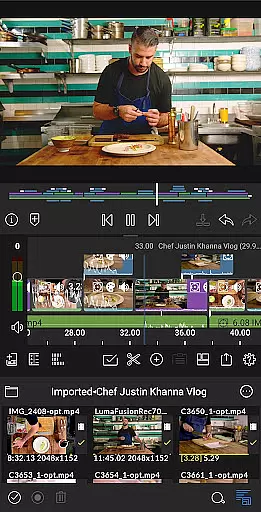
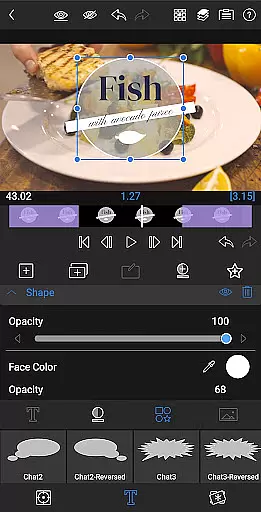
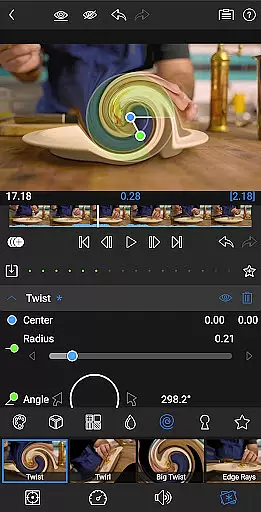
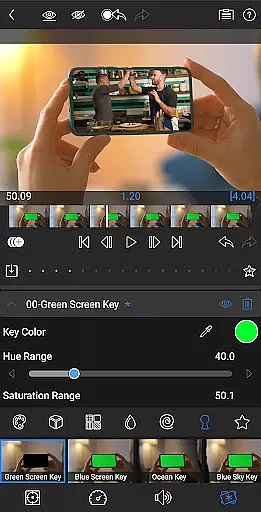
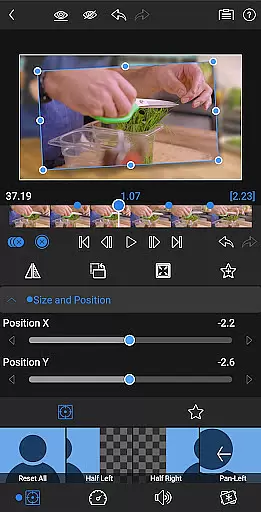
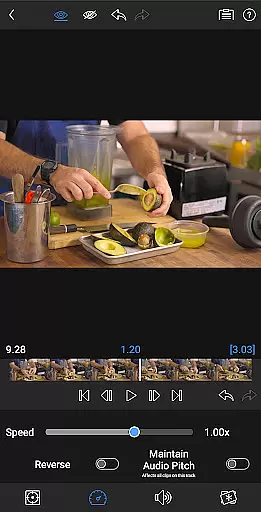
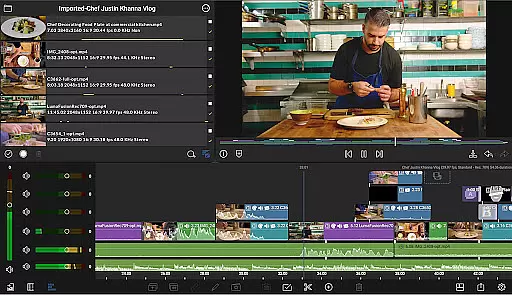
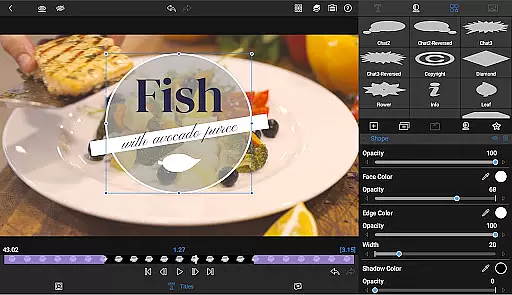
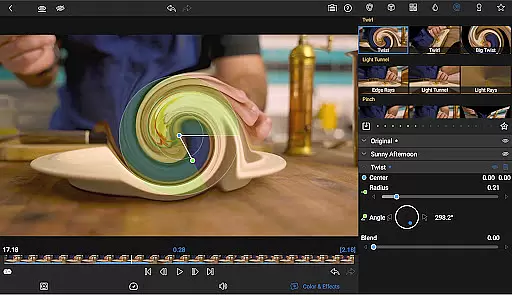
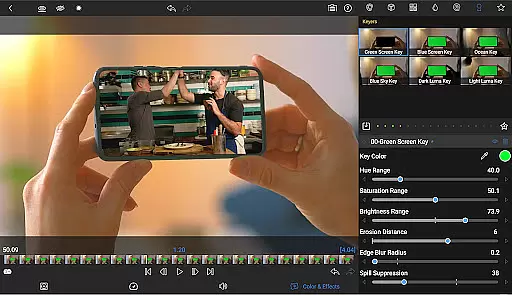
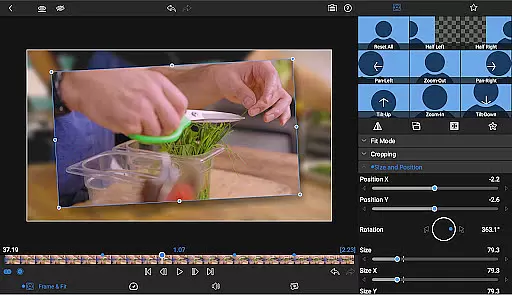
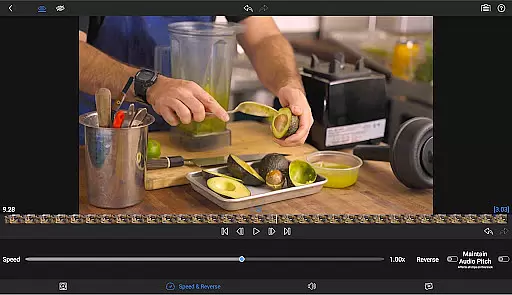
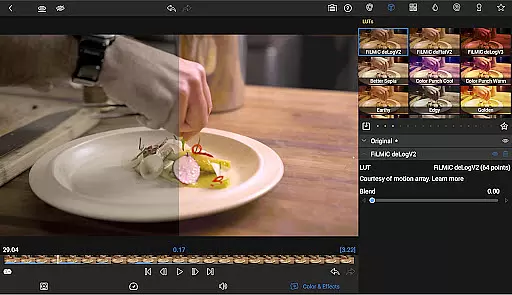
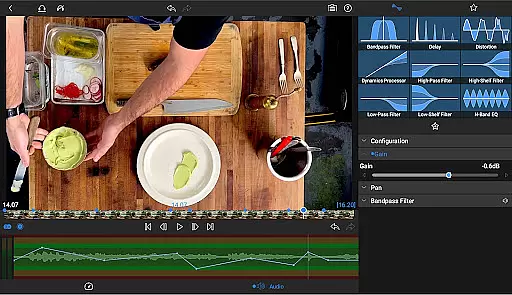
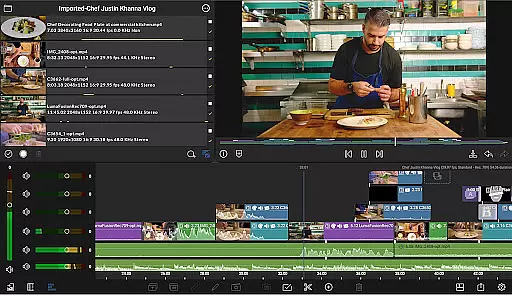
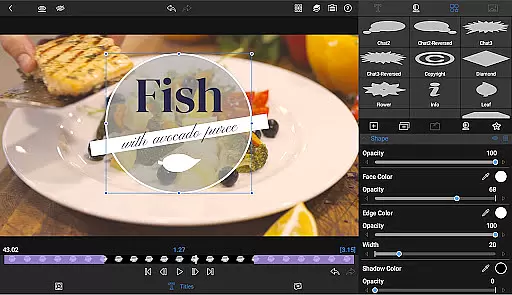
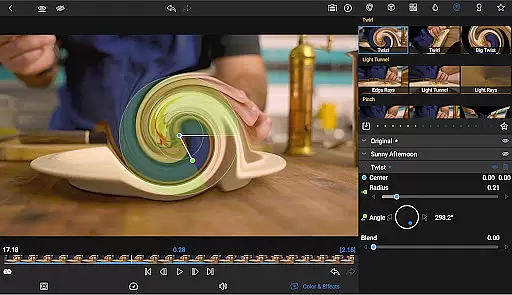
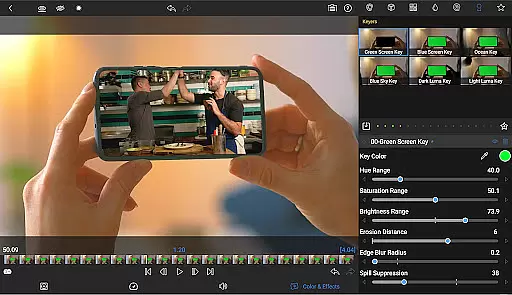
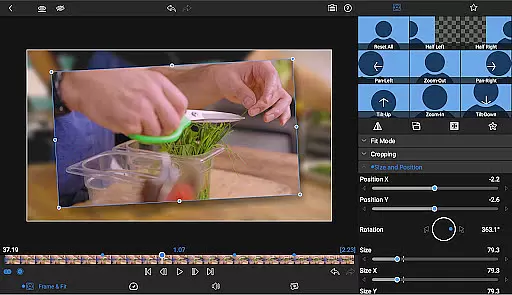
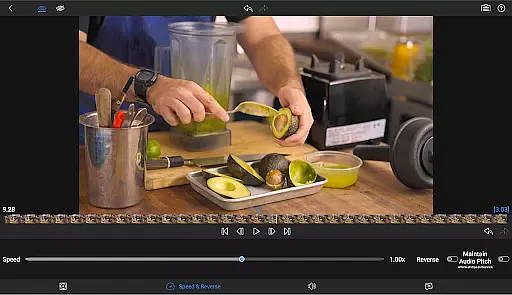
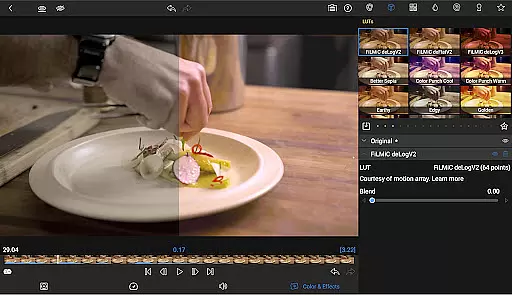
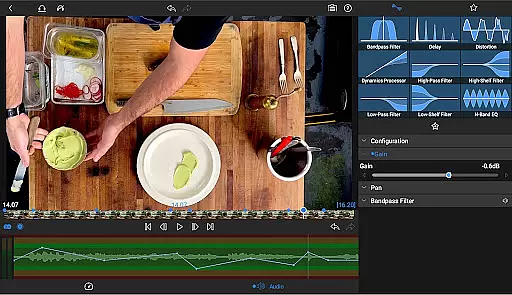
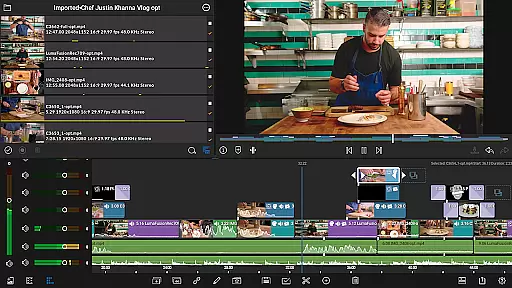
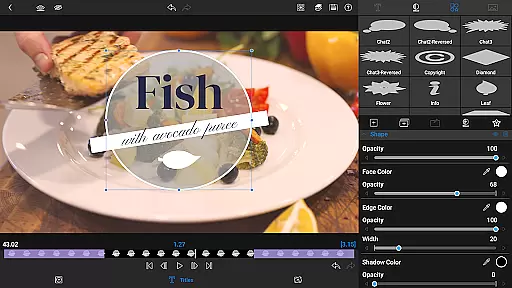
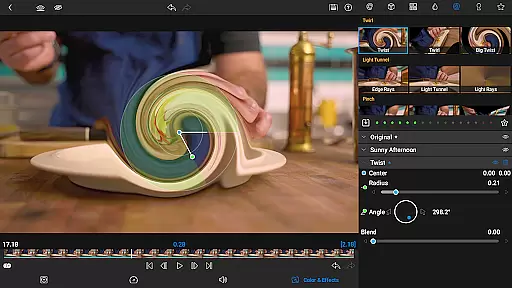
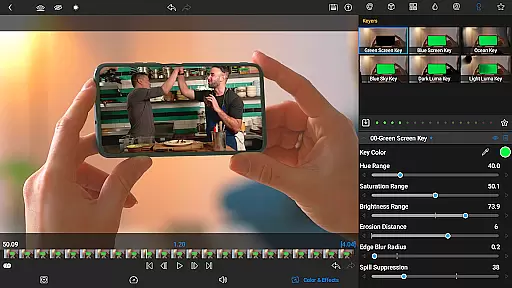
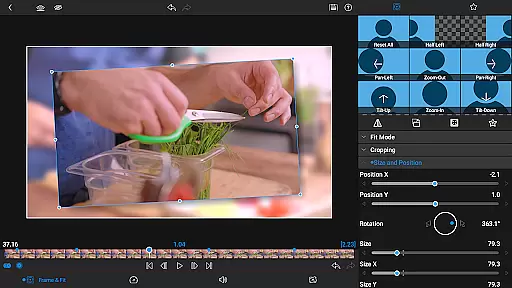

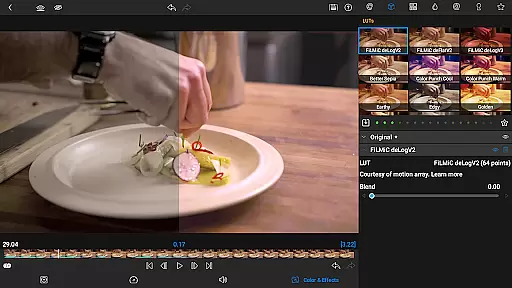
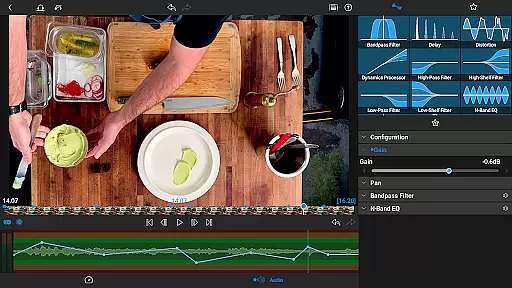
LumaFusion stands as a premier video editing application, offering storytellers an intuitive touch-screen interface to craft their narratives. With professional-grade features like six video tracks and advanced audio controls, it ensures smooth handling of media up to 4K resolution. The app's flexible timeline, layered effects, and color correction tools provide creators with the resources needed for high-quality video production.
Designed for both amateur enthusiasts and seasoned professionals, LumaFusion is available on multiple platforms, enhancing productivity whether you're editing on-the-go or in a studio setting. Its comprehensive toolset includes everything from green screen capabilities to customizable text presets, ensuring that your creative vision can be fully realized within a single, powerful application.
At the heart of LumaFusion lies its robust feature set tailored for intricate video projects. Users can leverage up to six video-with-audio tracks alongside additional audio-only tracks, enabling complex compositions while maintaining clarity and organization through markers, tags, and notes. The magnetic timeline facilitates fluent editing sessions, adapting seamlessly between different aspect ratios and frame rates.
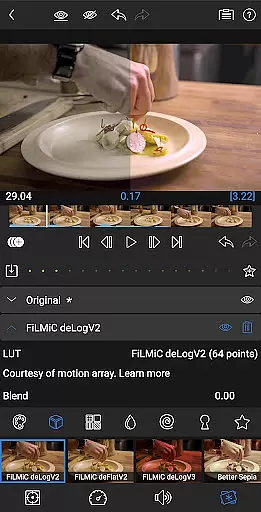
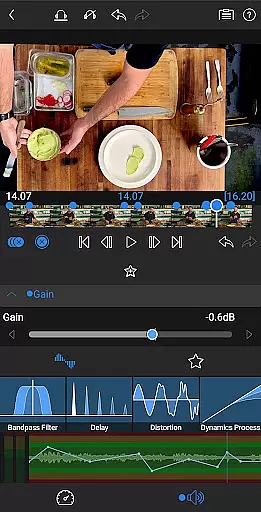
Audio refinement reaches new heights with graphic EQ, parametric EQ, and precise keyframing options. Meanwhile, visual storytelling benefits from multilayered titles, chroma keys, and advanced color grading via LUTs. For those seeking even greater control over motion graphics, optional in-app purchases unlock speed ramping and enhanced animation techniques using Bézier curves, further elevating the final output's polish and dynamism.
Video format compatibility is a crucial feature for any video editing application, and LumaFusion excels in this area. The app supports a wide range of video formats, allowing users to import and edit media without worrying about conversion issues. This flexibility ensures that creators can work with footage from various sources, including professional cameras, smartphones, and stock video libraries.
LumaFusion's robust handling of different file types extends to resolutions up to 4K, providing high-quality output options. The software maintains the integrity of original files during the editing process, preserving details and minimizing compression artifacts. This capability is particularly valuable for professionals who require pristine image quality throughout their workflow.
The application's versatility in format support also simplifies collaboration among team members using different devices or operating systems. Whether working on Android tablets or through cloud storage services, editors can seamlessly share project files and media assets. This cross-platform compatibility enhances productivity and streamlines the creative process.
Furthermore, LumaFusion's ability to export projects in multiple formats and resolutions caters to diverse distribution needs. From social media platforms to professional broadcast standards, users can optimize their final renders for specific destinations. This adaptability makes LumaFusion suitable for both independent content creators and professional production houses.
While LumaFusion primarily focuses on traditional editing techniques, its advanced features incorporate elements of AI-powered functionality that enhance the editing experience. The application's sophisticated keyframing capabilities demonstrate intelligent automation, allowing editors to create complex animations with minimal effort. These tools enable precise control over motion paths and timing adjustments, streamlining the creation of dynamic visual effects.
The software's audio processing features include automated EQ adjustments and ducking functions that simplify sound mixing. These semi-intelligent systems analyze audio tracks and automatically balance levels between dialogue, music, and sound effects. Such capabilities help maintain professional-quality audio without requiring extensive technical expertise, making sophisticated audio editing accessible to all users.
LumaFusion's color correction tools incorporate intelligent waveform analysis and vector scope displays, assisting editors in achieving accurate color grading. While not strictly AI-driven, these features provide data-driven insights that guide users toward optimal color decisions. The inclusion of LUT support further expands creative possibilities by enabling one-click color transformations based on industry-standard profiles.
Additionally, the Creator Pass subscription offers access to Storyblocks integration, which utilizes AI-powered search algorithms to help users find appropriate media assets quickly. This combination of traditional editing power with modern technological enhancements positions LumaFusion as a versatile tool that bridges classic filmmaking techniques with contemporary digital innovations.
User-friendly interface
Professional editing tools
Comprehensive audio controls
Flexible project settings
Extensive customization options
Subscription required for full access
Advanced features need extra payment
Complexity may overwhelm beginners
Occasional performance issues
Limited free support resources

?100% FREE! Download & save videos? safely in this app. All formats supported.
 4.60
4.60
Cast to Chromecast, Xbox, Fire Stick, Roku, DLNA, Smart TV & No Feature Limited!
4.50
All format media Player, no need video converter any more!
4.00
AirMirror Receiver - Screen mirroring/cast web videos to Android TV by AirPlay.
4.40
Download videos easily & play them all in one smart, powerful video manager.
3.40
Watch IPTV on your Android device
4.60
Web Browser for LG TV to stream webvideos, online movies and livestreams in HD
4.20
Fast private browser with secure, seamless access & supported video downloads!
4.00
Create, Publish & Maximize
4.70
Play ALL formats in 4K & HD. Video downloader, MP3 player, Chromecast & more.
4.80
Watch a large amount of high-definition short drama content
4.60
Cast movies, tv shows and live streams to Chromecast, Roku, DLNA, Fire TV & more
4.60
Movie maker & video editing app with AI effects and green screen
4.30
Browser for Samsung TV to stream webvideos, online movies and livestreams in HD
4.10
Stream Web Videos to Chromecast, Samsung, LG, Sony, Roku, Fire TV, DLNA + more
4.00
Explore the largest library of free GIFs, Stickers & Memes - or create your own!
3.90
Live TV, anywhere in your home
3.80
You can play SWF format file!
2.50
Stream high quality video from your camera over NDI protocol
4.4


User Reviews