
Video to MP3 is a versatile media converter tool that allows users to convert video files to high-quality audio formats. The app supports batch conversion of up to 15 videos at once, making it efficient for processing multiple files simultaneously. With its fast conversion capabilities, users can extract mp3 songs from videos quickly and easily.
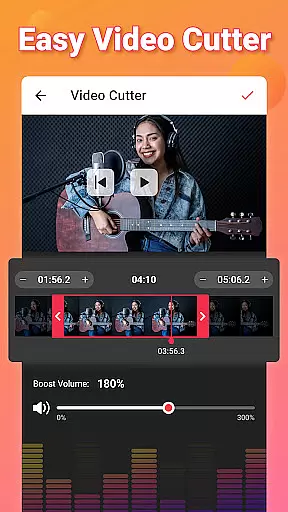
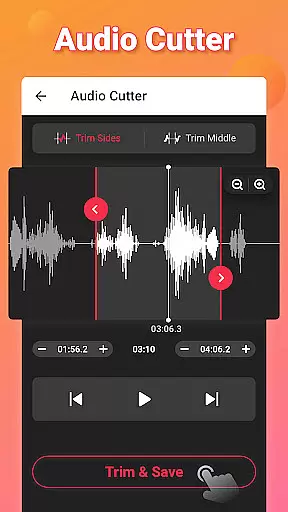
In addition to basic conversion, the app offers advanced editing features such as video trimming, audio cutting, and sound boosting. Users can create custom ringtones by trimming their favorite audio segments and applying fade-in/fade-out effects. The app also enables tagging of audio files with metadata including title, album, artist, and genre information.
This all-in-one media converter is particularly useful for content creators and mobile users who need to optimize multimedia files for various devices. Its support for numerous input and output formats ensures maximum compatibility across different platforms. Whether you're converting MOV to MP4 or M4A to MP3, this tool provides a comprehensive solution for your media conversion needs.
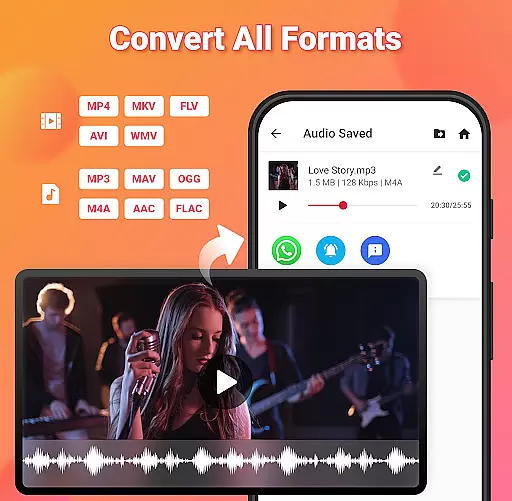
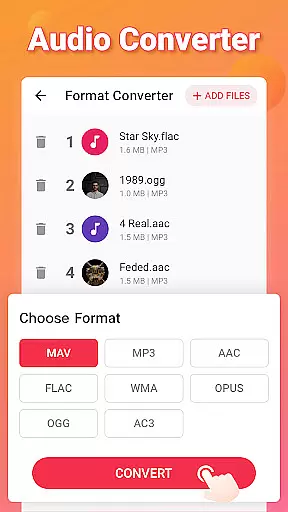
The Video to MP3 app distinguishes itself through its comprehensive feature set that goes beyond basic conversion capabilities. One of its key strengths is the ability to handle multiple file formats, supporting both common and specialized video (MP4, MKV, FLV, AVI, WMV) and audio (MP3, WAV, OGG, M4A, ACC, FLAC) formats. This versatility makes it suitable for various use cases, from casual music extraction to professional media processing.
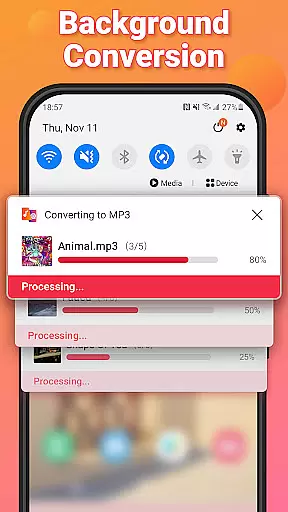
Advanced functionality includes simultaneous batch processing of up to 15 video files, background conversion for uninterrupted device usage, and precise audio editing tools. The app's sound enhancement features allow users to boost volume levels while maintaining audio quality. Furthermore, its ringtone creation capabilities enable users to customize start and end points, apply fading effects, and even add music covers to MP3 files.
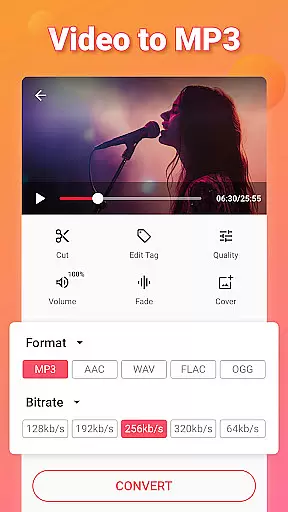
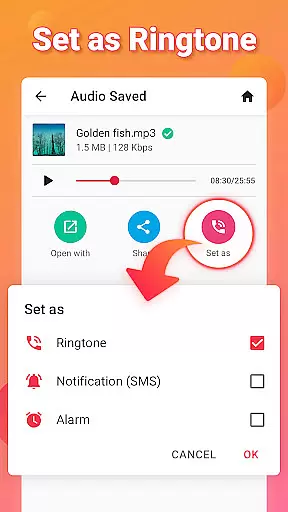
What sets this application apart is its combination of speed and precision in media conversion. The app maintains high audio quality during conversion while offering bitrate options ranging from 32kb/s to 320kb/s. Additional professional-grade features include format conversion between different video types, metadata editing for proper file organization, and the ability to set converted files as system sounds or notifications.
Video to MP3 stands out with its extensive video format compatibility, ensuring users can convert nearly any video file to audio. The app supports a wide array of video formats including MP4, MKV, FLV, AVI, and WMV.
This broad compatibility is crucial for users who work with various video sources, allowing them to extract audio without worrying about format restrictions. Whether it's a MOV file that needs converting to MP4 or an AVI to MP3, this app handles the task efficiently.
The application doesn't just stop at conversion; it offers advanced options like bitrate settings ranging from 32kb/s to 320kb/s, giving users control over the quality and size of their output files. This ensures high-quality audio extraction tailored to individual preferences.
Moreover, the inclusion of features such as fade-in and fade-out effects, along with the ability to edit tags like Title, Album, and Artist, enhances the overall user experience, making it not just a converter but a comprehensive tool for media management.
Beyond basic conversion, Video to MP3 incorporates AI-powered editing features that elevate it above standard video converters. These include intelligent trimming and cutting capabilities, enabling users to isolate specific segments of their videos effortlessly.
The app's AI technology extends to its sound boost feature, which intelligently increases audio volume without distortion. This ensures that converted files maintain clarity and richness, even when played on devices with limited speaker capabilities.
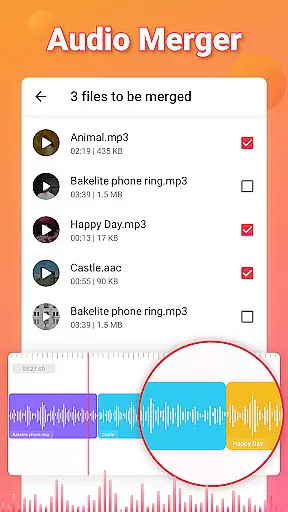
Another standout feature is the automatic music cover addition for MP3 files, streamlining the process of creating professional-looking audio files. Users can also merge multiple audio tracks seamlessly, thanks to the appu2019s smart merging algorithms.
These AI-driven tools are designed to simplify complex editing tasks, making high-quality audio production accessible to users of all skill levels. With its combination of powerful AI features and user-friendly interface, Video to MP3 emerges as a versatile solution for both casual users and professionals alike.
User-friendly interface
Batch conversion support
High-quality audio output
Comprehensive format compatibility
Advanced editing features
Contains advertisements
Pro features require purchase
Interface may feel cluttered
Occasional conversion errors
Limited customer support

A full editing room to accompany your Insta360 cameras and handheld gimbals.
 3.30
3.30
Fast, private downloading, video saving, social media
4.50
Client application for NextPVR software
3.00
Cast to Chromecast, Xbox, Fire Stick, Roku, DLNA, Smart TV & No Feature Limited!
4.50
Create & edit videos with AI
4.30
Powerful Video Editor & Photo Editing App —— Quick Edits & Stunning Effects!
4.30
Browser for Samsung TV to stream webvideos, online movies and livestreams in HD
4.10
Powerful video player with advanced hardware acceleration and subtitle supports
4.20
Video&Drama Player All Format is a HD video player, music player
3.00
Tik & Story Saver-Download ALL social media videos, photos & reels no watermark.
4.80
GENRAL PRO - General Pro is the best video player that fully supports all formats.
4.70
VLC Remote lets you control your VLC Media Player on Mac, PC or Linux.
4.60
Download website videos fast&privacy
4.40
Video player, file manager for all formats, 4K/HD media player supports subtitle
4.30
Video player with 4K & 1080P support, popup play, background play and subtitle.
4.20
AirMirror is Receiver for Screen Mirroring and Casting from Apple Devices.
3.60
Connect EasyCap or UVC devices for recording and broadcast video/audio stream
3.60
Download videos easily & play them all in one smart, powerful video manager.
3.40
IPTV Player - Watch live TV from m3m & m3u8 playlist, stream IPTV on mobile
3.30


User Reviews