
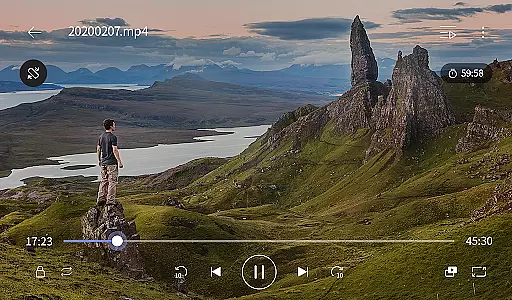
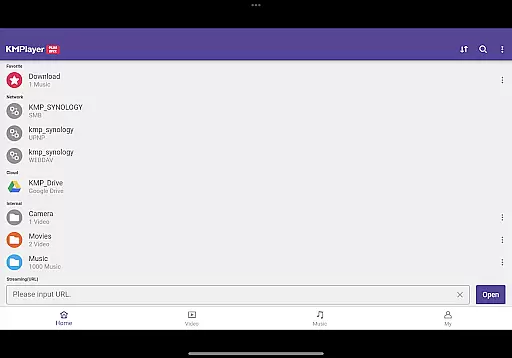
KMPlayer Plus (Divx Codec) is an advanced video player designed for users who need support for a wide range of codecs including Divx. This app ensures smooth playback of various video formats such as AVI and MKV files encoded with DXMF, DX50, DIVX, DIV4, DIV3, and MP4V codecs.
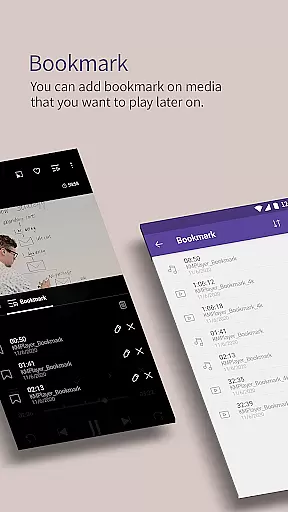
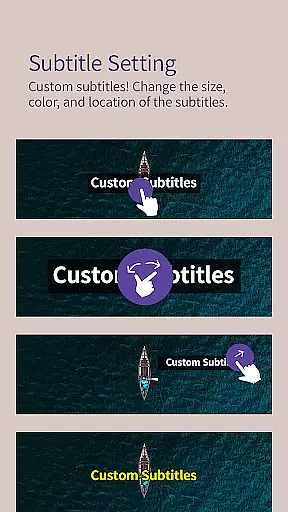
With features like high-definition video playback supporting resolutions up to 8K, customizable subtitles, and advanced playback controls, KMPlayer Plus caters to both casual viewers and tech-savvy users. The app also offers unique functionalities such as bookmarking, video zoom, and section repeat, making it versatile for different viewing needs.
Ideal for users who require reliable media playback across multiple devices, KMPlayer Plus enhances the viewing experience through its intuitive interface and powerful performance capabilities.
KMPlayer Plus stands out with its extensive codec support and advanced playback features. The app supports a variety of video formats and codecs, ensuring compatibility with most media files. Users can enjoy high-definition video playback with resolutions up to 8K, along with precise color adjustments for brightness, contrast, hue, saturation, and gamma settings.
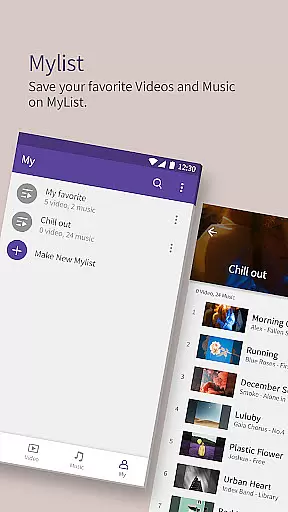
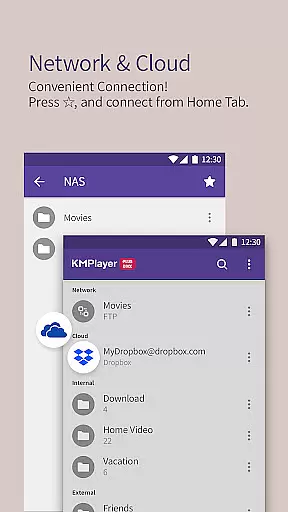
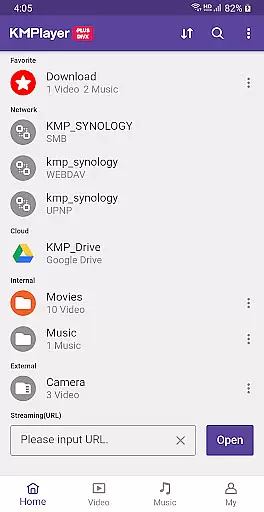
Additional functionalities include a pop-up play feature for multitasking, speed control for flexible playback rates, and an equalizer for enhanced audio experiences. The app also allows users to create playlists, stream videos via URLs, and connect to cloud services like Dropbox and OneDrive.
For those seeking premium features, KMPlayer Plus offers VIP options such as torrent client integration, video and audio cropping tools, GIF creation, and MP3 conversion. These features provide users with professional-grade tools to customize and optimize their media consumption.
Video format compatibility is a crucial feature for any video player, ensuring that users can enjoy a wide range of media files without technical barriers. KMPlayer Plus (Divx Codec) excels in this area by supporting an extensive list of codecs and file formats.
The application officially supports Divx codec, catering to Avi and MKV files with specific codecs like DXMF, DX50, DIVX, DIV4, DIV3, and MP4V. This ensures smooth playback of high-quality videos, including HD, 4K, 8K, UHD, and Full HD content. By covering such a broad spectrum, KMPlayer Plus allows users to watch almost any video file they encounter.
Additionally, the app provides support for various subtitle formats, enhancing accessibility and user experience. Formats like DVD, DVB, SSA/ASS Subtitle Track, SubStation Alpha (.ssa/.ass), SAMI (.smi), SubRip (.srt), and many others are supported. This comprehensive compatibility ensures that users won't face issues with missing or unreadable subtitles.
By offering extensive video and subtitle format support, KMPlayer Plus guarantees a seamless viewing experience. Users benefit from the ability to play diverse media files effortlessly, making it a versatile choice for all their video playback needs.
AI-powered editing features represent the cutting-edge advancement in video players, allowing users to manipulate and enhance their media with minimal effort. KMPlayer Plus (Divx Codec) incorporates several intelligent tools that elevate the user's interaction with video and audio files.
Among its standout features is the ability to adjust video settings such as brightness, contrast, hue, saturation, and gamma information. These adjustments ensure optimal viewing conditions tailored to individual preferences. Additionally, the zoom function enables users to focus on specific parts of the video, providing a more detailed and personalized experience.
KMPlayer Plus also offers innovative functions like section repeat and speed control. The section repeat feature allows users to designate specific segments of a video for repeated playback, which is particularly useful for learning or analyzing scenes. Speed control provides flexibility in playback, ranging from 0.25 to 4 times the original speed, accommodating different viewing styles and needs.
Furthermore, the inclusion of advanced functionalities such as crop video, crop audio, and MP3 converter showcases KMPlayer Plus's commitment to delivering a robust editing suite. These AI-driven tools empower users to modify their media files creatively and efficiently, setting a new standard for video player applications.
Wide codec support
High-definition playback
Customizable subtitles
Advanced playback controls
VIP features available
Limited free trial
Subscription required
Some features locked
Complex for beginners
Requires permissions

You can play SWF format file!
 2.50
2.50
Video player with powerful streaming playback and various convenient features.
2.10
Turn your phone into a wireless camera!
4.20
Movie maker & video editing app with AI effects and green screen
4.30
Powerful Video Editor & Photo Editing App —— Quick Edits & Stunning Effects!
4.30
Livestream, news, & gaming content. Watch, chat, and upload. Join Rumble today!
3.80
Manage your YouTube channel on the go
4.40
convenient, safe and fast at Video Downloader & Player
4.60
Make videos you’re proud to share with Edits, a video editor for creators.
4.70
Download Hub, easy and private way to download and enjoy your videos offline
4.80
Find, download, and play torrents with the official BitTorrent® Pro app
4.70
VLC Remote lets you control your VLC Media Player on Mac, PC or Linux.
4.60
Seamlessly connect and control your smart devices, anytime, anywhere with ease.
4.60
Watch IPTV on your Android device
4.60
Cast to Chromecast, Xbox, Fire Stick, Roku, DLNA, Smart TV & No Feature Limited!
4.50
Fast & Private HD Video Downloader with Built-in Proxy Browser and Video Player.
4.50
Photo and Music Video Creator into Stunning Videos—Effortlessly
4.40
Viddo: Generate Action Figure, AI Anime, AI kiss, AI hug Video from image & text
4.40
AI Video Editor:AI Music, Text to Video,Text to Speech,Auto Caption,Video Effect
4.00


User Reviews