
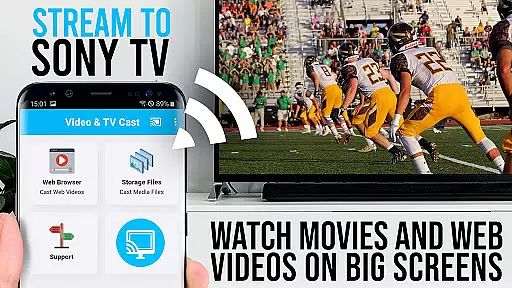
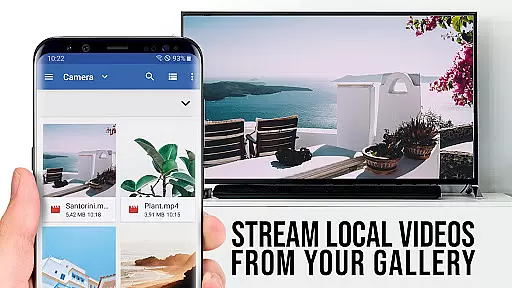


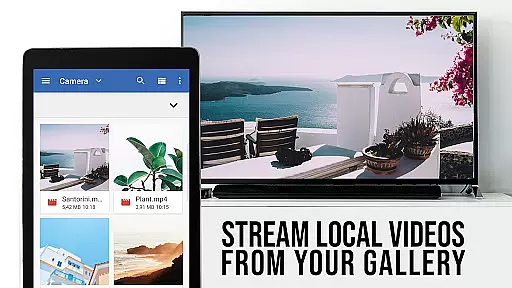

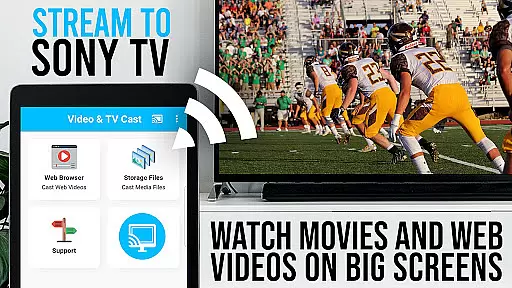


TV Cast Pro for Sony TV is a premier application designed to enhance your streaming experience by enabling you to watch web videos, online movies, livestreams, and live-TV shows directly on your Sony TV. This app stands out as it requires no additional streaming box, supporting formats like mp4, m3u8, hls livestreams, video over https, and Full HD content. It's tailored specifically for Sony TVs equipped with the built-in Video & TV Cast app, offering an unlocked suite of premium features that elevate your viewing pleasure.
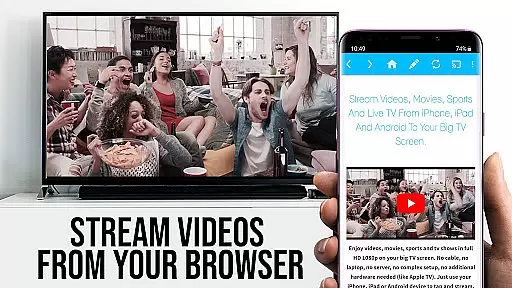
The app facilitates seamless browsing through the web, allowing users to cast or stream any video they desire onto their Sony TV effortlessly. By simply navigating to your preferred website and tapping on the embedded video, the content is swiftly relayed to your television screen. Its compatibility extends across various video formats, ensuring a broad spectrum of media is accessible without hassle.
Whether you're looking to enjoy entertainment from popular streaming services or eager to explore content from lesser-known platforms, TV Cast Pro for Sony TV provides a versatile solution. The app's ability to push video content directly to your Sony TV ensures an immersive viewing experience, making it an ideal choice for those seeking high-quality, direct streaming options on the big screen.
TV Cast Pro for Sony TV boasts an array of sophisticated features crafted to enrich your streaming capabilities. One standout feature is the Remote Playbar, which empowers users with advanced video control functionalities such as video scrubbing, forward, rewind, play, pause, and stop while browsing. This tool significantly enhances user interaction with streamed content, providing a more dynamic viewing experience.
In addition to the Remote Playbar, the app includes an Ad-Blocker alongside a guarantee of no sponsoring ads, ensuring an uninterrupted viewing session by blocking ads and popups on most visited websites. Users can toggle this feature at their convenience within the settings. Furthermore, the Bookmarks feature allows for effortless management of favorite sites, either via the bookmarks menu or directly in the browser, streamlining access to preferred content.
Another remarkable aspect is the Desktop Mode, enabling users to change the browser user-agent to mimic a desktop PC. This functionality loads desktop websites instead of mobile versions, expanding the range of viewable content. While it doesn't support casting Flash videos in desktop mode, it underscores the app's commitment to versatility and user-centric design. Lastly, the option to Change Homepage adds a personalized touch, letting users set their preferred starting page post-purchase.
TV Cast Pro for Sony TV offers extensive video format compatibility, ensuring that users can enjoy a wide range of content without worrying about format support. The app supports popular formats such as Mp4, m3u8, and HLS livestreams, making it versatile for various streaming needs.
With the capability to handle videos over https and Full HD content, this application guarantees high-quality playback on Sony TVs. Users can directly enter or paste the full video URL in the browser address bar to play files in supported formats like mp4 and m3u8, streamlining the casting process.
The importance of video format compatibility cannot be overstated, as it allows seamless streaming from different sources across the web. Whether you're watching web videos, online movies, or live TV shows, having broad format support ensures an uninterrupted viewing experience.
By eliminating the need for an additional streaming box, TV Cast Pro simplifies your setup while maintaining comprehensive format coverage. This means more time enjoying content and less time troubleshooting playback issues, enhancing overall user satisfaction with its efficient and reliable service.
Although TV Cast Pro for Sony TV focuses primarily on streaming and casting web content, it incorporates AI-powered features that enhance the user's ability to manage and control their viewing experience. While not a traditional video editor, these smart functionalities contribute significantly to content accessibility and convenience.
The Remote Playbar is one such feature, allowing users advanced video control while browsing. With capabilities including video scrubbing, forward, rewind, play, pause, and stop, viewers have precise command over their content. This interactive tool mimics some aspects of video editing by enabling real-time adjustments to playback.
Another notable AI-driven aspect is the Ad-Blocker which enhances the viewing experience by blocking ads and popups on most websites visited through the app. By reducing interruptions from unwanted advertisements, users can focus more on their desired content without distractionu2014an intelligent approach akin to curating or editing out unnecessary elements from a video project.
These AI-powered features collectively ensure that users enjoy a streamlined and personalized interface when accessing online media. Such innovations highlight how modern applications integrate artificial intelligence not just for direct content manipulation but also for improving overall usability and viewer engagement within digital environments.
User-friendly interface
Wide format compatibility
No additional hardware needed
Advanced remote controls
Effective ad-blocking
Limited to Sony TVs
Doesn't support all video types
Requires specific TV models
Premium version costly
Occasional connectivity issues

Tik & Story Saver-Download ALL social media videos, photos & reels no watermark.
 4.80
4.80
Snaptubè Video Downloader app allows to download videos and music in Snaptube. .
4.60
Video player with powerful streaming playback and various convenient features.
2.10
Explore the largest library of free GIFs, Stickers & Memes - or create your own!
3.90
Download videos and play them offline
4.70
IPTV Loader, loads your own Playlist. DOES NOT CONTAIN ANY LIST OR CHANNELS
4.60
Add date and time watermark to photos and videos
4.50
Watch IPTV on your Android device
4.60
This app is an emulator of some specific IPTV boxes
3.50
HD video maker with no watermark, no ads & vlog maker with music, PIP, text
4.50
Fast video downloader & private browser. Save HD clips to watch offline.
4.40
Viddo: Generate Action Figure, AI Anime, AI kiss, AI hug Video from image & text
4.40
Browser for Samsung TV to stream webvideos, online movies and livestreams in HD
4.10
AI Video Editor:AI Music, Text to Video,Text to Speech,Auto Caption,Video Effect
4.00
Manage your IPTV live channels and VOD playlists (no playlist included)
3.80
IPTV Player - Watch live TV from m3m & m3u8 playlist, stream IPTV on mobile
3.30
The essential companion to your Blue Iris PC software
2.50
Stream high quality video from your camera over NDI protocol
4.0
Play and download HD videos from all sources — fast, simple, and all-in-one.
4.1


User Reviews