
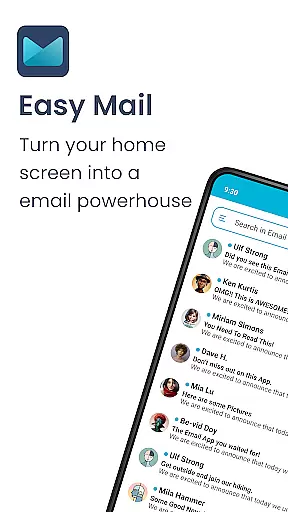
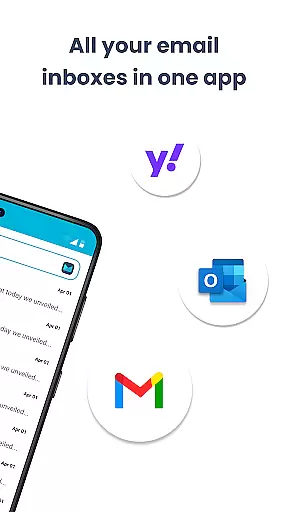
Easy Mail is a productivity-focused email launcher that simplifies your daily communication by bringing emails directly to your homescreen. This app eliminates the clutter of traditional email management, allowing users to handle all their accounts in one unified inbox or switch between them effortlessly. With support for unlimited email providers including Gmail, Outlook, and Yahoo, it ensures comprehensive coverage for both personal and professional correspondence.
The app goes beyond basic email functionality by incorporating AI-powered writing assistance, which helps users craft better emails faster. Its privacy-first approach guarantees that all email data remains local, providing peace of mind for security-conscious users. Easy Mail also integrates essential launcher features like an organized homescreen, quick access app drawer, and widget support, making it a complete solution for streamlining your digital workspace.
Whether you're a busy professional managing multiple accounts or simply looking to reduce screen time while staying on top of your emails, Easy Mail offers a practical solution that enhances productivity without compromising on privacy or usability.
Easy Mail distinguishes itself through its innovative combination of email management and launcher functionalities. The app's homescreen is specifically designed for productivity, featuring a clean interface that keeps your focus on what matters most - your emails. Users can enjoy seamless navigation between their favorite apps and email accounts thanks to the integrated app drawer and customizable homescreen layout.
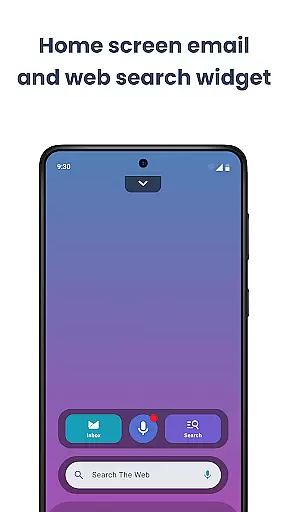
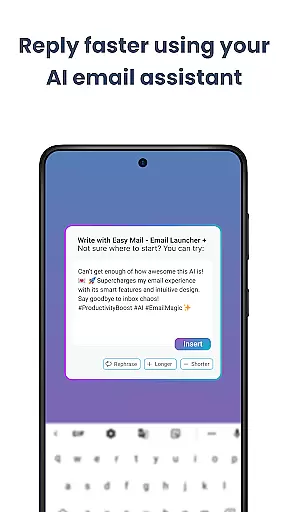
One of the standout features is the AI Email Assistance tool, which revolutionizes how users compose their messages. This intelligent feature suggests rephrasing, shortening, or polishing text while maintaining the writer's natural tone, effectively reducing the time spent on drafting emails. The app also incorporates Easy Web Search powered by Yahoo, enabling users to find information quickly without leaving their email environment.
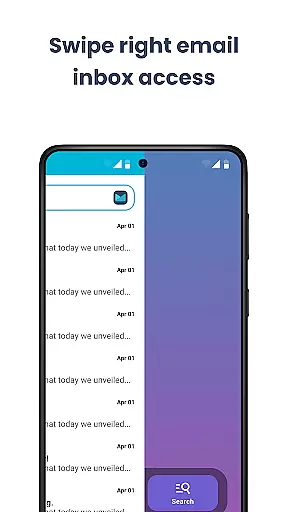
For those concerned about digital privacy, Easy Mail implements a strict privacy-first policy. All email processing occurs locally on the device, ensuring that sensitive information never leaves your control. Additional features include widget support for enhanced customization, a content feed for staying updated with news, and an intuitive swipe-based navigation system that makes managing emails more efficient than ever before.
Customization is at the heart of Easy Mail, offering users a versatile way to tailor their email experience. With a clean homescreen built around productivity, you can organize your email just the way you like it.
The app allows for unlimited email accounts from various providers such as Gmail, Outlook, and Yahoo, which can be managed in a unified inbox or viewed separately. This flexibility ensures that personal or professional accounts remain distinct yet accessible.
Moreover, Easy Mail provides AI Email Assistance, enhancing the ease of drafting emails by helping rephrase, shorten, or polish your messages while retaining your natural tone. This feature adds another layer of customization to suit individual writing styles.
With additional functionalities like an organized app drawer, widget support, and a content feed, Easy Mail delivers a personalized approach to managing digital communication, making it not only focused but also adaptable to each user's unique needs.
Easy Mail doesn't just stop at functionality; it extends its prowess to visual customization through theme compatibility. Users can enjoy a clutter-free homescreen that aligns with their aesthetic preferences, making daily interactions with emails a pleasant experience.
The launcher supports different themes which means whether you prefer a light, dark, or vibrant interface, Easy Mail has got you covered. This enhances readability and reduces eye strain during prolonged use, adapting seamlessly to various lighting conditions.
In addition to visual themes, Easy Mail integrates essential features like quick access to the inbox and apps drawer, ensuring that aesthetic personalization does not come at the cost of usability. The balance between form and function is maintained throughout the application.
By coupling theme options with practical tools such as AI-powered email assistance and easy web search capabilities, Easy Mail guarantees an email management solution that is both visually appealing and highly efficient for its users.
User-friendly interface
AI-powered email assistance
Unlimited account support
Privacy-focused design
Integrated web search
Limited third-party integrations
No advanced filtering options
Occasional sync delays
Basic customization features
Higher learning curve

Beautiful realistic hybrid watch face with numerous customization options.
 4.50
4.50
Fingerprint Lock Screen & Live Animations with 4K Wallpapers as Live Wallpaper
4.40
Themes - Widget & Wallpaper: Customize home screen, icon changer w unique themes
4.30
Wallpaper HD 4K Live - Thousands of high-quality Anime backgrounds for you.
4.80
Ultimate Gallery Lock App - Hide Pictures, Videos and Lock Apps Instantly!
4.60
⭐ OneUI inspired Fluffy Icon Pack – Soft. Stylish. Standout. ⭐
4.1
Organize and manage your photos and videos effortlessly with Photo Gallery
4.20
300+ Beautifully crafted widgets inspired by OneUI.
4.60
Create stunning widgets with Widget 2026: Aesthetic Widgets for Android!
4.60
Nothing Icon pack with more than 3750+ highly crafted icons.
4.70
Stunningly Different look with Line Icons and Neon Colors
4.60
Over 28,000 high quality icons to bring color & homogeneity to your phone.
4.60
3D, live, and moving wallpapers & themes in 4K and HD for your device.
4.50
Turn text & photos into stunning AI videos, art, and creative visual stories.
4.50 4.50
4.50
Launcher OS™ Pro without ads help make your phone simple and pretty
4.30
Transform your phone with stunning video wallpapers and a unique, personal touch
3.80 3.50
3.50
Adorable pets roam and play right on your phone screen!
3.30


User Reviews