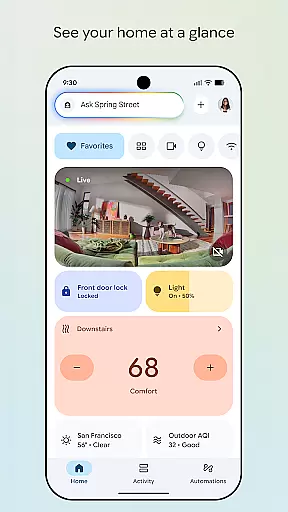
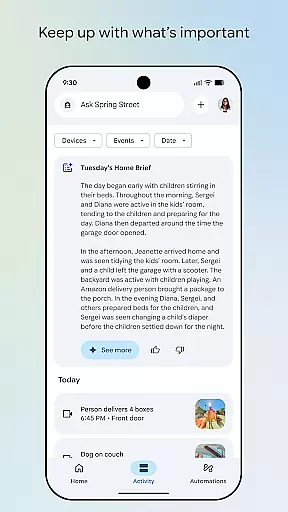
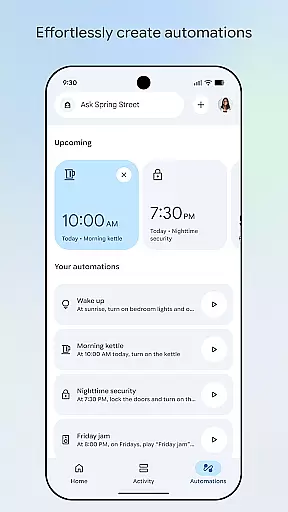

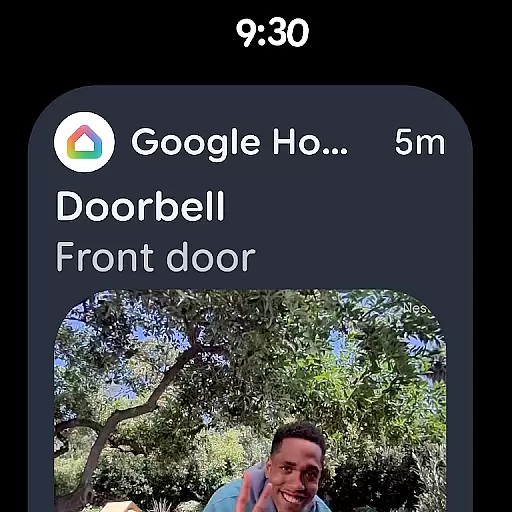
Google Home is a comprehensive smart home management application designed specifically for Android Wear devices. This app allows users to seamlessly control and monitor their connected home devices directly from their smartwatch. With an intuitive interface, users can view real-time updates of their home status, receive notifications for important events, and manage multiple smart devices efficiently.
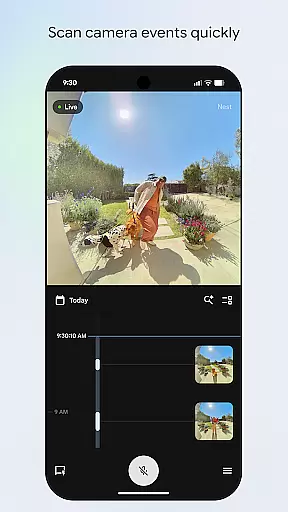
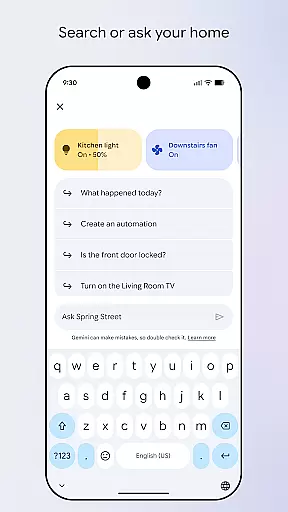
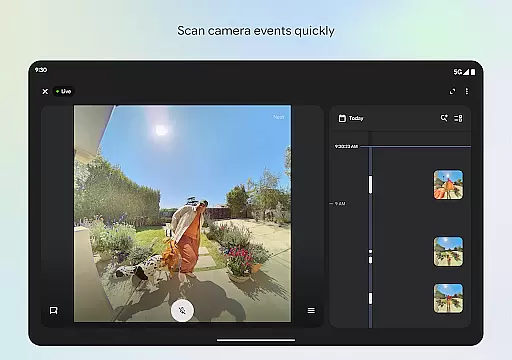
A key feature of Google Home is its ability to provide quick access to camera feeds and event histories, making home security monitoring more convenient than ever. Additionally, the app supports voice commands through Gemini for Home, enabling hands-free control over compatible devices. Whether you're checking in on your home security or adjusting smart home settings, Google Home ensures you stay connected and in control, enhancing both convenience and peace of mind.
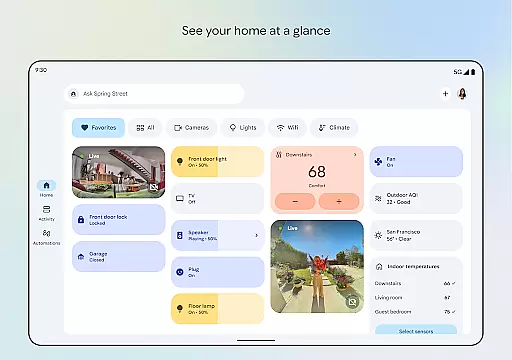
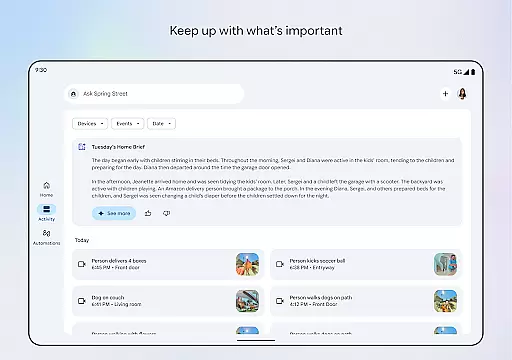
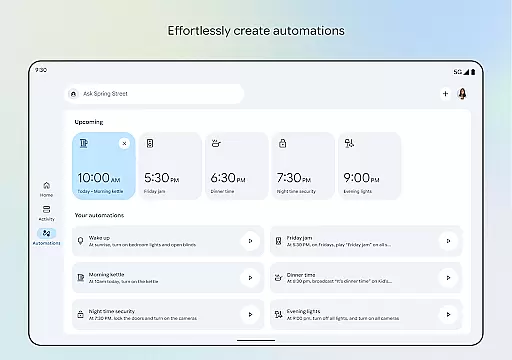
Google Home stands out with its advanced features tailored for smart home enthusiasts. One of the primary functionalities includes the ability to organize devices into customizable dashboards, allowing for streamlined navigation and efficient management of home settings. The updated design emphasizes user-friendly interactions, ensuring that even novice users can easily operate their smart devices.
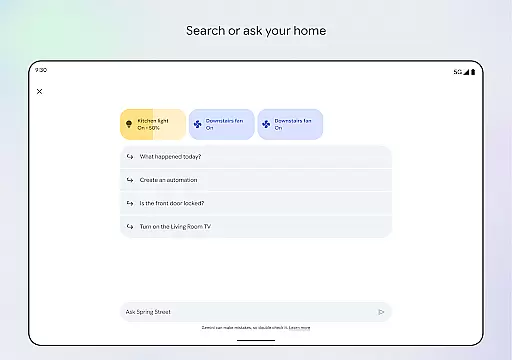
Another notable feature is the enhanced camera interface, which provides quick scanning of live views and past events. This functionality not only simplifies the process of monitoring home security but also offers detailed insights into specific occurrences. Furthermore, integration with Gemini for Home enables users to execute commands via natural language processing, significantly improving accessibility and interaction quality. These innovative features collectively contribute to a smarter, more responsive home environment.
Companion app integration is crucial for wearable devices as it ensures seamless connectivity between the main application and its wearable counterpart. Google Home excels in this area by offering real-time synchronization with Android Wear devices.
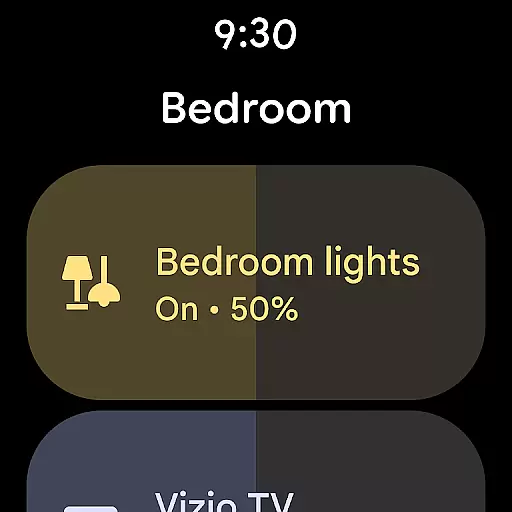
The app provides users with instant access to their home's status directly from their smartwatch. This includes notifications about security systems, thermostat settings, and even camera feeds, all optimized for quick viewing on a smaller screen.
By leveraging the capabilities of Android Wear, Google Home allows users to control smart home devices using voice commands through Gemini for Home. This feature enables hands-free operation, making it convenient to adjust lighting or check door locks while on the go.
The integration also supports customizable watch faces that display relevant home information at a glance, enhancing the overall user experience without compromising on functionality or battery life.
Device compatibility is essential for ensuring that applications run smoothly across various hardware configurations. Google Home offers extensive support for Wear OS devices, guaranteeing a consistent experience regardless of the specific model used.
This compatibility extends beyond mere installation; it encompasses full feature functionality, including live camera views and device controls, which are optimized for Wear OS interfaces. Users can expect high performance and reliability when interacting with their smart homes via Google Home on any supported wearable device.
Moreover, regular updates ensure that new Wear OS features are incorporated into the Google Home ecosystem promptly. This commitment to ongoing improvement helps maintain system stability and security while introducing innovative ways to interact with smart home technology.
With broad device compatibility, Google Home empowers users to choose from a wide range of wearables without worrying about losing access to critical home management tools, thus enhancing both convenience and peace of mind.
User-friendly interface
Voice command support
Real-time updates
Customizable dashboards
Enhanced security monitoring
Limited device compatibility
Region-specific features
Potential connectivity issues
Requires Android Wear
Advanced features need subscription

Embrace the holiday spirit with this magical animated watch face!
 4.40
4.40
Precision analog watch face with 7 complications and style options
4.4
Wear Os Watch Face - Animated Snow Effect & Magic Spark - 6 Scenes
4.10
Locate your family members by GPS phone location tracker everywhere and anytime
4.30
Professional weather radar and more
3.90
Stylish, Energizing and Modern Watch Face crafted by Dominus Mathias.
4.50
Retro digital watch face with customizable colors and a unique lighting effect
4.60
Daily Weather forecast with 15 weather images for Day & Night plus Big Bold time
4.10
Start and succeed with PAP
4.10
Period, ovulation & pregnancy tracker. Fertility insights & menstrual calendar.
4.90
WTW M17 is a premium and luxurious hybrid watch face
4.70
Kia Access makes getting your vehicle information easier than ever
4.60
Deck out your Wear OS Watch face with a beautifully decorated pine wreath!
4.50
Ideal for surviving in the wasteland left after nuclear fallout
4.50
Let's celebrate Thanksgiving - Wear Os watch face
4.20
A full-featured Amazon Alexa voice assistant that can show you things.
3.70
an Analog Watch Face for winter season with freeze winter background for Wear OS
4.4
Christmas is near, let's count together the days left until Santa comes
4.2
A heartwarming Christmas scene featuring a cute image of Santa and Rudolf
4.5


User Reviews