
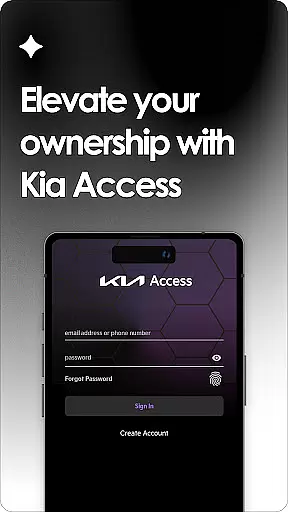
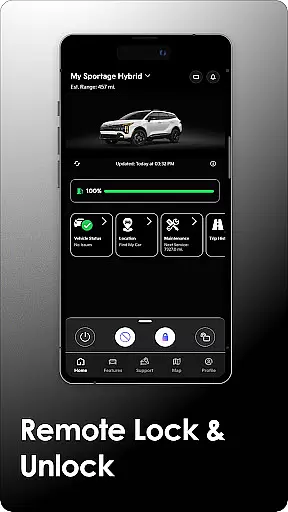
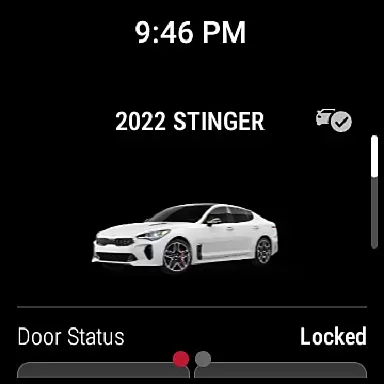
Kia Access is the official owner's app from Kia America, Inc., designed to provide seamless access to vehicle information and services. The app combines the benefits of the Kia Owner’s Portal with convenient features of Kia Connect (formerly UVO link), making it easier than ever to manage your vehicle directly from your smartphone or Wear OS device.
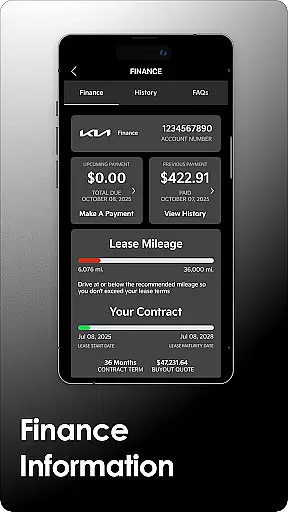
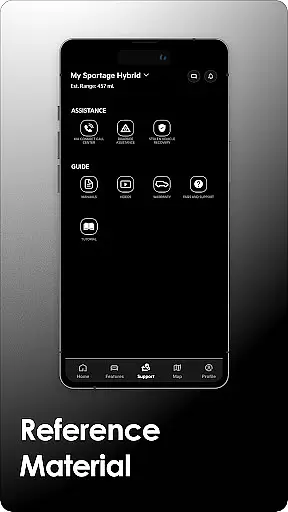
With Kia Access, users can view their Owner’s Manual, access quick guides, videos, warranty details, and check payment information if financed through Kia Motors Finance. For vehicles equipped with Kia Connect, additional remote features include locking/unlocking doors, locating the car, setting cabin temperature, and monitoring vehicle health. Plug-in hybrid and electric vehicles gain access to battery status, driving range estimates, and charging station locators.
This app is ideal for modern Kia owners who want to streamline vehicle management and access key functionalities on the go. By integrating essential tools into a single platform, Kia Access enhances convenience while ensuring important vehicle data is always at your fingertips.
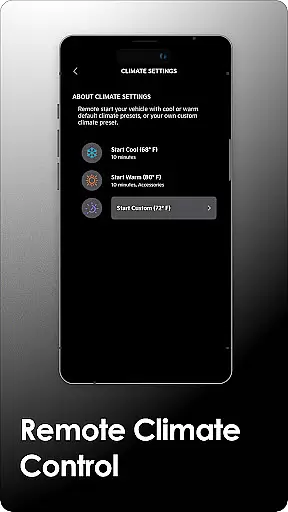
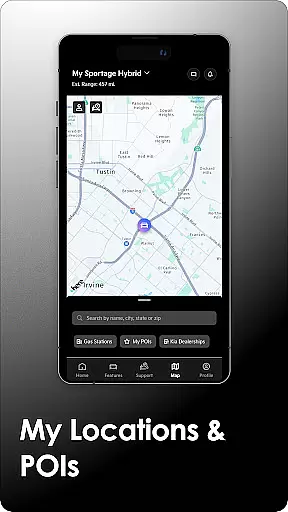
Kia Access offers an extensive range of features tailored to enhance vehicle ownership. One standout capability is its integration with Kia Connect, which allows remote interaction with compatible vehicles. Users can lock/unlock doors, initiate horn and light commands, locate their vehicle on a map, and even pre-condition the cabin temperature—all from their mobile device.
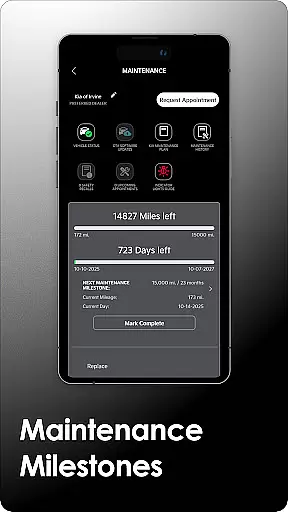
For electric and plug-in hybrid models, Kia Access provides specialized tools such as real-time battery status updates, estimated driving range, and nearby charging station locations. These features are particularly valuable for eco-conscious drivers managing energy consumption efficiently. Additionally, the app delivers maintenance milestones, vehicle health reports, and navigation support by sending destinations directly to the car’s system.
The inclusion of quick guides, video tutorials, and warranty information further enriches the user experience. Available on both smartphones and Wear OS devices, Kia Access ensures that critical vehicle controls and resources remain accessible anytime, anywhere, enhancing overall convenience and peace of mind.
Companion app integration is a crucial feature for smart devices, ensuring seamless connectivity between wearables and smartphones. Kia Access excels in this area by providing users with the ability to control and monitor their vehicles directly from their Wear OS devices.
The app offers a comprehensive suite of features that sync perfectly with its mobile counterpart. Users can receive important vehicle notifications, such as maintenance alerts and health reports, straight to their smartwatches. This ensures that owners are always informed about their vehicle's status without needing to check their phones constantly.
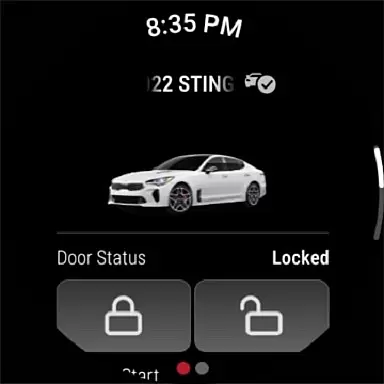
Additionally, Kia Access allows for remote commands through the companion app. Whether it's locking/unlocking doors, initiating horn and light commands, or finding the car's location, these actions can be performed effortlessly from a linked wearable device. This level of integration enhances convenience and accessibility, making vehicle management more efficient.
By leveraging the power of companion app integration, Kia Access delivers an interconnected experience that simplifies vehicle ownership. The ability to interact with your car via a smartwatch not only adds a layer of sophistication but also significantly improves the overall user experience.
Wear OS/device compatibility is essential for ensuring that applications function correctly across various wearable devices. Kia Access has been optimized to work seamlessly with Wear OS, providing users with a reliable and consistent experience regardless of their chosen smartwatch brand.
The app supports a wide range of Wear OS devices, allowing users to access key vehicle information and services directly from their wrists. This broad compatibility means that whether you own a Samsung, Fossil, or any other Wear OS-powered watch, you can enjoy the full benefits of Kia Access without worrying about device limitations.
Moreover, Kia Access takes advantage of Wear OS's robust ecosystem to deliver enhanced functionality. Features like sending locations to the vehicleu2019s navigation system and remotely setting the caru2019s cabin temperature are readily available on supported devices. This ensures that users have access to critical controls whenever they need them.
With its focus on Wear OS/device compatibility, Kia Access guarantees that users can take full advantage of their wearable technology. By ensuring that all features work harmoniously across different devices, Kia provides a versatile and future-proof solution for modern vehicle owners.
User-friendly interface
Comprehensive vehicle control
Remote climate management
Real-time battery monitoring
Convenient Wear OS support
Limited to Kia vehicles
Subscription required
Dependent on cellular coverage
No offline functionality
Feature restrictions by model

Animated Watch Face and Customizable with 24 Backgrounds. Perfect for Christmas!
 3.90
3.90
Analog watch face with 8 complications and expedition styling
4.0
Be an elegant and classy secret agent, with this carefully detailed watch face
4.70
Bold, Modern Hybrid Watch Face for Wear OS. 10 Colors, Rich Info Display.
4.30
Ideal for surviving in the wasteland left after nuclear fallout
4.50
Professional weather radar and more
3.90
The most customizable hybrid watch face. For Wear OS 5.0, API 34+ and later
4.70
Simple, helpful messaging by Google
4.60
Spam call blocker and caller ID for automatic call protection!
4.40
Gym Log & Workout Tracker | Fitness Journal, Training & Weight Lifting Planner
4.90
WTW M17 is a premium and luxurious hybrid watch face
4.70
Embrace the holiday spirit with this magical animated watch face!
4.40
Find EV charging stations
4.30
The ultimate destination for kids ages 3-8 to explore the Marvel Universe!
4.30
A customizable Christmas watch face for Wear OS with a countdown.
4.20
Watch face for Wear OS.
4.20
A digital watch face that celebrates Christmas.
4.00
Get helpful reminders, take progress photos and find answers to your questions.
3.90
Fitness interactive virtual pet super fighter boy watch face
4.3


User Reviews