
My Invisalign is a comprehensive application designed specifically for users of the Invisalign clear aligner system, which is widely recognized as one of the most advanced teeth straightening solutions available. The app serves as an all-in-one platform that supports both prospective and current Invisalign patients throughout their smile transformation journey.
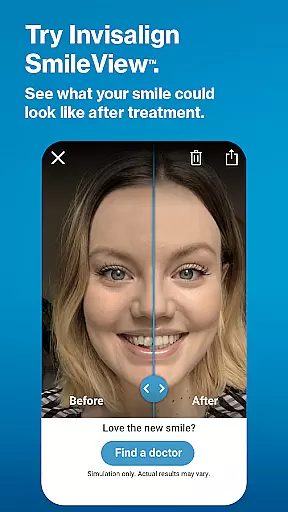
For those considering Invisalign treatment, the app offers educational resources about the benefits of clear aligners, a SmileView simulation tool to preview potential results, and assistance in scheduling consultations with nearby dental professionals. Current Invisalign wearers can utilize the app to monitor their progress through various tracking features, manage their treatment schedules, and communicate with their dentists via telehealth functionalities. By integrating with Wear OS devices, My Invisalign also provides convenient access to aligner tracking directly from a smartwatch.
This app is particularly useful for individuals who are actively undergoing orthodontic treatment, as it helps them stay compliant with their prescribed wear schedule and engaged with their ongoing care plan. With personalized tools and interactive features, My Invisalign enhances the overall patient experience by providing support, motivation, and a sense of accomplishment as users work towards achieving their ideal smiles.
My Invisalign boasts a variety of sophisticated features tailored to enhance the user's orthodontic treatment experience. One of its standout capabilities is the SmileView simulation tool, which allows users to visualize their potential new smile before committing to treatment. This feature not only educates but also excites users about the possibilities of orthodontic correction.
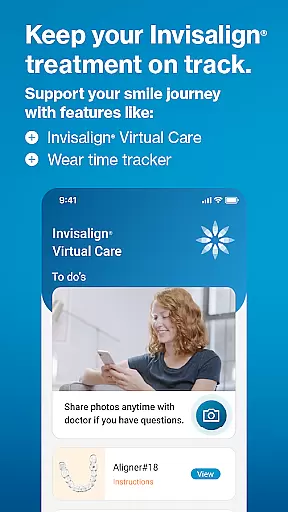
For patients already undergoing treatment, the app provides several practical tools such as ClinCheck treatment plan viewing (upon doctor's invitation), virtual care consultations, wear-time tracking, and customizable treatment calendars. These features collectively ensure that users remain on track with their treatment milestones while maintaining open lines of communication with their healthcare providers. Additionally, the integration with Wear OS enables seamless monitoring of aligner wear time directly from a smartwatch, adding another layer of convenience and accessibility.
The combination of educational content, progress tracking, and telehealth services makes My Invisalign a powerful companion for anyone embarking on or continuing their Invisalign journey. By offering these innovative tools, the app significantly contributes to improving treatment adherence, enhancing patient-doctor interactions, and ultimately facilitating successful orthodontic outcomes.
Companion app integration is crucial for users who want a seamless experience between their mobile devices and wearables. The My Invisalign app excels in this area by providing a robust connection with Wear OS devices.
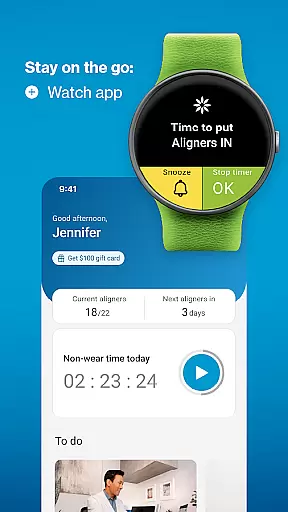
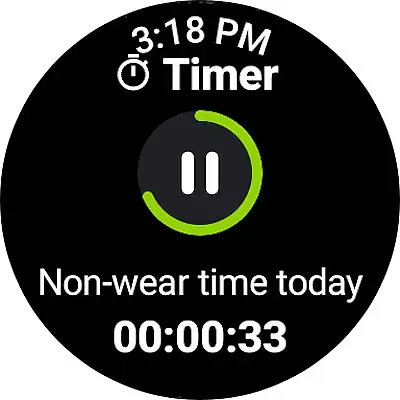
Through this integration, users can access the custom aligner tracker directly on their smartwatches. This feature allows for convenient monitoring of wear-time progress without needing to reach for a phone, promoting better treatment adherence.
The synchronization between the phone and watch ensures that all data is up-to-date and consistent across devices. Users can trust that their treatment information, such as daily aligner wearing time and notifications for aligner changes, is accurately reflected on both platforms.
This level of companion app integration enhances user engagement by offering flexibility and accessibility, making it easier for patients to stay committed to their Invisalign journey.
Ensuring compatibility with Wear OS and various devices is essential for delivering a versatile user experience. The My Invisalign app supports a wide range of Wear OS devices, allowing users to connect their smartwatches effortlessly.
By supporting multiple devices, the app provides flexibility for users to choose the wearable that best fits their lifestyle while still benefiting from the app's features. Whether tracking wear-time or receiving notifications, users can rely on consistent performance across different devices.
The app's design prioritizes smooth functionality and responsiveness on Wear OS, ensuring that interactions are intuitive and reliable. This compatibility extends the app's utility beyond smartphones, integrating treatment management into users' daily routines.
Ultimately, the broad device compatibility of the My Invisalign app empowers users to manage their orthodontic treatment conveniently and effectively, regardless of their chosen wearable technology.
User-friendly interface
Comprehensive progress tracking
Virtual care consultations
Customizable treatment calendar
Integration with Wear OS
Limited to Invisalign patients
Some features require doctor's invitation
Premium features may incur additional costs
Dependent on device compatibility
Requires consistent user engagement

A customizable Christmas watch face for Wear OS with a countdown.
 4.20
4.20
Precision analog watch face with 7 complications and style options
4.3
A Wintery Snow Globe on Your Wrist; now celebrating Christmas!
4.4
Let's celebrate Thanksgiving - Wear Os watch face
4.20
Your second brain for organizing your life: to-do, calendar, reminder.
4.70
Professional weather radar and more
3.90
Minimalistic design modern digital watch face.
4.2
A realistic hybrid watch face with many customization options.
4.60
Your local weather forecast, storm tracker, radar maps & live weather news
3.40
WTW M17 is a premium and luxurious hybrid watch face
4.70
Beautiful artistic animated digital watch face, with a customizable layout!
4.40
The ultimate destination for kids ages 3-8 to explore the Marvel Universe!
4.30
Calming & relaxing sounds for sleeping and stress relief. Stay focused all day!
4.20
"PER27 Galaxy Digital" is a digital Wear OS watch face designed by PERSONA
4.10
Daily Weather forecast with 15 weather images for Day & Night plus Big Bold time
4.10
The #1 source of faces for your smartwatch!
4.00
Stay in touch with your friends and family using LINE!
3.40
Watch face designed for Thanksgiving Day. 7 Background Styles included.
3.20
Simple Analog-Digital Watchface For Wear OS 3.0 and Up Smartwatches
4.1


User Reviews