
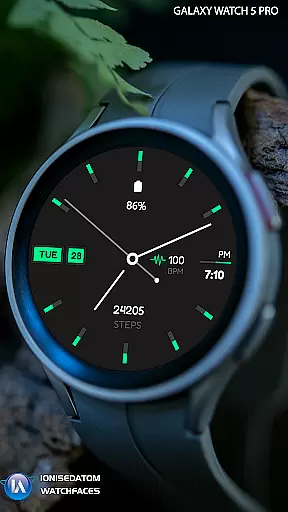
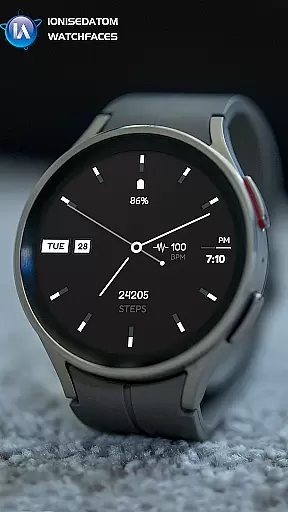
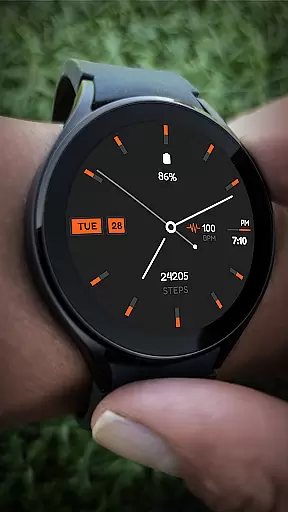
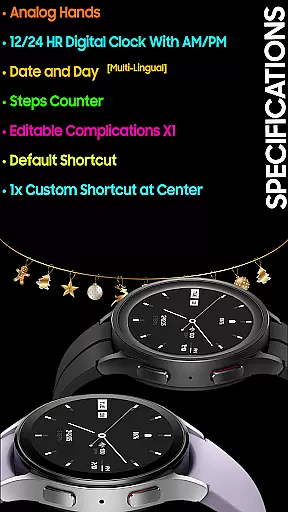
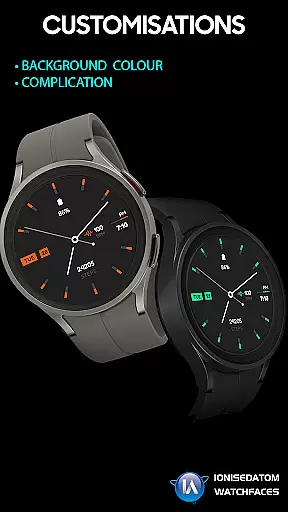
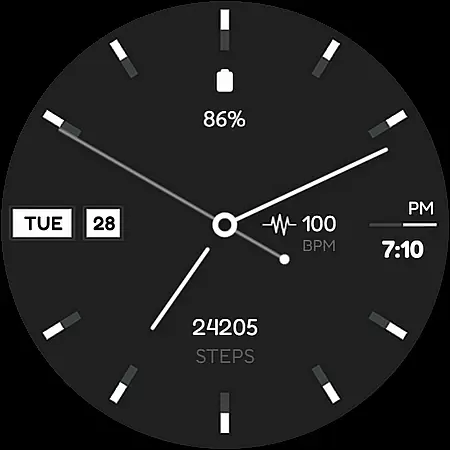
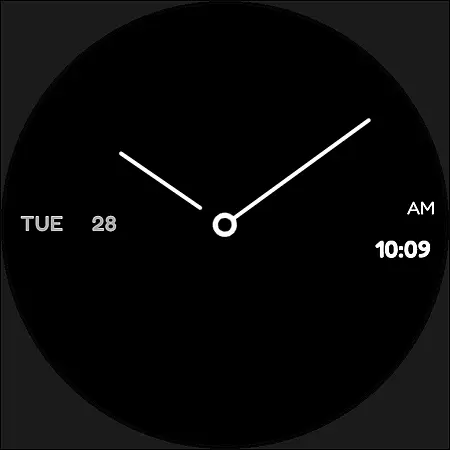
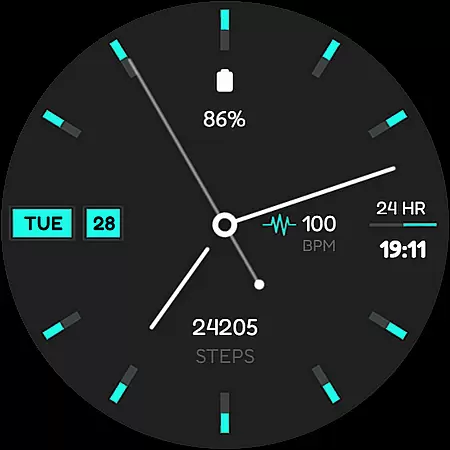
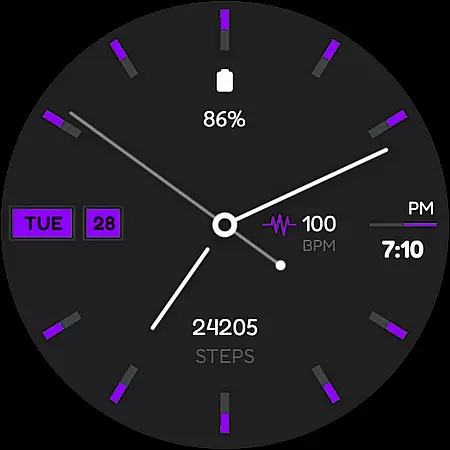
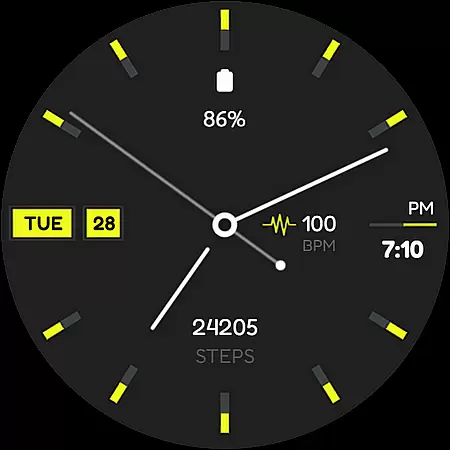
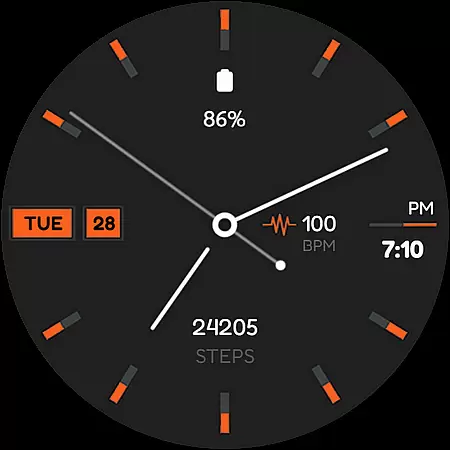
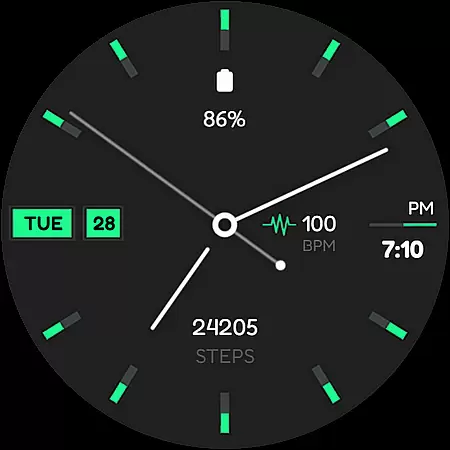
Minima 4 Minimal Watchface is a hybrid analog-digital watch face designed for Wear OS 3.0 and above devices. This versatile watch face combines traditional analog hands with modern digital features, offering users the best of both worlds. The interface includes a 12/24 hour digital clock with AM/PM display, date and day in multiple languages, and a step counter to track daily activity.
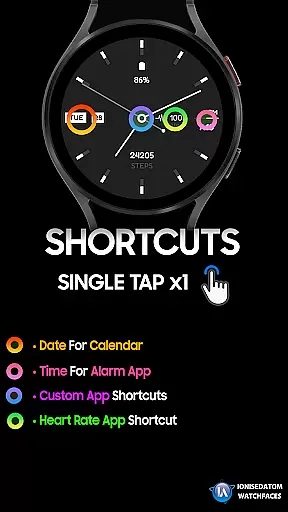
One of the key highlights of Minima 4 is its customizable complications and shortcuts. Users can edit one complication and set default shortcuts, including a custom shortcut at the center of the watch face. Despite occasional continuity bugs with payments, simple fixes like restarting the Play Store app usually resolve the issue. Compatible with Galaxy Watch 4/5/6 series, this watch face can be easily applied through the Galaxy Wearable app's Downloads section.
Minima 4 stands out with its unique combination of analog and digital elements. The watch face features traditional analog hands alongside a digital clock that supports both 12-hour and 24-hour formats with AM/PM indicators. It also displays the current date and day in multiple languages, making it suitable for international users. The inclusion of a step counter provides essential fitness tracking capabilities directly on your wrist.
The customization options are another major feature of Minima 4. Users can modify one complication to display their preferred information and set up useful shortcuts. A particularly innovative aspect is the ability to create a custom shortcut at the center of the watch face, allowing quick access to frequently used functions. While some users might encounter payment verification issues when applying the watch face, following the recommended troubleshooting steps typically resolves these problems quickly.
For Minima 4 Minimal Watchface, seamless companion app integration is crucial for a unified experience. This watch face is designed specifically for Wear OS 3.0 and above, ensuring that users can easily sync and interact with their smartphone apps. The connection between the wearable and the phone app allows for real-time updates of information such as steps, date, time, and shortcuts.
The process to apply the watch face involves locating it within the 'Downloads' category in the Galaxy Wearable app on your phone. This shows how essential the role of the companion app is, not only for applying the watch face but also for maintaining its functionalities. If issues arise, like being asked to pay again, fully closing and reopening the Play Store apps on both devices usually resolves this continuity bug.
By leveraging the capabilities of the companion app, Minima 4 ensures that all features are editable and customizable. Users can set up complications and shortcuts directly from their smartphones, providing a hassle-free configuration process. This level of integration highlights the importance of a reliable companion app in maximizing the utility and personalization options available on advanced hybrid watch faces.
Minima 4 Minimal Watchface boasts extensive compatibility with Wear OS 3.0 and above (API 28+), making it accessible to a wide range of smartwatch users. This compatibility ensures that whether you own a Galaxy Watch 4, 5, or 6, you can enjoy the sleek analog-digital hybrid design tailored for modern smartwatches. Ensuring broad device support enhances user accessibility and satisfaction.
One notable feature is the multi-lingual support for displaying the date and day, accommodating diverse user bases worldwide. Additionally, practical functionalities such as an editable complication and default shortcuts are optimized for these devices, allowing users to personalize their watch faces according to their preferences. Such comprehensive optimization underscores the meticulous attention to detail in achieving high compatibility standards.
Should any technical glitches occur, such as prompts for repurchase, simple troubleshooting steps are recommended. These include fully exiting and restarting related apps on both the phone and watch. By adhering to these guidelines, users can maintain smooth operations across their devices, reinforcing the necessity of robust Wear OS and device compatibility for uninterrupted service.
User-friendly design
Customizable complications
Multilingual support
Fitness tracking integration
Hybrid analog-digital display
Occasional payment bugs
Limited to Wear OS 3.0+
Single complication slot
Default shortcuts only
Galaxy Watch specific

Rose gold watch face with festive lights & customizable features.
 4.60
4.60
A full-featured Amazon Alexa voice assistant that can show you things.
3.70
Embrace the festive spirit with our Christmas Countdown watchface for Wear OS
4.10
Contemporary digital watch face with five complications
4.5
Hyperlocal rain alerts by MyRadar using patent-pending technology, radar & more
4.80
Locate your family members by GPS phone location tracker everywhere and anytime
4.30
Stay in touch with your friends and family using LINE!
3.40
Funny animated watch face for Thanksgiving
4.1
A realistic hybrid watch face with many customization options.
4.60
Christmas - Festive - Christmas Village - Winter - Christmas lights
5.00
Digital, flexibly customizable watch face. For Wear OS 5.0, API 34+ and later.
5.00
Real-time weather radar with temperatures, warnings, hurricanes, and widgets
4.80
Diet tracker for weight loss - track calories, food and macros. Simple and easy!
4.70
Monitor health with the stress test and pulse checker in the heart rate app.
4.60
Retro digital watch face with customizable colors and a unique lighting effect
4.60
Find EV charging stations
4.30
Watch face for Wear OS.
4.20
Animated video-game inspired “secret agent” simulation, right on your wrist!
4.20
Minimalistic design modern digital watch face.
4.4


User Reviews