
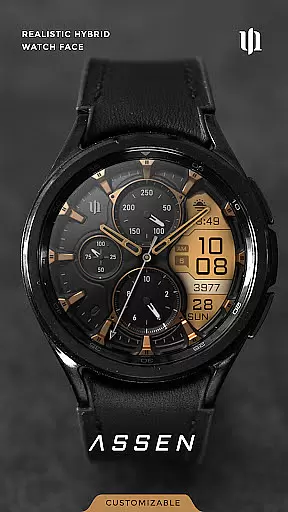
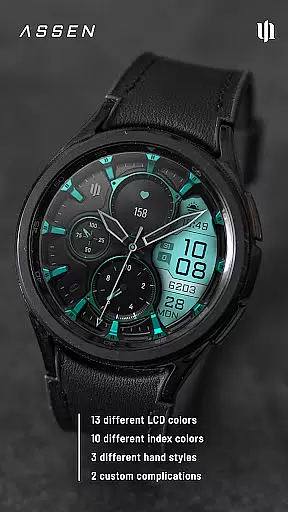
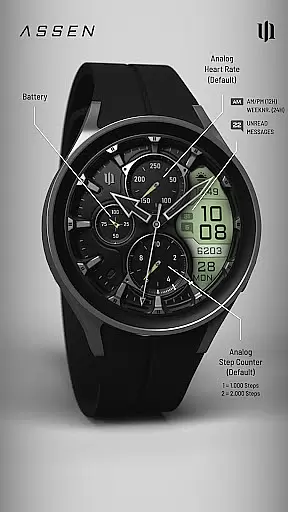
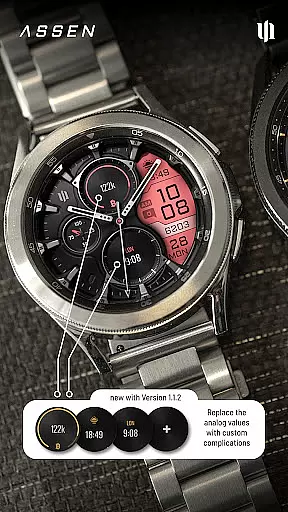
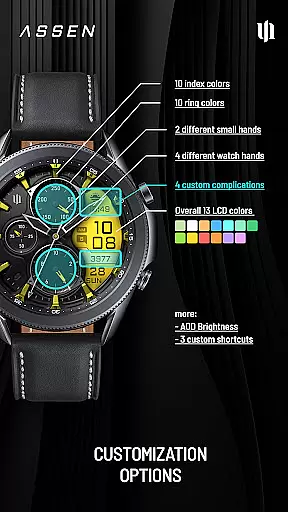
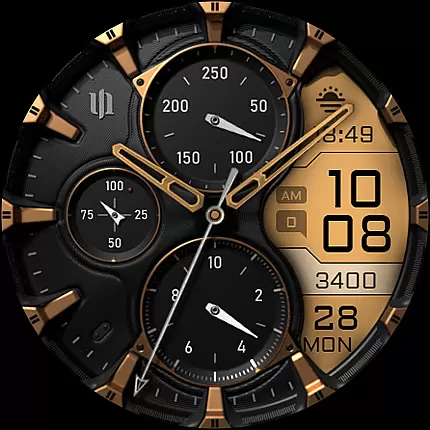
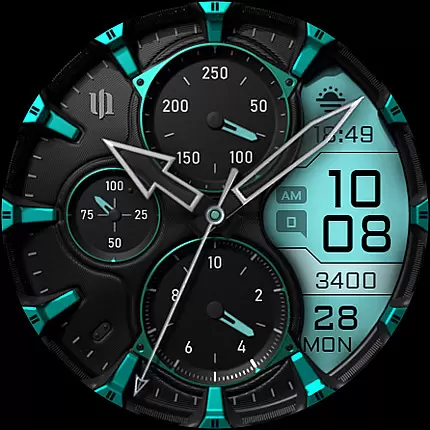
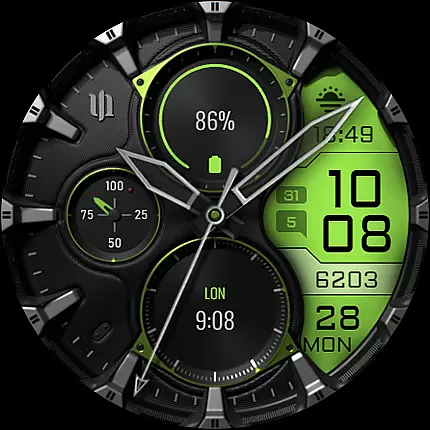
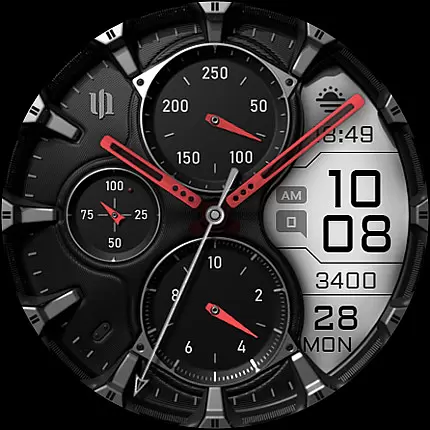
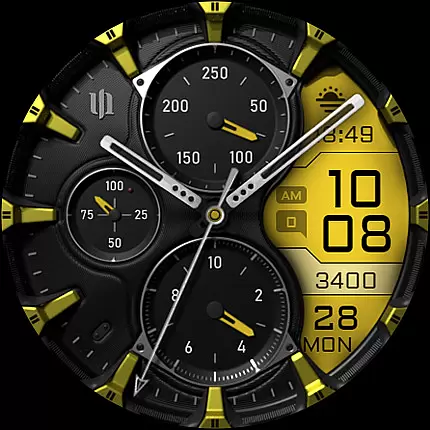
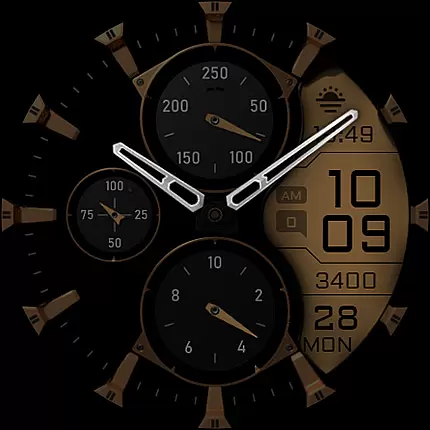
S4U Assen is a premium Wear OS watch face that combines realistic analog design with practical digital elements. Featuring a hybrid dial, it displays time, steps, heart rate, calendar details, unread messages, and customizable complications. With 13 LCD colors, 10 index colors, and multiple customization options for hands, complications, and shortcuts, users can tailor the watch face to their preferences.
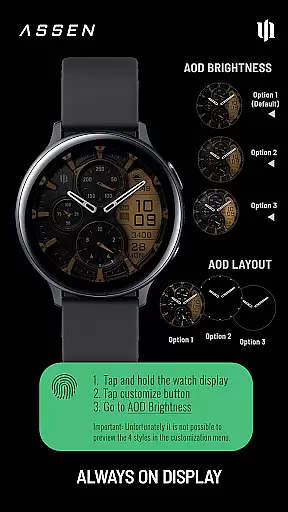
This app supports smartwatches running Wear OS 4 or higher, including Samsung Galaxy Watch series and Google Pixel Watch models. The Always-On Display (AOD) offers three brightness levels and a minimal layout option, ensuring both functionality and battery efficiency. Whether you're tracking fitness goals or staying organized, S4U Assen enhances your wearable experience with style and utility.
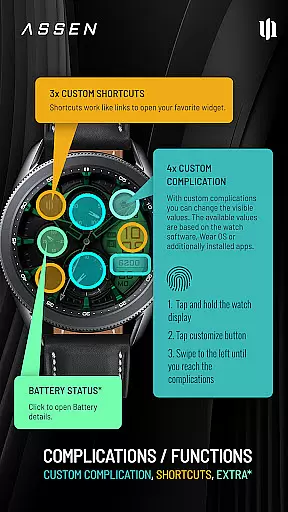
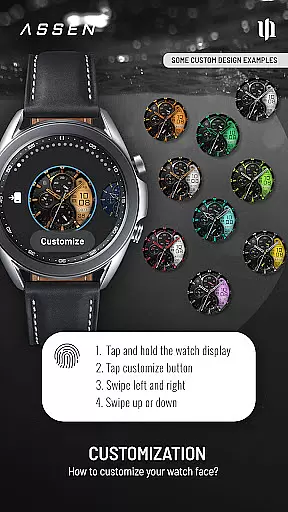
S4U Assen stands out with its extensive customization capabilities. Users can personalize the watch face by selecting from 30 themes, adjusting LCD and index colors, and choosing from four clock hand styles. The app also provides four custom complications and three app shortcuts, allowing quick access to favorite widgets and displaying user-defined data such as weather, fitness stats, or notifications.
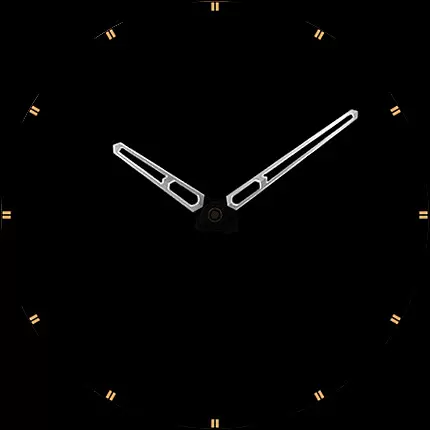
The Always-On Display (AOD) ensures essential information remains visible at all times, with adjustable brightness levels to balance visibility and battery life. Additionally, features like tap-to-open battery details enhance usability. Designed for Wear OS 4 and above, this app is optimized for Samsung Galaxy Watch and Google Pixel Watch devices, offering a seamless blend of aesthetics and functionality tailored to tech-savvy users.
Companion app integration is essential for a seamless Wear OS experience. The S4U Assen watch face offers robust companion app support, ensuring that users can easily manage settings and troubleshoot any issues.
The companion app provided with your purchase allows you to follow specific steps in the Install/Issues section if you encounter problems during installation or downloading. This ensures that even if initial setup challenges arise, you have immediate access to solutions without needing to search elsewhere.
Through the companion app, users can customize their watch face extensively. Options include adjusting colors, hands, complications, and AOD brightness levels. This level of customization ensures that each user's watch face is uniquely tailored to their preferences.
For further assistance, direct support is available via email at wear@s4u-watches.com. This comprehensive support system enhances user satisfaction by providing multiple avenues for help and customization.
Ensuring compatibility with various devices is crucial for maximizing user accessibility. The S4U Assen watch face supports smartwatches running Wear OS 4 or higher (Wear OS API 33+), making it versatile across several high-end models.
Compatible devices include popular models such as Samsung Galaxy Watch 4, 5, 6, 7, 7 Ultra, and Google Pixel Watch 1u20133. This wide range of supported devices guarantees that many users can enjoy the realistic analog-digital hybrid design elements.
Additionally, the watch face features extensive customization options, including color schemes, hands styles, and complications. These features are accessible on all compatible devices, ensuring a consistent and personalized user experience regardless of the specific model used.
Users should note that some functionalities like Always-On Display (AOD) may affect battery life depending on individual smartwatch settings. Despite this, the overall compatibility and feature set make the S4U Assen a valuable addition to any Wear OS device.
Highly customizable
Realistic analog design
Supports Wear OS 4+
Always-On Display
User-friendly interface
Not compatible with older Wear OS
Battery consumption on AOD
Limited to specific devices
Premium features may require payment
Complex for beginners

Wear Os Watch Face - Animated Snow Effect & Christmas Lights
 4.0
4.0
A heartwarming Christmas scene featuring a cute image of Santa and Rudolf
4.5
Simple Analog-Digital Watchface For Wear OS 3.0 and Up Smartwatches
4.4
Watch face for Wear OS.
4.20
Digital, flexibly customizable watch face. For Wear OS 5.0, API 34+ and later.
5.00
Digital watch face. For Wear OS devices.
4.40
Fitness interactive virtual pet super fighter boy watch face
4.4
Ideal for surviving in the wasteland left after nuclear fallout
4.50
Period, ovulation & pregnancy tracker. Fertility insights & menstrual calendar.
4.90
Real-time weather radar with temperatures, warnings, hurricanes, and widgets
4.80
A modern premium sporty hybrid watch face for Wear OS by Ballozi
4.70
Highly customizable hybrid watch face for Wear OS, perfect for everyday use.
4.60
Fast and smart typing with Emojis, GIFs, and more
4.50
Premium hybrid watch face with many customizations for Wear OS devices.
4.40
A digital watch face that celebrates Christmas.
4.00
Viewer for Wyze/Yi/Eufy/Arlo/ONVIF/RTSP/P2P IP cams w/ adv. features & DIY DVR
4.00
Animated Watch Face and Customizable with 24 Backgrounds. Perfect for Christmas!
3.90
Precision analog watch face with 7 complications and style options
4.1
A Wintery Snow Globe on Your Wrist; now celebrating Christmas!
4.4


User Reviews