
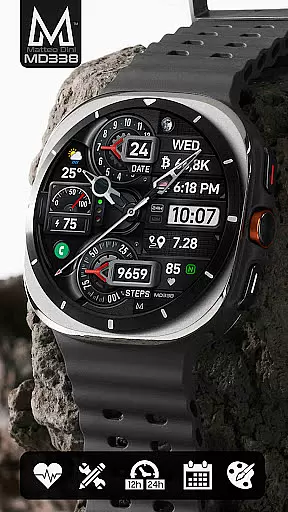
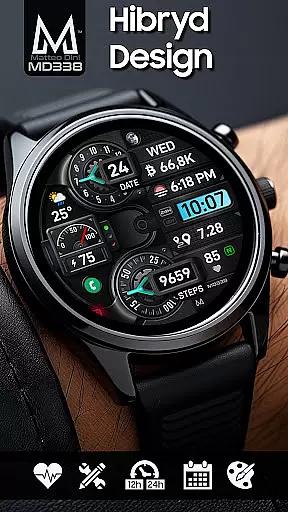
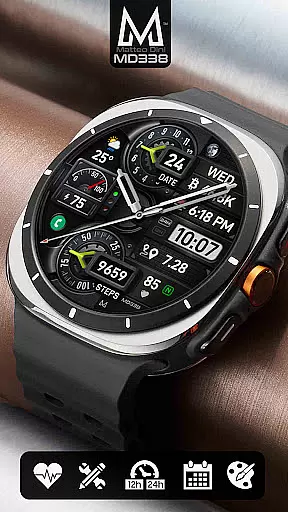
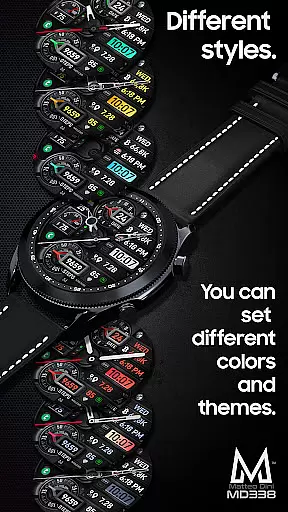
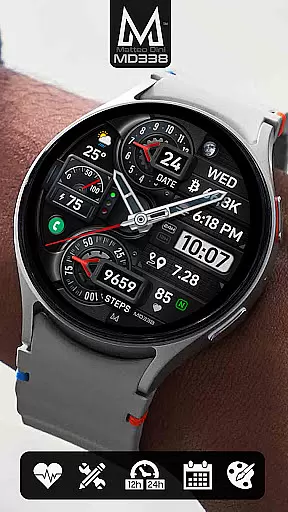
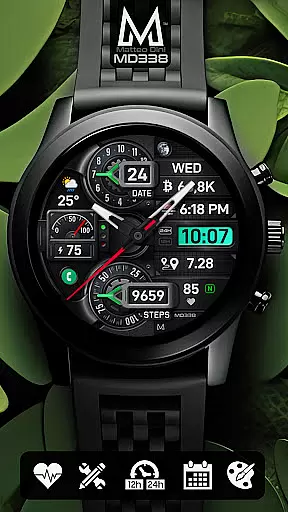
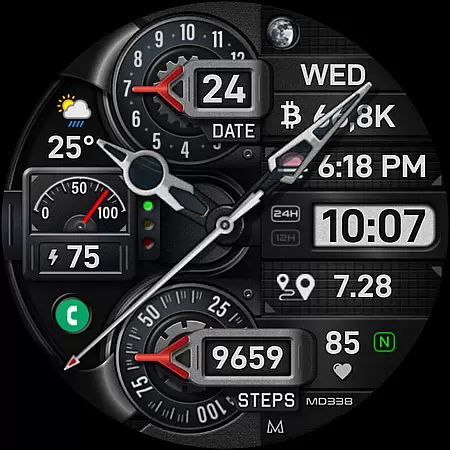
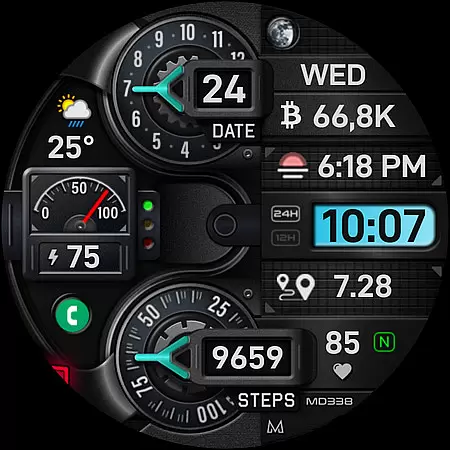
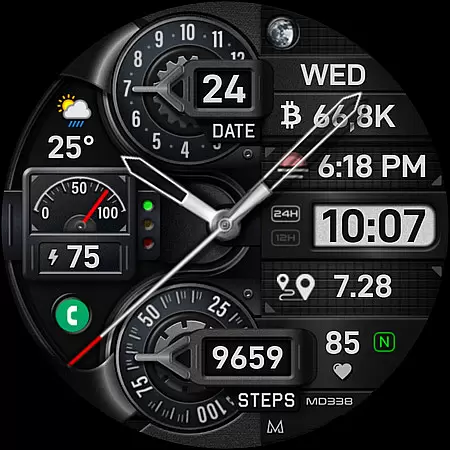
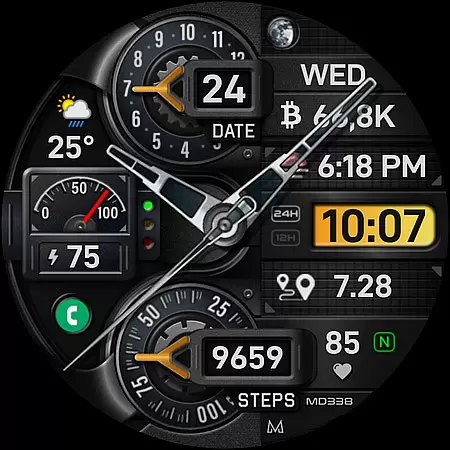
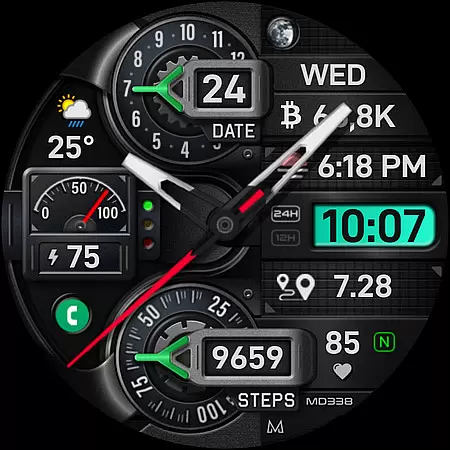
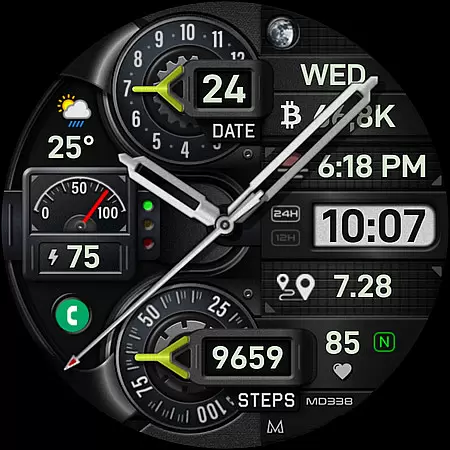
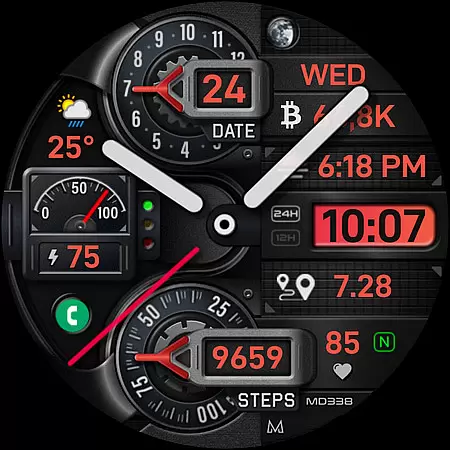
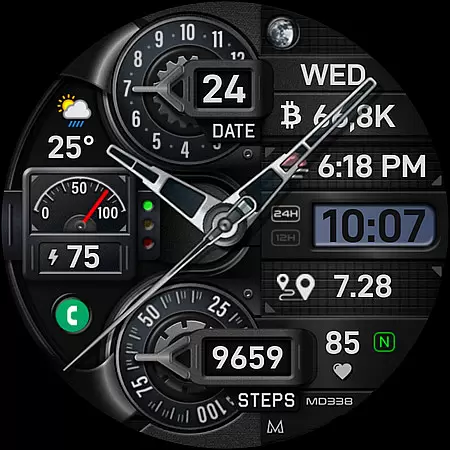
MD338 Hybrid watch face represents the latest innovation in wearable technology, designed specifically for Android Wear devices. This advanced watch face format offers users an unprecedented level of customization and functionality, making it a standout choice for those seeking both style and utility on their smartwatches.
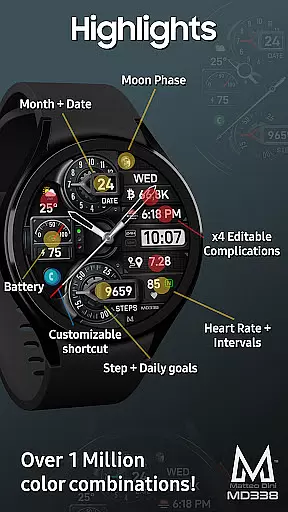
Key features include 4 preset app shortcuts, 1 customizable shortcut, and 4 customizable complications that allow display of various data such as weather, health metrics, and more. With support for up to 1 million color combinations, MD338 ensures a personalized experience that caters to individual preferences. The hybrid design incorporates essential elements like date, battery, and heart rate monitoring while maintaining an elegant appearance.
This watch face is compatible with all Wear OS devices running API Level 33+ (Wear OS 4 and later), including popular models like Samsung Galaxy Watch series and Pixel Watch. Whether you're looking to enhance productivity or simply express your personal style, MD338 Hybrid watch face delivers exceptional value through its versatile features and seamless integration with your digital lifestyle.
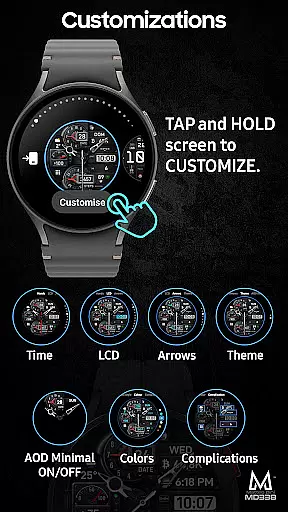
MD338 Hybrid watch face stands out with its comprehensive feature set tailored for tech-savvy users. One of the most notable aspects is its extensive customization options. Users can personalize their watch faces with up to 1 million color combinations, allowing for truly unique designs that reflect individual tastes and preferences.
The inclusion of 4 preset app shortcuts (Calendar, Battery, Measure Heart Rate, Set Alarm) along with 1 customizable shortcut provides quick access to frequently used functions. Additionally, the watch face supports 4 customizable complications, enabling users to display relevant information such as weather forecasts, health metrics, and world clock data directly on their wrist. These complications work seamlessly with external apps, although it's important to note that some additional installations might be required for certain data types.
Practical features like 12/24hr format synchronization with phone settings, always-on display modes, and hideable hands demonstrate the thoughtful design approach behind MD338. The hybrid layout effectively combines traditional watch aesthetics with modern smartwatch capabilities, including step tracking, battery monitoring, and heart rate display. This combination makes it particularly suitable for professionals who value both functionality and sophisticated design in their wearable devices.
Companion app integration is essential for a seamless wearable experience. The MD338 Hybrid watch face offers robust connectivity with its companion app, allowing users to customize and control their watch face directly from their smartphone.
This advanced watch face supports up to 4 customizable complications and 5 app shortcuts, which can be easily managed through the companion app. Users can choose from a variety of data displays such as weather, health metrics, and more, ensuring that the most relevant information is always at their fingertips.
Despite some loading issues within the Samsung Wearable app's editor, customization directly on the watch remains a reliable alternative. This ensures that even if there are temporary glitches in the companion app, users can still enjoy a high level of personalization and functionality.
The synchronization between the phone settings and the watch face, including time format and color schemes, highlights the cohesive ecosystem created by effective companion app integration. This results in an intuitive and user-friendly experience that enhances daily interactions with the device.
Ensuring broad device compatibility is crucial for any Wear OS application. The MD338 Hybrid watch face is designed to support all Wear OS devices with API Level 33+ (Wear OS 4 and later versions), making it accessible to a wide range of users, including those with Samsung Galaxy Watch 4-8, Ultra, and Pixel Watch models.
This extensive compatibility means that regardless of the specific Wear OS device, users can enjoy the full range of features offered by the MD338 watch face. These include hybrid design elements, battery and heart rate monitoring, and customizable complications that display preferred data such as weather and health metrics.
By adhering to the latest watch face format required by Google Play, the MD338 guarantees optimal performance across different devices. This commitment to compatibility ensures that users benefit from consistent functionality and design quality, regardless of their chosen Wear OS device.
Moreover, the ability to install additional complications if they are not already available on the user's watch further extends the versatility of this watch face. This flexibility underscores the importance of comprehensive device compatibility in delivering a superior user experience.
Highly customizable
Versatile complication options
Wide device compatibility
Modern hybrid design
Comprehensive feature set
Complex setup process
Limited editor support
Requires additional apps
Battery consumption
Learning curve

Contemporary digital watch face with five complications
 4.3
4.3
Be an elegant and classy secret agent, with this carefully detailed watch face
4.70
The most customizable minimal watch face. For Wear OS 5.0, API 34+ and later
4.70
Stylish digital watch face for Wear OS devices with customizable features
4.3
Connect to your Bluelink equipped Hyundai vehicle from your smartphone.
4.50
Real-time weather radar with temperatures, warnings, hurricanes, and widgets
4.80
Minimalistic design modern digital watch face.
4.5
Want to take charge of your health? Let Google Fit help you reach your goals.
3.50
Control your Samsung Smart TVs, appliances, and SmartThings-compatible devices
4.60
Beautiful, colorful and practical watch face. For Wear OS devices.
5.00
Period, ovulation & pregnancy tracker. Fertility insights & menstrual calendar.
4.90
Kia Access makes getting your vehicle information easier than ever
4.60
Nutrition, Macro tracker: Food, fitness & healthy diet tracking for weight loss
4.60
Reliable phone calls with spam protection, caller ID and more helpful features
4.40
A customizable Christmas watch face for Wear OS with a countdown.
4.20
sleep, alarm, snoring, stress, healing, focus, sound therapy, circadian rhythm
4.10
Authentic military-tactical design with ZULU time! Realistic and functional!
3.80
Stunning modern digital watch face with 7 complications and strong contrast
4.1
Fitness interactive virtual pet super fighter boy watch face
4.0


User Reviews