
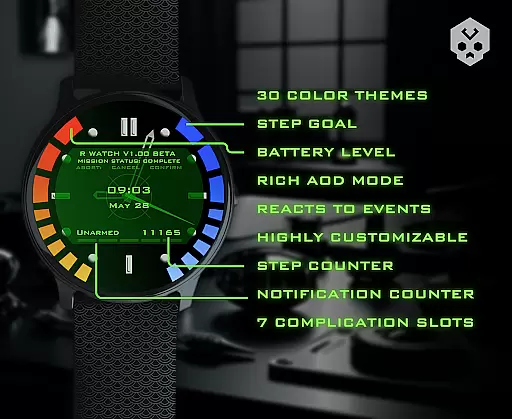
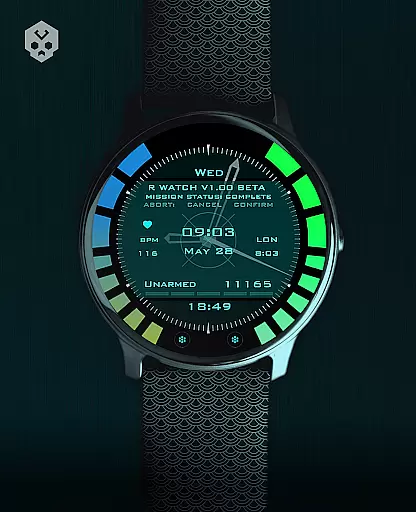
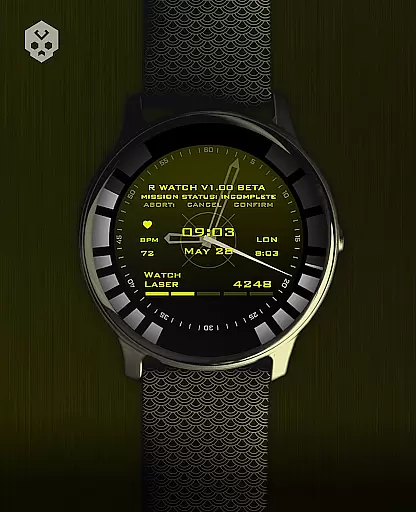
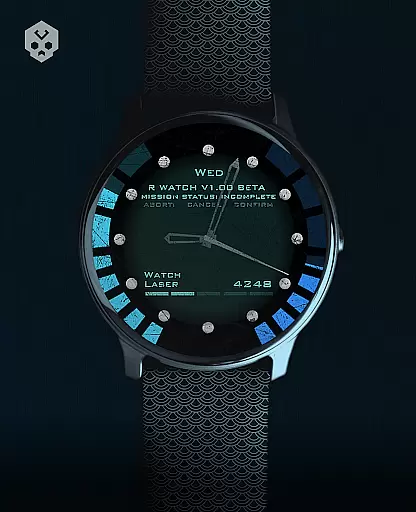
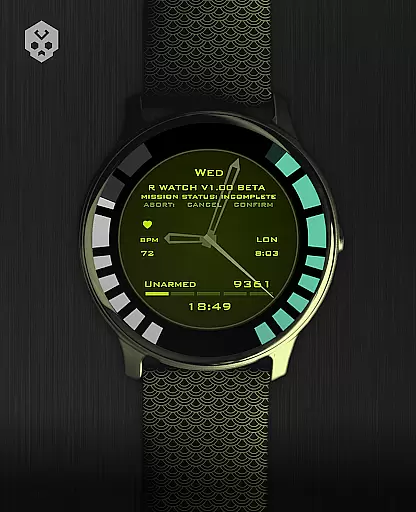
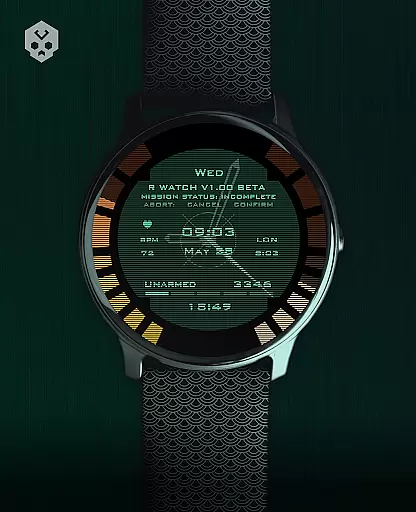
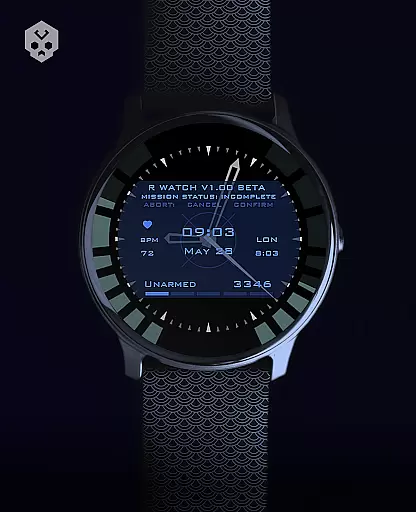
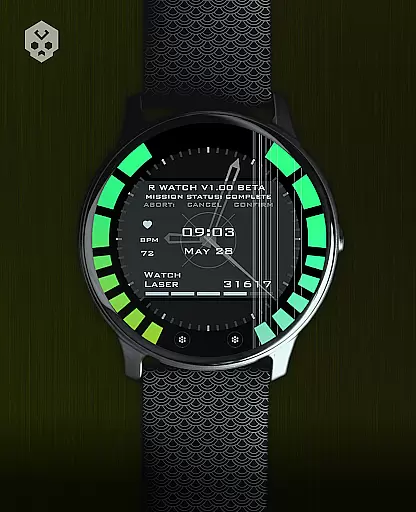
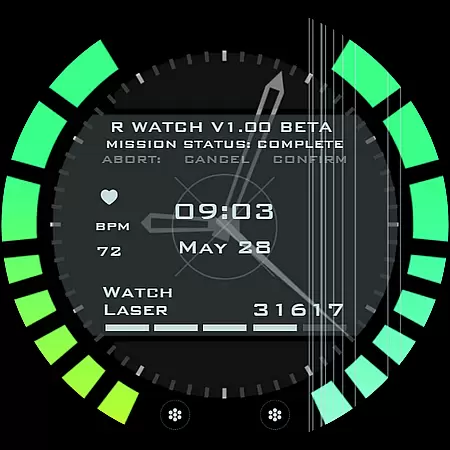
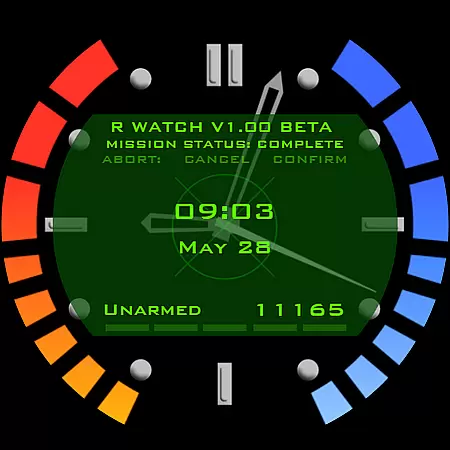
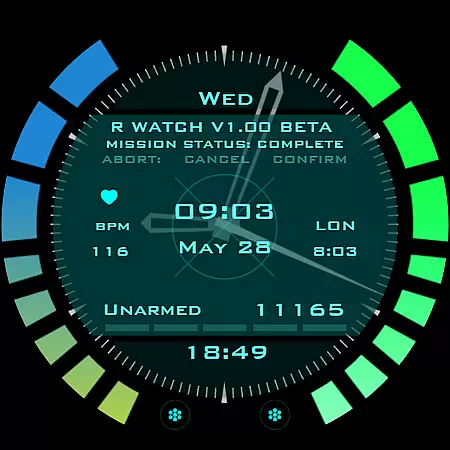
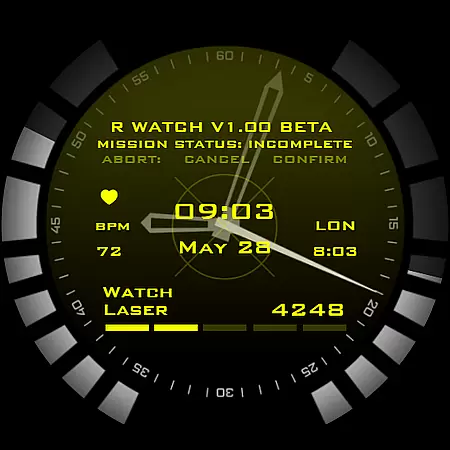
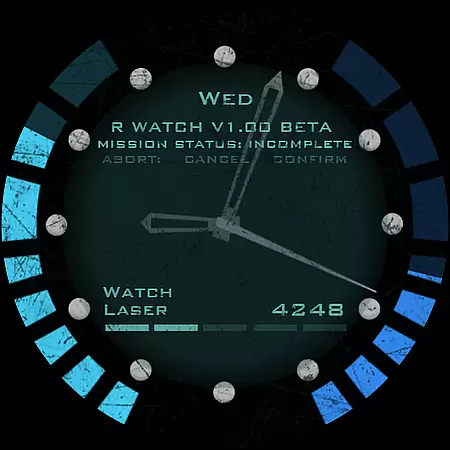
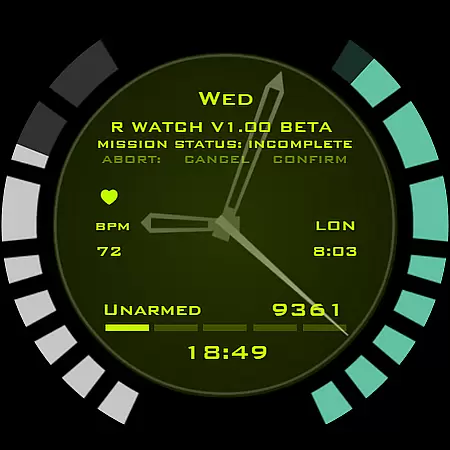
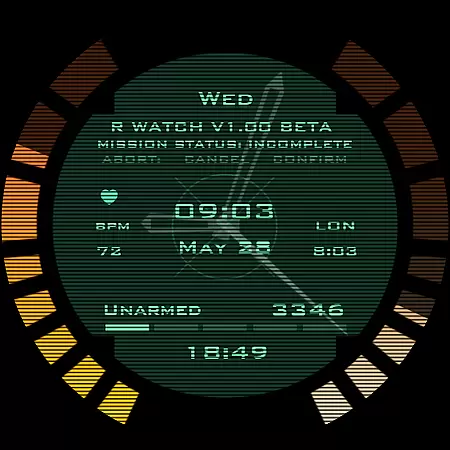
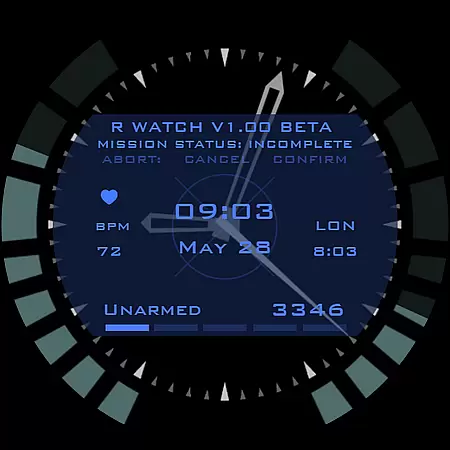
Secret Service Watch Face is a premium Wear OS watch face designed for users seeking an elegant and futuristic timepiece experience. This native standalone app offers extensive customization options, making it compatible with various smartwatches from brands like Samsung, Mobvoi Ticwatch, Fossil, Oppo, and more.
The watch face features 30 color schemes, multiple customizations including screen and clock ticks, and reacts to low battery, notifications, and charging. With 7 customizable complications in different sizes, it provides both style and functionality. The easy-to-use companion app simplifies installation and management.
This sophisticated watch face stands out with its handcrafted design and attention to detail. Users can personalize their experience through 30 distinct color schemes and numerous customization options that cater to individual preferences.
A key feature is the ability to react to device status such as low battery, incoming notifications, and charging states. The inclusion of 7 fully customizable complications in varying sizes allows for a tailored display of important information. Additionally, the companion app ensures a seamless installation process and can be uninstalled after setup.
The thoughtful design extends to user support, where prompt assistance is available via email. Regular updates ensure bug fixes and potential new features, maintaining the watch face's relevance and performance over time.
Companion app integration is a crucial feature for Android Wear applications as it ensures seamless synchronization between the smartphone and the smartwatch. The Secret Service Watch Face offers an easy-to-use companion app that simplifies the installation process and enhances user experience.
This watch face can be installed directly from the companion app on your smartphone, which then communicates with your Wear OS smartwatch. Once connected, users can effortlessly tap the 'view and install on smartwatch' button to begin installation. This streamlined approach eliminates confusion and technical hurdles, making it accessible even for non-tech-savvy individuals.
The companion app also provides troubleshooting support through its handy 'email button,' allowing users to quickly reach out for assistance. Moreover, after installation, the companion app can be uninstalled without affecting the watch face's functionality, thus saving valuable space on your smartphone.
Ensuring broad Wear OS and device compatibility is essential for reaching a wider audience. The Secret Service Watch Face is designed to work seamlessly with various smartwatches running Wear OS, including popular brands like Samsung, Mobvoi Ticwatch, Fossil, Oppo, and the latest Xiaomi models.
To guarantee compatibility, this watch face undergoes rigorous testing across different devices. Users are encouraged to verify their device's compatibility by checking if it runs Wear OS or contacting the developer via email for confirmation. This meticulous attention to detail ensures that users enjoy a consistent and high-quality experience regardless of their specific smartwatch model.
In cases where compatibility issues arise, such as when using outdated or non-Wear OS devices, clear instructions and FAQs are provided to guide users. By addressing potential concerns proactively, the Secret Service Watch Face maintains a high standard of usability and customer satisfaction.
Highly customizable
Wide device compatibility
Unique sci-fi design
Responsive to device status
Regular updates and support
Premium price point
Requires Wear OS
Companion app needed
Limited free features
Not suitable for all devices

Christmas and New Year - Themed Watchface
 4.1
4.1
Precision analog watch face with 7 complications and style options
4.3
A full-featured Amazon Alexa voice assistant that can show you things.
3.70
Simple Analog-Digital Watchface For Wear OS 3.0 and Up Smartwatches
4.3
Watch face designed for Thanksgiving Day. 7 Background Styles included.
3.20
Your second brain for organizing your life: to-do, calendar, reminder.
4.70
Gym & home workout plans with strength training, exercise tracking, HIIT & more.
4.60
The #1 source of faces for your smartwatch!
4.00
Want to take charge of your health? Let Google Fit help you reach your goals.
3.50
Gym Log & Workout Tracker | Fitness Journal, Training & Weight Lifting Planner
4.90
Beautiful artistic animated digital watch face, with a customizable layout!
4.40
A white realistic classic analog watch face with many customization options.
4.40
Elegant animated Christmas tree with multiple customization options
4.20
Watch face for Wear OS.
4.20
Structured watch face with seven complications and modular UI elements
3.90
Get helpful reminders, take progress photos and find answers to your questions.
3.90
Stay in touch with your friends and family using LINE!
3.40
an Analog Watch Face for winter season with freeze winter background for Wear OS
4.3
Minimalistic design modern digital watch face.
4.3


User Reviews