
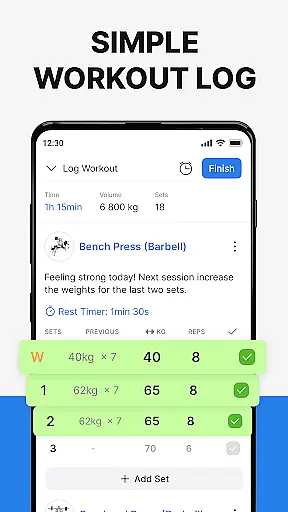
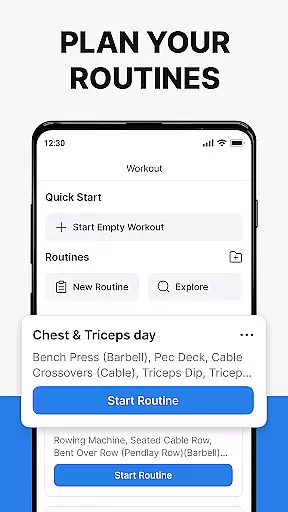
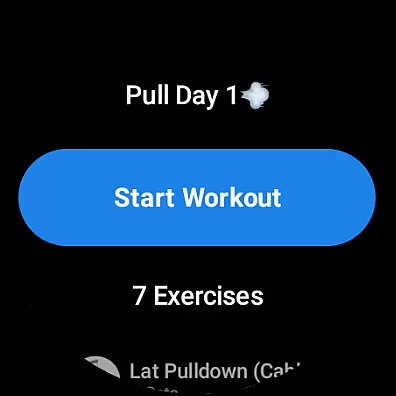
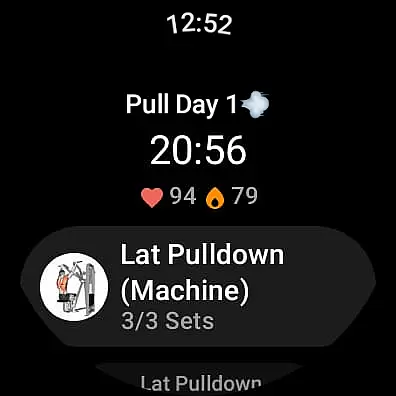
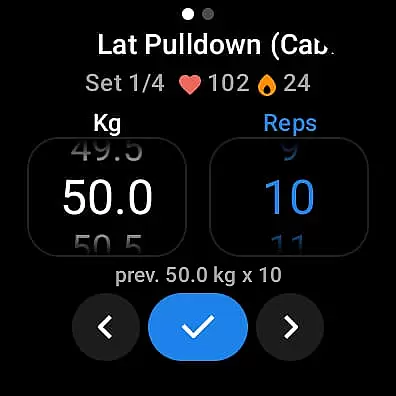
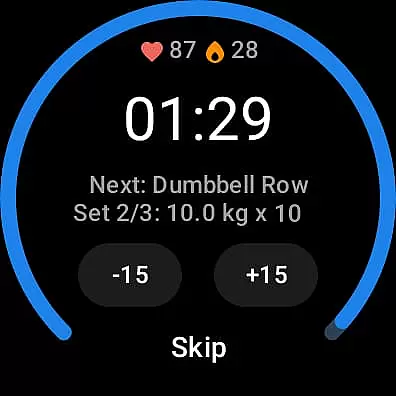
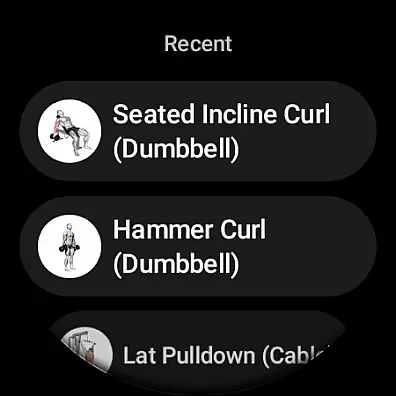
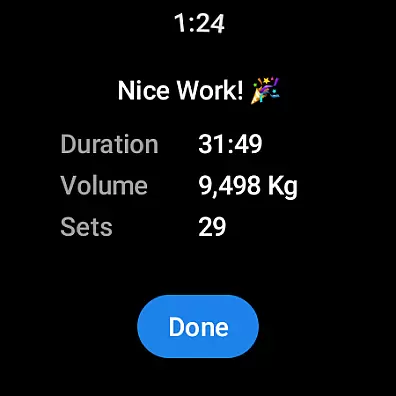
Hevy - Gym Log Workout Tracker is a comprehensive fitness application designed specifically for Android Wear users. This app allows you to log your workouts with ease, using an intuitive interface that makes tracking your lifts straightforward and efficient. With features like the advanced routine planner, you can meticulously plan your gym sessions ahead of time, ensuring you stay on top of your training schedule.
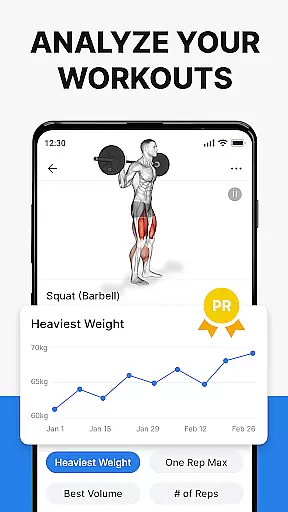
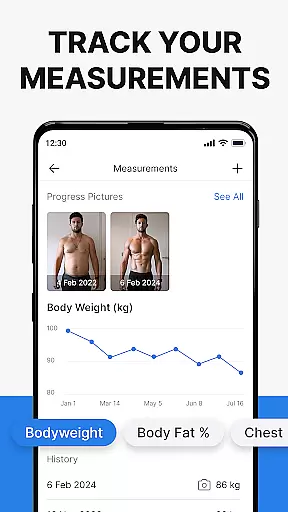
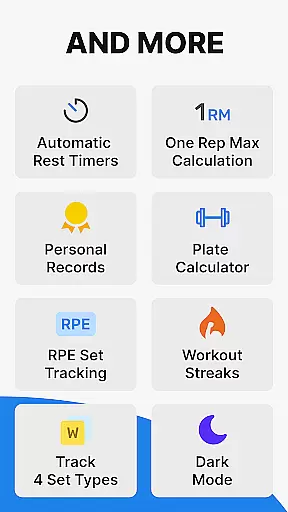
Beyond just logging workouts, Hevy offers extensive statistics and analytics to track your progress over time. You can analyze your gym sessions in detail with muscle group graphs and calculate your One Rep Max. The app also supports creating an unlimited number of routines and provides beautiful full-screen graphs of volume, best weight, and total reps, which help in analyzing the progression of your lifts.
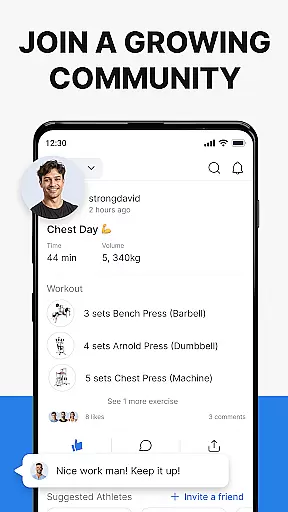
Whether you're focusing on heavy weight lifting, powerlifting, Olympic exercises, or bodyweight workouts such as calisthenics and HIIT, Hevy adapts to various training types. Its integration with Wear OS Watches ensures you can track your workouts on the go, sync live with your phone, and even monitor your heart rate during sessions. Join a growing community of athletes and elevate your fitness journey with Hevy.
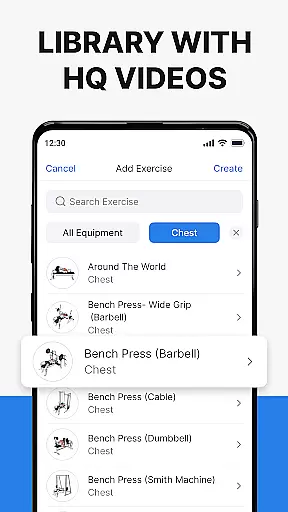
Hevy - Gym Log Workout Tracker stands out with its rich set of features tailored for fitness enthusiasts. One of the key highlights is the advanced routine planner, which lets you design and follow intricate workout plans. Coupled with a calendar feature, it helps you adhere to your training schedule without missing a beat. The app includes hundreds of exercises accompanied by high-quality videos, allowing you to focus on perfecting your form.
Another remarkable feature is the ability to follow your friends' progress by tracking their lifts and copying their routines. This social aspect fosters a sense of community and friendly competition. Additionally, Hevy allows you to create custom exercises, mark sets in various categories like Warmup and Supersets, and customize automatic rest timers. These functionalities ensure your workout tracking is personalized and precise.
For users with Wear OS Watches, Hevy extends its capabilities by enabling easy workout tracking directly from your watch. It supports live syncing with your phone, provides helpful timers for duration exercises, and automatically saves workouts when reconnected to your phone. Whether you're at the gym or working out at home, Hevy's detailed analytics and planning tools will keep you motivated and on track towards achieving your fitness goals.
Companion app integration is essential for users who want a seamless experience between their mobile devices and wearable technology. Hevy - Gym Log Workout Tracker offers robust companion app features specifically designed for Android Wear devices.
The application allows you to easily track your workouts on your Wear OS Watch, ensuring that all data is synchronized in real-time with your phone. This means you can start a workout on your watch and have the confidence that every set, rep, and personal note will be saved and accessible on your primary device.
Hevy also supports using pre-planned routines directly on your Wear OS Watch, providing the flexibility to adapt your training sessions without needing to reach for your phone. The live sync feature ensures that any changes made during your workout are immediately reflected across all devices.
This level of integration not only enhances user convenience but also enriches the overall fitness tracking experience by allowing athletes to focus more on their performance and less on managing their data.
Device compatibility is crucial when selecting a fitness tracking app, especially for those invested in the Wear OS ecosystem. Hevy - Gym Log Workout Tracker stands out by offering extensive compatibility with Wear OS devices, making it an ideal choice for athletes who rely on this technology.
With Hevy, users can access their complete suite of features through their Wear OS watches. This includes the ability to track heart rate during workouts, use helpful timers for duration-based exercises, and mark sets with specific tags such as Warmup or Failure.
Furthermore, Hevy's design ensures that whether you're using a Fossil, TicWatch, or any other Wear OS device, the app maintains consistent functionality and user experience. This broad compatibility empowers users to choose their preferred hardware without compromising on software quality.
By prioritizing Wear OS/device compatibility, Hevy provides a reliable and versatile solution for athletes seeking to maximize their training efficiency while enjoying the benefits of wearable technology.
User-friendly interface
Extensive exercise library
Advanced analytics
Customizable routines
Active community support
Limited third-party integrations
No built-in calorie tracker
Premium features require subscription
Occasional syncing issues
Heavy on battery usage

Christmas watch face. For Wear OS devices.
 4.30
4.30
Wear Os Watch Face - Animated Snow - Sesonal for Christmas & Winter
4.5
Analog watch face with 8 complications and expedition styling
4.5
A watch face that fuses motorsport precision with contemporary smartwatch design
4.5
Digital watch face. For Wear OS devices.
4.40
Fitness interactive virtual pet super fighter boy watch face
4.0
Get helpful reminders, take progress photos and find answers to your questions.
3.90
Your music, your playlists, and more—offline and unlimited.
4.20
Download full tracks, listen to music offline, make unlimited playlists.
4.80
Easy Voice Recorder is your everyday companion to record important moments.
4.70
Rose gold watch face with festive lights & customizable features.
4.60
Deck out your Wear OS Watch face with a beautifully decorated pine wreath!
4.50
Connect to your Bluelink equipped Hyundai vehicle from your smartphone.
4.50
Reliable phone calls with spam protection, caller ID and more helpful features
4.40
Locate your family members by GPS phone location tracker everywhere and anytime
4.30
Professional weather radar and more
3.90
Sleek, highly customizable watch face inspired by Galaxy Watch Circle Dashboard.
4.5
Funny animated watch face for Thanksgiving
4.1
Hybrid Vibrant Health Watch Face for Wear OS
4.5


User Reviews