
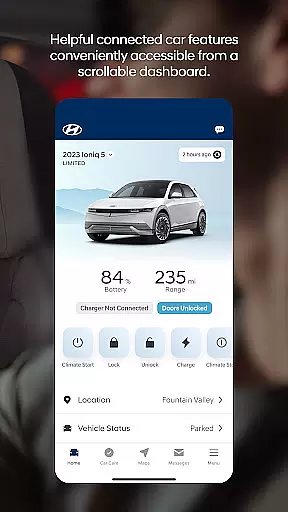
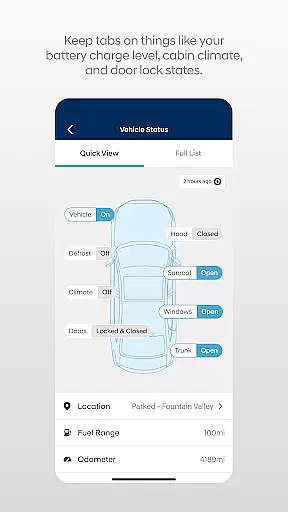

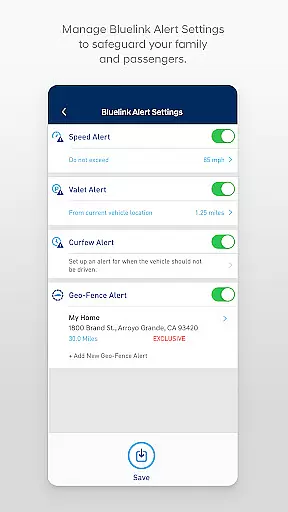
The MyHyundai app with Bluelink is a comprehensive vehicle management solution designed specifically for Hyundai car owners. This innovative application allows users to remotely interact with their Bluelink-enabled vehicles directly from their mobile devices, providing unprecedented convenience and control.
Key features include remote start functionality, door lock/unlock capabilities, horn and light activation, and vehicle location services. The app also offers advanced functionalities for electric and hybrid vehicles, such as charging status monitoring and schedule management. With support for Wear OS smartwatches, users can access essential features through voice commands or smartwatch interface.
This application is particularly valuable for busy professionals who need to manage their vehicles while on the go. Whether you're at the office or away from your car, the MyHyundai app provides instant access to crucial vehicle functions, enhancing both convenience and security.
The MyHyundai app distinguishes itself through its comprehensive suite of remote vehicle management tools. The core feature set includes remote start capabilities that allow users to start their vehicles from anywhere, with the option to customize presets for climate control and other settings.
Security features are equally impressive, with remote door lock/unlock functionality and find my car feature. The app's integration with Wear OS smartwatches extends these capabilities to wearable devices, enabling voice-activated commands and quick access through smartwatch menus.
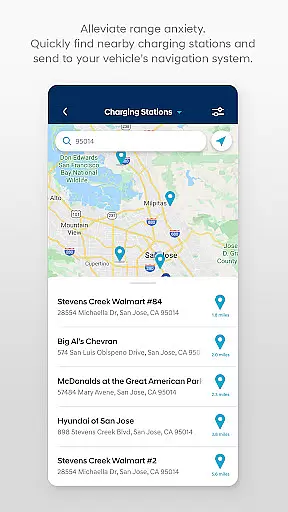
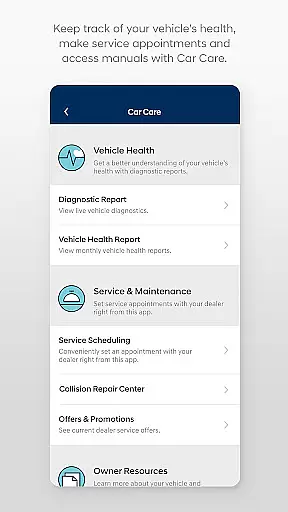
For electric and hybrid vehicle owners, the app provides specialized tools for managing charging schedules, monitoring battery status, and optimizing energy usage. Additional features include Point of Interest search and send functionality, maintenance tracking, and access to customer care services, all designed to enhance the overall vehicle ownership experience.
Companion app integration is a crucial feature for Android Wear applications like MyHyundai with Bluelink. This functionality ensures that the smartwatch app works seamlessly with its smartphone counterpart, providing users with a unified experience across devices.
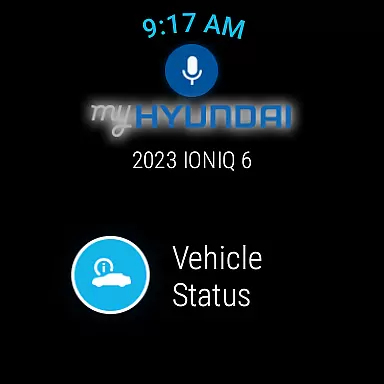
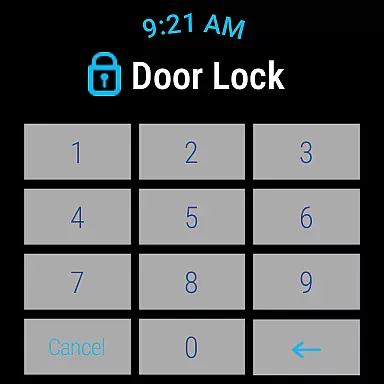
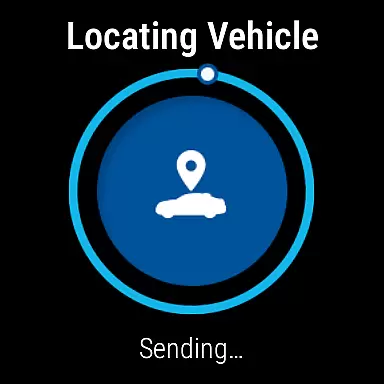
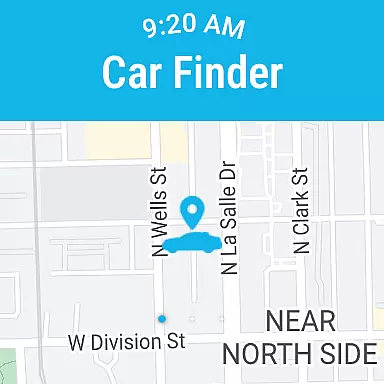
The MyHyundai app allows you to access key features of your Bluelink equipped vehicle directly from your Wear OS smartwatch. By using voice commands or the smartwatch menu, users can remotely start their vehicle, lock or unlock doors, activate the horn and lights, and even locate their car without needing to reach for their phone.
This level of integration offers significant convenience, especially when you're on the move. Whether you're carrying groceries or in a hands-free zone, being able to control your vehicle directly from your wrist enhances accessibility and saves time.
By maintaining consistent functionality between the phone and watch apps, MyHyundai ensures that users can manage their vehicle's remote features regardless of which device they have handy, making daily operations more efficient and user-friendly.
Wear OS and device compatibility are essential aspects of any Android Wear application. For MyHyundai with Bluelink, this means ensuring the app functions properly across various Wear OS smartwatches while maintaining reliable connections to Bluelink-equipped vehicles.
The MyHyundai app supports a range of Wear OS devices, allowing users to utilize select vehicle control features directly from their smartwatches. These include remote start, door lock/unlock, horn and light activation, and vehicle location services. The wide compatibility ensures that most smartwatch users can take advantage of these convenient controls.
Device compatibility extends beyond just smartwatches. The app also integrates with different Hyundai vehicle models, though feature support may vary. Users should verify their specific vehicle's compatibility through HyundaiBluelink.com to understand which features are available for their particular model.
This broad compatibility enhances the overall user experience by providing flexibility in device choice while ensuring reliable performance across supported devices. It demonstrates Hyundai's commitment to creating a versatile and accessible connected car ecosystem.
User-friendly interface
Comprehensive feature set
Wear OS integration
Remote vehicle control
Electric vehicle support
Subscription required
Limited vehicle compatibility
Feature restrictions
Biometric dependency
Connectivity issues

Wear Os Watch Face - Animated Snow - Sesonal for Christmas & Winter
 4.0
4.0
A full-featured Amazon Alexa voice assistant that can show you things.
3.70
MyNISSAN® lets you remotely control your car from your phone.*
4.50
A heartwarming Christmas scene featuring a cute image of Santa and Rudolf
4.4
Wear Os Watch Face - Animated Snow Effect & Magic Spark - 6 Scenes
4.10
Ideal for surviving in the wasteland left after nuclear fallout
4.50
Stay in touch with your friends and family using LINE!
3.40
Bold weather Digital watchface with forecast & optional animated background
4.40
Minimalistic design modern digital watch face.
4.3
Period, ovulation & pregnancy tracker. Fertility insights & menstrual calendar.
4.90
Be an elegant and classy secret agent, with this carefully detailed watch face
4.70
Your second brain for organizing your life: to-do, calendar, reminder.
4.70
Premium hybrid watch face with many customizations for Wear OS devices.
4.40
Snowflake Rose Gold Watch Face - Digital, modern, & sleek with GYRO effect.
4.10
Daily Weather forecast with 15 weather images for Day & Night plus Big Bold time
4.10
Get helpful reminders, take progress photos and find answers to your questions.
3.90
Authentic military-tactical design with ZULU time! Realistic and functional!
3.80
Christmas is near, let's count together the days left until Santa comes
4.0
Funny animated watch face for Thanksgiving
4.1


User Reviews