
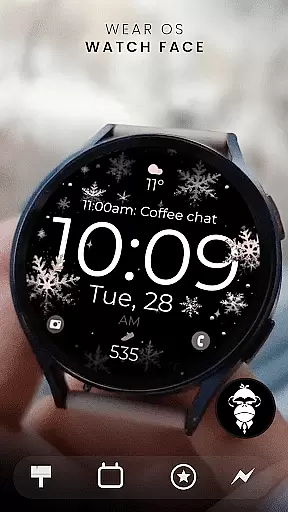
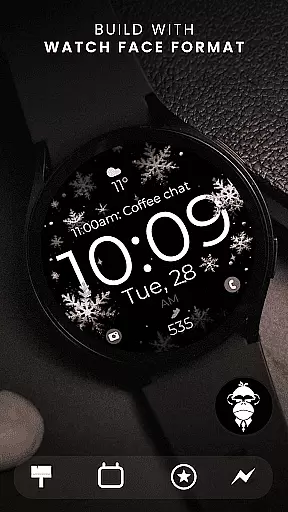
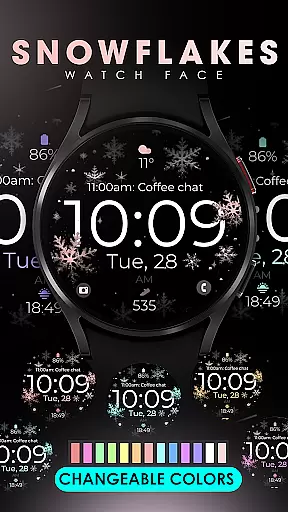
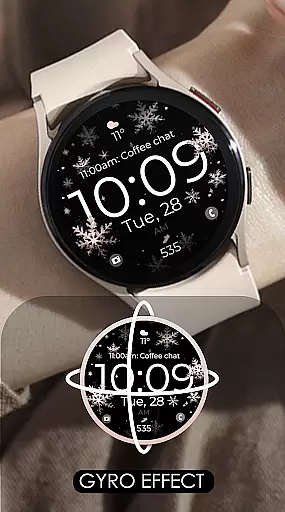
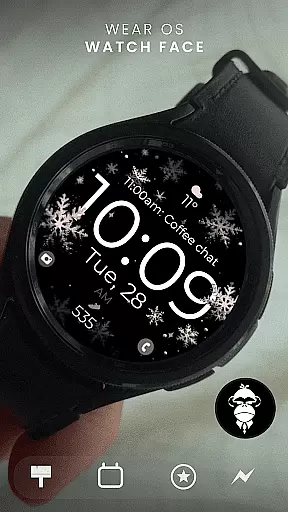
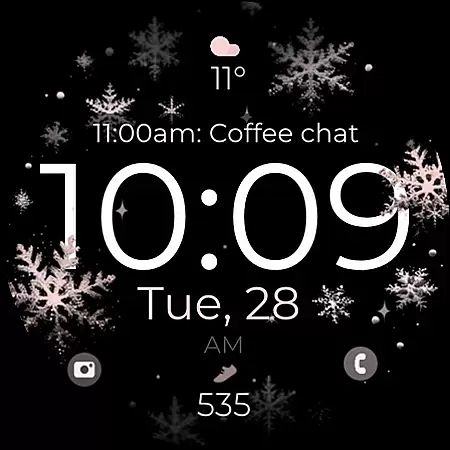
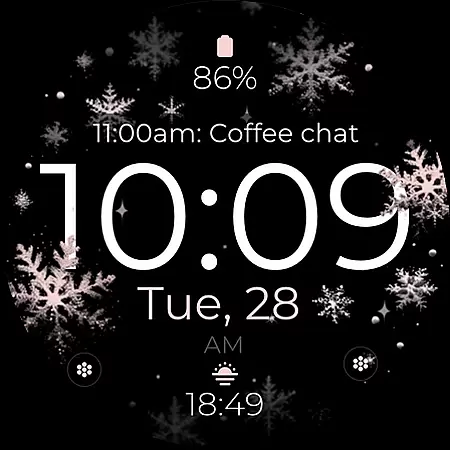
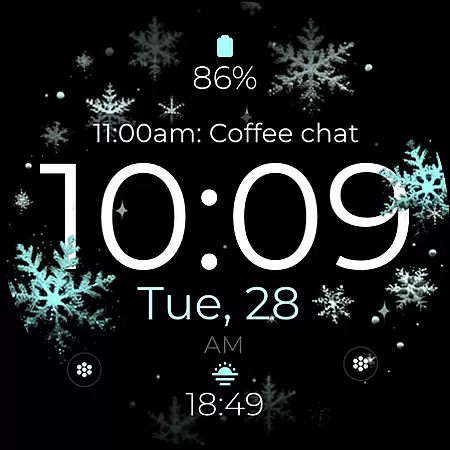
Snowflake Rose Gold is a modern Wear OS watch face that combines digital functionality with an elegant design. Featuring a mesmerizing GYRO effect, the snowflakes on the display move as you rotate your wrist, creating a dynamic and stylish appearance. The sleek interface includes customizable elements such as changeable colors, allowing users to personalize their watch face to match their preferences.
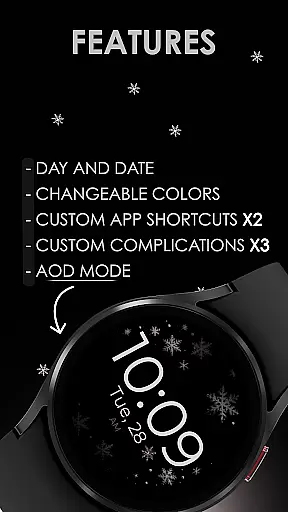
This watch face supports essential features like day and date display, two custom app shortcuts, and three complications for enhanced usability. Compatible with all Wear OS devices running API 33+, including popular models like Google Pixel Watch and Samsung Galaxy Watch series, it ensures broad device support while maintaining optimal performance. Its unique combination of aesthetics and practicality makes it ideal for users seeking both style and utility in their smartwatch experience.
The Snowflake Rose Gold watch face stands out with its innovative GYRO effect, which brings the silver and rose gold snowflakes to life as you move your wrist. This feature creates a captivating visual experience that sets it apart from traditional static watch faces. Additionally, users can customize the color scheme of the snowflakes, ensuring the design aligns perfectly with their personal style.
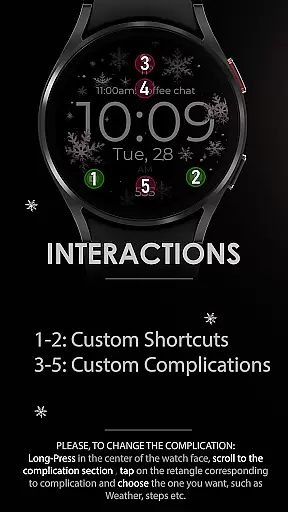
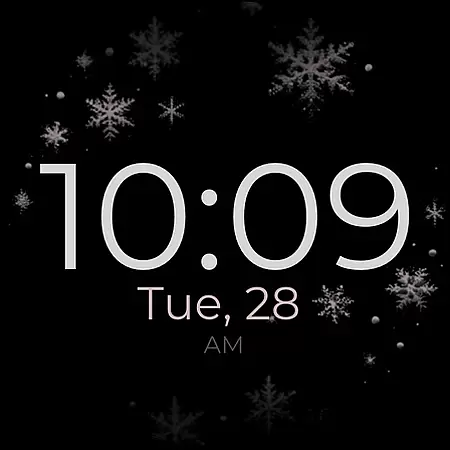
Functionality is at the core of this watch face, offering practical tools such as day and date indicators, two app shortcuts, and three customizable complications. These elements allow users to access frequently used apps and information quickly. The Always-On Display (AOD) capability ensures important details remain visible even when the watch is idle. With compatibility across Wear OS devices, including top models like Google Pixel Watch and Samsung Galaxy Watch series, this watch face delivers consistent performance and reliability.
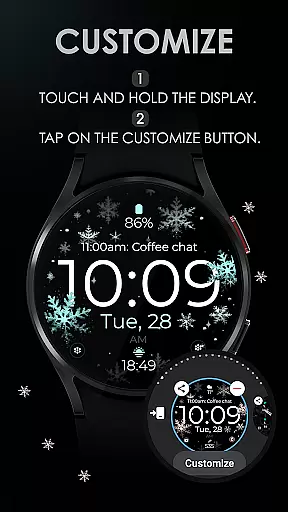
Customization is effortless; simply touch and hold the screen, then tap the "Customize" button to adjust settings. Whether you're looking to enhance your daily productivity or add a touch of sophistication to your wearable device, Snowflake Rose Gold provides a versatile solution tailored to meet diverse user needs.
Companion app integration is essential for a seamless smartwatch experience. The Snowflake Rose Gold watch face offers robust companion app support, ensuring that users can easily synchronize and manage their watch face settings directly from their smartphone.
This application allows users to customize various aspects of the watch face through a dedicated mobile app. From adjusting the color of the snowflakes to setting up custom complications, the process is streamlined and user-friendly. This ensures that all personalization options are readily accessible, enhancing the overall user experience.
By integrating with the Wear OS ecosystem, this watch face guarantees that all updates and changes made via the companion app are instantly reflected on the smartwatch. This real-time synchronization helps maintain consistency across devices, providing users with a reliable and efficient way to manage their wearable technology.
Ultimately, the companion app integration offered by Snowflake Rose Gold empowers users to harness the full potential of their smartwatch. With easy access to customization features and real-time updates, users can enjoy a personalized and hassle-free experience tailored to their preferences.
Ensuring broad device compatibility is crucial for any Wear OS application. The Snowflake Rose Gold watch face is designed to work seamlessly with a wide range of Wear OS devices, including popular models like the Google Pixel Watch and Samsung Galaxy Watch series.
This watch face supports all Wear OS devices running API 33 and above, making it accessible to a vast user base. By adhering to the latest standards and optimizing performance across different hardware configurations, it delivers a consistent and high-quality experience regardless of the specific device in use.
However, it's important to note that this watch face is not suitable for rectangular watches. This design choice ensures that the intricate details and mesmerizing GYRO effect of the snowflakes are displayed optimally on compatible round-faced devices, preserving the intended aesthetic appeal.
With its extensive compatibility and attention to detail, Snowflake Rose Gold stands out as a versatile and visually stunning option for Wear OS users. Whether you own a Google Pixel Watch or a Samsung Galaxy Watch, this watch face promises to enhance your smartwatch experience with its unique blend of style and functionality.
Stylish design
Customizable colors
GYRO effect
Wide compatibility
User-friendly interface
No rectangular support
Limited AOD options
Fewer complications
Premium pricing
Requires API 33+

Current temperature, weather hourly, weather radar by the weather forecast app
 4.40
4.40
Stunning modern digital watch face with 7 complications and strong contrast
4.3
Wear Os Watch Face - Animated Snow Effect & Magic Spark - 6 Scenes
4.10
3 Complications. All shadow on/off. 30 Themes color palette...
4.4
Authentic military-tactical design with ZULU time! Realistic and functional!
3.80
Find EV charging stations
4.30
Period, ovulation & pregnancy tracker. Fertility insights & menstrual calendar.
4.90
Funny animated watch face for Thanksgiving
4.4
Your local weather forecast, storm tracker, radar maps & live weather news
3.40
Kia Access makes getting your vehicle information easier than ever
4.60
Highly customizable hybrid watch face for Wear OS, perfect for everyday use.
4.60
Nutrition, Macro tracker: Food, fitness & healthy diet tracking for weight loss
4.60
Digital watch face with big numbers and many customization for Wear OS devices
4.40
A customizable Christmas watch face for Wear OS with a countdown.
4.20
Elegant animated Christmas tree with multiple customization options
4.20
Let's celebrate Thanksgiving - Wear Os watch face
4.20
Wear Os Watch Face - Animated Snow - Sesonal for Christmas & Winter
4.4
Precision analog watch face with 7 complications and style options
4.0
Fitness interactive virtual pet super fighter boy watch face
4.1


User Reviews