
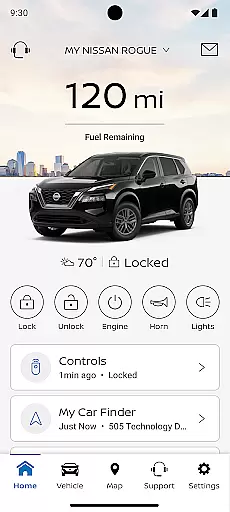
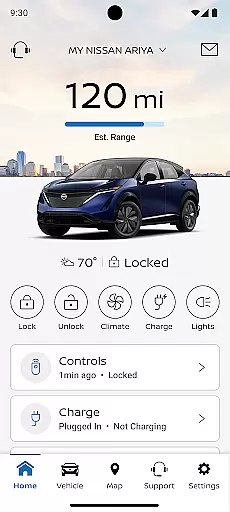
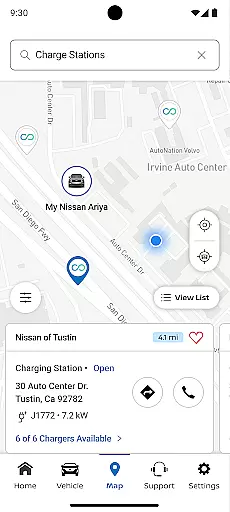
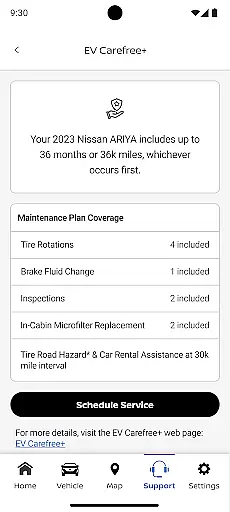
The MyNISSAN App is a comprehensive vehicle management solution designed to enhance the ownership experience for Nissan drivers. This innovative application brings essential vehicle controls and information directly to compatible Android devices, providing unprecedented convenience and peace of mind.
Core functionalities include remote vehicle access, security monitoring, maintenance tracking, and personalized settings management. Users can remotely start their vehicles, lock/unlock doors, and receive important alerts about vehicle status. The app's integration with NissanConnect® Services offers advanced features like boundary alerts, speed monitoring, and real-time vehicle diagnostics for supported models.
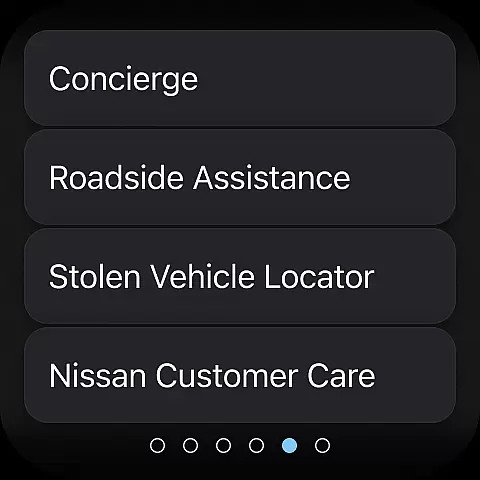
This application proves particularly valuable during routine maintenance scheduling or emergency situations. Owners can easily track service history, schedule dealer appointments, and connect with roadside assistance when needed. The app's comprehensive feature set makes it an indispensable tool for modern Nissan vehicle management.
The MyNISSAN App distinguishes itself through its extensive feature set that combines convenience, security, and maintenance management. A key innovation is its remote vehicle control capabilities, allowing users to manage climate settings, engine start/stop functions, and security features from their mobile devices.
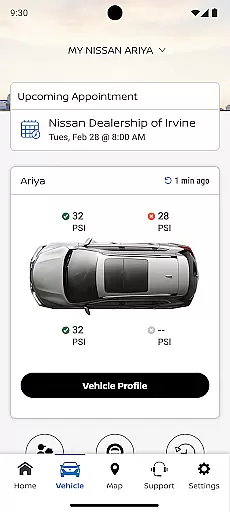
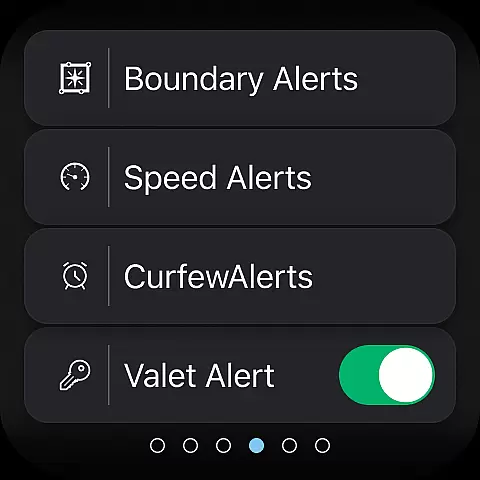
Advanced monitoring features enable owners to track critical vehicle metrics including mileage, fuel range, tire pressure, and engine status. The app's alert system provides customizable notifications for speed limits, geographic boundaries, and curfew hours, making it especially useful for fleet managers or parents monitoring teen drivers.
Integration with Google services in select vehicle models adds another layer of functionality, including enhanced route planning and predictive maintenance alerts. These features work together to create a comprehensive vehicle management ecosystem that saves time, enhances security, and helps prevent costly repairs through proactive maintenance scheduling.
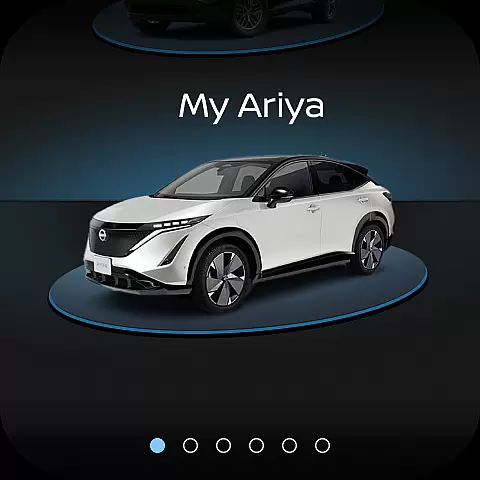
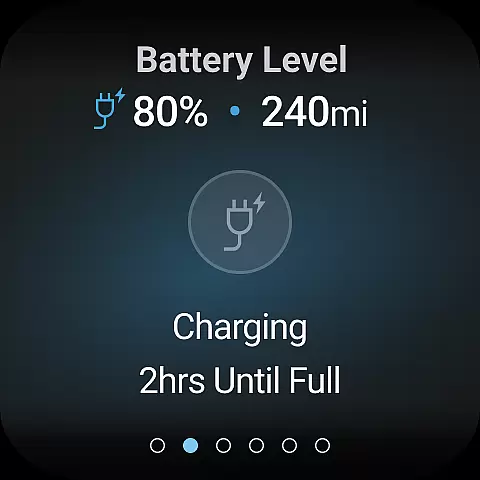
Companion app integration is a crucial feature for Android Wear devices, ensuring seamless synchronization between your smartphone and wearable. The MyNISSAN app excels in this area by extending essential vehicle controls and information to compatible Wear OS devices.
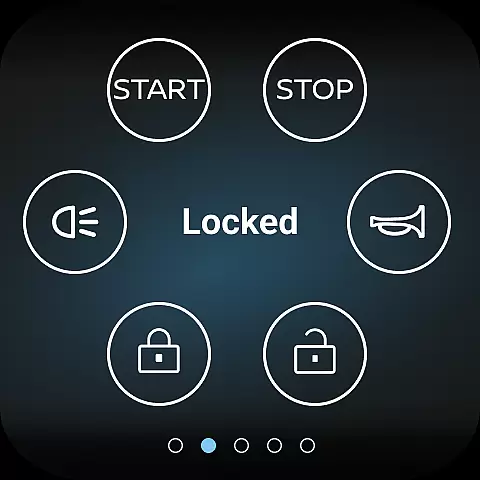
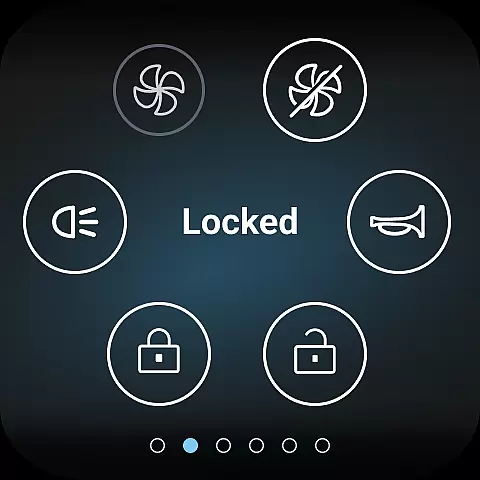
This integration allows Nissan owners to access key functionalities directly from their smartwatches. Users can remotely start or stop their vehicle, lock and unlock doors, and even activate the horn and lights - all from their wrist. This level of connectivity provides unprecedented convenience, especially when carrying items or dealing with challenging situations where accessing a phone might be difficult.
The companion app implementation goes beyond basic controls. It delivers important vehicle status notifications directly to the wearable device, including alerts about unlocked doors or open windows. This real-time information empowers users to maintain vehicle security and operational efficiency without needing to physically check their vehicle.
By maintaining consistent functionality across both mobile and wearable platforms, MyNISSAN ensures that users can choose the most convenient interface for their current situation. This comprehensive approach to companion app integration significantly enhances the overall ownership experience while maintaining robust security protocols.
Wear OS and device compatibility represents a vital aspect of modern automotive applications, enabling users to interact with their vehicles through various smart devices. The MyNISSAN app demonstrates exceptional versatility in this domain, supporting a wide range of Android devices and Wear OS watches.
This compatibility extends across multiple Nissan models, particularly those manufactured from 2014 onwards. The application optimizes its features based on the user's specific vehicle model and trim level, ensuring that each owner receives the most relevant functionality for their particular situation. For vehicles equipped with Google services, additional features become available, enhancing the overall user experience.
The app maintains consistent performance across different screen sizes and resolutions, from smartphones to smartwatches. This adaptability ensures that users can access critical vehicle information and controls regardless of their chosen device. The interface automatically adjusts to display the most essential functions prominently, making it easy to operate even on smaller watch faces.
By supporting such broad device compatibility, MyNISSAN maximizes accessibility for Nissan owners. Whether using a latest-generation smartphone or an older Wear OS device, users can confidently rely on the application to deliver essential vehicle management capabilities, demonstrating Nissan's commitment to technological inclusivity.
User-friendly interface
Comprehensive vehicle monitoring
Remote access convenience
Proactive maintenance alerts
Customizable security features
Limited older model support
Subscription fees apply
Network dependency issues
Feature availability varies
Device compatibility required

Wear Os Watch Face - Animated Snow Effect & Christmas Lights
 4.1
4.1
Simple Analog-Digital Watchface For Wear OS 3.0 and Up Smartwatches
4.5
Digital watch face with big numbers and many customization for Wear OS devices
4.40
Structured watch face with seven complications and modular UI elements
3.90
Real-time weather radar with temperatures, warnings, hurricanes, and widgets
4.80
Minimalistic design modern digital watch face.
4.4
The most customizable hybrid watch face. For Wear OS 5.0, API 34+ and later
4.70
Hyper-Realistic Airplane Dashboard Watch Face With 10 Skins and Custom AOD
4.00
Animated video-game inspired “secret agent” simulation, right on your wrist!
4.20
Gym Log & Workout Tracker | Fitness Journal, Training & Weight Lifting Planner
4.90
The Chevron App allows you to pay for fuel from the comfort of your car!
4.80
Bold weather Digital watchface with forecast & optional animated background
4.40
Calming & relaxing sounds for sleeping and stress relief. Stay focused all day!
4.20
sleep, alarm, snoring, stress, healing, focus, sound therapy, circadian rhythm
4.10
Watch face designed for Thanksgiving Day. 7 Background Styles included.
3.20
Christmas and New Year - Themed Watchface
4.2
Analog watch face with 8 complications and expedition styling
4.2
A watch face that fuses motorsport precision with contemporary smartwatch design
4.4
Stunning modern digital watch face with 7 complications and strong contrast
4.2


User Reviews