
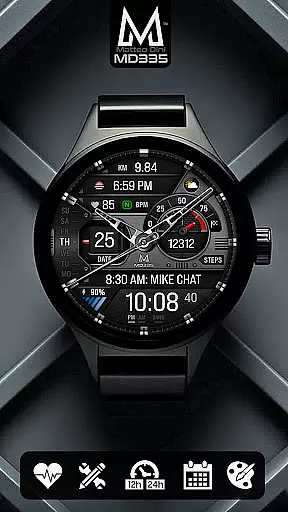
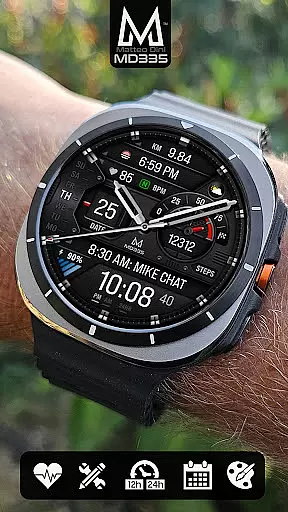
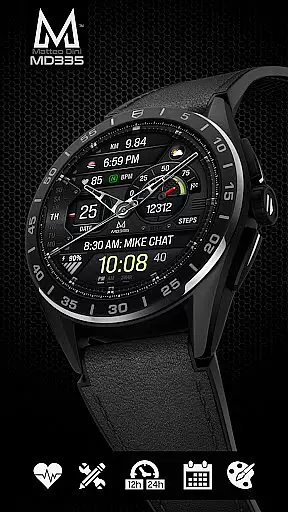
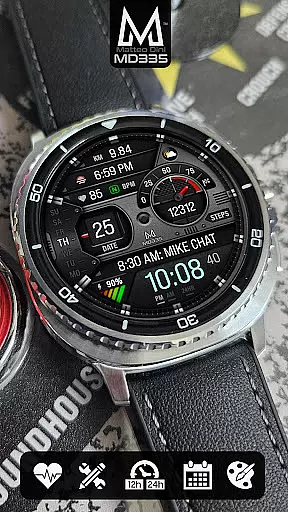
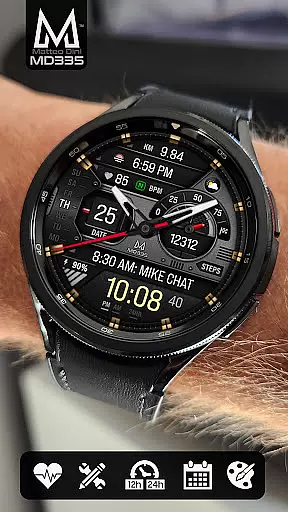
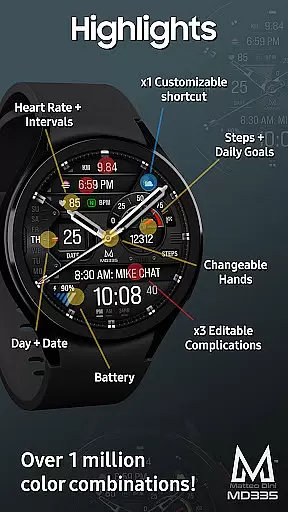
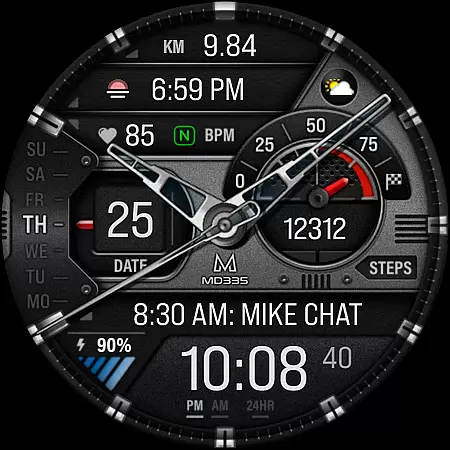
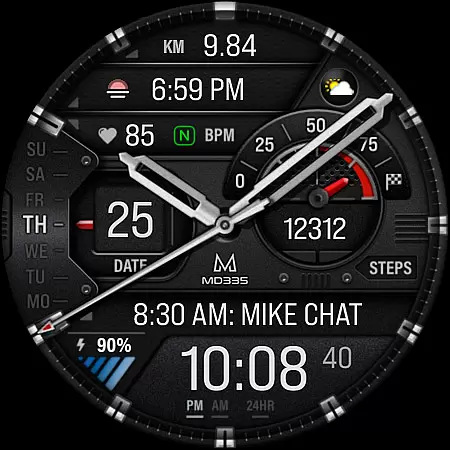
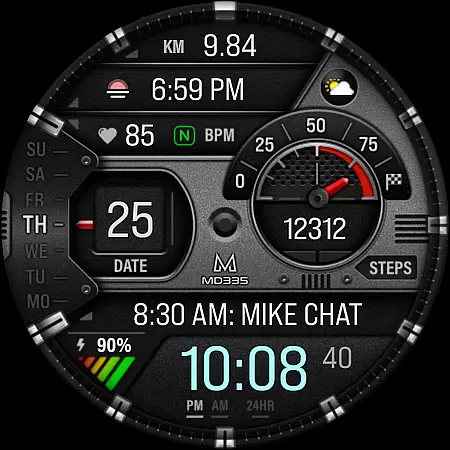
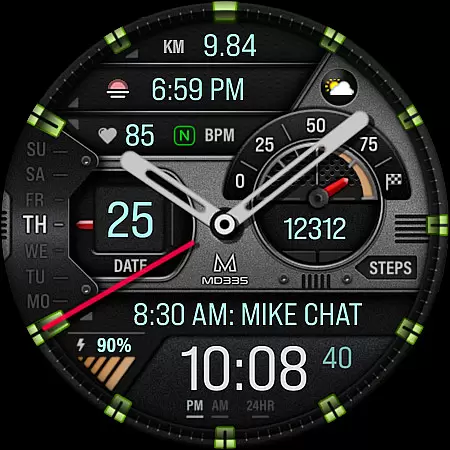
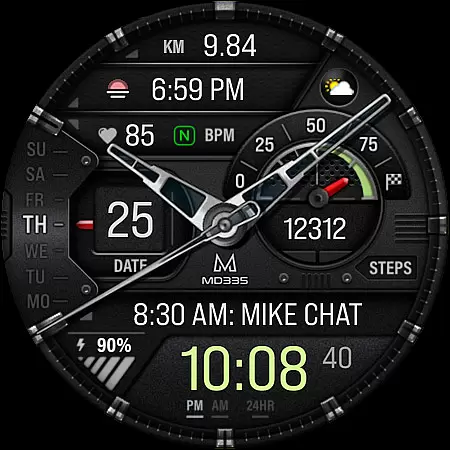
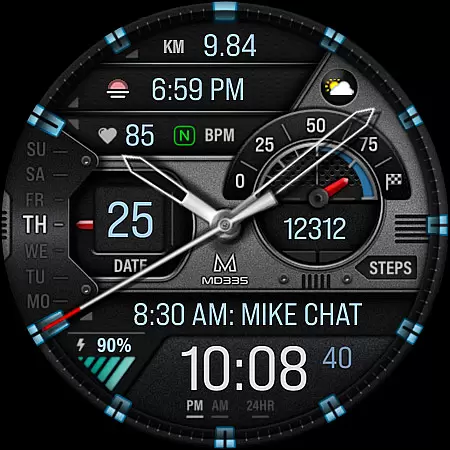
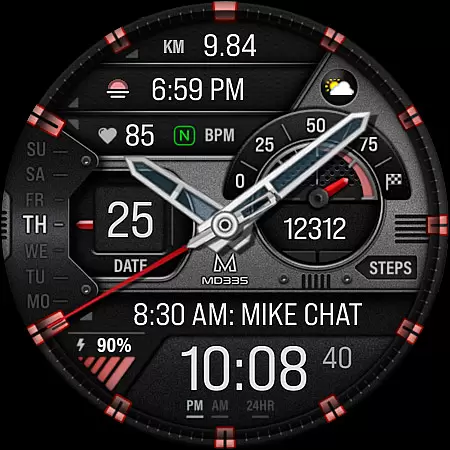
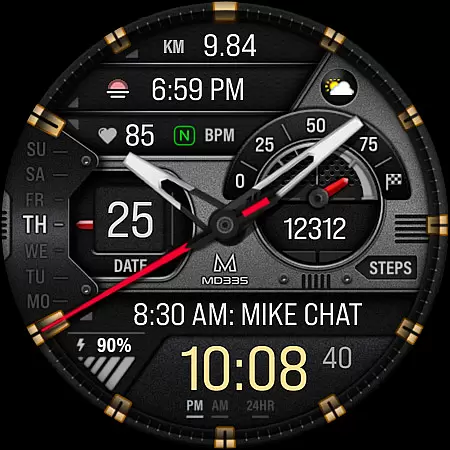
MD335 Hybrid watch face offers a versatile and customizable experience for Wear OS users. With support for devices running API Level 33+ (Wear OS 4 and later), this watch face includes features like 12/24hr time display, hybrid design with hideable hands, date, day, battery status, heart rate monitoring, and more.
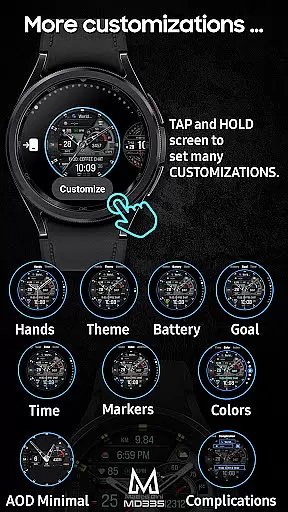
The watch face provides 4 preset app shortcuts, 1 customizable shortcut, and 3 complications that can display various data such as weather, health metrics, and more. Users can personalize the appearance with changeable hands, themes, and colors. Despite editor loading issues on Samsung Wearable app, customization directly on the watch is recommended.
MD335 Hybrid watch face stands out with its comprehensive feature set tailored for personalization. It supports both dark and light themes, changeable colors for time, battery level, and other elements, ensuring a unique look that adapts to user preferences.
Functionality includes displaying steps and daily goals, minimal and full Always-On Display (AOD) modes, and access to external complications for extended functionality. Preset app shortcuts provide quick access to calendar, battery, heart rate measurement, and alarm settings. The emphasis on customization extends to hands and markers, offering a personalized touch.
Companion app integration is crucial for hybrid watch faces like MD335, ensuring seamless synchronization between the wearable and smartphone. This connection allows users to customize their watch face directly from their phone, enhancing usability.
The MD335 Hybrid watch face leverages this integration by enabling users to modify various elements such as app shortcuts, complications, and color themes through a companion app interface. Despite current limitations with Samsung's editor, customization directly on the watch remains an effective alternative.
Through companion app integration, users can access advanced features including health metrics, weather updates, and personalized shortcuts. This connectivity ensures that all data displayed on the watch face remains accurate and up-to-date, providing real-time information tailored to individual preferences.
By maintaining reliable companion app integration, MD335 ensures that users enjoy a versatile and customizable experience, making it an ideal choice for those seeking both functionality and personalization in their Wear OS devices.
Ensuring broad device compatibility is essential for any Wear OS application, and MD335 Hybrid watch face excels in this area by supporting all Wear OS devices with API Level 33+ including Samsung Galaxy Watch series and Pixel Watches. This wide compatibility enhances user accessibility across different devices.
MD335 offers extensive customization options within its compatible range, allowing users to tailor their watch faces according to specific device capabilities. Whether it's adjusting hands' visibility or changing themes between dark and light modes, these features are optimized for supported devices.
Device compatibility also extends to integrating external complications which provide additional functionalities such as displaying health data or environmental conditions. Although these complications are managed externally, they work harmoniously within the MD335 framework when installed on compatible devices.
With comprehensive support for modern Wear OS systems, MD335 guarantees a consistent performance standard regardless of the device used, offering peace of mind to users who switch between multiple Wear OS gadgets while maintaining a unified experience.
Highly customizable
Versatile complication options
Supports latest Wear OS versions
User-friendly interface
Comprehensive documentation
Complex setup process
Limited Samsung editor support
External complications needed
Preset shortcuts only
Feature availability varies

Animated Watch Face and Customizable with 24 Backgrounds. Perfect for Christmas!
 3.90
3.90
Elegant animated Christmas tree with multiple customization options
4.20
Digital watch face with big numbers and many customization for Wear OS devices
4.40
Fitness interactive virtual pet super fighter boy watch face
4.4
sleep, alarm, snoring, stress, healing, focus, sound therapy, circadian rhythm
4.10
Locate your family members by GPS phone location tracker everywhere and anytime
4.30
Bold weather Digital watchface with forecast & optional animated background
4.40
Fitbit is dedicated to helping people lead healthier, more active lives.
4.10
Spam call blocker and caller ID for automatic call protection!
4.40
A modern premium sporty hybrid watch face for Wear OS by Ballozi
4.70
To-Do List: daily schedule planner, task organizer, to do reminder app, calendar
4.60
Retro digital watch face with customizable colors and a unique lighting effect
4.60
Find EV charging stations
4.30
Daily Weather forecast with 15 weather images for Day & Night plus Big Bold time
4.10
Hyper-Realistic Airplane Dashboard Watch Face With 10 Skins and Custom AOD
4.00
Viewer for Wyze/Yi/Eufy/Arlo/ONVIF/RTSP/P2P IP cams w/ adv. features & DIY DVR
4.00
Wear Os Watch Face - Animated Snow Effect & Christmas Lights
4.3
Simple Analog-Digital Watchface For Wear OS 3.0 and Up Smartwatches
4.0
Hybrid Vibrant Health Watch Face for Wear OS
4.0


User Reviews